Copyright 2018 EtherWAN Systems, Inc. Page 2
All Rights Reserved
04/10/2018 W70G-EX78900Q4
EX78900 Series Hardened Managed Ethernet Switch
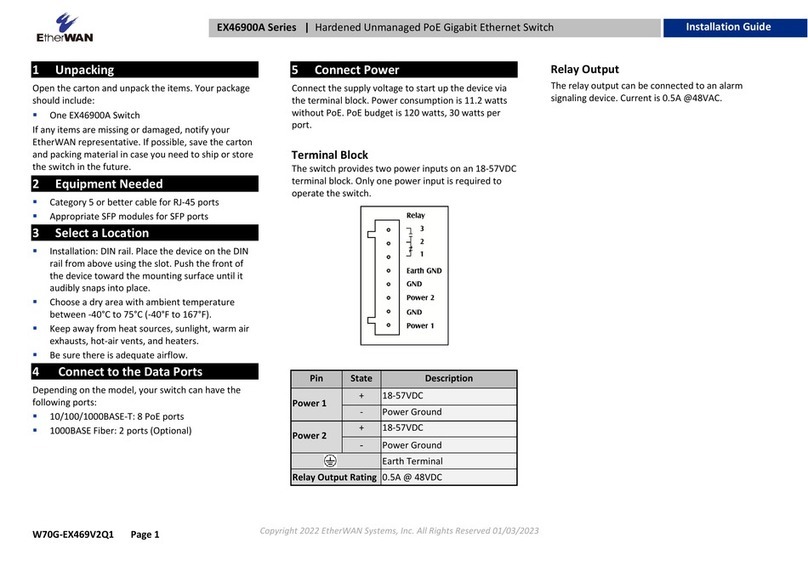
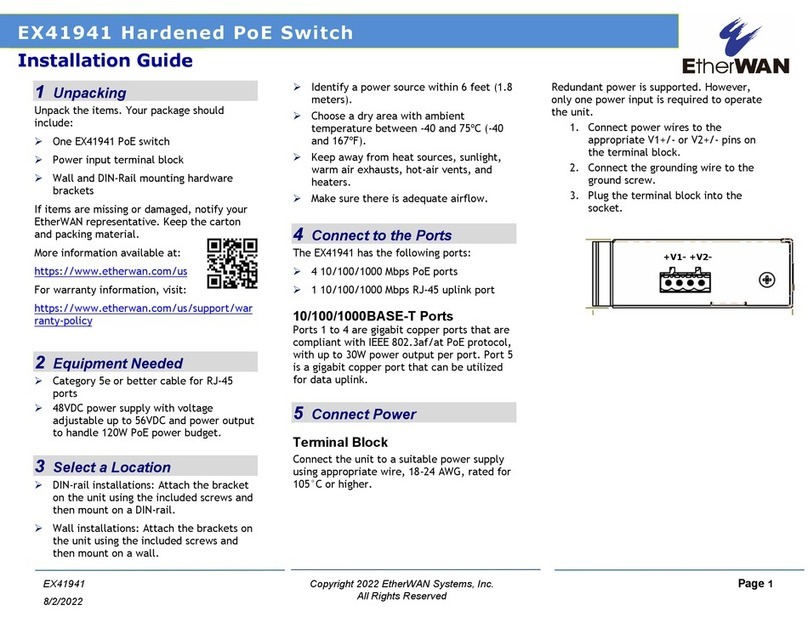
Relay Output Alarm
The switch provides relay output contacts for
signaling of a user-defined power or port failure.
The relay output can be connected to an alarm
signaling device. Current is 0.5A@48VDC.
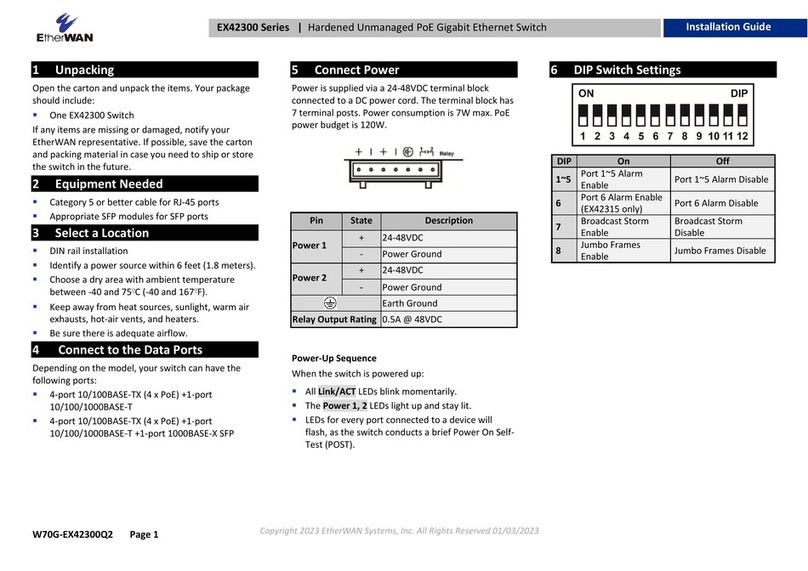
Power-Up Sequence
When you apply power:
ØAll Link/ACT LEDs blink momentarily.
ØThe Power 1 LED goes ON.
ØLEDs for every port connected to a device
flash, as the switch conducts a brief Power
On Self-Test (POST).
6Console Configuration
ØConnect to the switch console by connecting
the DB-9 cable to the console port of the
switch and to the serial port of the computer
running a terminal emulation application
(such as HyperTerminal or Putty).
ØConfiguration settings of the terminal-
emulation program: Baud rate: 115,200bps,
Data bits: 8, Parity: none, Stop bit: 1, Flow
control: none.
ØThe default login name is “root,” no
password.
7Web Configuration
ØLog in to the switch by launching a web
browser and entering 192.168.1.10 in the
address bar.
ØEnter the default login ID: root (no password)
and click “Login.” The system information
screen will display.
8Other information
DIN-Rail Assembly Startup, and Dismantling
•Assembly: Place the Switch on the DIN rail
from above using the slot. Push the front of
the Switch toward the mounting surface
until it audibly snaps into place.
•Startup: Connect the supply voltage to
start up the Switch via the terminal block.
•Dismantling: Pull out the lower edge and
then remove the Switch from the DIN rail.
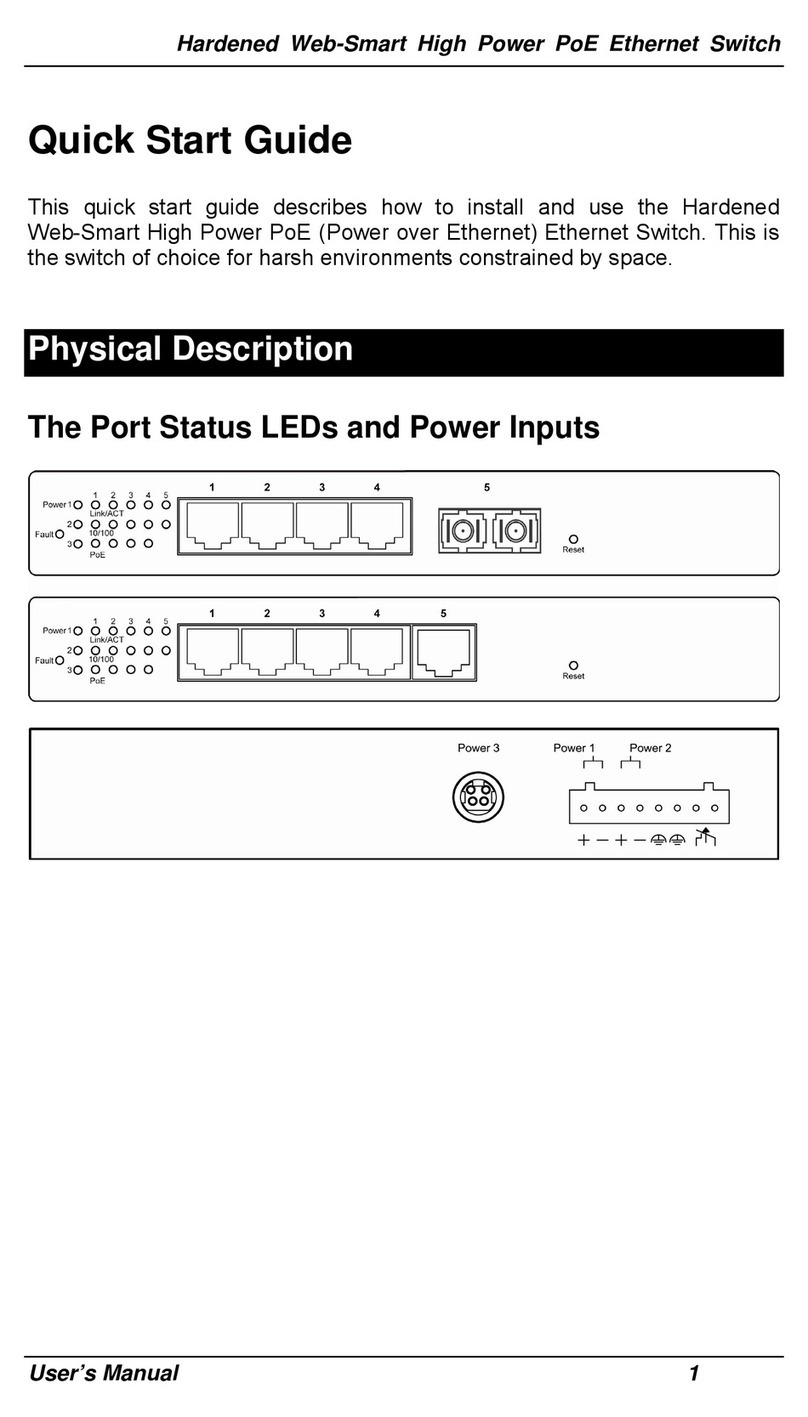
Power wiring information:
Use cable type - AWG (American Wire Gauge) 18-
24 and corresponding pin type cable terminals.
Using torque value 1.7 lb-in, do not use excessive
force when fixing wiring.
The rating of the power wire used must
be at least 105°C.
ØLabel clean up:
Indoor use and pollution degree II, it must
be wiped with a dry cloth for clean up the
labelling.
ØIf the equipment is used in a manner not
specified by the manufacturer, the
protection provided by the equipment may
be impaired.
ØThe Ethernet switch shall be mounted in the
Industrial Control Panel and ambient
temperature is not exceed 75 degree C
Manufacturer information:
ETHERWAN SYSTEMS, INC.
4F-7, No. 79, Sec. 1, Xintai 5th Road, Xizhi
District, New Taipei City 221, Taiwan
ØAltitude up to 2000 m
ØHumidity range (Operational): 5% to 95%,
non-condensation