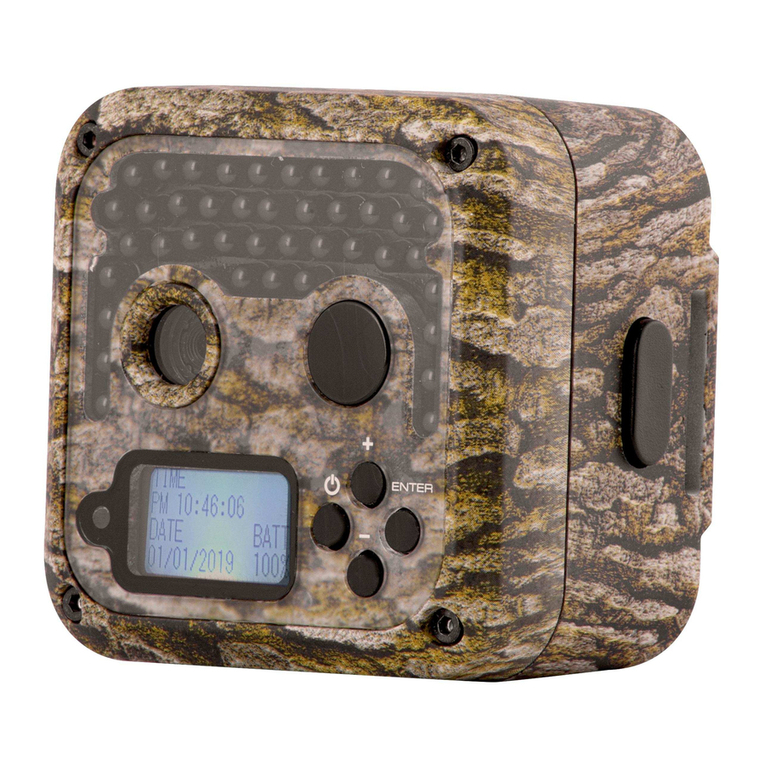
BolyGuard MG982K-10M Manual de usuario

Infrared Mobile Digital Scouting Camera
User’s Manual
MG982K-10M

Content
1 Instruction........................................................................................... 1
1.1 General Description................................................................... 1
1.2 Application................................................................................. 1
1.3 Camera Overview....................................................................... 1
1.4 Shooting Information Display...................................................4
1.5 Two Way Communication .........................................................4
2 Cautions...............................................................................................5
3 Quick Start Guide ................................................................................6
3.1 Power Supply .............................................................................6
3.2 Insert SD card and SIM card.....................................................6
3.3 Do the Camera Settings .............................................................6
3.4 Manually Send a MMS or GPRS Photo ..................................... 7
3.5 Enter Work Mode ......................................................................8
3.6 SMS Control...............................................................................8
4 Advanced Operations ..........................................................................9
4.1 Work Mode ................................................................................9
4.2 Settings Menu ............................................................................9
4.2.1 Setting Items ..................................................................... 10
4.2.2 Default Set ........................................................................ 14
4.3 Use the Remote Control .......................................................... 15
4.4 Load or Remove a Wireless Sensor ......................................... 16
4.5 Change the Settings via Android APP or SMS ........................ 19
4.5.1 User Level.......................................................................... 19
4.5.2 Set Administrator Phone Number....................................20
4.5.3 Get On Spot Photo ............................................................20
4.5.4 Use Android APP .............................................................. 21
4.5.5 SMS Command List .......................................................... 21
5 Trouble Shooting ..............................................................................24
Appendix I: PIR Detection Zone............................................................25
Appendix II: Error Code ........................................................................ 27
Appendix Ⅲ: Technical Specifications ..................................................29
Appendix Ⅳ: Parts List ..........................................................................30

MG982K-10M 1 Instruction
Page 1
1Instruction
1.1 General Description
This camera, a digital scouting camera with MMS function, is a
digital infrared surveillance camera, triggered by any movement of
human or animal monitored by a high sensitive Passive Infrared (PIR)
motion sensor, and then automatically captures high quality pictures
(up to 10M pixels) or records video clips (720P HD). It sends pictures
instantly to your mobile device or e-mail via GSM/GPRS/MMS
network. You’ll be alerted just when the camera is triggered or per
custom settings.
It takes color pictures or videos under sufficient daylight. While at
night, the built-in infrared LEDs can help to take clear pictures or
videos (monochrome).
There is a 3” color LCD display screen on the camera and a sound
recorder embedded in the camera. A laser pointer is used to help target
the photo area of the camera.
It is resistant against water and snow. The camera can also be used
as a portable digital camera.
1.2Application
This camera can be used as an automatic surveillance device for
guarding and recording unexpected intrusion to homes, shops, schools,
depots, offices, taxis, work sites, etc. It can also be used as a trail
camera for hunting or monitoring animals by recording the traces of
wild animals. It can be left alone for weeks and months and it will save
event records automatically in digital format.
1.3Camera Overview
Take a few moments to familiarize with the camera controls and
displays. It is helpful to bookmark this section and refer to it when
reading through the rest of the manual.

MG982K-10M 1 Instruction
Page 2
Figure 1 Diagram of camera functional indicators

MG982K-10M 1 Instruction
Page 3
Figure 2 Inner panel view
Figure 3 Diagram of camera interfaces

MG982K-10M 1 Instruction
Page 4
1.4Shooting Information Display
When the camera is turned on (the power switch is slid to TEST
position), the current settings will be displayed on screen.
Figure 4 Shooting information display
is the correct SIM card status and the available space of SD
card should be a none zero value.
1.5Two Way Communication
When in Hunting mode, you can set SMS control submenu as ON
to open the two way communication function. Under this setting, the
camera can receive and respond to your SMS command or the Android
APP command. And you can retrieve live pictures in this mode.
When in Security mode, the two way communication function is
enabled by default. Taking into account the power consumption, we
recommend to use the power adapter.

MG982K-10M 2 Cautions
Page 5
2Cautions
¬The working voltage of the camera is 6V. The camera is supplied by
the power adapter or 8 AA batteries.
¬Please install batteries according to shown polarity.
¬Please insert the SD card before power on camera. The camera has
no internal memory for saving images or videos. The camera will not
work if there is no SD card.
¬Please make sure that your SIM card supports the GPRS data
business.
¬When going into the SETUP mode, allow approximately 10-20
seconds for the camera to acquire a signal.
¬Please unlock the write-protect switch before inserting the SD card.
¬Please do not insert or take out the SD card when the power switch
is at ON position.
¬It is recommended to format the SD card by the camera when used
for the first time. Many other SD cards formatted by other cameras
have poor compatibility with different brands of cameras. So it is
best to format the SD card with this camera or on a computer.
¬In the SETUP mode,the camera will shut down automatically after 3
minutes if no operation is done. Please turn on the power again if
you want to continue to work with the control.

MG982K-10M 3 Quick Start Guide
Page 6
3Quick Start Guide
3.1Power Supply
Hunting mode or outdoor use: use 8 or 4 AA batteries.
High-density and high-performance alkaline or lithium batteries are
recommended.
Security mode or indoor use: use 6V/2A high quality power
adapter. The battery can be just a backup for emergency use. Otherwise,
the battery will be quickly consumed.
3.2 Insert SD card and SIM card
Insert an unlocked SD card and an available GPRS enabled SIM
card.
3.3 Do the Camera Settings
Down load the camera set up software from our website.
The
specified website is written in the last page of the manual.
1) Open the software and select camera model:

MG982K-10M 3 Quick Start Guide
Page 7
2) Set the camera parameters
For first time use, we suggest you to use default settings (step1).
Then select your country and carriers (step2) according to your SIM
card and input your receive phone number in “administrator number”
and receive e-mail address in “Receive Email 1”(step3).
After finish settings, please save the GSM folder to the root
directory of your SD card (step4).
3.4 Manually Send a MMS or GPRS Photo
After you generate a setting file in your SD card, please slip the
power switch to SETUP position. After the camera acquires the signal

MG982K-10M 3 Quick Start Guide
Page 8
and the SIM card icon appears, target an object and press “SHOT”
to take a photo manually.
Then press “OK” to playback the photos, press “▲” and “▼” to
switch to previous or next photo. Press “MENU” and you can see a send
Phone [MMS] interface, press “OK” to send out the MMS.
After a few seconds, you will receive a MMS in your phone.
3.5 Enter Work Mode
For hunting use, you need to slide the
power switch to ON position to let the camera
start to work.
For security use, you need to click
“MENU”in Setup mode to enter security
mode.
3.6 SMS Control
When the camera is armed, you can send
text message “#T#” to your camera’s SIM
card number to get an on spot image or use
our Android application tools.
Down load the Android control software
from our website.
The specified website is
written in the last page of the manual.
.
Otros manuales para MG982K-10M
3
Tabla de contenidos
Otros manuales de Cámara de exploración de BolyGuard