
Teleorigin RB900SG Manual de usuario

1

Contents
1. Overview............................................................................................................................5
2. Product variants.................................................................................................................6
3. Complete package contents..............................................................................................7
4. General presentation.........................................................................................................
4.1 Product pictures ....................................................................................................................
4.2 External connections..............................................................................................................9
4.2.1GSM antenna connector...................................................................................................9
4.2.2GNSS antenna connector.................................................................................................9
4.2.3 USB Interface................................................................................................................10
4.2.4 RS232/RS4 5/RS422 interfaces....................................................................................11
4.2.5 Power supply connector................................................................................................12
4.2.6 SIM card holder.............................................................................................................13
4.3 Product sticker......................................................................................................................14
5. Basic features and services.............................................................................................15
6. Using the modem.............................................................................................................16
6.1 Setting up the modem...........................................................................................................16
6.2 Mounting the modem............................................................................................................20
6.3 Checking the communication with the modem......................................................................21
6.4 Status of the modem (LEDs)................................................................................................22
6.5 RESET and BOOT buttons...................................................................................................22
7. Troubleshooting................................................................................................................23
7.1 No connection/communication with the modem....................................................................23
. Technical specifications....................................................................................................24
.1 Mechanical specifications.....................................................................................................24
.2 Housing description (dimension diagram).............................................................................24
9. Electrical specification......................................................................................................25
9.1 Power supply........................................................................................................................ 25
9.2 RF specifications..................................................................................................................25
9.3 External antenna.................................................................................................................. 31
9.4 Environmental characteristic.................................................................................................31
10. Safety recommendations...............................................................................................32
10.1 General Safety....................................................................................................................32
10.2 Care and Maintenance.......................................................................................................32
10.3 Responsibility.....................................................................................................................32
2

11. Accessories....................................................................................................................33
12. Conformity Assessment Issues......................................................................................34
13. Safety Recommendations..............................................................................................35
14. List of Acronyms.............................................................................................................37
15. Online support................................................................................................................39
3

APPLICABILITY TABLE
Modem Short description
RB900SG-L2 2G+LTE Cat. M1 + LTE Cat. NB1 modem version
RB900SG-L5 2G+LTE Cat. M1 + LTE Cat. NB2 modem version
RB900SG-E5 4G Cat. 4 modem version
RB900SG-E1 4G Cat. 1 modem version
RB900SG-U6 3G Global modem version
RB900SG-U5 3G Dual band modem version
4

1. Overview
The RB900SG Terminal is the complete modem solution for wireless m2m applications.
It offers high level LPWA/2G/3G/4G features and RS232/4 5/422 communication
interfaces and USB interface for configuration. Together with its small size and wide power
supply range, it is easy to integrate it with energy meters.
The RB900SG terminal enabling high speed data transmission, SMS and TCP/IP
communication. The device can be controlled by standard AT commands and configured
by RB-Setup application, thus making it the complete SMT platform for m2m solutions.
This document contains full RB900SG modem description and gives information about
installation and using it.
5

2. Product variants
RB900SG modem variants and its description are listed below.
Model Description
RB900SG-U5.X.X.2.X.X Dual band 3G modem
RB900SG-U6.X.X.2.X.X Quad band 3G modem
RB900SG-E1.X.X.2.X.X LTE Cat. 1 modem
RB900SG-E5.X.X.2.X.X LTE Cat. 4 modem
RB900SG-L2.X.X.2.X.X 2G/LTE Cat. M1 & NB1 modem
RB900SG-L5.X.X.2.X.X 2G/LTE Cat. M1 & NB2 modem
It is possible to use SIM-CHIP solution. Example P/N of the modem with SIM-CHIP:
RB900SG- 2.X.C.2.X.X – 2G/LTE Cat. M1 & NB1 modem with SIM-CHIP
6
3. Complete package contents
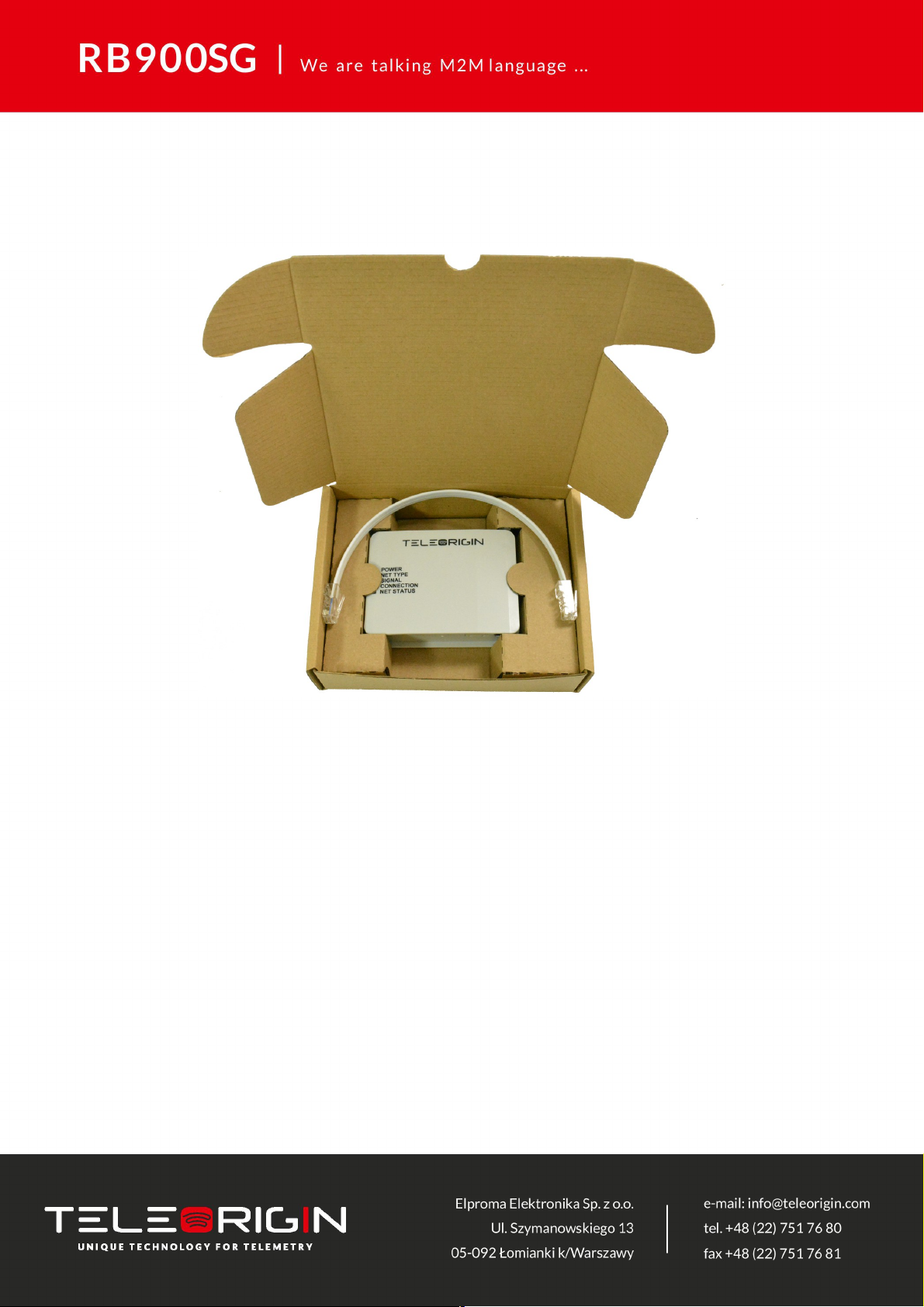
Complete package contains:
•RB900SG modem (item A)
•RJ45 cable (item B)
7
AA
B

4. General presentation
4.1 Product pictures
SMA
connector
Extractable
SIM card
holder
SIM card
holder
ejector
Power
supply
RESET button
USB
POWER
ET TYPE
SIG AL
CO ECTIO
ET STATUS
LED's
Power
supply
BOOT button

4.2 External connections
4.2.1 GSM antenna connector
An SMA “ANT” input is used to connect external GSM/UMTS/LTE antenna. To establish
a connection with a GSM/UMTS/LTE network, an external antenna must be used. Type of
antenna depends of GSM/UMTS/LTE coverage. In good circumstances (level of received
signal is high) use antenna contained in the package. If the range of GSM/UMTS/LTE is
low or none, an outdoor or indoor (for instance in place where GSM/UMTS/LTE range is
sufficient) antenna should be used.
Note: If there is no antenna connected to SMA connector, the connection with
GSM/UMTS/LTE network is impossible.
4.2.2 GNSS antenna connector
An SMA “GNSS” input is used to connect an external GPS/Glonass antenna. To
establish connection with GPS/Glonass sattelites and check the coordinates of the device,
an external antenna must be used and should be located outdoors. GNSS is optionally
available in RB900SG-L2 and RB900SG-L5 modem variants.
9
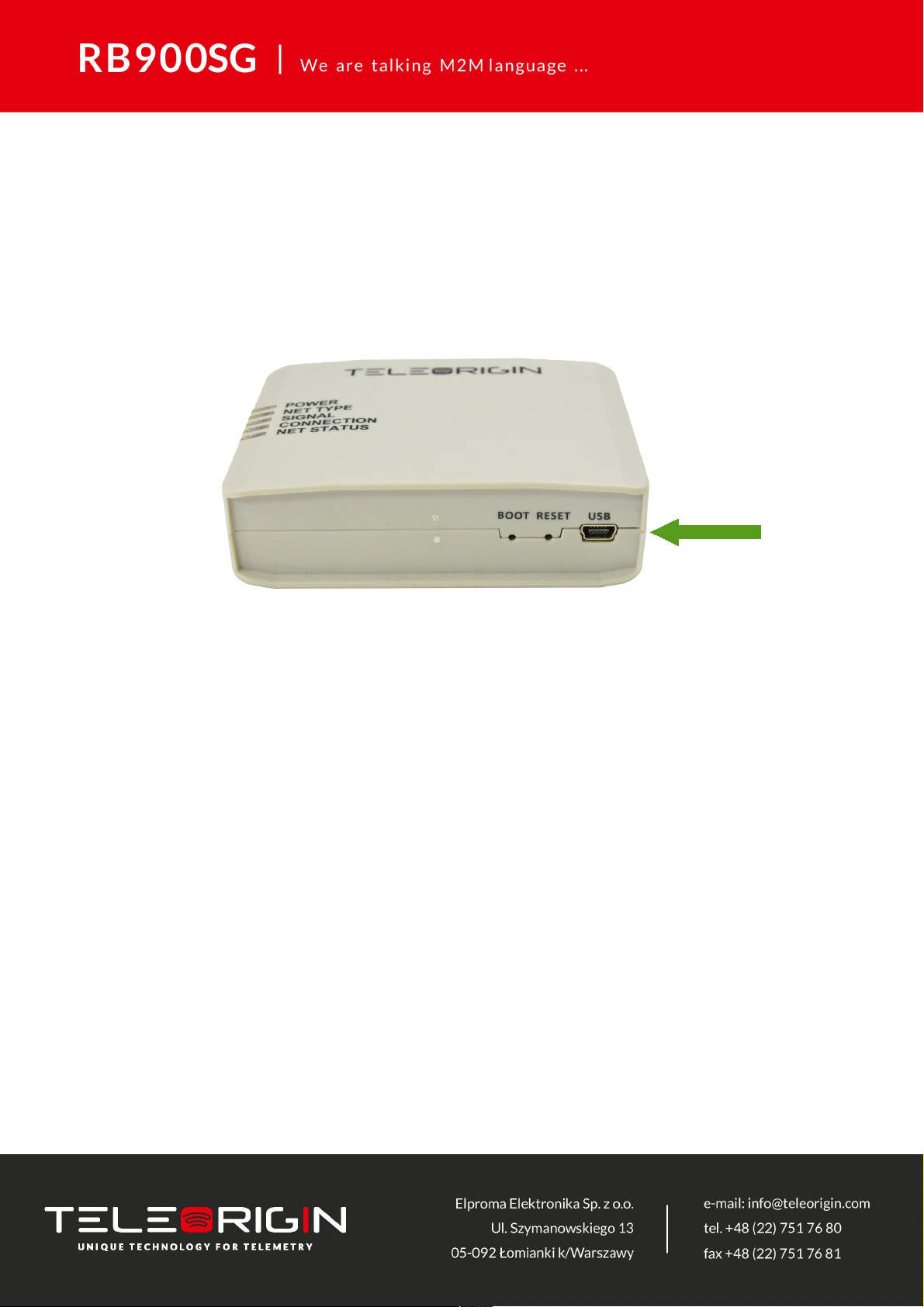
4.2.3 USB Interface
RB900SG terminal is equipped with a USB interface (as shown below). Type of
connector is miniUSB. It is used for device configuration.
10
Otros manuales para RB900SG
2
Tabla de contenidos
Otros manuales de Módem de Teleorigin

Teleorigin
Teleorigin RB900SG Manual de usuario

Teleorigin
Teleorigin RB900SG Manual de usuario

Teleorigin
Teleorigin RB IndustrialRT Manual de usuario

Teleorigin
Teleorigin RB900-Pro Manual de usuario

Teleorigin
Teleorigin RB800 Manual de usuario

Teleorigin
Teleorigin RB900 Manual de usuario

Teleorigin
Teleorigin RB900 Manual de usuario
Manuales populares de Módem de otras marcas


US Robotics
US Robotics 3453C Manual de usuario

MaxTech
MaxTech Plug & Play Internal Voice/FAX/Data/SVD... Manual de usuario

Zte
Zte MF823 Manual de usuario

Four-Faith
Four-Faith F1403 Manual de usuario

Sierra Wireless
Sierra Wireless AIRLINK MP595W Manual de usuario

Gemtek
Gemtek WiMAX WIXFBR-103 Manual de usuario