
Science Image NDI Studio 4K SH Manual de usuario

Quick Start
NDI Studio 4K SH S H
/ /

SDI input
SDI output
HDMI input
HDMI output
Optical input/output
Network port/POE
Tally indicator
12V DC-IN
Reset factory settings
LINE IN
Headset/Intercom
USB/PTZ
1 / 4 inch cold hole
Power LED
NDI Studio 4K Interface and Indicator
1
1
2
3
4
5
6
7
8
9
10
11
12
13
14
2 3 4 5 6
7
8 9 10 12
13
11
14

First Line---NDI Encoder / NDI Decoder
Displays the current NDI ® Studio 4K working modes: Encoding or Decoding.
Second Line---NDI Source Name / Primary HDMI/SDI Selection
In encoding mode, will displayed NDI stream name such as "NDI-X" that user could
define this stream name on Web UI
Displays the interface selected by the user's primary input, such as SDI or HDMI
In decoding mode, will display NDI source which was decoding on line, alternatively
display ********* if there is no NDI source was selected.
Third Line--- IN: 1080i50 / CH: SDI-Y HDMI-N
Displays the video format of the current encoded input source or decoded output
Displays whether the SDI and HDMI inputs are recognized, Y is detected, otherwise N
Fourth Line---OUT: 2160p60 / 192.168.3.166
Display the output format after Up/Down conversion selected by the user
Displays the current IP address of the device
OLED Display
In the coding status, the current status and parameters will be displayed alternately on
lines 2, 3 and 4 of the screen
It takes about 30 seconds from power on to NDI working nomarly. It takes time for linux
system to start and please wait patiently.
The flag of successful system startup is the name of NDI stream in OLED.

Web UI and Control Interface Dashboard
Network Setting
There are 6 directories in total: Dashboard, Network, Encoder, Decoder, System and Control
The dashboard displays the basic information of the device, such as the format of the
input video source, device name, firmware version, etc.
you can monitor the working status and operation of the device in real time.
DHCP mode
Automatic mode (DHCP) suggests to be used in the subnet with a router. The router will
dynamically assigns the IP address to the device when started.

NDI is a trademark of NewTek, LLC (USA)
SCIENCE IMAGE is a trademark of SCIENCE IMAGE Tech. Ltd
Get more information
For more information and download user manual,
please visit http://www.science-image.com/

SDI input
SDI output
HDMI input
HDMI output
Optical input/output
Network port/POE
Tally indicator
1. DC-12V Input
2. POE Power supplier
Power on and Start up
Power on with the SCIENCE IMAGE original standard 12V power supply
Power up through the network cable connecting the POE (power over Ethernet) with
Gigabit network switch
PoE Power over Ethernet(802.11af/at) support
Always use a certified 802.11 af/at with minimum 10W port power capacity and it's a
gigabit network switch.
For NDI Studio 4K series, you can choose two power supply modes: DC input and POE
Always use genuine SCIENCE IMAGE power adapters, 3rd party products perhaps can
cause permanent damage.
After startup, you will find that the character SCIENCE IMAGE Tech begins to appear on the
OLED screen, and the power light on the right starts to light up.
At this time, the device is powered up successfully.

LOGIN IN
If you cannot access the Web UI, please set the IP address of your PC to the SAME ethernet
subnet according to the IP address displayed by the OLED.
Open the IE browser, enter the IP address on the OLED screen and enter the Web UI home
page Default user name:
admin
Password:
admin
Method 2: Open the login page through NDI Studio Monitor
Find the NDI source in Studio Monitor(download official website "https://ndi.tv/tools")
and click the SETUP icon in the lower right corner, then you will be enter the Web UI
interface directly.

Network Setting
if there is no router in the link, the default IP of thedevice is 192.168.8.8).
change IP address and apply the device will automatically restart.
Manual mode
For example: when the pc's Ethernet IP as : 192.168.1.144 Subnet mask: 255.255.255.0
Default gateway: 192.168.1.1", then we could set the device IP address as: " 192.168.1.142
gateway : 192.168.1.1 Subnet mask: 255.255.255.0 "
The gateway/subnet mask are the Same Subnet, and ensure do not conflict with other
addresses in this network.
NDI Discovery Server Setting
Please refer to the NDI Studio 4K series manual of SCIENCE IMAGE for detailed settings
and usage
NDI Multicast Setting
When Multicast mode is turned on, which is the UDP (Multicast) delivery mode, it has a
default Multicast address and a subnet mask. You can configure the address manually,
and clicking Apply takes effect. Close the multicastThe transmission mode of TCP
(Multi-Connection) is adopted. The default is to turn off multicast mode.
NDI Multicast Setting
Please refer to the NDI Studio 4K series manual of SCIENCE IMAGE for detailed settings
and usageusage
NDI Group Setting
Please refer to the NDI Studio 4K series manual of SCIENCE IMAGE for detailed settings
and usage

Encoding
You can define and change the NDI stream name of this codec on the network without
restarting the device to distinguish different NDI codec.
In NDI encoding mode, users can flexibly set a variety of NDI parameters, such as NDI
stream name, picture frame, frame rate, encoding volume, input source priority, Tally
display switch, Intercom switch, optical tranceiver turn or off etc.
In addition, one of the most important auxiliary functions is that you can convert,
transform and output any format you want without affecting NDI coding. The converted
format will be output simultaneously through NDI and SDI / HDMI interface.

NDI stream output volume adjustment. 0dB is the initial volume.
You can select any background picture as the NDI source as you like or needs.
When the bandwidth of the network is not ideal, the bit rate bandwidth of NDI can be
adjusted to a minimum of 20M.
The tally function is turned on by default. You can turn off the tally light when you don't
need it
Otros manuales para NDI Studio 4K SH
1
Este manual sirve para los siguientes modelos
2
Tabla de contenidos
Otros manuales de Convertidor de medios de Science Image
Science Image
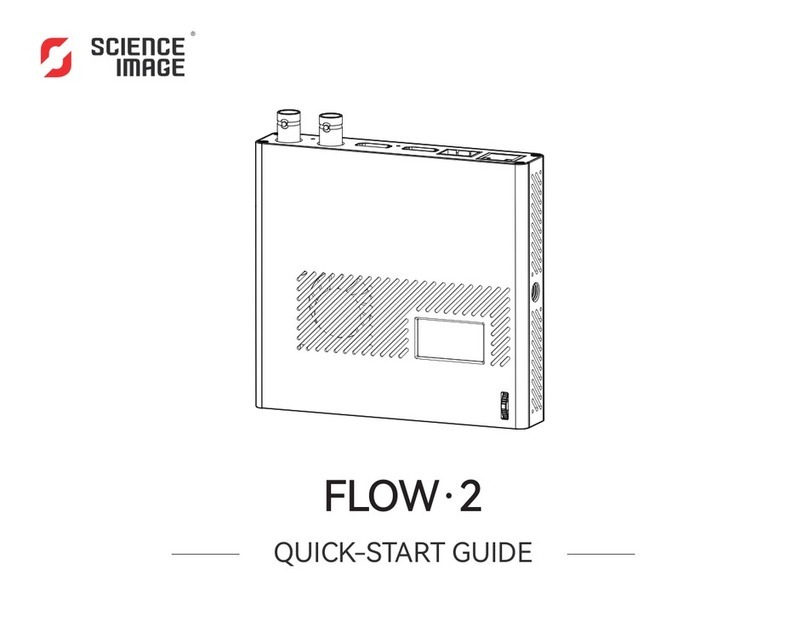
Science Image FLOW 2 Manual de usuario

Science Image
Science Image NDI Studio 4K Manual de usuario

Science Image
Science Image NDI Studio 4K Manual de usuario

Science Image
Science Image NDI Studio 4K SH Manual de usuario

Science Image
Science Image NDI HD Manual de usuario

Science Image
Science Image NDI HD mini Manual de usuario

Science Image
Science Image NDI HD mini Manual de usuario

Science Image
Science Image FLOW 4K Manual de usuario


