
Libelium Waspmote LoRa Manual de usuario

Waspmote-LoRa-868MHz_915MHz-SX1272
Networking Guide

-2-
v7.0
Index
Document Version: v7.0 - 02/2017
© Libelium Comunicaciones Distribuidas S.L.
INDEX
1. LoRa and LoRaWAN ............................................................................................................................. 4
2. Hardware.............................................................................................................................................. 5
3. Dual radio with Expansion Board..................................................................................................... 10
3.1. Expansion Radio Board ...........................................................................................................................................................10
4. General considerations ..................................................................................................................... 12
4.1. Waspmote libraries................................................................................................................................................................... 12
4.1.1. Waspmote SX1272 les............................................................................................................................................12
4.1.2. Constructor...................................................................................................................................................................12
4.2. API functions...............................................................................................................................................................................12
4.3. Additional functions ................................................................................................................................................................14
4.3.1. Getting temperature.................................................................................................................................................14
4.3.2. Getting maximum allowed current supply.......................................................................................................15
4.4. Waspmote reboot .....................................................................................................................................................................15
5. Transmission modes.......................................................................................................................... 16
5.1. LoRaTM mode ...............................................................................................................................................................................16
5.1.1. Bandwidth ....................................................................................................................................................................17
5.1.2. Coding Rate..................................................................................................................................................................17
5.1.3. Spreading Factor ........................................................................................................................................................17
6. Initialization....................................................................................................................................... 18
6.1. Setting on ....................................................................................................................................................................................18
6.2. Setting o ....................................................................................................................................................................................18
7. Node parameters............................................................................................................................... 19
7.1. Node address............................................................................................................................................................................. 19
7.2. Frequency band......................................................................................................................................................................... 19
7.3. Channel.........................................................................................................................................................................................20
8. Packet parameters............................................................................................................................. 22
8.1. Structure used in packets......................................................................................................................................................22
8.2. Maximum payload....................................................................................................................................................................22
9. Power gain and sensitivity................................................................................................................ 23
9.1. Power level ..................................................................................................................................................................................23
9.2. RSSI of one packet and RSSI of the channel.................................................................................................................... 24
9.3. SNR.................................................................................................................................................................................................24

-3-
v7.0
Index
10. Long range tests .............................................................................................................................. 25
10.1. Line of Sight test .....................................................................................................................................................................25
10.2. Non Line of Sight tests..........................................................................................................................................................26
10.2.1. Tests in Zaragoza......................................................................................................................................................26
10.2.2. Test in Paris.................................................................................................................................................................28
11. Connectivity..................................................................................................................................... 29
11.1. Topologies.................................................................................................................................................................................29
11.2. Connections .............................................................................................................................................................................30
11.2.1. Unicast.........................................................................................................................................................................30
11.2.2. Broadcast ....................................................................................................................................................................31
11.3. Connection parameters .......................................................................................................................................................32
11.3.1. Setting retries............................................................................................................................................................32
11.4. Sending process...................................................................................................................................................................... 32
11.4.1. SX1272 API packet structure ..............................................................................................................................32
11.4.2. Using Frame class to create SX1272 packets .................................................................................................33
11.4.3. Sending data .............................................................................................................................................................33
11.5. Receiving data ......................................................................................................................................................................... 34
11.5.1. How to receive packets in Waspmote ..............................................................................................................35
11.5.2. How to show received Frames ............................................................................................................................35
11.5.3. Receiving all packets ..............................................................................................................................................36
12. Starting a network........................................................................................................................... 37
12.1. Choosing a channel...............................................................................................................................................................37
12.2. Choosing a mode ..................................................................................................................................................................37
13. Joining an existing network ........................................................................................................... 38
13.1. Channel......................................................................................................................................................................................38
13.2. Mode...........................................................................................................................................................................................38
14. Security and data encryption ......................................................................................................... 39
14.1. Security in transmissions .....................................................................................................................................................39
15. Understanding LoRa ....................................................................................................................... 40
15.1. Introduction .............................................................................................................................................................................40
15.2. Long Range VS Transmission time / consumption..................................................................................................... 41
15.3. LoRa VS XBee 868/900 MHz................................................................................................................................................42
15.4. For what applications is LoRa a good option? ............................................................................................................42
15.5. For what applications is NOT LoRa a good option? .................................................................................................43
16. Code examples and extended information................................................................................... 44
17. API changelog.................................................................................................................................. 46
18. Certications.................................................................................................................................... 47

-4-
v7.0
LoRa and LoRaWAN
1. LoRa and LoRaWAN
This guide explains the LoRa features and functions. There are no great variations in this library for our new product lines
Waspmote v15 and Plug & Sense! v15, released on October 2016.
Anyway, if you are using previous versions of our products, please use the corresponding guides, available on our Development
website.
You can get more information about the generation change on the document“New generation of Libelium product lines”.
Libelium currently oers two options of this type of radio technology: LoRa and LoRaWAN
•LoRa contains only the link layer protocol and is perfect to be used in P2P communications between nodes. LoRa modules
are a little cheaper that the LoRaWAN ones.
•LoRaWAN includes the network layer too so it is possible to send the information to any Base Station already connected to
a Cloud platform. LoRaWAN modules may work in dierent frequencies by just connecting the right antenna to its socket.
These modules are based on the same modulation technology (the same PHY layer): LoRa™, developed by Semtech. The LoRa
module implements a simple link protocol, created by Libelium. However, the LoRaWAN module runs the LoRaWAN protocol, a
much richer and more advanced protocol, created by the LoRa Alliance.
The LoRa module and the LoRaWAN module are not compatible because the protocols are dierent.
This guide talks about the LoRa module, not about LoRaWAN. If you are interested in the LoRaWAN module, please read the
LoRaWAN Networking Guide:
http://www.libelium.com/development/waspmote/documentation/waspmote-lorawan-networking-guide/

-5-
v7.0
Hardware
2. Hardware
The SX1272 chipset has been developed by the company Semtech. Based on this chipset, Libelium created the Waspmote-
compliant LoRa module (or SX1272 module).
Module Dual frequency
band
Transmission
power Sensitivity Channels Distance
SX1272
863-870 MHz
(Europe) 14 dBm -134 dBm
822+ km
(13.4+ miles)
902-928 MHz (US) 13
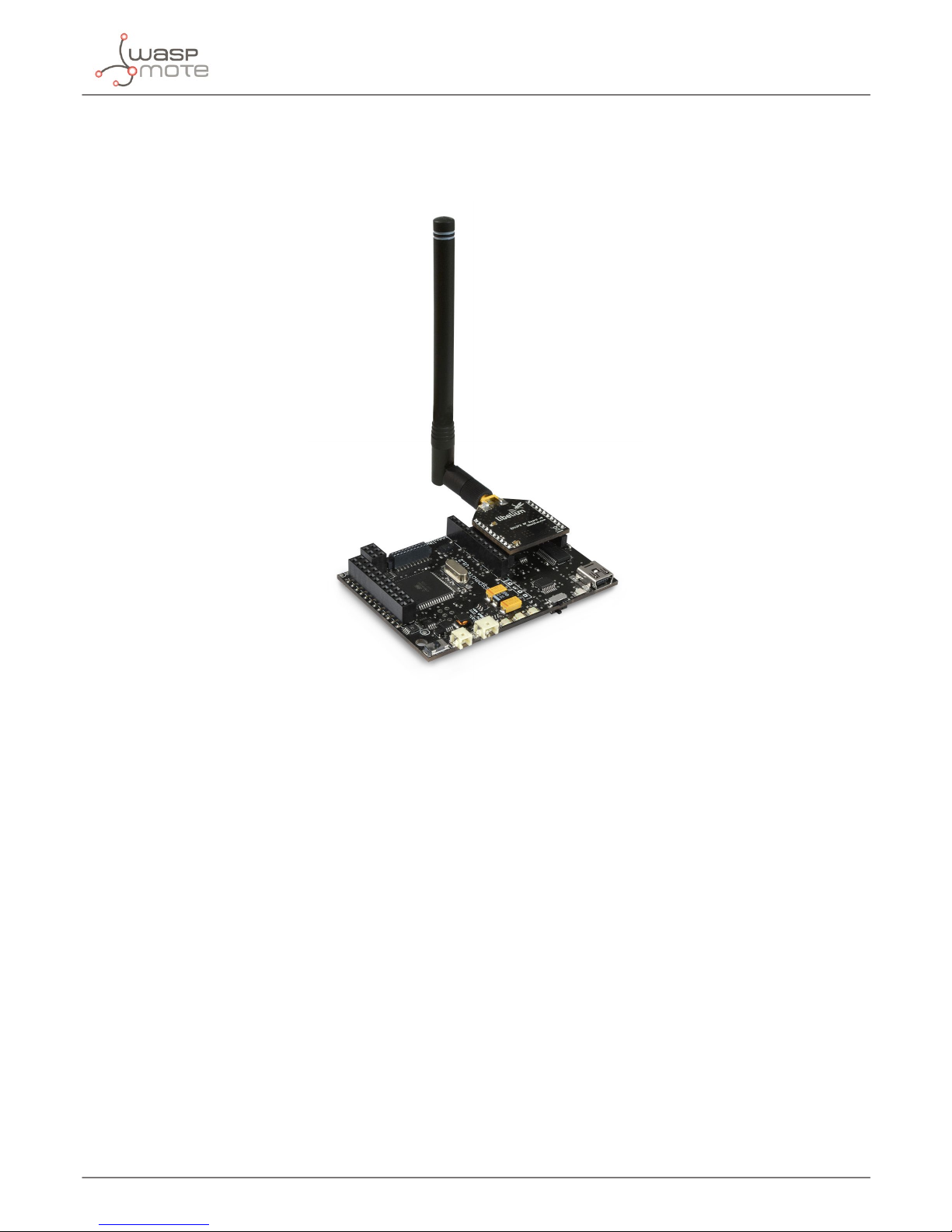
Figure: LoRa module
Figure: LoRa module with 4.5 dBi antenna

-6-
v7.0
Hardware
The user must keep in mind that there are two dierent antennas for LoRa modules regarding the frequency band: 868 or 900
MHz. Although the appearance of these antennas is the same, the user must choose which one needs to be purchased.
Note: It is not recommended to work without an antenna screwed to the module. The module could be damaged due to RF reections.
The frequency used in Europe is the free ISM band of 868 MHz, using 8 channels with a bandwidth of 0.3 MHz per channel. That
is shown in the following gure.
Figure: Frequency channels in the 868 MHz band
Note: These channels were chosen arbitrarily, according to the UN-111 appeared in the Spanish BOE-A-2013-4845. If necessary, users
can select the appropriate channels according to their country regulations.
The frequency used in USA, Canada, Australia, Singapore or Israel is the free ISM band of 900 MHz, using 13 channels with a
bandwidth of 2.16 MHz per channel. It is shown in the following gure.
Figure: Frequency channels in the 900 MHz band
Note: These channels were chosen arbitrarily; they t the channels used by the equivalent XBee 900 MHz. If necessary, users can select
the appropriate channels according to their country regulations.

-7-
v7.0
Hardware
Channel Number Central frequency Channel Number Central frequency
CH_10_868 865.20 MHz CH_00_900 903.08 MHz
CH_11_868 865.50 MHz CH_01_900 905.24 MHz
CH_12_868 865.80 MHz CH_02_900 907.40 MHz
CH_13_868 866.10 MHz CH_03_900 909.56 MHz
CH_14_868 866.40 MHz CH_04_900 911.72 MHz
CH_15_868 866.70 MHz CH_05_900 913.88 MHz
CH_16_868 867 MHz CH_06_900 916.04 MHz
CH_17_868 868 MHz CH_07_900 918.20 MHz
CH_08_900 920.36 MHz
CH_09_900 922.52 MHz
CH_10_900 924.68 MHz
CH_11_900 926.84 MHz
CH_12_900 915 MHz
Figure: Channels used by the LoRa modules in 868 MHz and 900 MHz
Note: Due to the propagation characteristics of the 868/900 MHz bands, the near eld eect could make that 2 modules cannot
communicate if they are placed very close (< 1 m). We suggest to keep a minimum distance of 3 or 4 meters between modules.
Regarding the energy section, the transmission power can be adjusted to several values:
Parameter SX1272 power level
'L' 0 dBm
'H' 7 dBm
'M' 14 dBm
Figure: Transmission power value
Figure: SX1272 output power level
-8-
v7.0
Hardware
The LoRa module uses the SPI pins for communication. The SPI port allows more speed communication and frees up the
Waspmote’s UART for other purposes. The Expansion Board allows to connect two communication modules at the same time
in the Waspmote sensor platform. This means a lot of dierent combinations are possible using any of the radios available for
Waspmote and the LoRa module.
Figure: LoRa module in Socket 0
Note: The SX1272 module can only be used in special Waspmote v12 units which have been modied to drive the SPI pins to socket 0.
The SX1272 module does not implement any security method. Encryption is provided through the Waspmote Encryption
library. Specically, through the AES algorithm with symmetric key, with a length of 128, 192 or 256 bits.
The classic layout of this type of network is Star topology (shown in the gure), as the nodes establish point to point connections
with brother nodes through the use of parameters such as the Node Address.

-9-
v7.0
Hardware
Figure: Star topology
Note: OTA programming is not implemented for the LoRa module. Due to its low datarate, it would take much time to send one
program.

-10-
v7.0
Dual radio with Expansion Board
3. Dual radio with Expansion Board
3.1. Expansion Radio Board
The Expansion Board allows to connect two communication modules at the same time in the Waspmote sensor platform. This
means a lot of dierent combinations are possible using any of the wireless radios available for Waspmote: 802.15.4, ZigBee,
DigiMesh, 868 MHz, 900 MHz, LoRa, WiFi, GPRS, GPRS+GPS, 3G, 4G, Sigfox, LoRaWAN, Bluetooth Pro, Bluetooth Low Energy and
RFID/NFC. Besides, the following Industrial Protocols modules are available: RS-485/Modbus, RS-232 Serial/Modbus and CAN Bus.
Some of the possible combinations are:
• LoRaWAN - GPRS
• 802.15.4 - Sigfox
• 868 MHz - RS-485
• RS-232 - WiFi
• DigiMesh - 4G
• RS-232 - RFID/NFC
• WiFi - 3G
• CAN bus – Bluetooth
• etc.
Remark: GPRS, GPRS+GPS, 3G and 4G modules do not need the Expansion Board to be connected to Waspmote. They can be plugged
directly in the socket1.
Figure: Waspmote with XBee radio on socket0 and Bluetooth Pro module on socket 1
Tabla de contenidos
Otros manuales de Unidad de control de Libelium


Manuales populares de Unidad de control de otras marcas

Festo
Festo Compact Performance CP-FB6-E Manual de lista de piezas

Elo TouchSystems
Elo TouchSystems DMS-SA19P-EXTME Manual de usuario

JS Automation
JS Automation MPC3034A Manual de usuario

JAUDT
JAUDT SW GII 6406 Series Guía rápida

Spektrum
Spektrum Air Module System Manual de usuario

BOC Edwards
BOC Edwards Q Series Manual de usuario


