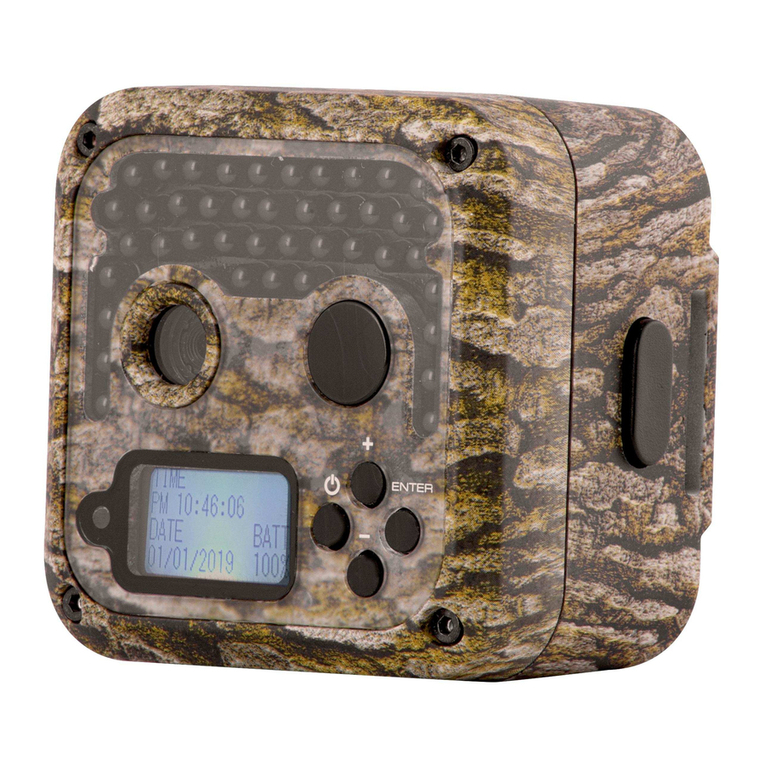
Zecre PH810W Manual de usuario

Trail Camera WIFI
Instruction Manual
Model: PH810W


LANGUAGE
English ···················································· 1~39
Deutsch··················································41~81
Français ···············································83~122
Italiano················································ 124~162
Español ··············································164~203

Trail Camera WIFI

English
SIMPLE TO USE·················································· 1
AFTER SALES SERVICE······································ 2
1. INSTRUCTION ················································· 2
2. BEFORE OPERATION ······································ 8
3. CAMERA OPERATION······································ 9
4. TEST CAMERA ··············································· 25
5. VIEWING/DELETING THE PHOTOS/VIDEOS······ 26
6. DOWNLOAD FILES ········································· 29
7. MOUNTING GUIDE·········································· 29
8. TROUBLESHOOTING/ FAQ·······························32
9. CUSTOMER SERVICE & WARRANTY ················37
10.ELECTRICAL SAFETY INSTRUCTIONS ············ 38


SIMPLE TO USE English 1
SIMPLE TO USE
1.Insert a Micro SD card and put 4 or 8 AA batteries (Not
included )in.
Please notice the front and back of the Micro SD card when you
insert it in the card slot. If you want to take out the card from
the slot, please lightly press it then pull it out. Please use high
quality alkaline batteries to power the camera.
2.Setup menu in “TEST” mode
Slide the switch to “TEST”, press MENU set menu. Set up the
parameters that you desire in the “TEST” mode.
3. Slide the switch to “ON” mode and the camera starts
working
It will start to count down 5 seconds when you switch to “ON”,
then the screen will turn o. The camera is in standby mode.
When people or animals trigger the camera to work, it will
automatically take photos or videos. In ON mode, you can set
menu and watch video in APP "Trailcam Link".
4.Play back photos or videos
Slide the switch to “TEST”, press REPLAY to watch the photo or
video.

AFTER SALES SERVICE
2English
AFTER SALES SERVICE
We are committed to sincere and thoughtful service to ensure
customer satisfaction. If you have any questions or concerns
about our products, please feel free to email us.
We will reply you within 24 hours and provide you with a 100%
perfect solution. If you want to learn more about the following
information, you can scan the QR code to visit our website
www.hapimpofficial.com
■ Beginner tutorial
■ Download the manuals for dierent models
■ Get new product information
■ FAQ (Frequently Asked Questions and Answers)
■ Make suggestions or complaints about the products
■ Product operation video
1.INSTRUCTION
1.1.Features
● Bluetooth/WiFi Connection & APP Control. This WiFi hunting
camera will act as a WiFi hotspot without the need to be
connected to the router, which means that it will act as its own
network to which you can connect your mobile phone using a
free app"Trailcam Link". Within the 15- meter distance between
the hunting camera and your phone, connect Bluetooth and wi
and turn on the app, you will be able to download and watch the
recorded pictures and videos or set the menu from the app.
● 4K, 2.7K, 1080P, 720P, WVGA ,VGA video resolution.
● Programmable 5 , 8 , 12 , 16 , 20 and 32 Megapixel high-
quality resolution.

1.INSTRUCTION English 3
● 45 pieces of 940nm Infrared night vision LED for ash range
as far as 82 feet.
● In " Photo & Video " mode , the camera takes pictures rst
and then video at every trigger event .
● Impressively quick trigger time (0.1-0.5 seconds at a standard
temperature of 25℃ , Preboot 0.1 seconds).
● Unique side Prep Sensor design provides wider sensing
angle and enhances camera's response speed.
● In Time lapse setting, the camera automatically and
continually takes pictures/videos at a specied interval. It is
useful when observing plants owering, bird building nest, or
when monitoring unattended properties such as parking lots.
● With Target recording time on, the camera can be
programmed to only work in specied period every day. This
feature can work together with the Time lapse feature.
● Serial No setting enables you to code locations in the photos.
It helps multi-camera users identify the location when reviewing
the photos.
● Ultra-low standby power consumption. Extremely long
standby life.
● Built-in 2.4" TFT colour display to review images and videos.
● Date, time, temperature and moon phase can be stamped in
the pictures.
● Backpack-looking tree grabber makes mounting and aiming
a snap.
● Perform in the most extreme temperatures from -20℃to +60℃
● Compact size (5.6 x 4.2 x 2.9 inches ).
● Lockable and password protected.
● IP66 water resistance.
1.2.Application
● Trail camera for hunting.

1.INSTRUCTION
4English
● Animal or event observation.
● Motion-triggered security camera, for home, oce and community.
● All other indoor/outdoor surveillance where invasion evidence
needed.
1.3.Camera Overview
1.Monitor
2.MENU button
3.REPLAY button
4.Left button
5.Up/Video button
6.Down/Photo button
7.Right button
8.SHOT button
9.OK button
10.Speaker
11.Micro SD card slot
12.USB jack
13.OFF
14.TEST
15.ON
16.Lens
17.Infrared LEDs
18.Front motion PIR sensor
19.Side motion PIR sensor
20.DC jack
21.Bracket slot
Tabla de contenidos
Idiomas: