
Tenovis OS33 Manual de usuario
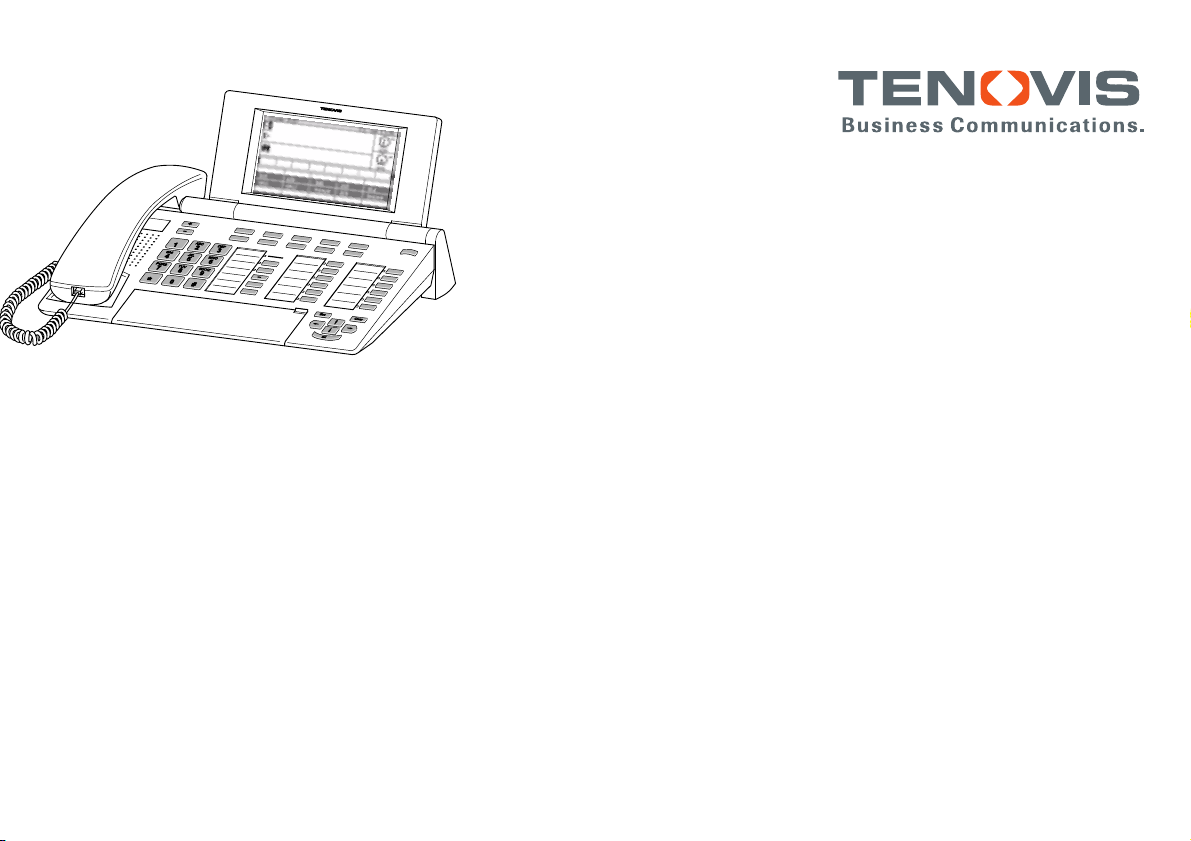
Operator Set
OS33
connected to
Communication Server Integral 55
Operating instructions

Page 2
Things worth knowing about this manual
With this manual you learn how to use your operator set quickly and reliably. The manual is divided into three
parts.
Getting to know your operator set
In this section you will find basic information on the structure and operation of your
operator set. Read how to unlock your terminal and how to make calls.
Find out by reading pages 6 to 31.
How to use your operator set
All functions you can use with your operator set are described in detail.
Find out by reading pages 32 to 86.
Quick reference
Use this section to look for a particular topic, e.g. a display message. You will find an
index on the final pages.
Find out by reading pages 87 to 95.

Page 3
Declaration of conformity
We, Tenovis GmbH & Co. KG, declare that the OS33 operator set complies with the
basic requirements and other relevant rules in accordance with EU directive
1999/5/EU (radio and telecommunication terminal equipment, R&TTE).
This operator set is intended for connection to digital interfaces of Tenovis telecom-
munications systems and meets the fundamental requirements in accordance with
the EU directive 1999/5/EU (Radio and Telecommunication Terminal Equipment,
R&TTE). Due to its type, this operator set is not suitable for direct operation on inter-
faces to public telecommunications networks.
When using link and DSS- modules:
This link / DSS module is intended for connection to the OS 33 operator set and
meets the basic requirements of EU directive 1999/5/EU (Radio and telecommunica-
tion terminal equipment, R&TTE). This link / DSS module is only designed for opera-
tion on the OS 33 operator set.
If any problems should occur during operation, please initially contact your specialist
dealer or Tenovis Service department.
The complete declaration of conformity can be requested from the following internet
address: www.tenovis.com/deutsch/verzeichnis/conformance.htm
or in the index look for the keyword: conformity
CE Symbol

Page 4
Contents
Getting to know your operator set
Things worth knowing about this manual 2.....................................
Contents 4................................................................
Overview 6................................................................
Features of your operator set 7..............................................
Structure of the display 9....................................................
Keys 14....................................................................
Creating an individual configuration 21.........................................
How to use your operator set
Unlocking the operator set 23.................................................
Locking the operator set 25...................................................
Calling with a locked operator set 26...........................................
Taking a break 27...........................................................
Making calls as usual 28.....................................................
Finding and seizing a free trunk line (Bundle) 30.................................
Makingacall 32............................................................
Answering specific calls 34...................................................
Transferring a call (brokerage) 35.............................................
Override do--not--disturb 37...................................................
Conversation between several parties (Three--party conference) 38................
Recall 40..................................................................
One external call for several parties (Chain call) 42..............................
Putting a call on hold (Hold call) 44............................................
Putting a specific call on hold 46..............................................

Page 5
Answering a renewed call 48.................................................
Answering an internal call (Internal call) 49.....................................
Assigning a trunk line to an internal extension 51................................
Accepting a trunk call via a consultation call (Assist) 53..........................
Connection with another operator set (Station transfer) 54........................
Displaying the last callers (Call list) 56.........................................
Displaying free extensions (Busy display) 58....................................
Displaying call charges 61....................................................
Speed dialling via the switchboard (Code dialling) 63.............................
Speed dialling with destination keys (Destination dialling) 64......................
Saving destinations (Setup) 65................................................
Using the electronic telephone book 70........................................
Additional information about connections 73....................................
Redialling a call number (Redialling) 75........................................
Calling someone anonymously 79.............................................
Switching over trunk line COS 80..............................................
Setting tones, calls and contrast 81............................................
Switching off the ringer 84....................................................
Transmitting special dial signals (DTMF dialling) 85..............................
Using recording devices (Tape recorder) 86.....................................
Quick reference
Tones and signalling 87......................................................
Messages 89...............................................................
Help with the operation 90....................................................
Notes on Installation and Maintenance 91......................................
Glossary92................................................................
Index 94...................................................................
Page 6
Overview
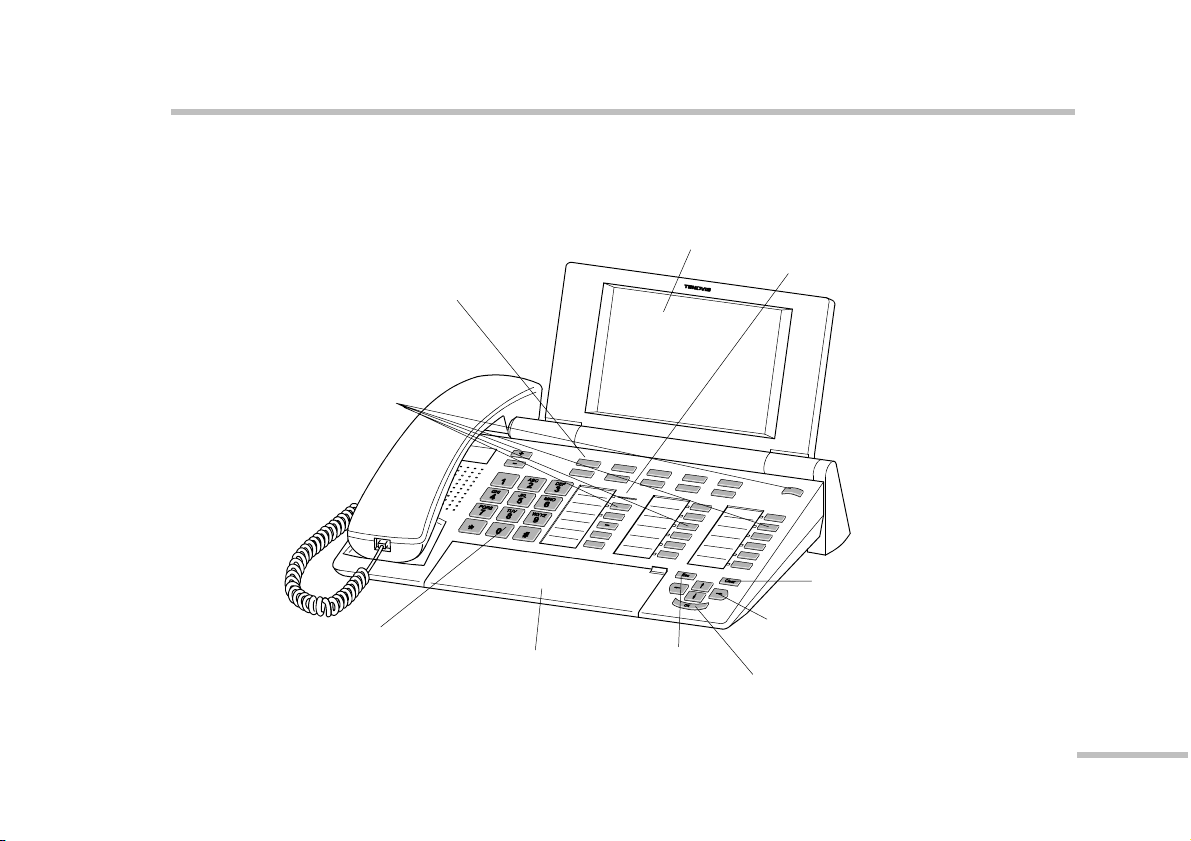
The illustration below shows the control elements and functional units of the OS13
operator set.
Display
Menu keys
for different purposes
-- the current function is
displayed on the screen
Call display
Function keys,
some with light display
Standard assignment
see page 15
Arrow keys for
navigation in the
display
Cover with
alphabetic keyboard
underneath
Digit keys
For dialling call
numbers and entering
codes Escape-
Key OK-Key
Clear-Key

Page 7
Features of your operator set
Apart from being able to use your operator set like any standard telephone, the OS33
offers some special features.
The possibilities of your operator set and where to find further information in this
document are listed below.
-- Clear representation of various kinds of information on the display, see page 9
-- Keys of your operator set and their functions, see page 14
-- Creating a personal configuration, see page 21
-- Unlocking with an identification number (PIN) and password, see page 23
-- Telephoning with a locked operator set, see page 26
-- Finding and seizing a free trunk line (bundle display), see page 30
-- Handsfree, monitoring, see page 33
-- Answering specific calls, see page 34
-- Transferring a call, see page 35
-- Overriding do-not-disturb, see page 37
-- Talking to several subscribers, see page 38
-- External conversation for several subscribers (chain call), see page 42
-- Call hold, see page 46
-- Transferring to other operator sets, see page 54

Page 8
-- Displaying the last callers, see page 56
-- Displaying busy extensions, see page 58
-- Displaying call charges, see page 61
-- System speed dialling, see page 63
-- Destination dialling, see page 64
-- Creating destination keys in the Setup menu, see page 65
-- Using the electronic telephone book, see page 70
-- Displaying additional information about connections, see page 73
-- Extended redial, see page 75
-- Setting call signalling and contrast, see page 81
-- Switching off tone ringing, see page 84
-- Transmitting DTMF signals, see page 85
-- Using a tape recorder, see page 86
Page 9
Structure of the display
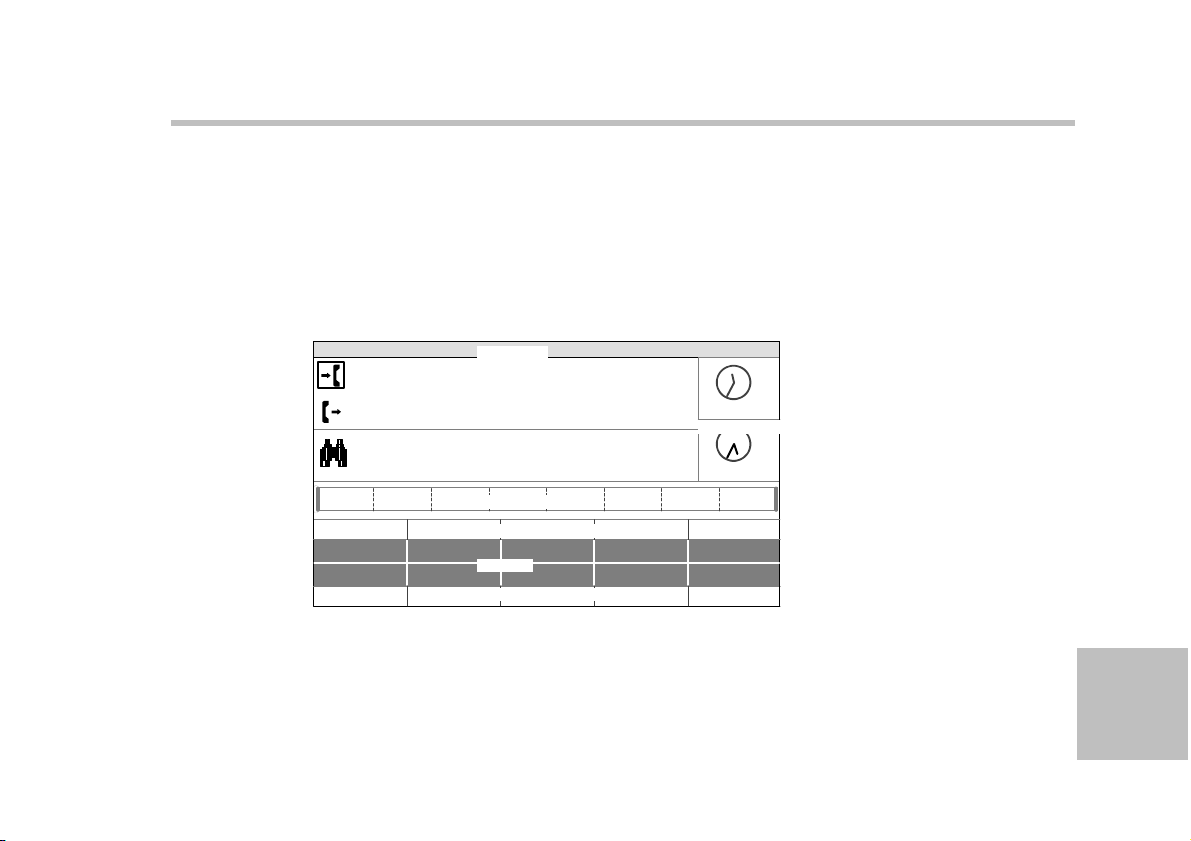
Your operator set is equipped with a window-orientated user interface. The display
provides you with the latest details on all states. The display is divided into eight
sections. The sections are explained below. Eight levels of display contrast can be
selected with the Contrast function key. You can adjust the display angle.
The illustration below shows a standard assignment with international times. The
user name, international times and menus can be configured individually.
U. Glaser 123 21. Jun 11:35
EXT HOLD RECL
List
RENW INT
Cut
OTrA CHRG
Hold Siof
OS
OTrASSDTone
Sion
E
E
E
EX
X
X
XT
T
T
TH
H
H
HO
O
O
OL
L
L
LD
D
D
DR
R
R
RE
E
E
EC
C
C
CL
L
L
LR
R
R
RE
E
E
EN
N
N
NW
W
W
W
C
C
C
CH
H
H
HR
R
R
RG
G
G
G
I
I
I
IN
N
N
NT
T
T
T
O
O
O
OS
S
S
SH
H
H
Hl
l
l
ld
d
d
d1
1
1
1
H
H
H
Ho
o
o
ol
l
l
ld
d
d
dP
P
P
Pa
a
a
au
u
u
us
s
s
s
NY
am
ST
am
User line
Answering side
Assignment side
Preview
Status line
Number of pending calls
Number of pending calls
Menus
Internat.times

Page 10
User line
The user line at the top shows your user name, identification number (PIN), date and
time.
Answering side and assignment side
These two lines show information about answered or pending calls. A rectangle
marks whether the operator set is currently active on the answering or the
assignment side.
Preview
If the operator set is in conversation state and is assigned further calls, they are
displayed in the preview. The preview shows a maximum of three calls of any call
type. The calls are listed according to priority.
Status line
In addition to the different states of the operator set, different basic conditions are
displayed. Graphic symbols in the status line indicate these states. The following
states are indicated with symbols.
Night service
Your operator set does not take part in the call distribution. Only terminal calls are
switched through. You can sign on your operator set with the Connect key. You can
sign it off with the Disconnect key.
If you do not answer an incoming call, your operator set switches to night service
after a time.
Tabla de contenidos
Otros manuales de Teléfono de Tenovis

Tenovis
Tenovis Integral T3 Manual de usuario

Tenovis
Tenovis Integral T3 Compact Manual de usuario

Tenovis
Tenovis Integral TH 13 Manual de usuario

Tenovis
Tenovis Integral TB 13 Manual de usuario

Tenovis
Tenovis Integral TS 13 Manual de usuario

Tenovis
Tenovis Economy Integral TE 13 Manual de usuario

Tenovis
Tenovis TS 13 Manual de usuario

Tenovis
Tenovis Integral T3 Classic Manual de usuario

Tenovis
Tenovis Integral TB 13 Manual de usuario

Tenovis
Tenovis Integral T3 Compact Manual de usuario


