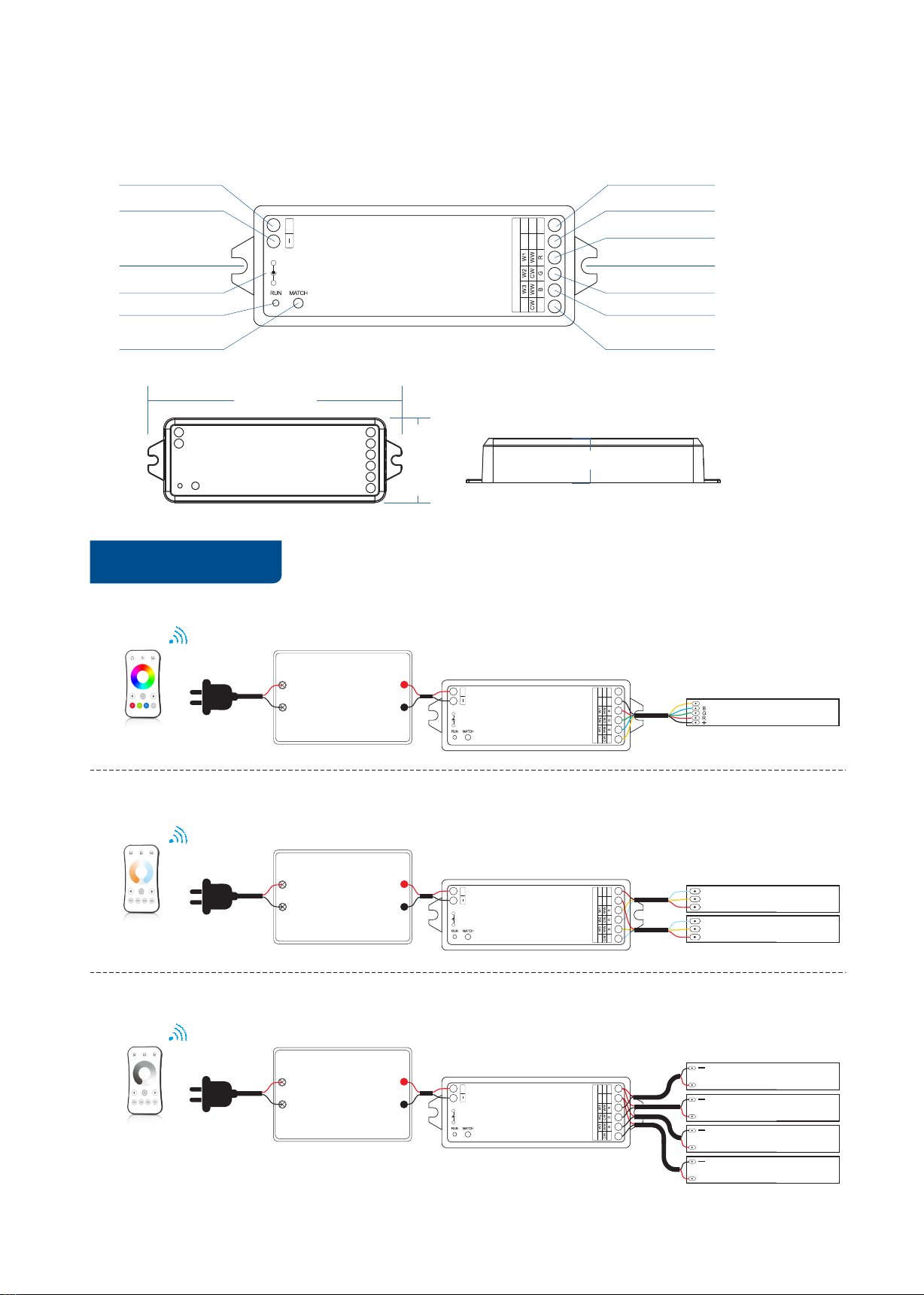
Match Remote Control (two match ways)
Use the controller’s Match key
Match:
Short press match key, immediately press on/off
key (single zone remote) or zone key (multiple zone
remote) of the remote.
Use Power Restart
Match:
Switch off the power, then switch on power again,
immediately short press on/off key (single zone remote)
or zone key (multiple zone remote) 3 times on the remote.
The light blinks 3 times means match is successful.
.
Delete:
Switch off the power, then switch on power again,
immediately short press on/off key (single zone remote)
or zone key (multiple zone remote) 5 times on the remote.
The light blinks 5 times means all matched remotes were
deleted.
Delete:
Press and hold match key for 5s to delete all match,
The light blinks 5 times means all matched remotes
were deleted.
End user can choose the suitable match/delete ways. Two options are offered for selection:
Application notes
1. All the receivers in the same zone.
2. Each receiver(one or more) in a different zone, like zone 1, 2, 3 or 4.
Zone 1 Zone 2 Zone 3
RF remote
30m 30m
Zone 4
RF remote
Auto-transmitting: One receiver can transmit the signals from the remote to another receiver within 30m,
as long as there is a receiver within 30m, the remote control distance can be limitless.
Auto-synchronization: Multiple receivers within 30m distance can work synchronously when they are controlled
by the same remote, under same dynamic mode and with same speed.
Receiver placement may offer up to 30m communication distance. Metals and other metal materials will reduce the range.
Strong signal sources such as WiFi routers and microwave ovens will affect the range.
We recommend for indoor applications that receiver placements should be no further apart than15m.
30m
30m30m
VP RGBW/RGB/CCT/Dimming 4 Channel LED RF Controller
User Manual Ver 1.0.2 www.iskydance.com Page 3