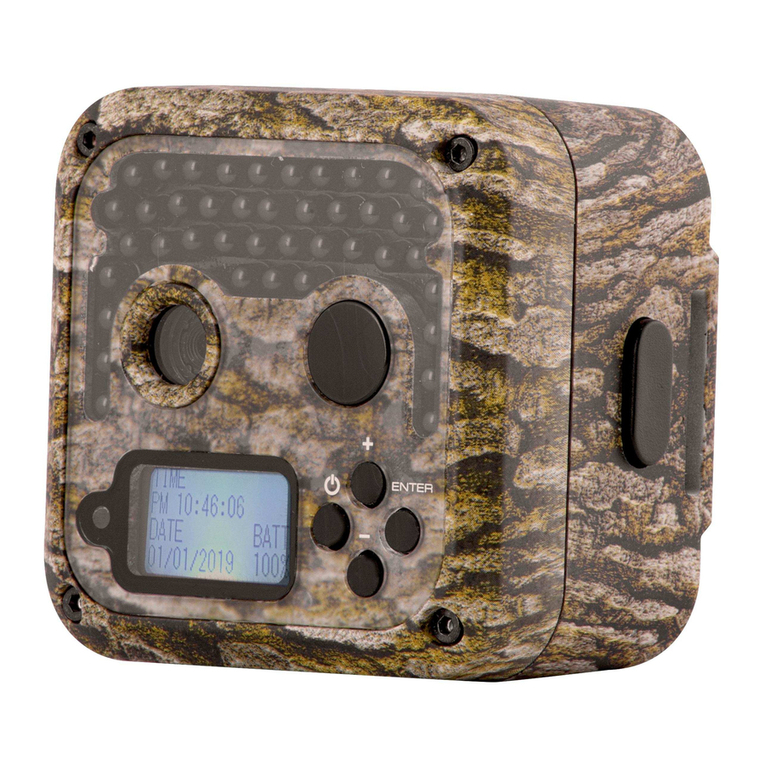
Simmons 119326C Manual de usuario

Instruction Manual
Manuel d’Instructions
Lit# 95-0121/03-11
English / Français
Digital Trail Camera
Appareil Photo Numérique de Sentiers
Model # 119326C Model # 119318C


3
Introduction 5
Parts and Control Guide 6
Battery and SD Card Installation 8
Setting the Control Panel Switches 9
About the Setup Menu 9
Using the Setup Menu (Model 119326C) 10
Setting the Date & Time 10
Setting the Image Resolution 10
Setting the Trigger Delay Time 10
Formatting the SD Card 11
Using the Setup Menu (Model 119318C) 12
Setting the Date & Time 12
Setting the Trigger Delay Time 12
Setting the Video Recording Time 13
Setting the Image Size (Resolution) 13
Formatting the SD Card 13
Restoring Default Settings 14
Using the Info Screens (119318C only) 14
Exiting Setup Mode 15
Camera Operation 15
Mounting the Camera 15
Activating the Camera 16
Testing the Coverage Area 16
Viewing the Photos and Videos 17
Glossary 18
Technical Specications 19
Troubleshooting/FAQ 20
Page Index English

4
IMPORTANT NOTE
Congratulations on your purchase of one of the best trail cameras on the
market! We appreciate your business and want to earn your trust. Please
refer to the notes below and the instructions in this manual to ensure that
you are completely satised with this product.
If your Simmons Trail Cam does not seem to be functioning properly
or if you are having photo/video quality issues, please check the
Troubleshooting/FAQ section on pages 18-21.
Problems are often due to something simple that was overlooked, or
require only changing one setting to solve.
If your problem continues after trying the solutions in the
Troubleshooting/FAQ section, please call Customer Service at (800)
423-3537. In Canada, call (800) 361-5702.
Simmons recommends using Energizer® lithium batteries
in your Trail Cam.
Simmons recommends using SanDisk® SD and SDHC Cards
in your Trail Cam.

5
INTRODUCTION
Congratulations on your purchase of the Simmons 119326C or 119318C
digital trail camera. Your trail camera is designed to record the activity
of wildlife in the outdoors with its still image and movie modes and
weatherproof, rugged construction. These trail cam models feature a
compact, portable size.
Main Features:
5.0MP digital CMOS sensor•
Compact Size•
Trigger Time=1.5 seconds•
Automatic IR Filter•
30• (119326C) or 54 Blue (119318C) Night Vision LEDs
Adjustable Trigger Delay Time: 5 sec. to 10 min.•
Multiple Shot Mode (3 still photos per trigger)•
640*480 (VGA resolution, 30 fps) AVI Videos•
Video Recording Time: 5-60 seconds• (119318C only, 119326C is xed
at 15 sec.)
Supports up to 32GB SD or SDHC Card•
Date, Time, Temperature & Moon Phase Imprint•
Auto Exposure•
Auto White Balance•
Power Supply: 4 or 8“AA”• (119326C) or 8“AA”(119318C) batteries, DC
input jack for optional external power source
Mounting Socket for Standard Tripods•
Weatherproof•

6
PARTS AND CONTROLS GUIDE
Front of Camera
Camera
Lens
Infrared
LED Array
PIR Motion
Sensor
Tripod
Socket
Padlock
Hole
PIR
Indicator
(Setup
Mode
Only
Model # 119326C
Model # 119318C
Blue IR
LED Array
(DC Power In Jack
under rubber pad)

7
PARTS AND CONTROLS GUIDE
Control Panel
(Front Opened)
USB Port
SD Card
Slot
LCD
Display
POWER
Switch
Setup
Button Battery
Compartment
TV Out
PIR
Sensitivity
Switch
Up
Button
Down
Button
Image
Capture Mode
Switch
Ok
Button
USB Port TV Out
Left Side Panel
(Front Opened)

8
BATTERY INSTALLATION
Unlock the latches on the right side of the camera and open it up so you
see the control panel, display and battery compartment. Both models
covered inthismanualuse lithium (forlongestlife) or alkaline“AA”batteries.
You may use either 4 or 8 batteries in model 119326C (8 will last longer),
but model 119318C requires a full set of eight batteries. Simmons
recommends Energizer® brand batteries. Make sure the batteries are
inserted correctly, as indicated inside the battery compartment. Incorrect
voltage or polarity (+/-) will damage the camera.
Optionally, you can connect an external DC power source. Please use a
compatible power source (not provided) connected to the DC power input
jack of the trail cam (see photo), making sure that the voltage, minimum
current rating, and connector polarity are all correct for your model. If
both an external power source is connected and batteries are installed,
the trail cam will be powered by the external power source.
External DC Power Source Specs:
Model 119326C: 6 volts DC, 1000mA (1A) minimum
current, positive tip connector polarity.
Model119318C:12voltsDC,1000mA(1A) minimum
current, positive tip connector polarity.
SD CARD INSTALLATION
Your Simmons digital trail cam has a memory card slot, to accept SD or
SDHC cards (sold separately). The card slot is located on the top of the
control panel, above the display (see previous page). The maximum
capacity SD or SDHC card that can be used is 32GB. Simmons recommends
SanDisk brand SD cards.
Make sure the camera’s power is OFF position whenever adding or
removing memory. Insert an SD card into the card slot completely and
oriented correctly as shown by the icon above the slot (label side away
from the display screen, contacts towards the display). To remove the SD
card, rst push it back in slightly, then pull out the card.
DC Input
Jack

9
Using a new, blank SD card is recommended. If the SD card has been used
in another device, it’s recommended that you format it before using it in
your trail cam, using the“Format” option in the Setup menu as described
later in this manual. Make sure you have saved any les you wanted to
keep before formatting an old card! New cards are ready to use straight
from the package.
SETTING THE CONTROL PANEL SWITCHES
Along with the “On/O” Power switch, the control panel (both models)
includes two other slide switches that aect the operation of the trail
camera. Each has three positions. These switches function as follows:
IMAGE CAPTURE MODE SWITCH
This is the switch to the right of the Ok button. If you want to capture
a single still photo each time the camera’s PIR sensor is triggered
(subject to the trigger delay time), place the switch in the top “Sin”
(single) position. To capture a rapid series of three photos per trigger,
use the middle“Mul”(multiple) position. To capture video clips instead
of still photos, place the switch in the bottom “Mov” (movie) position.
The length of the video clips is preset at 15 seconds each on model
119326C, but can be adjusted in the Setup Menu of the 119318C, from
5 to 60 seconds.
PIR SENSOR SENSITIVITY SWITCH
This is the middle slide switch. It allows you to increase or decrease
the passive infrared sensor’s (PIR) sensitivity to heat. There are three
settings, H (high), M(medium) and L(low). When setting up the
camera to capture images of wildlife on hot summer days, it can be
more dicult for the sensor to detect the temperature dierence
between animals and their surroundings. Setting the sensitivity
switch to “H” can help, since it makes the PIR more sensitive to small
dierences in temperature. The opposite is also true-setting the switch
to “L” can help prevent false or too frequent triggers during the low
ambient temperatures of winter. And “M” (medium) is a good setting
for moderate fall and spring temperatures.

10
ABOUT THE SETUP MENU
Slide the power switch to the On position. You’ll see four dashes,
(119326C)or a “PIR TEST” countdown (119318C), then the display goes
out. Before you start using the camera, you’ll want to make a few settings
so the correct date/time is printed on your photos, and the trigger delay
time and image resolution are set according to your preferences. This is
done by using the Setup Menu.
To enter the Setup Menu (after turning the camera’s power on), press the
Setup button (far left side of the control panel). Press Ok rst if you want
to change the setting of any menu item. Press Up or Down to move to
the next or previous menu item without changing a setting. Here are
the options (in order of appearance) in the Setup Menu of each camera
model, and how to make changes to the settings:
USING THE SETUP MENU (MODEL 119326C)
1. Setting the Date and Time
“DATE”will blink. Press• Ok.
Set the Month with the• Up/Down buttons, then press Ok to conrm.
Set the Day with the UP/DOWN buttons, then press Ok to conrm.
Set the Year• (last 2 digits only) with the Up/Down buttons, then press
Ok to conrm.
“TIME” will blink. Press• Ok. Set the Hour (24 hr. format) with the Up/
Down buttons, then press Ok to conrm. Set the Minute with the
Up/Down buttons, then press Ok to conrm.
2. Setting the Image Resolution (aects still photos only)
A“camera”icon will blink. Press• Ok.
Select HI (7MP) or Lo (5MP) resolution with the• Up/Down button.
High resolution provides higher quality photos, low resolution
allows you to store more photos on the SD card. Press Ok to conrm
your setting.
3. Setting the Trigger Delay Time (Interval)
Next, you’ll see a blinking “timer” icon. This is the setting for the trigger
delay time or interval, which allows you to set the period in minutes and
Este manual sirve para los siguientes modelos
1
Tabla de contenidos
Idiomas:
Otros manuales de Cámara de exploración de Simmons