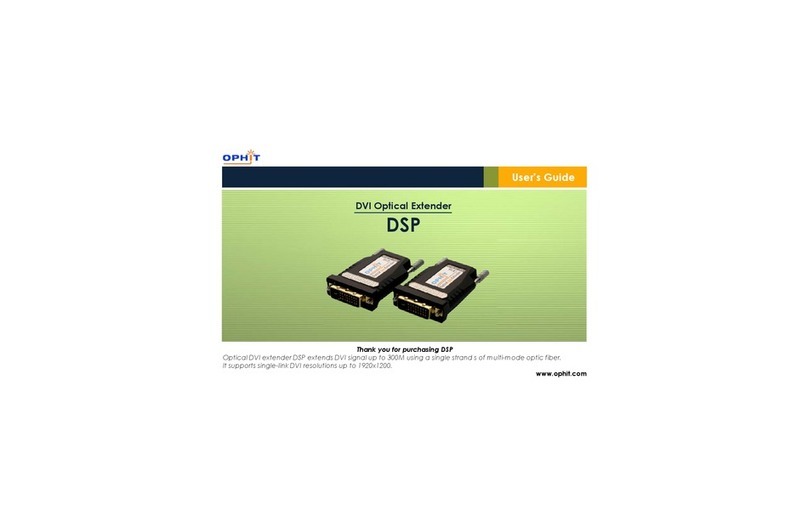
Ophit HSP Manual de usuario

HSP User’s Manual
マニュアル
사용설명서
HSP.indd 1 2011-09-20 2:29:04

2
3
HSP Installation Guide
●Connection
• ConnectproducttransmittertotheHDMIportonyoursourcedevice.
• ConnectproductreceivertotheHDMIportonyourdigitaldisplaydevice.
•
ConnectMulti-modeSCtype1Channelstandardber-opticcablebetweentransmitterandreceiver.
• Connectpoweradaptertothereceiverwhichhasbeenprovided.
*Connectingpoweradaptertothetransmitterisoption.(Inthecaseofpowershortage)
• TheGreenLEDwillappearonthetransmitterandreceiver,afteralltheproductconnections
arecompleted.
- LEDOn:PowersupplyandSignaltransfer
- LEDBlinking:OnlyPowersupply,Signalnottransfer(Connectionsarenotcompleted)
or
HDMIPort
HDMIPort
Adapter
TRANSMITTER
RECEIVER
●
Contact us (OPHIT USA)
ForeseesonCustomDisplays,Inc.
2210E.WinstonRoadAnaheim,CA92806
Tel:714-300-0540,Fax:714-300-0546,e-mail:sshin@foreseesonusa.com
HSP.indd 2 2011-09-20 �� 2:29:05

2
3
HSP Installation Guide
●Caution
UsetheDCadapter(5V,2A)includedintheproductpackageforthereceiver,whichisconnectedto
thedisplaydeviceandrequirestheexternalpowersupply.Thetransmitterconnectedtothesource
devicenormallyusedthepowerfromsource.Therefore,noexternalDCadapterisrequiredexcept
somedevicewiththespecialspecication.Inthiscase,usetheexternalDCadapterusedforthe
transmitter.
(Connecttransmittertoadapteronlyincaseofeitherinsufcientpowerornopowerfromsource
device.)
Screenisnotdisplayed.
-Checkifthesourcedevicepowerison.
-Checkifconnectionstothesourceanddisplaydevicearecorrect.
-Turnthesourcedevicepoweroffandonagain.
Noiseisshownonthe
screen.
-ChecktheHDMIconnection.
-Checkthedisplayresolution.
-Ifthemalfunctionisnotxedbytheabovemeasures,pleasecontactwiththeA/Scenter.
●Troubleshooting
HSP.indd 3 2011-09-20 �� 2:29:05

4
5
HSP Installation Guide
●Precautions for safety
Makesuretocomplywithprecautionstopreventdangeranddamageonthepropertythrough
properusageproduct.
Ifprecautionsareignored,ifmayincur
deceaseorseriousinjury.
Ifprecautionsareignored,ifmayincur
deceaseorseriousinjury.
●Warnings
1. Donotpluginseveralpowercords.Itcancauseoverheatingandare.
2. Donotbendthepowercordbyforce,ordonotputheavyobjectonthepowercordto
preventbreakdown.Itcancauseare.
3. Donottouchthepowerplugwithwethands.Youmaybestruckbyelectricity.
4. Insertthepowerplugrmlytoavoidshaking.Ifnotinsertedrmly,Itcancauseare.
5. Donotdisassemble,repairofmodify.Itcancauseareandaninjurybyelectricalshockdueto
abnormaloperation.
6. Donotinsertametallicmaterial(hairpinorironware)orcombustibleforeignobject(match,paperand
soon)intotheterminalhole,ordroptheterminal.Itmaycauseareandaninjurybyelectricalshock,
7. Donotputvase,owerpot,cup,cosmetics,medicinesandcontainerlledwithwaterneartheproduct.
Itmaycauseareandaninjurybyelectricalshock,orinjurybydropping.
8. Stayawayfromthedirectsunlightandtheheatsourceliketheheater.Itmaycauseare.
9. Donotspraywaterontheproduct.Itmaycauseareandaninjurybyelectricalshock.
Scrubtheproductsurfacesoftlywithadrytowel.
10. UsetheDCpoweradapterwithcorrectspecication.Itmaycauseare.
●Cautions
1. Donotputtheheavyobjectontopoftheproduct.Itmaycausemalfunction.
2. Puttheproductintheevenandstablelocation.Iftheproduct
fallsdownordropped,Itmaycauseaninjuryandmalfunction.
3. Stayawayfromtheplacewithtoohightemperature(over50°c)
andtoolowtemperature(under0˚c),orthehighhumidity.
Itmaycauseareandaninjurybyelectricalshock.
4. Do not twist or pull by force the both ends of the optical
cable. It can cause malfunction
(Minimumbendingdiameter:75mm).
Warning
Caution
75mm(3”)
HSP.indd 4 2011-09-20 �� 2:29:06

4
5
HSP Installation Guide
Warranty
● We,OPHITherebywarrantthenalpurchaseofourproductasfollows.
● Inthecaseoftroublesonourproducts,pleasecontacttheshoppurchased.
One year limited warranty
Ourcustomershaverighttobeservedwithfreeofchargewhenthereistroubleinthisproduct
during1(one)yearfromthedaypurchased.
Out of warranty services
Whenyourequestservices(inthecaseofnonmanufacturingdefectsbutthetroublesby
misusage),mayservedwithchargeasfollows.
● defectsofproductscausedbyaccident,disaster
● damagesofproductscausedbythecustomer’scarelessenessormistakenapplication
● damagesofproductscausedbytheapplicationofthepartsorproductsnotsuppliedor
soldbyourcompany
● damagesofproductsandrelateddefectscausedbynotourstafforthemenorgroupnot
nominatedbyusforservices.
Theinterchangedpartsandproductsformaintenanceservicesshallbereplacedasnewpartsand
productsoperatingnormally,andtheinter-changedpartsandproductsshallbesubjectedtoour
company.
Nameofproducts
DatePurchased
Shoppurchased
Day Month Year
NameofModel
SerialNo.
HSP.indd 5 2011-09-20 �� 2:29:06

6
7
HSPマニュアル
● 接続
• 製品の送信部を出力機器(DVDP など)のHDMIポートに接続します。
• 製品の受信部をディスプレー機器のHDMIポートに接続します。
• 送信部と受信部の間にマルチモードのSCコネクタータイプ1チャンネルの標準の光ケーブル
を連結します。
• パッケージ品の電源アダプターを受信部に連結します。
*送信部側の電源アダプターの連結は選択事項です。(出力機器からの電源供給が不充分で
ある場合)
• 製品への全ての連結が完了したら、送受信部にある緑色のLEDが点灯します。
- LED点灯:電源需給時、信号伝送時
- LED点滅:電源需給中であるが信号未伝送時(光ケーブルが繋いでいない場合)
又は
電源アダプター
HDMIポート
HDMIポート
TRANSMITTER
RECEIVER
HSP.indd 6 2011-09-20 �� 2:29:07

6
7
HSPマニュアル
● 注意
ディスプレー機器に繋げる受信部には外部電源の供給が必要であり、必ず付属の電源アダプタ
ー(5V、2A)を連結してください。
出力機器に接続する送信部は通常出力機器から供給される内部電力を受けて動作可能であ
り、外部の電源アダプターは使用しなくてもいいですが一部特殊仕様の出力機器は電源出力を
しない場合もあります。この場合、受信部側で使用される電源アダプターと同じ仕様の電源ア
ダプターを連結してください。
●トラブルシューティング
画面が表示されない場合
- 出力機器の電源を確認してください。
- 出力機器とディスプレー機器を分けて正確に接続されているか
を確認してください。
- 出力機器の電源をOFFしてから再起動してください。
画面にノイズが生じる場合 - HDMIコネクターの連結をご確認ください。
- 解像度を再確認してください。
- 上記のような措置を取っても問題が続く場合は、A/Sセンタにお問い合わせください。
HSP.indd 7 2011-09-20 �� 2:29:08

8
9
HSPマニュアル
● 安全上の主意事項
製品を正しく使用して危険や財産上の被害を防ぐための内容であるので必ずお守りください。
● 警告
1. 電源プラグを同時に複数個差し込んで使用しないでください。異常発熱や火災の原因になります。
2. 電源コードを強引に曲げたり、または重いものに押されて破損されないように主意してください。
火炎の原因になります。
3. 電源プラグは水気のない手でお取扱ください。感電の原因になります。
4. 電源プラグが揺れないように確実に差し込んでください。接続が不完全な場合は火災の原因になります。
5. 分解、修理、改造は絶対行わないでください。異常動作により火炎、 感電傷害の危険があります。
6. 端子の穴などに金属類(ヘアピンや鉄類など)や燃えやすい異物(マッチや紙など)を入れたり、落とさないで
ください。 火炎や感電の原因になります。
7. 製品の上に花瓶や植木鉢、コップ、化粧品、薬品、水などが入っている容器を置かないでください。
火災や感電、落下による負傷の原因になります。
8. 直射光線の当たる場所や暖房器具などのように熱の出る場所を避けてください。 火災の危険があります。
9. 清掃時には製品の表面に直接水を振りまかないでください。 火炎や感電の原因になります。
製品の表面は乾いた布で軽く拭いてください。
10. 必ず定格のDC Power adapterをご使用ください。 火災の可能性があります。
● 注意
1. 重いものを置かないでください。故障の原因になります。
2. 平らで安定した場所に設置して ください。製品が倒れたり、落ちた場合は、傷害や故障の原因になります。
3. 温度の高い所(50 以上)や低い所(0 以下)、湿気の多い所には設
置しないでくたさい。 火災や感電の原因になります。
4. 光ケーブルの両端を曲げたり、おったり、または力を入れて引っ張る
と故障の原因になるので、絶対行わないでください。
(最小の 曲げ半径:75mm)。
指示事項の違反時に人が死亡した
り、重傷を負う可能性が予想される
内容です。
指示事項の違反時に人が負傷した
り、物的な損害の賠償が予想される
内容です。
警
告
注
意
75mm(3”)
HSP.indd 8 2011-09-20 �� 2:29:08

8
9
HSPマニュアル
製品の保証
● OPHITでは当社の製品の購入に対して 以下のように保証いたします。
● 使用時に問題が発生した場合は製品の 購入先にお問い合わせください。
購入日から1年以内に製品に不良が発生した場合は無償でサービスいたします。
保証例外事項
次のように(製造時の欠陥ではなく、 使用時の誤りによる欠陥が発生した場合)サービスを要請す
れば、サービスを受けることも可能です。
● 事故,天災地変による製品の欠陥
● 顧客の不注意や誤った製品の使用による製品の欠陥
● 当社が提供したり、販売していない製品または部品の使用による製品の欠陥
● 顧客サービスのために当社が指定して職員や社員、サービスチームを通さないで発生した製品
の損傷及び関連欠陥
維持管理サービスのため交換する部品や製品は、正常に作動している新しい製品や部品を使い、
交換製品は当社の承認を得なければなりません。
製品名
購入日
購入先
年 月 日
モデル名
製品のー連番号
1年制限の保障
HSP.indd 9 2011-09-20 �� 2:29:08

10
11
Benutzerhandbuch HSP
●Anschluss
• SchließenSiedenSenderandenHDMI-PortIhrerSignalquellean.
• SchließenSiedenEmpfängerandenHDMI-PortIhresdigitalenMonitors/TVan.
•
SchließenSiedasstandardeinkanalmultimodeSCGlasfaserkabelanSenderundEmpfängeran.
• SchließenSiedasmitgelieferteNetzteilandenEmpfängeran.
*DerAnschlusseinesNetzteilsandenSenderistoptional(beiungenügender
StromversorgungdurchdieSignalquelle.)
• DiegrüneLEDleuchtetanSenderundEmpfängerauf,nachdemderGeräteanschluss
abgeschlossenist:
- LEDEin:NetzversorgungundSignalübertragung
- LEDBlinkt:NetzversorgungundSignalwirdnichtübertragen
oder
Adapter
HDMIPort
HDMIPort
●
Contact us (OPHIT EUROPE)
ForeseesonGmbH
Benzstr.9,61352BadHomburg,Germany
Tel:49-6172-185310-10,Fax:49-6172-185310-11,e-mail:jasonkwon@foreseeson.de
TRANSMITTER
RECEIVER
HSP.indd 10 2011-09-20 �� 2:29:09
Otros manuales para HSP
1
Tabla de contenidos
Idiomas:
Otros manuales de Extensor de Ophit

Ophit
Ophit DQL Manual de usuario

Ophit
Ophit DSFP Manual de usuario

Ophit
Ophit DDL Manual de usuario
Ophit
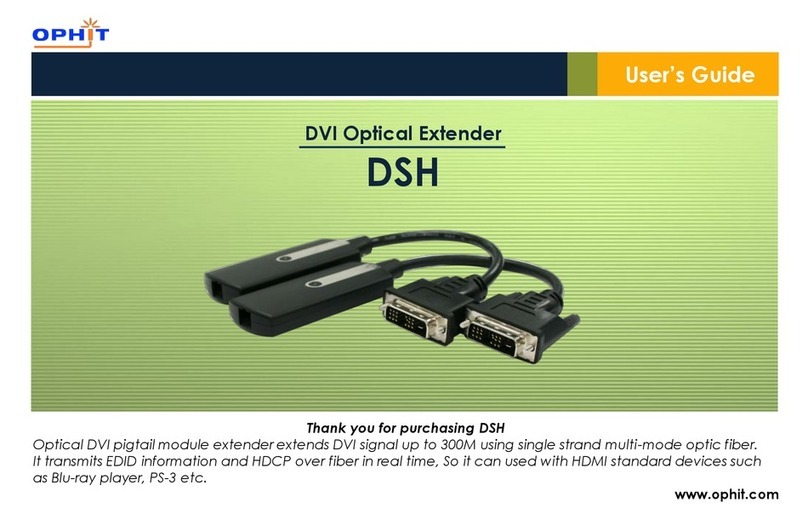
Ophit DSH Manual de usuario

Ophit
Ophit FTDS Manual de usuario

Ophit
Ophit OMP-DP Manual de usuario

Ophit
Ophit DSK Series Manual de usuario

Ophit
Ophit HSP Manual de usuario

Ophit
Ophit FTSM Manual de usuario

Ophit
Ophit DDL Manual de instrucciones