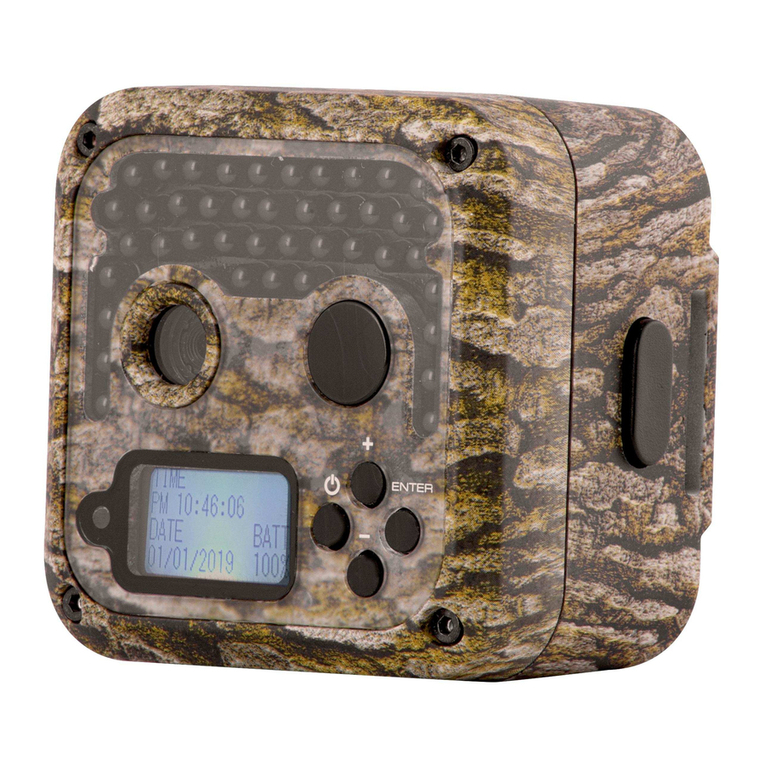
NITEforce CONCEPT 4G LTE Manual de usuario

Copyright © 2022 - www.niteforce.mobi
CONCEPT 4G LTE
User Manual
Declaration of Conformity to Directive 2014/53/EU
CE Caution:
Hereby the manufacturer declares that this 4G LTE Wireless
Trail Camera is in compliance with the essential requirements
and other relevant provisions of Directive 2014/53/EU. A copy of
the DOC, Declaration of Conformity to Directive 2014/53/EU,
may be obtained thru the local distributor.

- 2 -
PLEASE READ CAREFULLY BEFORE USING CAMERA
Thank you for Purchasing your NITEforce Trail Camera
The NITEforce CONCEPT 4G LTE is a high-quality digital
wireless trail camera. It has been precisely engineered and
tuned to provide you with optimal and consistent performance.
This camera will provide high quality digital pictures and video for
applications such as home, cabin and business surveillance and
animal monitoring for hunting and research. It features a highly
sensitive Passive Infra-Red (PIR) motion sensor and numerous
mobile APP setting options to tailor the camera to your particular
needs. Camera offers you high quality product using many
useful features.
Take photos & transmit over wireless network
Allow users to view photos, monitor camera status
and modify parameter settings through mobile APP
Camera has pre-installed Micro SD card. You only need to install
antenna, own SIM card, 8 x AA alkaline batteries, and install
mobile APP (Android & iOS) to use it. APP Download links are
able to find: www.niteforce.mobi

- 3 -
NOTE:
1. Each camera has a unique QR code ID, which can be seen
when you open the device cover. You will need to enter the code
to APP inorder pair the camera and APP
2. For video function, due to the limitation of transmission speed
and power consumption, camera only transmits the thumbnail
pic of the first frame instead of the whole video
SPECIAL HANDLING PRECAUTIONS
The camera has been finely tuned. Avoid dropping and
physical shock. This camera is designed for typical weather
conditions (IP66). It is not waterproof for use underwater.
Carefully clean debris from camera lens, PIR, and LED platform.
Avoid use of cleaning solvents. Camera contains precise
electronic equipment. Do not attempt to open camera case
yourself. Fog condensation may form on lens and electrical
components when bringing into warm room from cold. To avoid
this, first place camera inside a sealed plastic bag before
bringing into warm room temperature. If condensation forms,

- 4 -
remove SD card and batteries until camera is dry. Remove
batteries when storing camera. Removing batteries from the
camera during storage reduces the risk of battery acid leakage
and battery drain. Battery leaks are not covered by the warranty.
When using the camera, Do Not mix old and new batteries
together in the camera. Use only High Quality AA alkaline
batteries.
CELLULAR INFORMATION
This camera contains LTE 4G cellular module to transmit
pictures directly from the camera to your mobile phone APP. Its
capable to support 3G and 2G in areas where no 4G network
present. Under 2G network only small thumbnail picture sending
possible, no original picture, due the network small data upload
speed. Operator SIM card costs and payment plans are between
camera user and operator. NOTE:
Remember disable (take off) the PIN code from the SIM card,
before inserting SIM card to camera.

- 5 -
GETTING STARTED
Check the Delivery Content
Trail Camera x 1
4G LTE Antenna x 1
Pre-Installed Micro SD card x 1 (inside camera TF)
External 12V power cable x 1
Mounting Strap x 1
User Manual x 1
Mobile APP download links: www.niteforce.mobi
Needed for Operation?
8 x AA 1.5V Alkaline Batteries
1 x SIM card with LTE 4G High Speed data plan
> MOUNT ANTENNA
Mount the LTE 4G antenna. Do not use camera outside without
antenna. It is protecting the antenna hub from rain

- 6 -
> INSERT SIM CARD
Insert micro SIM card as shown in below picture:
> Push micro SIM card gently until it "clicks" into place inside the
camera
> If micro SIM card needs to be removed, push again gently and

- 7 -
you will hear "click"
Remove PIN code from your SIM card, before inserting
micro SIM card into camera
Note: Check your SIM card data plan speed details from your
operator, before installing SIM card. The camera supports SIM
card with LTE 4G High Speed. If original pictures are sent,
minimum Upload Speed 5MB/sec is required
> INSERT BATTERIES
Insert 8pcs Good Quality AA 1.5V Alkaline Batteries while
ensuring polarity ( +/ - ) is correctly orientated. Please see below
pictures:
Open the front door of the device by unlatching the locking tab

- 8 -
Press the "Eject" button to eject the battery compartment
Insert 8pcs of new alkaline batteries according to the +/-
directions shown on the bottom of the battery compartment
Push the battery compartment to the bottom to lock it
Note 1: Do Not mix old and new batteries together in the camera
Note 2: Do Not mix different branded batteries in camera
Warning: Remove batteries when storing the camera.
Removing batteries from the camera during storage reduces the
risk of battery acid leakage and battery drain. Any kind of battery
leaks are not covered by the warranty

- 9 -
> CHECK MICRO SD MEMORY CARD IS IN “TF” PORT
Use “slow” read/write speed micro SD cards ( SDHC/UHS ). The
camera does not have any internal memory for picture and video
saving. Max capacity micro SD card is 32GB.
Camera is now ready for operation.
Please follow the next steps in order to link your
camera to mobile APP
APP Installation and Account Registration
You will find the APP link from www.niteforce.mobi website. If
you use Android or iPhone mobile phones, please click the
correct download link to Store platforms.

- 10 -
Click download and install the mobile APP to your phone
In order to register your exclusive account on mobile APP, you
must have an email address for verification code.
1) Click the register icon on the Login interface of mobile
APP to enter the new account registration interface
2) Enter your email address and create password for
the mobile APP account
3) Click the "Get Security Code" icon
4) You will soon receive a verification code to your
e-mail inbox (please check spam folder in not seen it
at inbox)
5) Please fill in the verification code in the location
indicated by the mobile APP and click the "OK"
After registering your account, you can log in to mobile APP and
Tabla de contenidos
Idiomas:
Otros manuales de Cámara de exploración de NITEforce