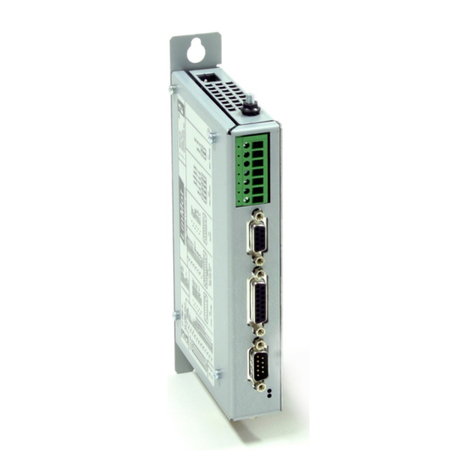
LinMot E1200-GP-UC Manual de usuario

E1200 Servo Controller
Installation Guide
Eine Deutsche Version kann unter http://www.linmot.com bezogen werden!
Please visit http://www.linmot.com to check for the latest version of this document!
This document applies to the following controllers:
E1200-GP-UC E12 0-DP-UC
E1250-PL-UC E1250-EC-UC
E1250-SE-UC E1250-PN-UC
E1250-IP-UC E1250-SC-UC

inMot Installation Guide
© 2012 NTI AG
This work is protected by copyright.
Under the copyright laws, this publication may not be reproduced or transmitted in any form, electronic or mechanical, including
photocopying, recording, microfilm, storing in an information retrieval system, not even for didactical use, or translating, in whole or in
part, without the prior written consent of NTI AG.
LinMot® is a registered trademark of NTI AG.
The information in this documentation reflects the stage of development at the time of press and is therefore without obligation.
NTI AG reserves itself the right to make changes at any time and without notice to reflect further technical advance or product
improvement.
Document version 4.4 / mk/Ro, Febr 2012
NTI AG / inMot®www. inMot.com Page 2/20
E1200 Installation Guide

inMot Installation Guide
Table of Content
1 Important safety notes for E1200 series controllers....................................................4
2 System Overvie .............................................................................................................5
3 Functionality and Interfaces...........................................................................................6
4 IP Address Selection.......................................................................................................6
5 Po er Supply and Grounding........................................................................................7
6 Description of the connectors / Interfaces....................................................................8
6.1 X1................................................................................................................................8
6.2 X2................................................................................................................................8
6. X ................................................................................................................................9
6.4 X4 .............................................................................................................................10
6.5 X7 - X8......................................................................................................................10
6.6 X9..............................................................................................................................11
6.7 X10 - X11..................................................................................................................11
6.8 X1 ............................................................................................................................12
6.9 X15 - X16..................................................................................................................12
6.10 X17 - X18................................................................................................................1
6.11 X19..........................................................................................................................1
6.12 X20..........................................................................................................................1
6.1 S5............................................................................................................................14
6.14 LEDs.......................................................................................................................14
6.15 RT BUS LEDs.........................................................................................................14
6.16 S1 - S2....................................................................................................................14
7 Error Codes....................................................................................................................15
8 Physical Dimensions.....................................................................................................16
9 Po er Supply Requirements........................................................................................17
10 Regeneration of Po er / Regeneration Resistor......................................................18
11 Ordering Information...................................................................................................18
12 International Certifications.........................................................................................18
13 Classification of the safety functionality...................................................................19
14 Declaration of Conformity CE-Marking......................................................................19
15 Contact Addresses......................................................................................................20
NTI AG / inMot®www. inMot.com Page 3/20
E1200 Installation Guide

inMot Installation Guide
1 Important safety notes for E1200 series controllers
C A U T I O N !
In order to assure a safe and error free operation, and to avoid
severe damage to system components, all system components
must be directly attached to a single ground bus that is earth or
utility grounded (see chapter Po er Supply and Grounding).
Each system component should be tied directly to the ground bus
(star pattern), rather than daisy chaining from component to
component. (LinMot motors are properly grounded through their
po er cables hen connected to LinMot controllers) (see chapter
Po er Supply and Grounding).
All connectors must not be connected or disconnected hile DC
voltage is present. Do not disconnect system components until all
LinMot controller LEDs have turned off. (Capacitors in the po er
supply may not fully discharge for several minutes after input
voltage has been disconnected). Failure to observe these
precautions may result in severe damage to electronic
components in LinMot motors and/or controllers.
Do not s itch Po er Supply DC Voltage. All po er supply
s itching and E-Stop breaks should be done to the AC supply
voltage of the po er supply.
Do not connect or disconnect the motors from controllers ith
voltage present. Wait to connect or disconnect motors until all
LinMot controllers LEDs have turned off. (Capacitors may not fully
discharge for several minutes after po er has been turned off).
Failure to observe these precautions may result in severe damage
to electronic components in LinMot motors and/or controllers.
NTI AG / inMot®www. inMot.com Page 4/20
E1200 Installation Guide

inMot Installation Guide
2 System Overvie
Typical Servo System E12x0-XX: Servo Controller, Linear Motor and Power Supply.
NTI AG / inMot®www. inMot.com Page 5/20
E1200 Installation Guide

inMot Installation Guide
3 Functionality and Interfaces
E1250-PL-UC
E1250-PN-UC
E1250-SC-UC
E1250-IP-UC
E1250-EC-UC
E1250-SE-UC
E1230-DP-UC
E1200-GP-UC
Supply Voltage
Motor Supply 72VDC (24...85VDC) ● ● ● ● ● ● ● ●
Logic Supply 24VDC (22...26VDC) ● ● ● ● ● ● ● ●
Motor Phase Current
2A peak / 12A rms ● ● ● ● ● ● ● ●
Controllable Motors
LinMot P01-2 x… (Motor Link P)*● ● ● ● ● ● ● ●
P01- 7x… (Motor Link P)*● ● ● ● ● ● ● ●
P01-48x… (Motor Link P)*● ● ● ● ● ● ● ●
DC Motors ● ● ● ● ● ● ● ●
Brushless DC / EC Motors ● ● ● ● ● ● ● ●
Command Interface
CANopen ● ● ● ● ● ● ● ●
LinRS ● ● ● ● ● ● ● ●
POWERLINK ●
PROFINET ●
sercos ●
Sercos over EtherCAT ● ●
ETHERNET IP ●
EtherCAT ● ●
PROFIBUS-DP ●
Programmable Motion Profiles (Curves)
Up to 100 Motion Profiles ● ● ● ● ● ● ● ●
Programmable Command Table
Command Table with up to 255 entries ● ● ● ● ● ● ● ●
External Position Sensor
Incremental
(RS422 up to 25 M counts/s, quadrature ev.) ● ● ● ● ● ● ● ●
Synchronisation
Master Encoder In/Out
(RS422 up to 25 M counts/s, quadrature ev.) ● ● ● ● ● ● ● ●
Configuration Interface
RS2 2 ● ● ● ● ● ● ● ●
Ethernet 10/100 Mbit/s
(2-Port Switch integrated) ● ● ● ● ● ● ● ●
4 IP Address Selection
The default mode for acquiring an IP address is via DHCP. If no servers respond on
the connected network, the controller switches to the Ipv4 Link-Local addressing
scheme (also known as APIPA on Windows systems). This way the controller
automatically assigns itself an address within the range of 169.254.0.1 through
169.254.255.254 (Subnet Mask 255.255.0.0).
Please note that this process can take up to a minute until a valid address is
assigned to the controller.
* LinMot Motor Communication
NTI AG / inMot®www. inMot.com Page 6/20
E1200 Installation Guide

inMot Installation Guide
5 Po er Supply and Grounding
In order to assure a safe and error free operation, and to avoid severe
damage to system components, all system components* must be well
grounded to either a single earth or utility ground. This includes both
LinMot and all other control system components on the same ground
bus.
Each system component* should be tied directly to the ground bus (star
pattern), rather than daisy chaining from component to component.
(LinMot motors are properly grounded through their power cables when
connected to LinMot controllers.)
Po er supply connectors must not be connected or disconnected
hile DC voltage is present. Do not disconnect system components
until all LinMot controller LEDs have turned off. (Capacitors in the
power supply may not fully discharge for several minutes after input
voltage has been disconnected). Failure to observe these precautions
may result in severe damage to electronic components in LinMot
motors and/or controllers.
Do not s itch Po er Supply DC Voltage. All power supply switching
and E-Stop breaks should be done to the AC supply voltage of the
power supply. Failure to observe these precautions may result in severe
damage to the controller.
* Inside of the E1200 controller the PWR motor GND and PWR signal GND is connected together
and to the GND of the controller housing. It is recommended that the PWR motor GND is NOT
grounded at another place than inside of the controller to reduce circular currents.
NTI AG / inMot®www. inMot.com Page 7/20
E1200 Installation Guide

inMot Installation Guide
6 Description of the connectors / Interfaces
6.1 X1
X1 Motor Supply / Regeneration Resistor
Screw Terminals External Regeneration Resistor (RR01-10/60, Art. Nr. 0150- 088)
External Fuse: max. 2AT (for example RK5 Class Fuse Bussmann FRN-R- 0)
Supply nominal 72VDC (24...85VDC / 0..85VDC for UL compliance)
(See chapter Power Supply Requirements for compatible power supplies.)
Absolute max. Rating 72VDC +20%.
If motor supply voltage is exceeds 90VDC, the controller will go into error state.
- Tightening torque: 0.5 - 0.6 Nm
- Screw thread: M2.5
- Use 60/75°C copper conductors only
- Conductor cross-section: use only 2.5mm2 / AWG 14
- Stripping length: 1 -15mm
- Max. length: 4m
6.2 X2
X2 Motor Phases
PH1+ /U
PH1- /V
PH2+ /W
PH2- /X
SCRN
LinMot Motor: 3-phase EC-Motor:
Motor Phase 1+ red Motor Phase U
Motor Phase 1- pink Motor Phase V
Motor Phase 2+ blue Motor Phase W
Motor Phase 2- grey Motor Phase X
Shield
Screw Terminals - Tightening torque: 0.5 - 0.6 Nm
- Screw thread: M2.5
- Use 60/75°C copper conductors only
- Conductor cross-section: 0.5 – 2.5mm2 (depends on Motor current) / AWG 21 -14
- Stripping length 1 -15mm
NTI AG / inMot®www. inMot.com Page 8/20
E1200 Installation Guide

inMot Installation Guide
6.3 X3
X3 Motor Encoder
1
2
4
5
6
7
8
9
case
LinMot Motor: 3-phase EC-Motor:
- -
- -
+5VDC +5VDC (Hall Supply)
Sensor Sine Hall 1
Temp. In Hall
- -
- -
AGND AGND (Hall Supply)
Sensor Cosine Hall 2
Shield
DSUB-9 (f) Note :
Use +5VDC (X . ) and AGND (X .8) only for motor internal hall sensor supply (max. 100mA).
Caution :
Do NOT connect AGND (X .8) to ground or earth!
Motor Wiring
NTI AG / inMot®www. inMot.com Page 9/20
E1200 Installation Guide

inMot Installation Guide
6.4 X4
X4 Logic Supply / Control
12
11
10
9
8
7
6
5
4
2
1
Input SVE
I/O X4.11
I/O X4.10
I/O X4.9
I/O X4.8
I/O X4.7
I/O X4.6
I/O X4.5
I/O X4.4
I/O X4. /Brk
+24VDC Supply
GND Supply
Power Stage Enable (HW Enable)
Configurable IO, PTC2 Input
Configurable IO, PTC1 Input
Configurable IO
Configurable IO
Configurable IO
Configurable IO, Trigger Input
Configurable IO
Configurable IO, Analog Input (configurable as high imp. Input)
Configurable IO, Brake Driver 1A
Logic Supply 22-26 VDC
Ground
Phoenix
MC1,5/12-STF-
,5
Inputs (X4. .. X4.12): 24V / 5mA (Low Level: –0.5 to 5VDC, High Level: 15 to 0VDC)
Outputs (X4.4 .. X4.11): 24V / max.100mA, Peak 70mA (will shut down if exceeded)
Brake Output (X4. ): 24V / max.1.0A
Input X4.12: SVE (Safety Voltage Enable) must be high for enabling the power stage. ). If it goes low for
more than 0.5ms the PWM generation of the power stage is disabled by hardware.
Supply 24V / typ. 400mA / max. 2.1A (if all outputs “on” with max. load.)
- Tightening torque: min 0.22Nm
- Screw thread: M2
- Use 60/75°C copper conductors only
- Conductor cross-section max. 1.5mm2
- Internal Fuse (F2): AT (slow blow, Schurter OMT125, 404.0118.xx, UL File Number: E41599)
CAUTION: For continued protection against risk of fire, replace only with same type and rating of fuse.
6.5 X7 - X8
X7 - X8 RS485/CAN
1
2
4
5
6
7
8
case
RS485_Rx+ A
RS485_Rx- B
RS485_Tx+ Y
GND
GND
RS485_Tx- Z
CAN_H
CAN_L
Shield
RJ-45 Use twisted pair (1-2, -6, 4-5, 7-8) cable for wiring.
The built in CAN and RS485 terminations can be activated by S5.2 and S5. .
X7 is internally connected to X8 (1:1 connection)
NTI AG / inMot®www. inMot.com Page 10/20
E1200 Installation Guide
Otros manuales para E1200-GP-UC
1
Este manual sirve para los siguientes modelos
7
Tabla de contenidos
Otros manuales de Controladores de LinMot

LinMot
LinMot E1200-GP-UC Manual de instrucciones

LinMot
LinMot CC-Link IE Field Basic C1250-CC Series Manual de usuario

LinMot
LinMot E1250-EC-UC Manual de usuario

LinMot
LinMot E1250-PL Series Manual de usuario

LinMot
LinMot E100 Series Manual de usuario

LinMot
LinMot E1100 Series Manual de usuario

LinMot
LinMot E1100-CO Manual de instrucciones

LinMot
LinMot B1100-PP Manual de usuario

LinMot
LinMot B1100-PP Manual de usuario

LinMot
LinMot Series E1400-GP Manual de usuario