
Improved Racing ENV-131-TX Manual de usuario
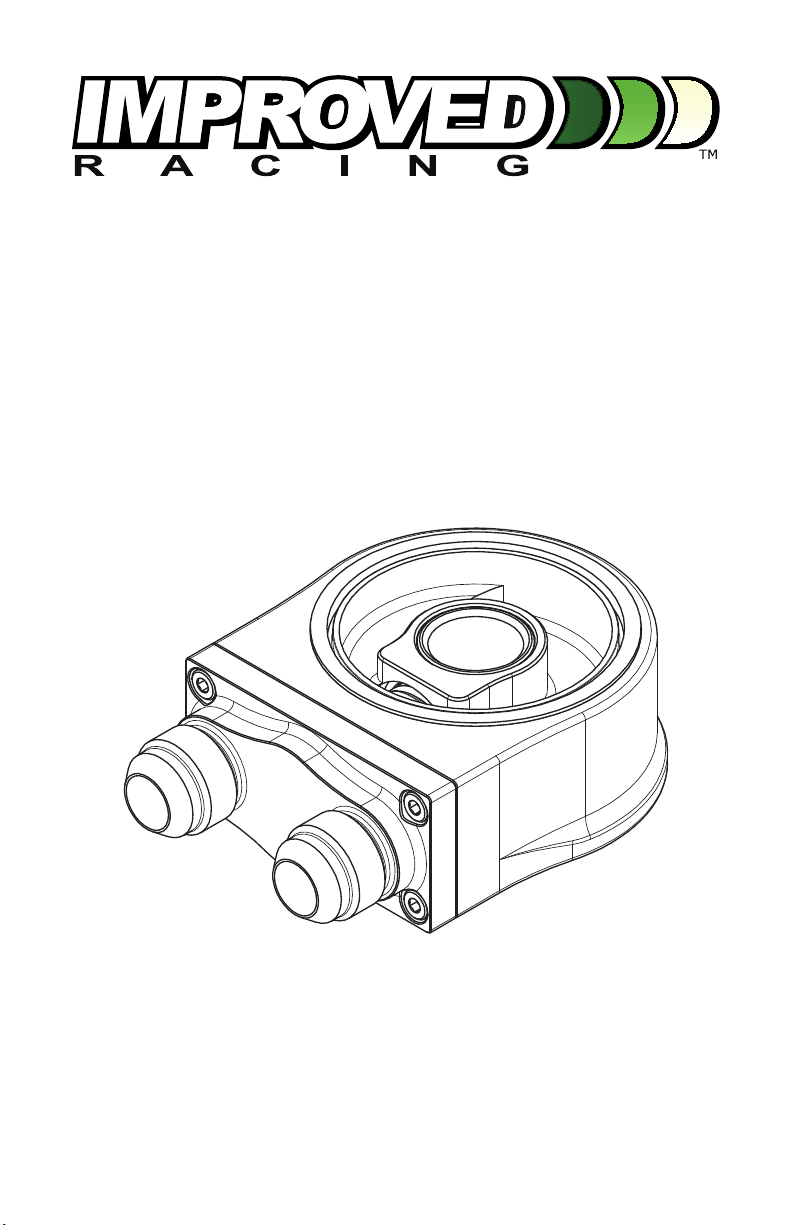
Universal Oil COOler sandwiCh
Plate with therMOstat
Part nO. env-131-tx
Made in USa
IMPORTANT: Please read these instrucons in their
enrety prior to installaon.
For contact informaon, visit www.improvedracing.com
Copyright © 2008-2020 Improved Racing Products, LLC. All rights reserved.
Rev 200414

Visit www.improvedracing.com for addional support
2
aPPliCatiOns
• ENV-131 is compable with vehicles that use canister oil lters.
◦Cartridge lters (European vehicles) are not directly supported.
• ENV-131 is oered in the following oil lter thread sizes:
◦ 3
/4” - 16 UNF - 2A
◦ 3
/16” - 16 UN - 2A
◦M20x1.50 - 6h
◦M22x1.50 - 6h
Parts list & sCheMatiC
Item Qty Part Number Descripon
1 1 ENV-131 Thermostac Sandwich Plate
2 1 HSC-104X Oil Filter Adapter Screw (Choose Thread Size)
3 2 HRG-1022 AS568 -230 Square O-Ring
13
2
Figure 1 - ENV-131 Schemac

Visit www.improvedracing.com for addional support 3
teChniCal sPeCifiCatiOns
Max. Operang Temp. 302°F (150°C)
Min. Operang Temp. -22°F (-30°C)
Max. Operang
Pressure 300 psi (20.68 bar)
Dimensions
(W x H x D) 3.2” x 1.4” x 4.6” (81.3 mm x 35.6 mm x 117 mm)
Weight 18.1 oz (514 g)
Connecons -10 JIC / SAE 37° Male Flare 7/8-14 UNF - 2A
Housing Material CNC-Milled 6061-T6 Billet Aluminum
Housing Finish MIL-A-8625, Type II Anodizing
Valve Material CNC-Milled 6061-T6 Billet Aluminum
Thermal Actuator Brass Body, Steel Ram, Paran Wax
Valve Spring 304 Stainless Steel, Passivated per ASTM A967
Seals Viton (FKM) Elastomer
Filter Screw Material CNC-Milled 410 Stainless Steel
Esmated Service Life > 10,000 Heat Cycles
2.76
(O-RING OD)
2.48
(O-RING ID)
3.00
(MAX FILTER OD)
2.00
(MIN FILTER ID)
Figure 2 - Oil Filter Limits

Visit www.improvedracing.com for addional support
4
teMPeratUre sPeCifiCatiOns
Part Number Acvaon Temperature Stabilizaon Temperature
T4 180°F +/- 2°F
(82°C +/- 1°C)
185°F +/- 2°F
(85°C +/- 1°C)
T6 200°F +/- 2°F
(93°C +/- 1°C)
205°F +/- 2°F
(96°C +/- 1°C)
T7 212°F +/- 2°F
(100°C +/- 1°C)
215°F +/- 2°F
(101°C +/- 1°C)
nOtes
This product is not recommended for use with corrosive uids.
•
The integrated thermostat accelerates warm-up and ensures oil is at the
correct viscosity when used with a capable heat exchanger.
• Under no circumstances can the thermostat fail in such a way that oil
ow to the engine or transmission is blocked.
• ENV-131 is rebuildable. Should the unit fail, purchase a Rebuild Kit or
ship it back to Improved Racing for a professional rebuild.
Rebuild Kits can also be used to change temperatures.
•
When the heat extracon rate of your heat exchanger is matched to the
heat load and ow-rate of the engine and engine oil, the oil temperature
returning to the engine will normally register at the Stabilizaon Tem-
perature shown above.
OPeratiOn & flOw diagraM
Figure 3 illustrates how the thermostat bypasses up to 98 percent of the total
oil ow back through the oil lter while the engine is warming up. This also
gradually warms the heat exchanger circuit to avoid thermal shock. Bypass
connues unl engine oil reaches the acvaon temperature.
When the acvaon temperature is reached, the internal bypass valve
gradually closes unl all oil ows through the heat exchanger circuit. This is
shown in Figure 4.

Visit www.improvedracing.com for addional support 5
ENGINE
COOLER
WARM-UP / BYPASS
94 to 98 percent of the oil flow
bypasses the heat exchanger.
Oil from engine
bypasses back into filter
and returns to engine
2 to 4 percent oil flow
to cooler warms lines
and reduces thermal shock
Figure 3 - Oil Path During Engine Warm-Up
FULL FLOW
100 percent of the oil flows
to the heat exchanger.
ENGINE
COOLER
Figure 4 - Oil Path at Operang Temperature

Visit www.improvedracing.com for addional support
6
BefOre yOU Begin
WARNING: DO NOT CAP OFF THE OIL COOLER PORTS aer the
adapter is installed. Running the engine with the ports capped will block
oil ow and result in catastrophic engine damage. If not using an oil
cooler, the IN/OUT ports must be looped together to prevent engine
damage.
WARNING: NEVER work under a vehicle supported only by a jack.
WARNING: This product should only be installed by a qualied me-
chanic. Improper installaon could result in severe engine damage.
Lubricate O-rings prior to installaon to prevent damage and ensure a
leak-free seal.
PreParing fOr installatiOn
1. Open the hood and / or raise the vehicle to access the oil lter.
2.
Support the vehicle with automove-cered jack stands, power li, or
wheel ramps.
Li points can be found in the vehicle owners manual.
3. Remove any covers or panels necessary to access the oil lter.
4. Place a drain pan under the oil lter and remove the lter.
Oil may be hot!
5. Secure the oil cooler to the vehicle.
Ensure the oil cooler is isolated from vibraon.
Pre-ll the cooler with oil to prevent a dry startup.
6. Plan, measure and assemble the hydraulic ngs and lines.

Visit www.improvedracing.com for addional support 7
installing env-131
1.
Ensure that the O-ring is properly seated in the top of ENV-131 as shown
in Figure 1.
2. Lubricate the O-ring with oil.
3. Using a 1 1/4” socket, secure ENV-131 to the oil lter threads on the
engine block or oil pan using the included lter screw (HSC-104X).
4. Torque HSC-104X to 20 lb- (27 N-m).
5. Lubricate the sandwich plate ng ares with oil and connect the oil
lines.
6. Torque both ng connecons on ENV-131 to 25 lb- (34 N-m).
Use aluminum tools to avoid damage to ngs.
COMPleting the installatiOn
1. Fill a new oil lter with oil and install the lter onto the sandwich plate.
Lubricate the oil lter seal with engine oil prior to installaon.
2. Check the engine oil level and add oil if needed.
3. Remove the fuel pump fuse(s) or disconnect the ignion circuit.
Consult the vehicle’s factory owners manual for the fuse locaon.
4. Crank the engine over to build oil pressure.
5. Replace any fuse(s) removed and/or reconnect the ignion circuit.
6. Start the vehicle and inspect for leaks.
7.
Turn-o the vehicle and inspect the engine oil level. Add oil if necessary.
8. Reinstall any underbody panels and safely lower the vehicle back onto
the ground.
9. Re-inspect the oil lines and ngs for leaks aer 100 miles of driving.
Installaon is now complete. Thank you for purchasing an Improved Racing
product!
Tabla de contenidos
Otros manuales de Accesorios para automóviles de Improved Racing

Improved Racing
Improved Racing FSM -RKIT Series Manual de usuario

Improved Racing
Improved Racing EGM-301 Manual de usuario

Improved Racing
Improved Racing E5G-601 Manual de usuario

Improved Racing
Improved Racing E5G-600 Manual de usuario

Improved Racing
Improved Racing EFR-605 Manual de usuario

Improved Racing
Improved Racing EGM-502 Manual de usuario

Improved Racing
Improved Racing EFR-600-TX Manual de usuario

Improved Racing
Improved Racing EGM-201 Manual de usuario


