1 | P a g e
Contents
1 Introduction ................................................................................................... 2
1. Helpful Symbols........................................................................................... 2
2 Electronics and Wiring ..................................................................................... 3
2.1 Electronics Wiring Reference Diagram.......................................................... 4
2.2 RAMPS Assembly: ..................................................................................... 5
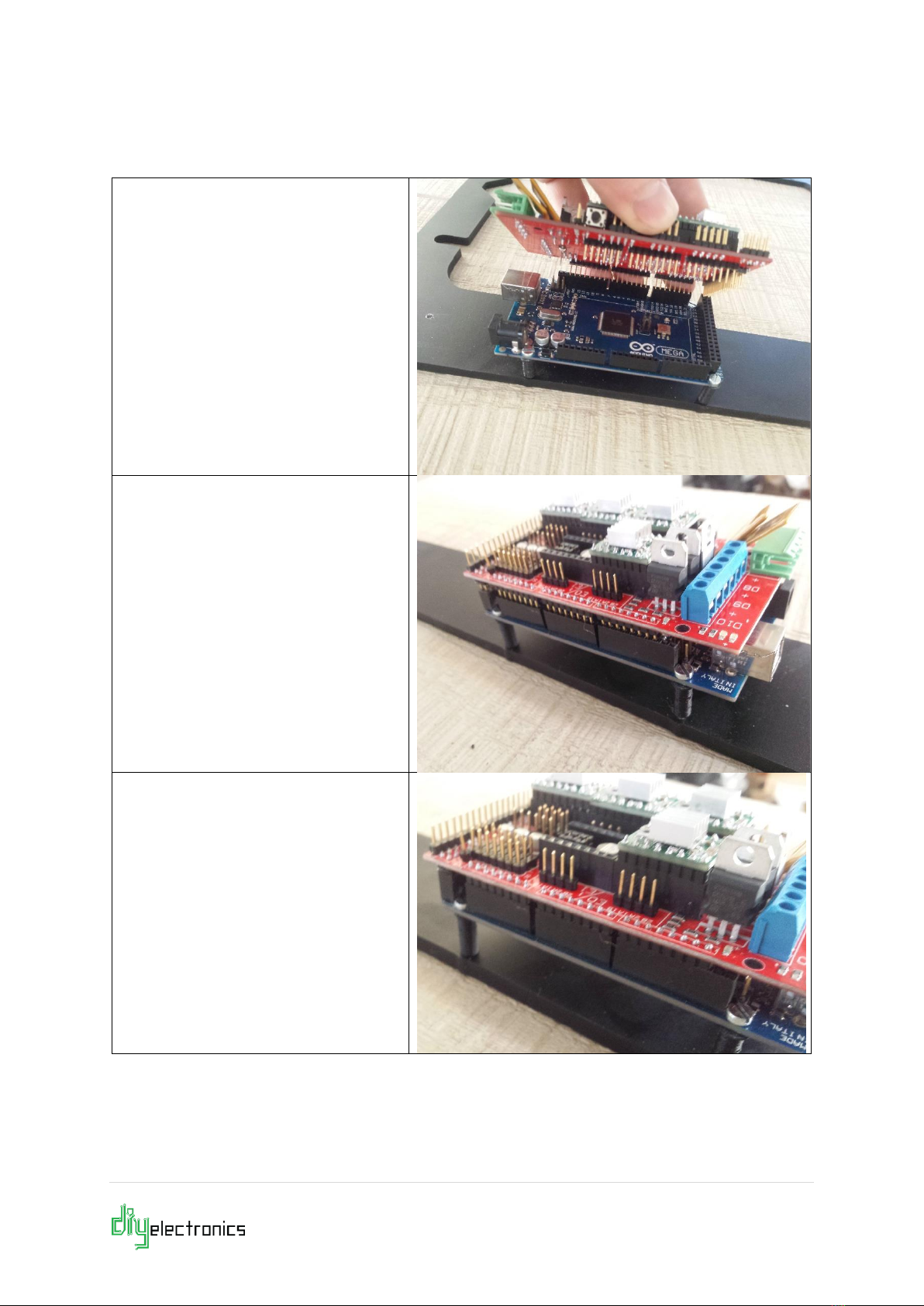
2.2.1 Installing the RAMPS Shield..................................................................... 6
2.2.2 Connecting Heaters ................................................................................ 8
2.2.3 Connecting Thermistors .......................................................................... 9
2.2.4 Connecting the Endstops....................................................................... 10
2.2.5 Connecting the Auto-Level Sensor Endstop Module(Optional) .................... 11
2.2.6 Connecting Motors ............................................................................... 13
2.2.1 Connecting the LCD (Optional) .............................................................. 14
2.2.2 Connecting the RAMPS Fan ................................................................... 15
2.2.3 Connecting the Power Supply ................................................................ 17
2.2.4 Connect the Hot-End Fan ...................................................................... 18
2.2.1 Printer Firmware for RAMPS Marlin ......................................................... 20
3 Software Setup:............................................................................................ 21
3.1 Install Repetier-Host ............................................................................... 21
3.1.1 Configuring Repetier-Host:.................................................................... 22
3.1.2 A Note on CAD Software and Part Files: .................................................. 25
4 Printer Setup & Testing .................................................................................. 26
4.1 Understanding the Power Supply............................................................... 26
4.1.1 Check Wiring and Turn on Power Supply ................................................. 27
4.1.2 Connect the Printer to the PC ................................................................ 28
4.2 Printer Testing ........................................................................................ 29
4.2.1 Test 1 Thermistors:.............................................................................. 30
4.2.2 Test 2 Heating:.................................................................................... 31
4.2.3 Test 3 End Stops: ................................................................................ 32
4.2.4 Test 4 Motors: ..................................................................................... 34
4.2.5 Test 5 Extrusion: ................................................................................. 36
4.2.6 Test 6 Load and Extrude Filament: ......................................................... 38
5 FAQ............................................................................................................. 42
6 Troubleshooting:........................................................................................... 42