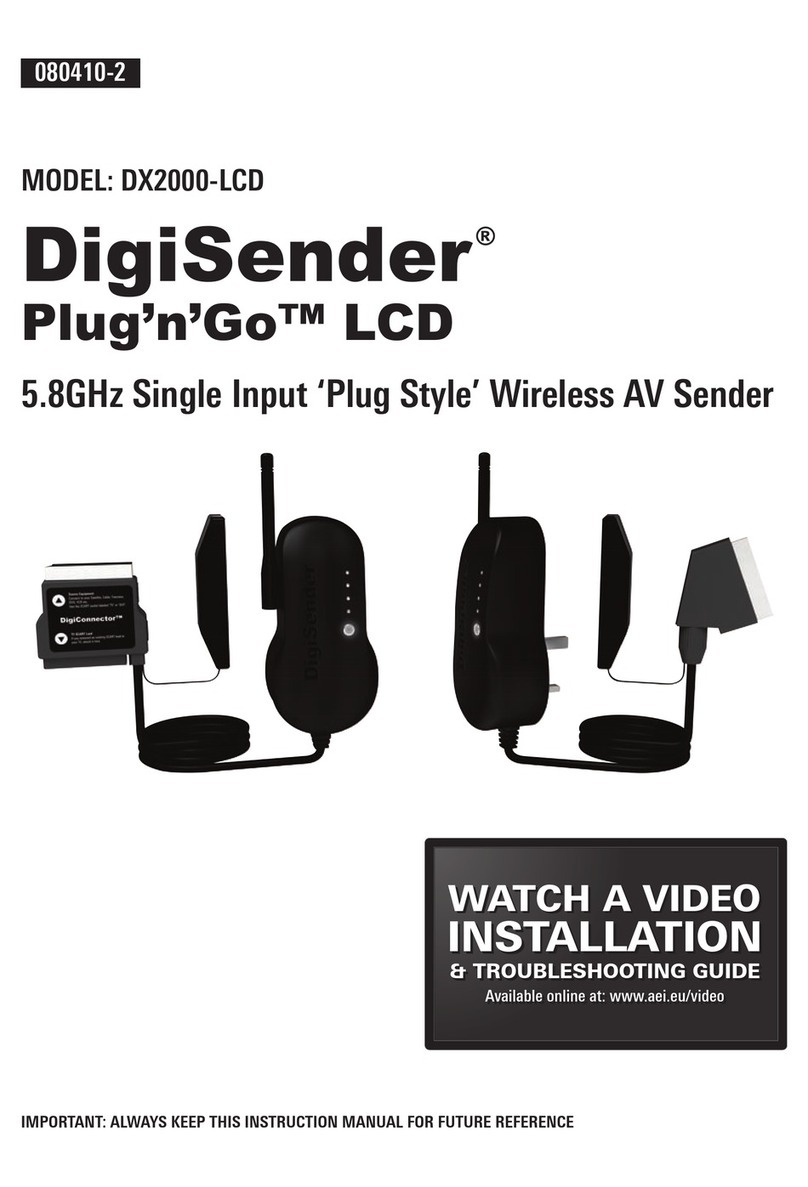
DigiSender DG440 X7 Manual de usuario

IMPORTANT: ALWAYS KEEP THIS INSTRUCTION MANUAL FOR FUTURE REFERENCE
WICHTIG: HEBEN SIE DIESE BEDIENUNGSANLEITUNG ZU REFERENZZWECKEN AUF
IMPORTANT : VEUILLEZ CONSERVER CE MODE D’EMPLOI AFIN DE POUVOIR VOUS Y REPORTER SI BESOIN
BELANGRIJK: GELIEVE DEZE INSTRUCTIEHANDLEIDING ALTIJD TE BEWAREN VOOR LATER GEBRUIK
MODEL: DG440
DigiSender®X7
ADVANCED WIRELESS VIDEO SENDER SYSTEM
ENGLISH (EN)
DEUTSCH (DE)
FRANCAIS (FR)
NEDERLANDS (NL)
170108-1

Page 2 Online Support at www.digisender.net
DG440 - DigiSender® X7
WARNING
To prevent damage do
not expose this unit to
rain or moisture.
Table of Contents (EN)
Inhalt (DE)
Table des matières (FR)
Matières (NL)
ENGLISH
Page 3 Introduction
SECTION 1: Step by Step Installation Guide
Page 4 Check the kit contents
Page 6 Install the DigiSender® X7 Transmitter Unit
Page 8 Install the IR Systeme Technik™
Page 9 Install the DigiSender® X7 Receiver Unit
SECTION 2: Daily Usage
Page 11 Using your DigiSender® X7 System
Page 13 Audio/Video and Remote Relay Channels
SECTION 3: Setup Troubleshooting
Page 14 Troubleshooting: Picture Problems
Page 16 Troubleshooting: Sound Problems
Page 17 Troubleshooting: Remote Extender Problems
SECTION 3: Further Information
Page 18 Customer Care Options
Page 19 Upgrades and Accessories
DEUTSCH
Seite 20 Einleitung
ABSCHNITT 1: Schritt für Schritt Installation
Seite 21 Überprüfen des Packungsinhalts
Seite 22 Installation der DigiSender® Sendereinheit
Seite 24 Installation der IR Systeme Technik™
Seite 25 Installation der DigiSender® Empfängereinheit
ABSCHNITT 2: Tägliche Verwendung
Seite 27 Verwendung Ihres DigiSender® X7 Systems
Seite 29 Audio/Video-Kanal und Fernbedienungsrelais-Kanal
ABSCHNITT 3: Einrichtung und Problemlösung
Seite 30 Problemlösung: Bildprobleme
Seite 32 Problemlösung: Tonprobleme
Seite 33 Problemlösung: Fernbedienungsprobleme
ABSCHNITT 3: Weiterführende Informationen
Seite 34 Kundenserviceoptionen
Seite 35 Upgrades & Zubehör
FRANCAIS
Page 36 Introduction
SECTION 1 : Guide d’installation étape par étape
Page 37 Vérification du contenu du kit
Page 38 Installation du DigiSender® Emetteur X7
Page 40 Installation du IR Systeme Technik™
Page 41 Installation du DigiSender® Récepteur X7
SECTION 2 : Usage quotidien
Page 43 Utilisation de votre DigiSende® Système X7
Page 45 Canal audio/vidéo et Canal de relais de télécommande
SECTION 3 : Installation Dépannage
Page 46 Dépannage : Problèmes d’image
Page 48 Dépannage : Problèmes de son
Page 49 Dépannage : Problèmes avec le relais à distance
SECTION 3 : Informations supplémentaires
Page 50 Options du service à la clientèle
Page 51 Mises à jour et accessoires
NEDERLANDS
Page 52 Introductie
SECTIE 1: Stap-voor-stap Installatiehandleiding
Page 53 Controleer de inhoud van de kit
Page 54 Installeer de DigiSender® X7 Zendapparaat
Page 56 Installeer de IR Systeme Technik™
Page 57 Installeer de DigiSender® X7
Ontvangapparaat
SECTIE 2: Dagelijks gebruik
Page 59 Uw DigiSender® X7 Systeem gebruiken
Page 61 Audio-/videokanaal en Relaiskanaal voor de
afstandsbediening
SECTIE 3: Opzet Probleemoplossing
Page 62 Probleemoplossing: Beeldproblemen
Page 64 Probleemoplossing: Geluidsproblemen
Page 65 Probleemoplossing: Problemen bij
verlenging-op-afstand
SECTIE 3: Verdere informatie
Page 66 Opties klantendienst
Page 67 Upgrades & Accessoires
Waste electrical products should
not be disposed of with
household waste. Please recycle
where facilities exist. Check with
your local Authority or retailer for
recycling waste
Die Entsorgung elektrischer
Produkte sollte nicht mit dem
normalen Hausmüll erfolgen. Bitte
führen Sie sie dem Recycling zu,
wenn entsprechende
Einrichtungen vorhanden sind.
Befragen Sie dazu Ihre regionalen
Behörden oder den Händler
bezüglich des Abfallrecycling
Les déchets de produits
électriques ne doivent pas être
déposés dans les conteneurs de
déchets ménagers. Veuillez les
déposer dans les conteneurs de
recyclage. Veuillez vous
renseigner auprès des autorités
locales ou auprès de votre
revendeur pour le recyclage des
déchets
Overtollige electrische producten
mogen niet samen met
huishoudelijk afval verwijderd
worden. Gelieve te recycleren
waar die mogelijkheid bestaat.
Controleer bij uw plaatselijke
overheid of kleinhandelaar naar
de mogelijkheden om afval te
recycleren

Page 3
Please read this instruction manual carefully prior to installation
DG440 - DigiSender® X7
INTRODUCTION
DigiSender® X7 - Advanced Wireless Video Sender
ENGLISH
Congratulations on purchasing the DigiSender®
X7. This product represents state of the art
wireless video and infra red technology at
exceptional value for money.
This system is fully upgradable. You can add
additional receivers, aerial convertors, wireless
baby monitor cameras and countless other
upgrades.
What makes the DigiSender® X7 so different is
that it provides compatibility with virtually any
make of Satellite receiver, Cable receiver, VCR,
DVD and Freeview in the market today.
You also have the ability to select which video
source you want to watch whilst you
comfortably rest in bed. You can select between
VCR, DVD and Satellite/Cable without
interfering with the channel being viewed on
your main TV.
Benefit from 4 video channels, stunning hi-fi
quality stereo sound and digital
communication providing an astounding
degree of flexibility.
Your purchase of this DigiSender® system
represents an investment in the very latest
wireless communication technology for the
home.
CUSTOMER CARE
Telephone: 0845 1667940
E-mail: advice@digisender.net

Page 4 Online Support at www.digisender.net
DG440 - DigiSender® X7
STEP 1
Unpacking your DigiSender® X7
All packs are computer weigh checked when packed. However, it is a good idea to
check all kit contents are present before proceeding with the installation.
DigiSender® Transmitter
DigiSender® Receiver
DigiSenderDigiSender
TRANSMITTINGTRANSMITTING
SATSAT
VCRVCR
DVDDVD
AUXAUX
POWER
DigiSenderDigiSender
RECEIVINGRECEIVING
SATSAT
VCRVCR
DVDDVD
AUXAUX
POWER

Page 5
Please read this instruction manual carefully prior to installation
DG440 - DigiSender® X7
continued...
ENGLISH
Remote Control
2 x RCA Phono - 4.5mm Jack Leads
2 x Power Supply Unit 1x IR Systeme Technik IR Emitter

Page 6 Online Support at www.digisender.net
DG440 - DigiSender® X7
STEP 2
Install the DigiSender® X7 Transmitter Unit
The transmitter unit is designed to send video and sound from one of up to 4
connected sources to a receiver somewhere else in your home.
What’s the A/B switch for??
STEP 1 STEP 2
STEP 3
Connect DigiConnector™ 1 into your satellite or
cable receiver. Use the SCART socket labelled ‘TV’
and connect any existing SCART lead (if present)
into the rear (socket) of the DigiConnector™.
Place the DigiSender® transmitter on a flat
surface near to your source equipment. Avoid
placing the transmitter directly on top of other
electrical devices (see troubleshooting guide)
Connect DigiConnector™ 2 into your VCR or
DVD. Where available, use SCART sockets labelled
OUT or TV. Connect any existing SCART lead in to
the rear socket of the DigiConnector™
The Contrast A/B
switch is present
to compensate
for differences in
equipment/set-
ups.
Once installation
is complete, if
you experience a
poor picture then
adjust the A/B
setting.
LIVING ROOM
LIVING ROOM
LIVING ROOM

Page 7
Please read this instruction manual carefully prior to installation
DG440 - DigiSender® X7
continued...
ENGLISH
STEP 4 STEP 5
STEP 6 STEP 7
Ensure that both the A/V Channel and IR
Channel are set to 1.
See the trouble shooting sections for further
information on the channel selection process.
Connect the IR Systeme Technik™ IR Emitter to
the socket labelled IR on the rear of the
transmitter. Follow the steps overleaf to install the
IR Systeme Technik™ IR Emitter.
Connect the power supply unit to the socket
labelled PSU.
Connect the power supply unit (PSU) into an
available wall socket.Press the POWER button on
your DigiSender remote control to switch the
transmitter on.
LIVING ROOM
LIVING ROOM
LIVING ROOM
LIVING ROOM
Avoid positioning the transmitter near to 2.4GHz wireless enabled devices
such as modern games consoles, wireless controllers, laptops, DECT phones
or wireless networking equipment.

Page 8 Online Support at www.digisender.net
DG440 - DigiSender® X7
STEP 3
Install the IR Systeme Technik™ remote extender
Once set up correctly, the remote
extender will enable you to utilise your
remote control in the remote location in
your home.
Because everyone’s set up is different
there are many ways you can install the
remote extender system.
Ex. 1
Ex. 2
Use accessories 1 and 2 to mount the IR Emitter
vertically with the IR emitting LED facing the
remote sensor of your source equipment.
Mount the IR Emitter horizontally using the
supplied sticky pad. Ensure the IR emitting LED is
facing the remote sensor of the source equipment.
LIVING ROOM
LIVING ROOM
Accessory #1 Extension Pieces
Accessory #2
IR Emitter

Page 9
Please read this instruction manual carefully prior to installation
DG440 - DigiSender® X7
ENGLISH
STEP 4
Install the DigiSender® X7 Receiver Unit
The DigiSender® X7 Receiver will pick up transmitted signals from the transmitter
unit and output them to a television. In addition, the receiver detects remote
controls being used in the second room and will send those signals to the source
equipment in your main lounge.
STEP 1 STEP 2
STEP 3
Connect the SCART output to the second
television.
Place the DigiSender® receiver on a flat surface
near to your second television. Avoid placing the
receiver directly on top of other electrical devices
such as the television.
Ensure that both the A/V Channel and IR Channel
are set to 1.
See the trouble shooting sections for further
information on the channel selection process.
No SCART socket on the TV??
AEI produce an ‘Aerial
Convertor ‘ enabling
you to connect
the receiver to
any TV without a
SCART socket.
Ask for part
number
MOD01PIS
BEDROOM
BEDROOM
BEDROOM

Page 10 Online Support at www.digisender.net
DG440 - DigiSender® X7
continued...
STEP 4
Connect the power supply unit to the socket
labelled PSU.
STEP 6
STEP 5
Press the POWER button on your DigiSender
remote control to switch the receiver on. The
power LED will be green to indicate the device is
switched on.
Switch on the second television and select it’s
SCART channel. This will be labelled on the
remote control as one of the following buttons:
AV, VIDEO, VCR, AUX, SCART,
EXT, 0
Refer to your tv’s manual for further assistance.
Connect the power supply unit (PSU) to an
available wall socket.
BEDROOM
BEDROOM
BEDROOM
Did you know? The receiver can be connected to a Hi-Fi unit using
the Left & Right Audio outputs on the rear of the DigiSender®receiver unit.
Phono cable may be required.
Tabla de contenidos
Idiomas:
Otros manuales de Receptor de DigiSender

DigiSender
DigiSender DGHDP1 Manual de usuario

DigiSender
DigiSender HQR DG15RX Manual de usuario

DigiSender
DigiSender DigiSender X7 DG44RX Manual de usuario

DigiSender
DigiSender DG45RX Manual de usuario

DigiSender
DigiSender X2 DG20RX Manual de usuario

DigiSender
DigiSender ZX 7 DG45RX Manual de usuario

DigiSender
DigiSender Plug'n'Go DX2000-LCD Manual de usuario