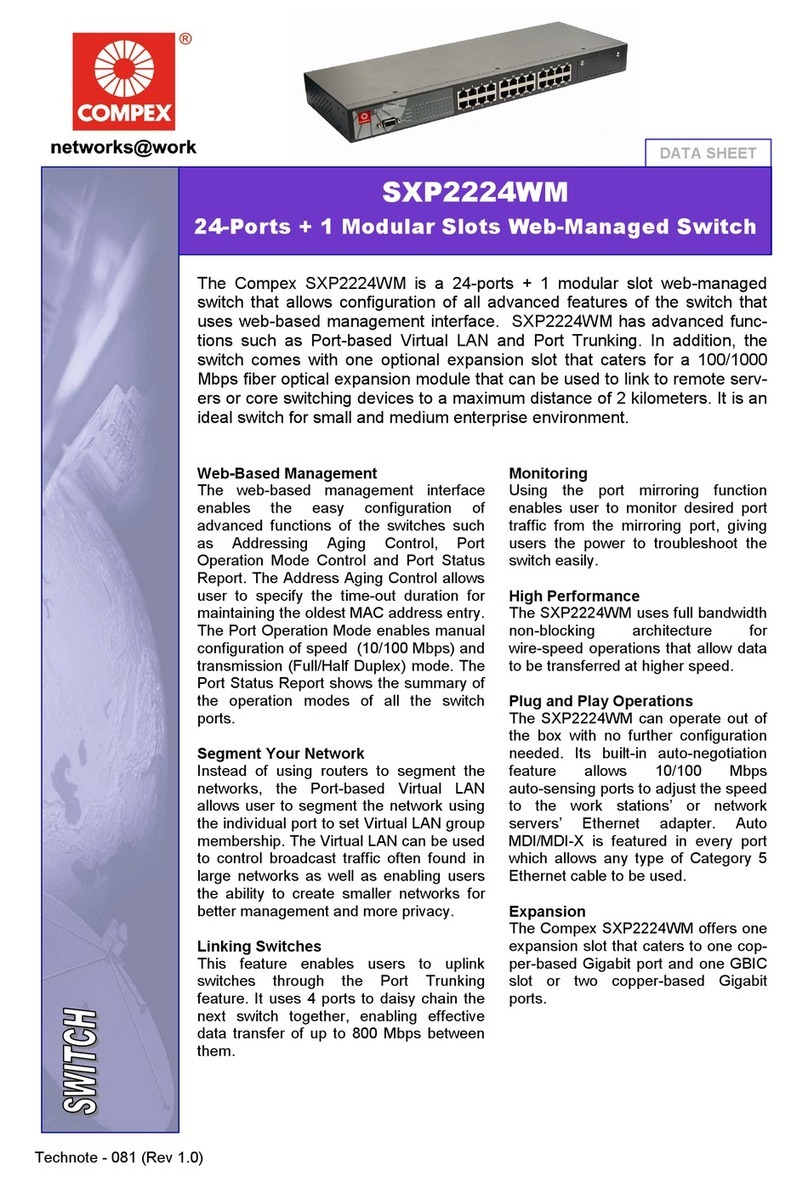
Compex SGX3224 Manual de usuario

“Quick Install Guide”
Compex
24 - Port All 10/100
Management Switch
SGX3224
SGX3224 PLUS
Version 1.1C
ReadyLINK

†
Figure 1: Front Panel View of SGX3224
‡
Figure 2: Front Panel View of SGX3224(Section #1)
ƒ
Figure 3: Front Panel View of SGX3224(Section #2)
Figure 4: Back Panel View of SGX3224
Console
100-250VAC
3.0A 47-63Hz
•
ˆ

ƒ
„‰
Figure 5: Front Panel View of SGX3224 PLUS
Figure 6: Front Panel View of SGX3224 PLUS(Section #1)
…
Figure 7: Front Panel View of SGX3224 PLUS (Section #2)
Figure 8: Back Panel View of SGX3224 PLUS
Š
Console
100-250VAC
3.0A 47-63Hz

Contents
≥≥ English Text
Diagrams Front Flap
Introduction Page 1
Key Features Page 1
Hub Features Page 2
SGX3224 Specification Page 5
1000Base-SX Gigabit Uplink
Specification (Factory Installed
Option)
Page 6
100Base-FX Fiber optic Uplink
module Specification Page 7
Installation of SGX3224 Page 7
Installation of 100Base-TX
Optional Module Page 8
Troubleshooting Page 8
Advance Management Functions
Setup Procedures Page 9
Login to Web Browser Interface Page 10
Setting up of Port Transmission
Mode Page 12
Viewing Basic Statistic Page 13
Port VLAN Setup Page 14
Save Configuration and Restore
Factory Default setting Page 15
≥≥ German Text Page 17
≥≥ Russian Text Page 33
≥≥ French Text Page 55
≥≥ Technical Support Last Page

English Compex 24 - Port All 10/100 Management Switch
(SGX3224, SGX3224 PLUS) 1
“Quick Install Guide”
Compex 24 - Port All 10/100 Management Switch
(SGX3224, SGX3224 PLUS)
Introduction
Compex SGX3224 is an all 10/100 24-port Management Ethernet Switch.
Compex SGX3224 PLUS has all the functions of SGX3224 plus one additional
1000Base-SX Gigabit Ethernet port for Uplink connection. All the 24 10/100
ports are on independent switching segment with full duplex capability, and this
provides up to 4.8 Gbps bandwidth for the 10/100 connections. Uplink switch is
provided on one of the ports so that you can use a normal straight through cable
for connecting two switches. SGX3224 PLUS with the gigabit connection
supports the Multi-mode fiber for 200m. All ports, including Gigabit port
(SGX3224 PLUS), support full duplex operation, which allows bandwidth to be
doubled for every port. Furthermore, port 1 is a shared port on which user can
insert a fiber optic module for 100Base-FX connection; after this 100Base-FX
fiber module is inserted, RJ-45 UTP port 1 will be disabled.
Key Features
The key features of the Compex 24-Port All 10/100 Management
Switch (SGX3224, SGX3224 PLUS) are as follows:
§Each port supports 10Base-T and 100Base-TX connection through
auto-negotiation.
§24 high-speed ports provide switching between 10Base-T Ethernet
segments and 100Base-TX Fast Ethernet segments in a single
integrated network.
§Store-and-forward switching scheme.
§Supports 10Base-T to 100Base-TX connectivity, allowing for
progressive migration.
§Support Full Duplex and Half Duplex for both 10Base-T and
100Base-TX connection at each port.
§Optional factory installed Gigabit Uplink connection supporting
200m 62.5/125um and 550m 50/125um multi-mode fiber optic
cable for 1000Base-SX(SGX3224 PLUS only).
§100Base-FX fiber optic uplink module supports 2000m
62.5/125um and 50/125um multi-mode fiber optic cable.
§N-way auto-negotiation.

2Compex 24 - Port All 10/100 Management Switch
(SGX3224, SGX3224 PLUS) English
§Buffer RAM size of 12Mbytes for SGX3224 PLUS only.
§4Mbytes buffer RAM for Gigabit Uplink factory installed option
(SGX3224 PLUS only).
§Support up to 12KMAC addresses.
§IEEE802.3x flow control for full duplex operation.
§Back pressure flow control for half duplex operation.
§SNMP manageable.
§MIB supported: MIB II, Bridge MIB, Proprietary MIB, RMON
MIBS.
§RMON capability: four RMON groups supported – Ethernet
Statistics, Alarm, History and Event group.
§Port VLAN function supported.
§Change of transmission mode supported (10Base-T half duplex,
10Base-T full duplex, 100Base-TX half duplex, 100Base-TX full
duplex or N-way Auto-negotiation) through any management
interface.
Hub Features (see diagrams on inner cover)
1POWER LED: ♦LED ON indicates hub is receiving power.
2100 LEDs ♦Link Status for 100Mbps connection for
Ports ‘P1’ to ‘P24’. LIGHTS UP when
connected to100Mbps segment.
3FD LED ♦Full Duplex LED: LIGHTS UP when
particular port is running at Full Duplex
mode.
4ACT/LINK
LEDs ♦Activity LED and Link Status for Ports ‘P1’
to ‘P24’. BLINKS indicate network activity
is present.
♦STEADY LIGHT indicates a good cable
connection to the SGX3224’s port.
5COL ♦
Indicate collision at the network segment of
the respective port.
624 RJ-45 Ports ♦RJ-45, 100Base-TX/10Base-T ports; Auto-
negotiation.
Configured as 24 UTP Ports or 23 UTP
ports plus 1 Uplink Port.
7Uplink Button
('P1') ♦Normal mode when button is pushed IN.
♦Uplink mode when button is released OUT.

English Compex 24 - Port All 10/100 Management Switch
(SGX3224, SGX3224 PLUS) 3
8Power Socket ♦Flexible power input (range 90VAC to
265VAC) meets every country requirement.
91000Base-SX
Port ♦Gigabit Uplink connection.
10 Link ♦Link Status for Ports ‘P1’ to ‘P24’.
♦STEADY LIGHT indicates a good cable
connection to the SGX3224’s port.
11 ACT ♦Port receives or transmits data activity.
12 RX ♦Port receives activity.
13 FULL ♦Port duplex : active-Full duplex, inactive-
half duplex.
14 Optional
Module ♦Optional slot for 100Base-FX Module for
future expansion.
♦10Base-T/100Base-TX N-Way Auto-Negotiation
In the SGX3224, all ports use the N-Way auto-negotiation mechanism
to detect the speed of the attached network adapter. This feature gives
users the freedom and convenience of connecting the switch to a
10Base-T or 100Base-TX network without doing any manual
configuration and setup.
♦10/100 Mbps Switching Hub
A cost-effective 100Mbps and 10Mbps switching function in single
unit. Divides a network into smaller shared groups, eliminating
unnecessary traffic, multiplying available bandwidth, and relieving
congestion on server paths.
♦10/100 Mbps Integration
24 high-speed ports permit Ethernet workgroups to communicate with
Fast Ethernet users in a single integrated network, and share servers
connected to the dedicated 100Mbps ports. Port expansion is easy by
connecting several switches and hubs together through uplink port.
♦Linking Up 10Base-T and 100Base-TX Technology

4Compex 24 - Port All 10/100 Management Switch
(SGX3224, SGX3224 PLUS) English
One-time migration from 10Base-T to 100Base-TX technology can be
very costly. The SGX3224 addresses this problem by allowing existing
10Base-T networks to communicate with 100Base-TX networks.
Performance does not degrade as each 10Base-T/100Base-TX segment
continues to operate at its own speed. Enterprise networks can thus be
progressively upgraded and older segments gradually phased out
without sacrificing interconnectivity or performance.
♦Half or Full Duplex Support
Users can opt for the Full Duplex mode to double the dedicated
bandwidth.
♦Management capability:
SGX3224 10/100 Management Ethernet Switch also gets SNMP,
RMON management capability. It allows you to manage the switch
through common management software. Furthermore, it supports four
groups of RMON MIB that will give you extensive management
capability. Web base management is also provided so that you do not
need to have expensive management software in order to manage your
SGX3224 switch. You can use any popular Web browser software to
browse the HTTP server inside SGX3224 switch and, from the Web
page; you can do any configuration and statistic inquiry on the switch.
SGX3224 also support Port VLAN function. It allows network
administrator to separate the network into a few segments by defining
which port belong to which VLAN segment. This can effectively control
boardcast and multi-cast packet flooding the network.
Through the management interface, user can also change the
transmission mode of all ports on SGX3224 switch. This means that
you can change the operating mode of any port to 10Base-T half duplex,
10Base-T full duplex, 100Base-TX half duplex, 100Base-TX full
duplex or N-way Auto-negotiation at any time. It also means that you
can change the transmission mode through the Web browser interface,
SNMP, console port or even Telnet interface.
SGX3224 Specification

English Compex 24 - Port All 10/100 Management Switch
(SGX3224, SGX3224 PLUS) 5
Industry Standards Complies with IEEE802.3 10Base-T,
IEEE802.3u 100Base-TX, IEEE802.3x
standards; FCC Class A; CE Mark; UL
Interface Twenty-four 10/100 Mbps ports; half/full
duplex modes.
Speed Selection Default Nway Auto-Negotiation for the all
10/100 Mbps ports. Selection of 10Base-T
half duplex, 10Base-T full duplex, 100Base-
TX half duplex, 100Base-TX full duplex
and N-way Auto-negotiation
LED Indicators Display System Power, Link, Speed (100
Mbps), full duplex mode and Port
(Transmit/Receive) activities.
Receive Buffer Size 12M bytes for SGX3224
Forwarding Method Store-and-Forward
Number of MAC Addresses
12K
Link Distance 10Base-T: supports up to 100 meters of
Category 3, 4 and 5 UTP cable. 100Base-
TX: supports up to 100 meters of Category 5
UTP Cable
Dynamic Address
Learning/Filtering Yes
Flow Control IEEE802.3x flow control for full duplex
Back pressure flow control for half duplex
Port VLAN supported Yes
Management supported SNMP (supported MIB: MIB II, Bridge
MIB, RMON MIBS 4 groups, Proprietary
MIB), Web base management, RS-232C
console and Telnet
Physical Dimensions 440mm x 340mm x 66mm (W x D x H)
19” Rack mount size
Power Supply Internal power supply is provided with
voltage ratings of 100VAC to 260VAC, 47-
63 Hz. Power consumption is 35W
maximum.

6Compex 24 - Port All 10/100 Management Switch
(SGX3224, SGX3224 PLUS) English
Environmental
Requirements Temperature
•Operating: 0 to 50 degrees centigrade
•Storage: -20 to 70 degrees centigrade
Humidity
•Operating: 10 to 80% RH
•Storage: 5 to 91% RH
1000Base-SX Gigabit Uplink Specification (Factory
Installed Option for SGX3224 PLUS only)
Industrial Standard IEEE802.3z 1000Base-SX Gigabit Ethernet
IEEE802.3x flow control
Interface Full duplex Gigabit Ethernet multi-mode
fiber optic SC connection
Cable supported 200m multi-mode 62.5/125um fiber optic
cable
550m multi-mode 50/125um fiber optic
cable
Packet size Minimum packet size 512bytes; maximum
packet size 1.5Kbytes
Connector Duplex SC connector
Laser Safety standard Class I
EMI standard FCC Class A
CE mark Class A
LED indicator Transmit, receive and link
Mode of switching Store-and-forward
Error packet filtering All kind of error packet (runt, CRC,
alignment error, undersize packet, etc.)
Buffer RAM size 4Mbytes
Environmental
Requirements Temperature
•Operating: 0 to 50 degrees centigrade
•Storage: -20 to 70 degrees centigrade
Humidity
•Operating: 10 to 80% RH
•Storage: 5 to 91% RH
Este manual sirve para los siguientes modelos
1
Tabla de contenidos
Otros manuales de Cambiar de Compex

Compex
Compex ReadyLink PS2208B Manual de usuario

Compex
Compex SAS2224 Manual de usuario

Compex
Compex Runner Manual de usuario

Compex
Compex readylink CGX3224 Manual de usuario

Compex
Compex SGX3226 Manual de usuario

Compex
Compex SXP1224B Manual de usuario

Compex
Compex readylink CGX3224 Manual de usuario

Compex
Compex PS2216 Manual de usuario

Compex
Compex SGX3226 Manual de usuario

Compex
Compex SAS2224B 1A Manual de usuario