
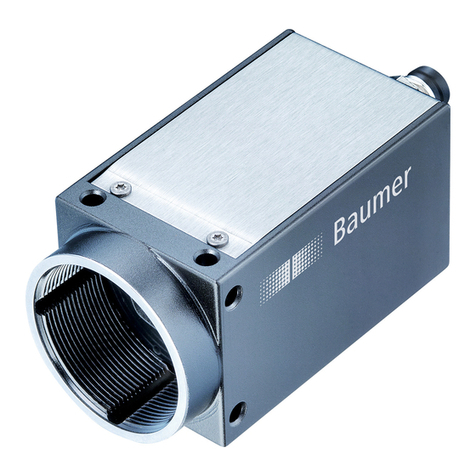
Baumer SXC10 Manual de usuario

Baumer SXC v1
User's Guide for CameraLink®Cameras with Truesense Imaging
Sensors

2

3
Table of Contents
1. General Information ................................................................................................. 6
2. General safety instructions ..................................................................................... 7
3. Intended Use............................................................................................................. 7
4. General Description ................................................................................................. 7
5. Camera Models......................................................................................................... 8
5.1. SXC – Cameras with C-Mount............................................................................... 8
5.2. SXC-F – Cameras with F-Mount............................................................................ 9
6. ProductSpecications .......................................................................................... 10
6.1. Sensor Specications .......................................................................................... 10
6.1.1. Quantum Efciency for Baumer SXC Cameras ............................................ 10
6.1.2. Shutter........................................................................................................... 10
6.1.3. Readout Modes ..............................................................................................11
6.2. Timings................................................................................................................. 13
6.2.1. Free Running Mode....................................................................................... 13
6.2.2. Trigger Mode ................................................................................................. 14
6.3. Field of View Position........................................................................................... 18
6.4. Process- and Data Interface ................................................................................ 19
6.4.1. Pin-Assignment CameraLink®Interface ........................................................ 19
6.4.2. Pin-Assignment Power Supply and Digital IOs ............................................. 19
6.4.3. LED Signaling................................................................................................ 19
6.5. Environmental Requirements............................................................................... 20
6.5.1. Temperature and Humidity Range................................................................. 20
6.5.2. Heat Transmission......................................................................................... 20
6.5.3. Mechanical Tests ........................................................................................... 21
7. Software .................................................................................................................. 22
7.1. Baumer GAPI....................................................................................................... 22
8. Camera Functionalities.......................................................................................... 23
8.1. Image Acquisition................................................................................................. 23
8.1.1. Image Format ................................................................................................ 23
8.1.2. Pixel Format .................................................................................................. 24
8.1.3. Exposure Time............................................................................................... 26
8.1.4. Look-Up-Table ............................................................................................... 27
8.1.5. Region of Interest (ROI) ................................................................................ 27
8.1.6. Partial Scan Readout .................................................................................... 27
8.1.7. Binning........................................................................................................... 29
8.1.8. Brightness Correction (Binning Correction)................................................... 30
8.2. Color Adjustment – White Balance ...................................................................... 30

4
8.2.1. User-specic Color Adjustment ..................................................................... 30
8.2.2. One Push White Balance .............................................................................. 30
8.3. Analog Controls.................................................................................................... 31
8.3.1. Black Level .................................................................................................... 31
8.3.2. Gain............................................................................................................... 31
8.4. Pixel Correction.................................................................................................... 32
8.4.1. General information....................................................................................... 32
8.4.2. Correction Algorithm...................................................................................... 32
8.4.3. Defectpixellist ................................................................................................ 33
8.5. Process Interface ................................................................................................. 33
8.5.1. Digital IOs...................................................................................................... 33
8.5.2. Trigger Input .................................................................................................. 35
8.5.3. Trigger Source............................................................................................... 35
8.5.4. Debouncer..................................................................................................... 36
8.5.5. Flash Signal................................................................................................... 36
8.6. User Sets ............................................................................................................. 37
8.7. Factory Settings ................................................................................................... 37
9. CameraLink®........................................................................................................... 38
9.1. Channel Link and LVDS Technology.................................................................... 38
9.2. Camera Signals ................................................................................................... 38
9.2.1. Serial Communication ................................................................................... 38
9.2.2. Camera Control ............................................................................................. 39
9.2.3. Video Data..................................................................................................... 39
9.3. Chip and Port Assignment ................................................................................... 39
9.4. CameraLink®Taps................................................................................................ 40
9.4.1. Tap Conguration .......................................................................................... 40
9.4.2. Tap Geometry ................................................................................................ 42
10. Cleaning .................................................................................................................. 43
11. Transport / Storage ................................................................................................ 43
12. Disposal .................................................................................................................. 44
13. Warranty Notes ....................................................................................................... 44
14. Lens Mounting........................................................................................................ 44
15. Support.................................................................................................................... 45
16. Conformity .............................................................................................................. 46
16.1. CE ...................................................................................................................... 46
16.2. FCC – Class B Device ....................................................................................... 46

5

6
General Information1.
Read these manual carefully and observe the notes and safety instruc-
tions!
Thank you for purchase a camera of the Baumer family. This User´s Guide describes how
to connect, set up and use the camera.
Keep the User´s guide store in a safe place and transmit them to the eventually following
users. Please also note the provided technical data sheet.
Target group for this User´s Guide
This User's Guide is aimed at experienced business users, which want to integrate
camera(s) into a vision system.
Copyright
Any duplication or reprinting of this documentation, in whole or in part, and the reproduc-
tion of the illustrations even in modied form is permitted only with the written approval of
Baumer. This document is subject to change without notice.
Classicationofthesafetyinstructions
In the User´s Guide, the safety instructions are classied as follows:
Notice
Gives helpful notes on operation or other general recommendations.
Caution
P i ctogram
Indicates a possibly dangerous situation. If the situation is not avoided, slight
or minor injury could result or the device may be damaged.

7
General safety instructions2.
Observe the the following safety instructions when using the camera to avoid any damage
or injuries.
Caution
Provide adequate dissipation of heat, to ensure that the temperature does
not exceed +60°C (+140°F).
The surface of the camera may be hot during operation and immediately
after use. Be careful when handling the camera and avoid contact over a
longer period.
Caution
A power supply with electrical isolation is required for proper operation of the
camera. Otherwise the device may be damaged!
Intended Use3.
The camera is used to capture images that can be transferred over one CameraLink®
interface to a PC.
Notice
Use the camera only for its intended purpose! For any use that is not described in the
technical documentation poses dangers and will void the warranty. The risk has to be
borne solely by the unit´s owner.
General Description4.
12
3
4
5
No. Description No. Description
1(respective) lens mount 4CameraLink® Base socket
2Power supply 5Signaling-LED
3Digital-IO supply

8
Camera Models5.
SXC – Cameras with C-Mount5.1.
Camera Type Sensor
Size Resolution
Full
Frames
[max. fps]
Monochrome
SXC10 1/2" 1024 x 1024 120
SXC20 2/3" 1600 x 1200 68
SXC21 2/3" 1920 x 1080 64
SXC40 1" 2336 x 1752 32
SXC80 4/3" 3296 x 2472 16
Color
SXC10c 1/2" 1024 x 1024 120
SXC20c 2/3" 1600 x 1200 68
SXC21c 2/3" 1920 x 1080 64
SXC40c 1" 2336 x 1752 32
SXC80c 4/3" 3296 x 2472 16
Dimensions
26
36
16 x M3 depth 6
UNC 1/4-20
4 x M3 depth 6
52
52
36
26
36
36
54
36
26
Figure1►
Front and rear view of a
Baumer SXC camera.
Figure2►
Dimensions of a
Baumer SXC camera

9
5.2. SXC-F – Cameras with F-Mount
Camera Type Sensor
Size Resolution
Full
Frames
[max. fps]
Monochrome
SXC21-F 2/3" 1920 x 1080 64
SXC40-F 1" 2336 x 1752 32
SXC80-F 4/3" 3296 x 2472 16
Color
SXC21c-F 2/3" 1920 x 1080 64
SXC40c-F 1" 2336 x 1752 32
SXC80c-F 4/3" 3296 x 2472 16
Dimensions
26
36
26
36
16 x M3 depth 6
UNC 1/4-20
52
52
26
36
55
◄Figure3
Front view of a Baumer
SXC-F camera.
◄Figure4
Dimensions of a
Baumer SXC-F
camera.

10
ProductSpecications6.
6.1. SensorSpecications
6.1.1. QuantumEfciencyforBaumerSXCCameras
The quantum efciency characteristics of monochrome and color matrix sensors for
Baumer SXC cameras are displayed in the following graphs. The characteristic curves for
the sensors do not take the characteristics of lenses and light sources without lters into
consideration, but are measured with an AR coated cover glass.
Values relating to the respective technical data sheets of the sensors manufacturer.
350 450 550 650 750 850 950 1050
Wave Length [nm]
Quantum Efficiency [%]
SXC (monochrome)
350 450 550 650 750 850 950 1050
Wave Length [nm]
Quantum Efficiency [%]
SXC (color)
6.1.2. Shutter
All cameras of the SX series are equipped with a global shutter.
Pixel
Active Area (Photodiode)
Storage Area
Microlens
Global shutter means that all pixels of the sensor are reset and afterwards exposed for a
specied interval (texposure).
For each pixel an adjacent storage area exists. Once the exposure time elapsed, the
information of a pixel is transferred immediately to its storage area and read out from
there.
Due to the fact that photosensitive surface gets "lost" by the implementation of the storage
area, the pixels are mostly equipped with microlenses, which focus the light to the pixels
active area.
Figure5►
Quantum efciency for
Baumer SXC cameras.
Figure6►
Structure of an imaging
sensor with global shut-
ter (interline).
Otros manuales para SXC10
1
Este manual sirve para los siguientes modelos
9
Tabla de contenidos
Otros manuales de Cámara de seguridad de Baumer
Baumer
Baumer VCXG Manual de usuario

Baumer
Baumer LXG series Manual de usuario

Baumer
Baumer LXG series Manual de usuario

Baumer
Baumer CameraLink SXC20 v2 Manual de usuario

Baumer
Baumer SXG Manual de usuario

Baumer
Baumer VLXT Manual de usuario

Baumer
Baumer HXG Manual de usuario

Baumer
Baumer USB3 Vision Manual de usuario

Baumer
Baumer EXG03 Manual de usuario


