
Baumer EXG03 Manual de usuario
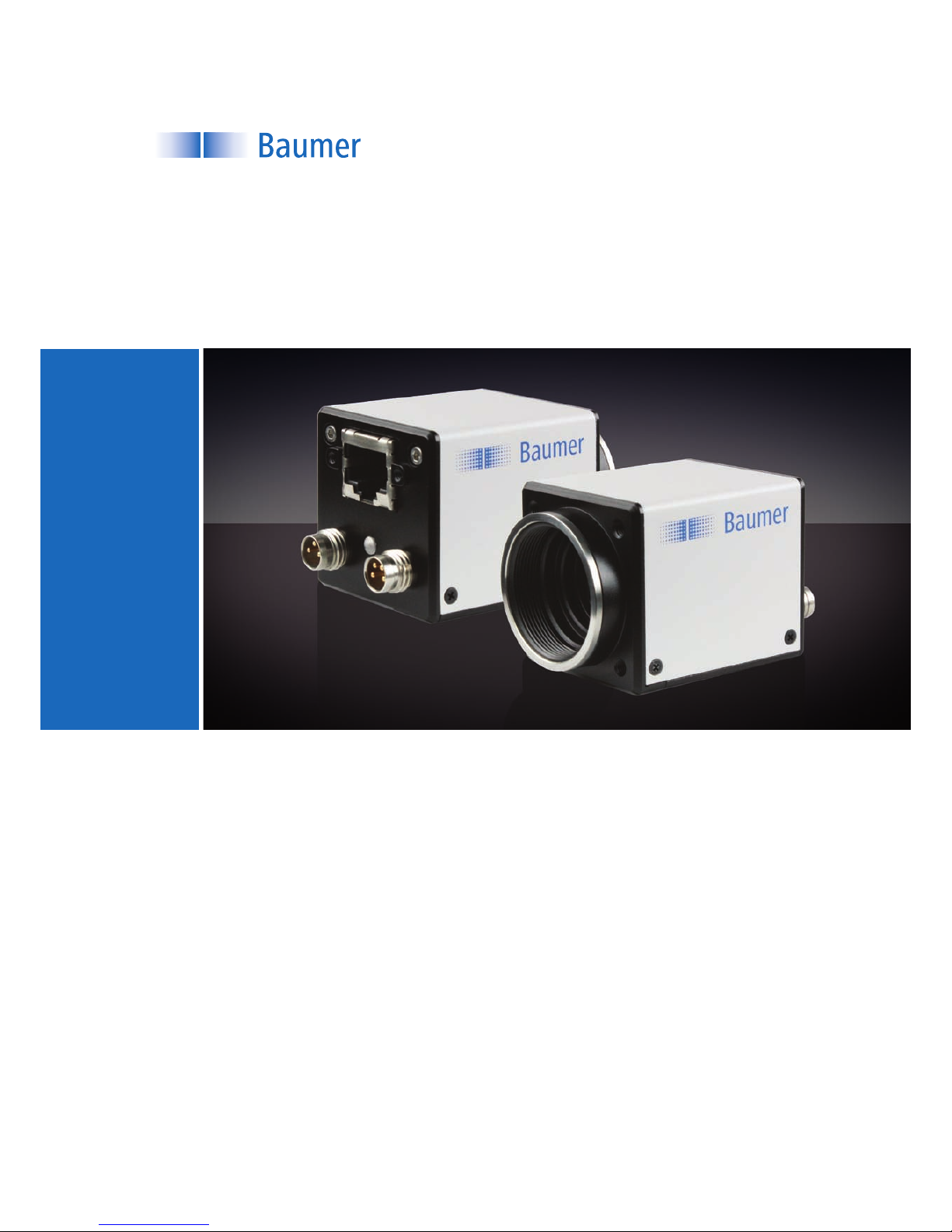
Baumer EXG
User's Guide for Gigabit Ethernet Cameras

2

3
Table of Contents
1. Camera Models......................................................................................................... 5
2. ProductSpecications ............................................................................................ 6
2.1. Sensor Specications �������������������������������������������������������������������������������������������� 6
2.1.1. Quantum Efciency for Baumer EXG Cameras ���������������������������������������������� 6
2.1.2. Shutters ����������������������������������������������������������������������������������������������������������� 6
2.2. Timings������������������������������������������������������������������������������������������������������������������� 8
2.2.1. Free Running Mode����������������������������������������������������������������������������������������� 8
2.2.2. Trigger Mode ��������������������������������������������������������������������������������������������������� 9
2.3. Process- and Data Interface ���������������������������������������������������������������������������������11
2.3.1. Pin-Assignment Gigabit Ethernet Interface ����������������������������������������������������11
2.3.2. Pin-Assignment Power Supply and Digital IOs ����������������������������������������������11
2.3.3. LED Signaling�������������������������������������������������������������������������������������������������11
2.4. Environmental Requirements������������������������������������������������������������������������������� 12
2.4.1. Temperature and Humidity Range����������������������������������������������������������������� 12
2.4.2. Heat Transmission����������������������������������������������������������������������������������������� 12
3. Software .................................................................................................................. 13
3.1. Baumer-GAPI������������������������������������������������������������������������������������������������������� 13
3�2� 3rd Party Software������������������������������������������������������������������������������������������������� 13
4. CameraFunctionalities.......................................................................................... 14
4.1. Image Acquisition������������������������������������������������������������������������������������������������� 14
4.1.1. Image Format ������������������������������������������������������������������������������������������������ 14
4.1.2. Pixel Format �������������������������������������������������������������������������������������������������� 15
4.1.3. Exposure Time����������������������������������������������������������������������������������������������� 17
4.1.4. High Dynamic Range (HDR) ������������������������������������������������������������������������� 17
4.1.5. Look-Up-Table ����������������������������������������������������������������������������������������������� 17
4.1.6. Gamma Correction ���������������������������������������������������������������������������������������� 17
4.1.7. Partial Scan / Area of Interest (AOI) �������������������������������������������������������������� 18
4.1.8. Binning����������������������������������������������������������������������������������������������������������� 19
4.1.9. Brightness Correction (Binning Correction)��������������������������������������������������� 20
4.2. Color Processing�������������������������������������������������������������������������������������������������� 20
4.3. Color Adjustment – White Balance ���������������������������������������������������������������������� 20
4.3.1. User-specic Color Adjustment ��������������������������������������������������������������������� 21
4.3.2. One Push White Balance ������������������������������������������������������������������������������ 21
4.4. Analog Controls���������������������������������������������������������������������������������������������������� 21
4.4.1. Offset / Black Level���������������������������������������������������������������������������������������� 21
4.4.2. Gain��������������������������������������������������������������������������������������������������������������� 21
4.5. Pixel Correction���������������������������������������������������������������������������������������������������� 22
4.5.1. General information��������������������������������������������������������������������������������������� 22
4.5.2. Correction Algorithm �������������������������������������������������������������������������������������� 22
4.5.3. Defectpixellist ������������������������������������������������������������������������������������������������ 23
4�6� Process Interface ������������������������������������������������������������������������������������������������� 23
4.6.1. IO Circuits������������������������������������������������������������������������������������������������������ 23
4.6.2. Trigger Input �������������������������������������������������������������������������������������������������� 24
4.6.3. Trigger Source����������������������������������������������������������������������������������������������� 24
4.6.4. Debouncer����������������������������������������������������������������������������������������������������� 25

4
4.6.5. Flash Signal��������������������������������������������������������������������������������������������������� 25
4.6.6. Frame Counter ���������������������������������������������������������������������������������������������� 25
4.7. User Sets ������������������������������������������������������������������������������������������������������������� 26
4.8. Factory Settings ��������������������������������������������������������������������������������������������������� 26
4.9. Timestamp ����������������������������������������������������������������������������������������������������������� 26
5. InterfaceFunctionalities ........................................................................................ 27
5.1. Device Information ����������������������������������������������������������������������������������������������� 27
5.2. Packet Size and Maximum Transmission Unit (MTU)������������������������������������������ 27
5.3. Inter Packet Gap �������������������������������������������������������������������������������������������������� 27
5.3.1. Example 1: Multi Camera Operation – Minimal IPG�������������������������������������� 28
5.3.2. Example 2: Multi Camera Operation – Optimal IPG�������������������������������������� 28
5.4. IP Conguration ��������������������������������������������������������������������������������������������������� 29
5.4.1. Persistent IP �������������������������������������������������������������������������������������������������� 29
5.4.2. DHCP (Dynamic Host Conguration Protocol) ���������������������������������������������� 29
5�4�3� LLA ���������������������������������������������������������������������������������������������������������������� 30
5.4.4. Force IP��������������������������������������������������������������������������������������������������������� 30
5.5. Packet Resend����������������������������������������������������������������������������������������������������� 31
5.5.1. Normal Case�������������������������������������������������������������������������������������������������� 31
5.5.2. Fault 1: Lost Packet within Data Stream ������������������������������������������������������� 31
5.5.3. Fault 2: Lost Packet at the End of the Data Stream �������������������������������������� 31
5.5.4. Termination Conditions ���������������������������������������������������������������������������������� 32
5.6. Message Channel ������������������������������������������������������������������������������������������������ 33
5.6.1. Event Generation ������������������������������������������������������������������������������������������ 33
5.7. Action Command / Trigger over Ethernet������������������������������������������������������������� 34
5.7.1. Example: Triggering Multiple Cameras ��������������������������������������������������������� 34
6. Start-Stop-Behaviour ............................................................................................. 35
6.1. Start / Stop Acquisition (Camera)������������������������������������������������������������������������� 35
6.2. Start / Stop Interface �������������������������������������������������������������������������������������������� 35
6.3. Pause / Resume Interface ����������������������������������������������������������������������������������� 35
6.4. Acquisition Modes ������������������������������������������������������������������������������������������������ 35
6.4.1. Free Running������������������������������������������������������������������������������������������������� 35
6.4.2. Trigger ����������������������������������������������������������������������������������������������������������� 35
7. NotesandInstructions .......................................................................................... 36
7.1. Warranty Notes ���������������������������������������������������������������������������������������������������� 36
7.2. Lens Mounting ����������������������������������������������������������������������������������������������������� 36
8. Conformity .............................................................................................................. 37
8.1. CE ������������������������������������������������������������������������������������������������������������������������ 37
8.2. FCC – Class B Device ����������������������������������������������������������������������������������������� 37
Index .............................................................................................................................. 38

5
Camera Models1.
CameraType Sensor
Size Resolution
Full
Frames
[max.fps]
Monochrome
EXG03 1/3" 752 x 480 60
EXG50 1/2.5" 2592 x 1944 14
Color
EXG03c 1/3" 748 x 476 60
Dimensions
26
26
36
36
4xM3
36
36 43
C-MountPhotosensitive
surface of the
sensor
2xM3
26
◄Figure1
Front and rear view of a
Baumer EXG camera.
◄Figure2
Dimensions of a
Baumer EXG camera.

6
2. ProductSpecications
SensorSpecications2.1.
2.1.1. QuantumEfciencyforBaumerEXGCameras
The quantum efciency characteristics of monochrome and color matrix sensors for
Baumer EXG cameras are displayed in the following graphs. The characteristic curves
for the sensors do not take the characteristics of lenses and light sources without lters
into consideration.
Values relating to the respective technical data sheets of the sensors manufacturer.
350 450 550 650 750 850 950 10501150
Wave Length [nm]
Quantum Efficiency [%]
EXG03
350 450 550 650 750 850 950 10501150
0
5
10
20
15
25
30
35
40
45
Wave Length [nm]
Quantum Efficiency [%]
EXG03c
350 450 550 650 750 850 950 10501150
Wave Length [nm]
Quantum Efficiency [%]
EXG50
Shutters2.1.2.
The camera models of the EXG series are equipped with different shutters:
CameraType ShutterType
Monochrome
EXG03 Global
EXG50 Rolling
Color
EXG03c Global
Figure3►
Spectral sensitivities for
Baumer EXG cameras
with 0.3 MP*) CMOS
sensor�
*) MP = Megapixels
Figure4►
Spectral sensitivities for
Baumer EXG cameras
with 5.0 MP CMOS
sensor�

7
GlobalShutter2.1.2.1.
Pixel
Active Area (Photodiode)
Storage Area
Microlens
Global shutter means that all pixels of the sensor are reset and afterwards exposed for a
specied interval (texposure).
For each pixel an adjacent storage area exists. Once the exposure time elapsed, the
information of a pixel is transferred immediately to its storage area and read out from
there.
Due to the fact that photosensitive surface get's "lost" by the implementation of the stor-
age area, the pixels mostly are equipped with microlenses, which focus the light to the
pixels active area.
RollingShutter2.1.2.2.
Reset Pointer
Readout Pointer
Pixels of Frame(n-1) – will be deleted
Currently exposed pixels (Frame(n))
Read out pixels of current Frame (Frame(n))
Rolling shutter means that – in contrast to the global shutter – not the whole sensor is
exposed at once, but single portions successively. It is said the shutter "rolls" over the
sensor�
For Baumer EXG cameras with rolling shutter this means two pointers are "rolling" across
the sensor:
First, the reset pointer deletes any information of former exposures stored within the ▪
pixels (Frame(n-1)). After that the pixels are empty and restart collecting information
from incoming light – the new exposure (Frame(n)) begins.
Once a predened interval – the exposure time t▪exposure – is elapsed, the readout
pointer rolls across the sensor and the information of the pixels is read out.
For example: On Baumer EXG50, the pass of a pointer lasts approx. 72 msec ▪
(tFull Frame).
Due to technical issues of rolling shutter, a ash control depending on the
exposure time does not make sense. Such cameras should be used in a
continuously illuminated environment.
◄Figure5
Structure of an imaging
sensor with global shut-
ter (interline).
◄Figure6
Operating mode of a
rolling shutter.

8
Timings2.2.
The image acquisition consists of two seperate, successively processed components.
Exposing the pixels on the photosensitive surface of the sensor is only the rst part of the
image acquisition. After completion of the rst step, the pixels are read out.
Thereby the exposure time (texposure) can be adjusted by the user, however, the time need-
ed for the readout (treadout) is given by the particular sensor and used image format.
Baumer cameras can be operated with two modes, the Free Running Mode and the
Trigger Mode.
The cameras can be operated non-overlapped*) or overlapped. Depending on the mode
used, and the combination of exposure and readout time:
Non-overlappedOperation OverlappedOperation
Here the time intervals are long enough
to process exposure and readout succes-
sively.
In this operation the exposure of a frame
(n+1) takes place during the readout of
frame (n).
Exposure
Readout
Exposure
Readout
Due to the differing CMOS sensor models installed to the Baumer EXG cameras, the
operation modes are subdevided into the respective camera models.
2.2.1. FreeRunningMode
In the "Free Running" mode the camera records images permanently and sends them to
the PC. In order to achieve an optimal (with regard to the adjusted exposure time texposure
and image format) the camera is operated overlapped.
In case of exposure times equal to / less than the readout time (texposure ≤ treadout), the maxi-
mum frame rate is provided for the image format used. For longer exposure times the
frame rate of the camera is reduced.
EXG03/EXG03c2.2.1.1.
Exposure
Readout
Flash
texposure(n)
tflash(n)
tflashdelay
tflash(n+1)
treadout(n+1)
treadout(n)
texposure(n+1)
tash = texposure
*) Non-overlapped means the same as sequential.
Imageparameters:
Offset
Gain
Mode
Partial Scan
Timings:
A - exposure time
frame (n) effective
B - image parameters
frame (n) effective
C - exposure time
frame (n+1) effective
D - image parameters
frame (n+1) effective

9
EXG502.2.1.2.
Sensor
Reset
Sensor
Readout
tFull Frame
texposure(n) texposure(n+1) tdelay
tFull Frame
Timing Value
tFull Frame 71.66 msec
texposure 4 µsec ��� 1 sec
TriggerMode2.2.2.
After a specied external event (trigger) has occurred, image acquisition is started.
EXG03/EXG03c2.2.2.1.
Exposure
Readout
texposure(n)
treadout(n+1)
treadout(n)
texposure(n+1)
ttriggerdelay
tmin
Trigger
Flash
tflash(n)
tflashdelay
tflash(n+1)
TriggerReady
tnotready

10
EXG502.2.2.2.
Sensor
Reset
Sensor
Readout
tFull Frame
ttriggerdelay
tmin
Trigger
tFull Frame
texposure
tdelay
Imageparameters:
Offset
Gain
Mode
Partial Scan
Timings:
A - exposure time
frame (n) effective
B - image parameters
frame (n) effective
Este manual sirve para los siguientes modelos
2
Tabla de contenidos
Otros manuales de Cámara de seguridad de Baumer

Baumer
Baumer VLXT Manual de usuario

Baumer
Baumer CameraLink SXC20 v2 Manual de usuario

Baumer
Baumer LXG series Manual de usuario

Baumer
Baumer USB3 Vision Manual de usuario

Baumer
Baumer SXC10 Manual de usuario
Baumer
Baumer VCXG Manual de usuario

Baumer
Baumer HXG Manual de usuario

Baumer
Baumer LXG series Manual de usuario

Baumer
Baumer SXG Manual de usuario


