
AURES SMP 58 Hoja de instrucciones

CONFIGURATION MANUAL(Configuration Tool) Rev. A 0418
The manual and product are protected by copyright.
AURES TECHNOLOGIES
MOBILE PRINTER
MODEL : SMP 58, SLP 580

2
Table of Contents
1. Instruction 3
2. Emulation Setting 4
3. Code Page Setting (ESC/POS Only) 5
4. Density Setting (ESC/POS Only) 6
5. Power Save Mode Setting 7
6. Label Media Setting(CPCL, ZPL, EPL Only) 8
7. Bluetooth Setting 9
7-1. Numeric Comparison Setting 11
8. NFC Setting 12
9. Wi-Fi Setting 13
10. True Type Font Downloading & Printing 16

3
1. Instruction
You can change the configuration settings of your printer by using Configuration Tool Utility.
To configure the printer with Configuration Tool Utility.
1. Make sure that you have a PC running Windows XP or later.
2. Download Configuration Tool utility from the AURES Technical website (www.aures-support.com)
3. Connect your printer to your PC using USB cable (Recommended).
4. Run the Configuration Tool utility.
5. Select the connection in the Printer Connection Settings.
6. Click the Open Port.
7. Click the button for the settings you want to configure.

4
2. Emulation Setting
To configure Printer’s Emulation with Configuration Tool Utility.
1. Click Get Emulation to check current emulation.
2. Update or check your settings.
A. CPCL F/W (You can Select CPCL or ESC/POS)
B. ZPL F/W (You can Select ZPL or EPL)
3. Click Emulation you want to use and wait for the beep and power off to finish.
4. Turn on the printer to use.
For more information, Please contact your supplier.
Model Compatible Emulation
SLP 580 ESC/POS, CPCL, ZPL
SMP 58 ESC/POS, CPCL, ZPL
Use the following table to Printer’s Emulation setting.

5
3. Code Page Setting(ESC/POS Only)
To configure Code Page settings with Configuration Tool Utility.
(Code page can be set by command in CPCL, ZPL)
1. Update or check the Code Page in the Code Page Setting.
2. Click Save Code Page to finish.
3. Click Print Code Page to test the printer is set correctly.
Use the following table to Code Page Settings.
Code Page Description
CP_437 MS-DOS United States, Australia, New Zealand, South Africa
CP_737 MS-DOS Greek
CP_850 MS-DOS Latin-1
CP_852 MS-DOS Latin-2
CP_857 MS-DOS Turkish / Latin-5
CP_858 MS-DOS Multilingual / Latin-1 with euro symbol
CP_860 MS-DOS Portuguese
CP_862 MS-DOS Hebrew
CP_863 MS-DOS Canadian French
CP_864 MS-DOS Arabic
CP_865 MS-DOS Nordic / Danish / Norwegian
CP_866 MS-DOS Russian / Cyrillic
ISO_8859_2 Latin Alphabet No. 2
ISO_8859_9 Latin Alphabet No. 5(Turkish)
MAZOVIA Polish
CP_1250 Windows Central Europe
CP_1251 Windows Cyrillic
CP_1252 Windows West European Latin 1
CP_1253 Windows Greek
CP_1254 Windows Turkish
CP_1257 Windows Baltic
CP_1258 Windows Vietnamese
6
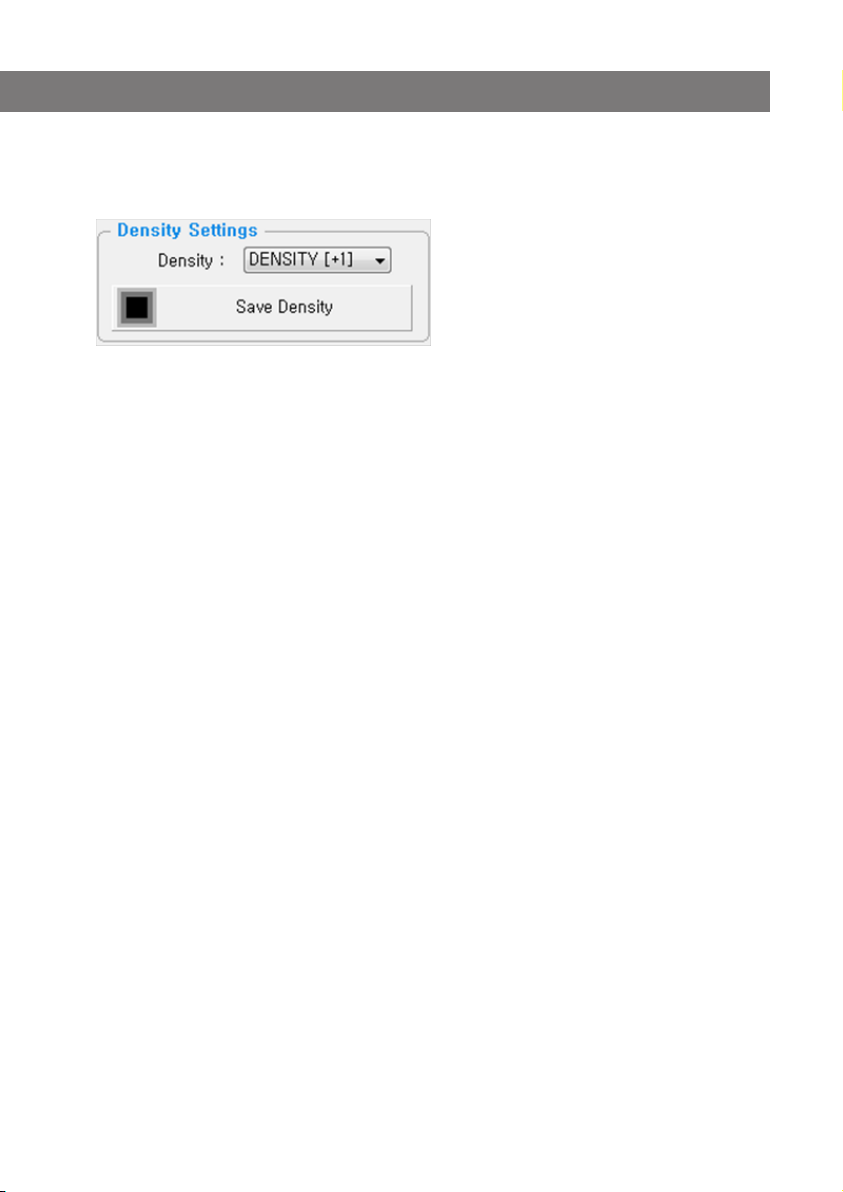
4. Density Setting(ESC/POS Only)
To configure Density setting with Configuration Tool Utility.
1. Update or check the Density in the Density Settings.
2. Click Save Density to finish.

7
5. Power Save Mode Setting
To configure Power Save Mode setting with Configuration Tool Utility.
1. Update or check the Power Save Mode in the Power Save Mode.
2. Click Save Power Save Mode to finish.
Use the following table to Printer’s Emulation setting
Mode Description
None Power Save Set the mode to None Power Save.
Power Off Mode Sets time interval between absence of printer use and automatic
turning off of printer power.
Power Save Mode Sets time interval for automatic entering into power saving mode
while the printer is in use.

8
6. Label Media Setting(CPCL, ZPL, EPL Only)
To configure Label Media Type setting with Configuration Tool Utility.
1. Update or check the Label Media Settings in the Label Media Setting.
2. Select Sensor position and Click Media type (Gap or Black Mark or Continuous) to finish.
Use the following table to Label Media setting.
Type Gap Black Mark(Lower)
Description
Type Black Mark(Upper) Continuous
Description

9
7. Bluetooth Setting
To configure Bluetooth setting with Configuration Tool Utility.
(Bluetooth is Optional Interface. For more information, Please contact your supplier)
1. Click Get Bluetooth Information.
2. Update or check your settings
3. Click button you need to set to finish.

10
7. Bluetooth Setting
Use the following table to Bluetooth setting
Name Description
BT Address The MAC address for Bluetooth Module.
Bluetooth device
name (Bluetooth ID)
The Name of Bluetooth Printer to pair.
PIN Code Pin code to pair (Default : 0000 or 1234)
iOS auto connection
Settings
Allowing iOS devices to automatically reconnect the printer.
Otros manuales para SMP 58
1
Este manual sirve para los siguientes modelos
1
Tabla de contenidos
Otros manuales de Impresora de AURES

AURES
AURES ODP-200H-III Manual de usuario

AURES
AURES ODP 300 Manual de usuario

AURES
AURES TRP100 Manual de usuario

AURES
AURES Posligne ODP-1000 Manual de usuario

AURES
AURES ODP 444 Manual de usuario

AURES
AURES ODP 333 Manual de usuario

AURES
AURES SMP 58 Manual de usuario

AURES
AURES SLP 580 Manual de usuario

AURES
AURES ODP 300 Manual de usuario

AURES
AURES TRP100-III Manual de usuario


