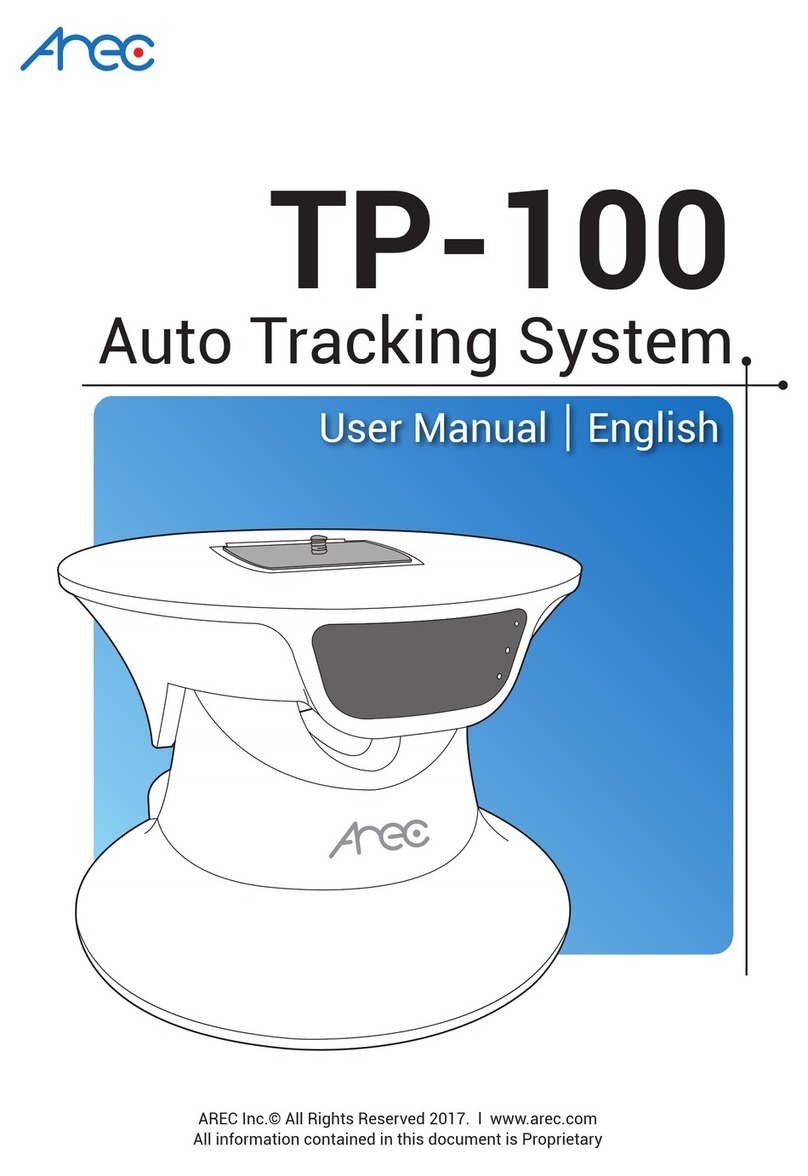
Arec TP-100 Manual de usuario

TP-100
Auto Tracking System
AREC Inc.© All Rights Reserved 2013. l www.arec.com
All information contained in this document is Proprietary
User Manual English

TP-100 User Manual
Auto Tracking System
Your AREC TP-100 auto Tracking System can work with different cameras for vertical and horizontal tracking. It may
track shooting lecturers/target in indoor environment when accompanied with a compact IR Locator(AREC AM-500).
In addition to online device setup, the AREC Auto Tracking System features both auto and manual tracking modes
for even greater user conveniences. The best choice tracking recording device indeed!
AREC TP-100 Auto Tracking System
AREC AM-500
wireless microphone positioner

TP-100 User Manual
Table of Contents
1. PRODUCT INFORMATION........................................................................................3
2.GETTING TO KNOW YOUR PRODUCT.......................................................................4
3. LIGHT INDICATORS OF YOUR TP-100....................................................................7
4. WIRELESS MICROPHONE LOCATOR INFORMATION..............................................7
5. LIGHT INDICATORS OF YOUR AM-500.......... ........................................................8
6. HOW TO INSTALL YOUR SYSTEM...........................................................................8
7. HOW TO ENABLE THE AUTO TRACKING FUNCTION? .........................................10
8. HOW TO INSTALL A NETWORK CAMERA?............................................................12
9. THE TP-100 MANAGEMENT WEB PAGE..............................................................13
10. THE ADMINISTRATOR WEB PAGE......................................................................17
11. HOW TO SETUP AUTO FULL VIEW FUNCTION?.................................................22
12. HOW TO DO WHEN YOU FORGET THE IP ADDRESS?........................................24
13. APPENDIX............................................................................................................25

TP-100 User Manual
3 4
1. Product information
Battery safety information:
Keep the battery at a dry and cool environment.
DO NOT dispose of your battery with household waste. Send used batteries to a specic re-cycling location.
Remove your battery out of your device if you are not to use it for long time. Do the same with empty
batteries as the remote controller may be damaged by leakage of current and battery liquid.
DO NOT mix old and new batteries together for use.
Please use the alkaline Duracell battery recommended by the supplier. DO NOT mix batteries of different
brands together for use.
DO NOT expose your battery to flames as this may lead to explosion or power leakage.
DO NOT short circuit the anode and electrode of your battery.
Precautions before using your product for the rst time:
1. Please open the package of your product with care. Please keep the packaging material as you may need
them for transport, storage, or return for service in future.
2. There is no switch or button inside your product that needs any operation from you. For your safety, DO
NOT open the outer case of your product, apply improper operations on it, e.g. turn or swing it with great
force, as you may get an electric shock and/or void the limited warranty. Contact your local dealer should
there be any problem with your product.
3. For better tracking effect, please do not track in limited spaces. Install your product in open space without
surrounding walls. Avoid walls, barriers like large size glasses and metal objects, in the planned tracking
space.
4. The optimum installation distance: 4~7 meters away from the target object at height 2.5 meters above
ground.
5. Your product is designed for use in indoor environments and without direct sunlight. For room with
window(s) please have curtain(s) installed.
6. Please use your product in proper environment. Please DO NOT install your product in the following
environment:
Unstable location or uneven surface
Location near strong magnetic eld
Damp or leaking environment
Overheat or place near heater or wind pipes or location exposed to direct sunlight for long time
Dusty location
Vibrating location
Close to any amplier
7. In case smoke or odor is detected, unplug the power adaptor and send to the service center for
maintenance
8. Please insert the plug of the adaptor rmly in the power socket without exposing the pin to avoid electric
shock. Ensure the socket is of adequate capacity for the required current. DO NOT insert the adaptor in the
power socket before wiring to avoid personal injury.
9. Please remove the power plug if you are not to use your product for long time to maintain electric safety.
Remove the plug by holding the plug's plastic part with dry hands.
10. Please wire your product according to the installation guide and instructions printed on your product for
the optimal effect.
Safety precautions
TP-100 User Manual
3 4
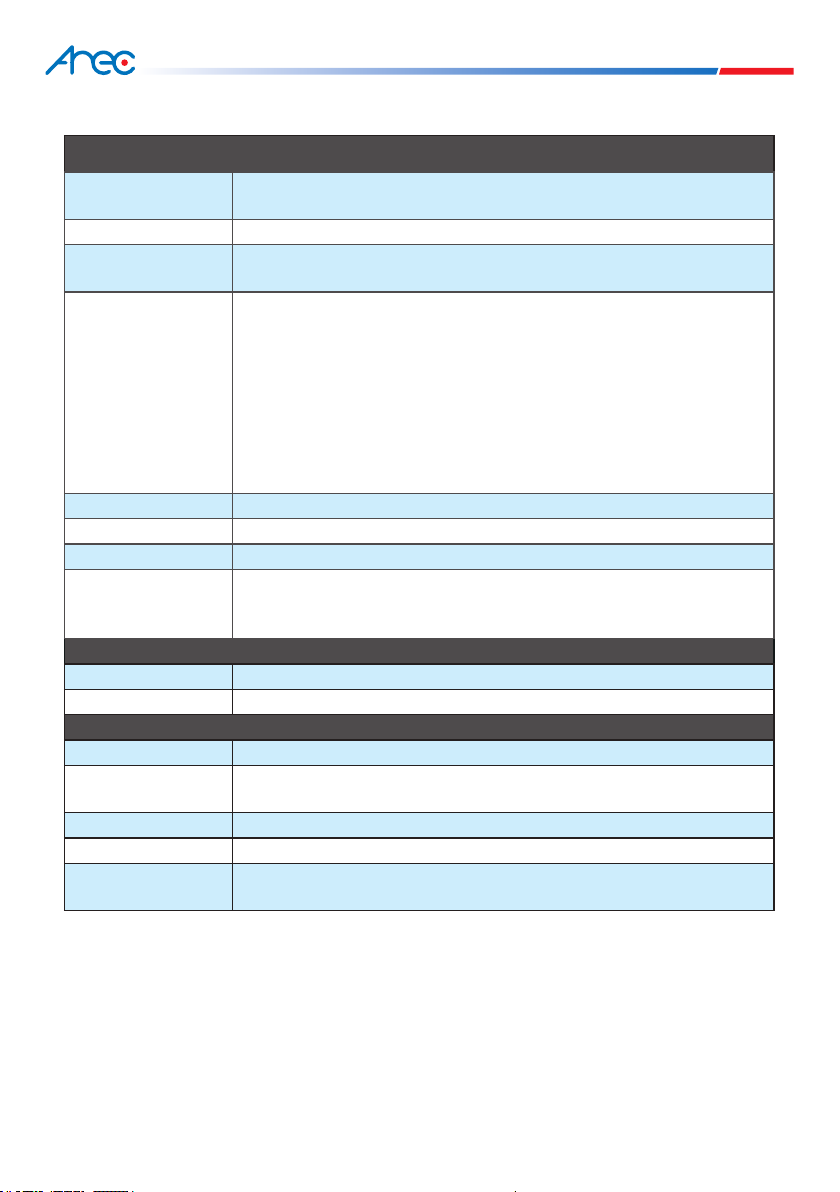
Hardware specications:
TP-100 Auto Tracking System
Rotation Panning: 355 degree
Tilting: 60 degree (-25 ~ +35 degree )
Tracking range A circle of 2~12 meter radius (from locator to TP-100)*
Manual operation Via control web page (TP-100 setup page along with KS-700 online directing)
Joystick & console control via RS-485 interface
Setup function
Enable/disable tilting control for auto-tracking
Tracking sensitivity and environment optimization
Offset position denition
15 preset points and 3 patrolling path
One login user account and password management
Device name denition and software update
Enable auto full-view function
Network setting
RS-485 protocol setting
Power supply DC12V 2A (TP-100 + CI-200)
Working temperature Celsius: 0~50 degree
Weight 800g
Interface
RJ-45 port*2
Power socket*2
RS-485 connector*1
Authorized external camera devices
Optional camera AREC CI-200 (18X) digital network camera
Video format H.264, up to 1080p@30fps
AM-500 wireless microphone locator**
Locator function key Stop tracking and sound receiving
Effective range of
microphone
A circle of 12 meter radius (from microphone to sound receiving antenna)***
Audio input Φ3.5 audio input jack
Locator power supply AAA dry cell X 2 (Please use the Duracell alkaline battery)
Power consumption
estimates
6 to 8 hours (Duracell alkaline battery)
*: Based on actual results in AREC recommended indoor operation environment.
**: The wireless microphone must work together with AREC KS-700 media station.
***: Without wall, human body or any large size barrier in between.

TP-100 User Manual
5 6
2. Getting to know your product
Front light indicators
Front
Rear
A
BC C
A
B
CD
Power light indicator*
TP-100 network light indicator
Camera network light indicator
* Steady green: When powered ON
Flashing green: When any object is
identied
A. Fast removing board
(for camera mounting)
B. Standard 1/4" 20 UNC screw hole
(to x to the fast removing board)
C. M3 screw holes
(for xing with included screws)
A. TP-100 external network port
B. TP-100 external power socket
C. RS-485 connector
D. Power and network connector for
TP-100 and Cloud console
* To connect to LAN or AREC KS-700
device

TP-100 User Manual
5 6
3. Light indicators of your TP-100
4. Wireless microphone locator information
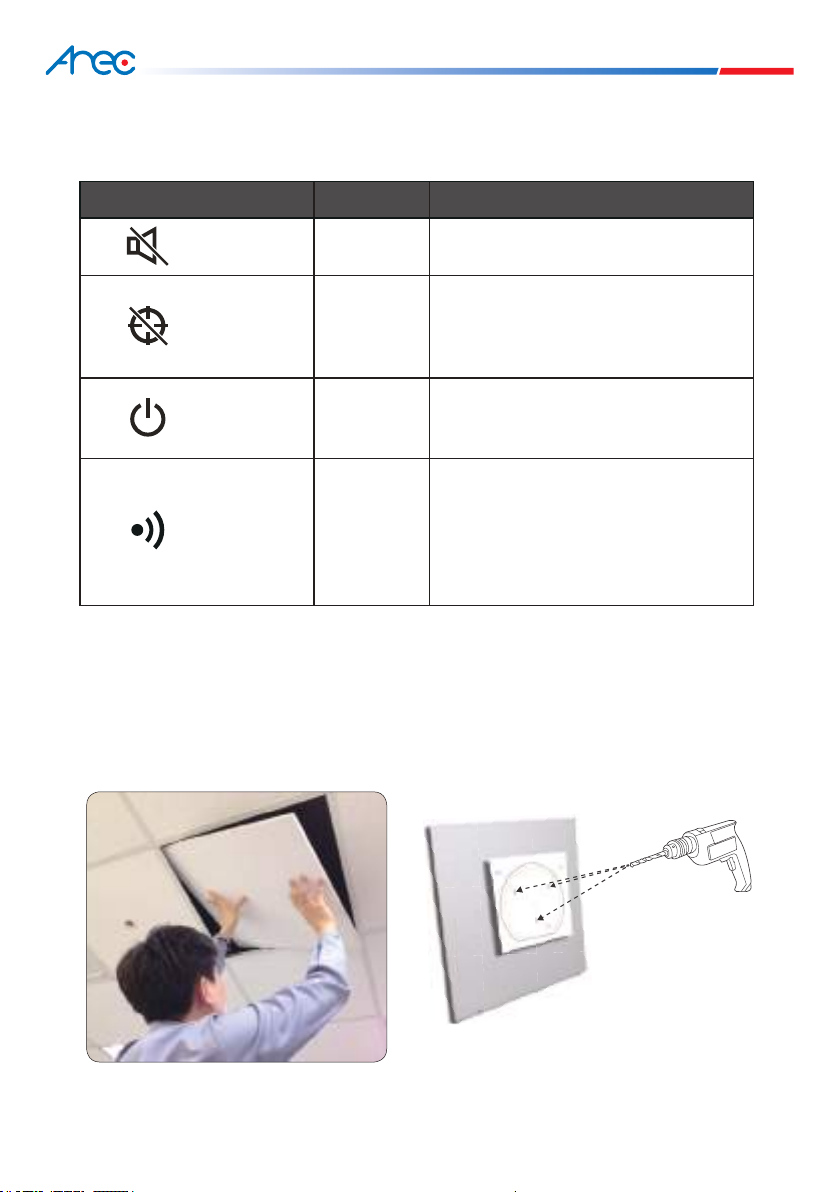
Light indicator displays its function and status and signals something is being tracked.
AREC TP-100 can work with the AREC wireless microphone, an exclusive locator, for concurrent lecturing and
tracking shooting. When the person wearing the microphone moves, the TP-100 would follow its movement
without interruption by other moving objects.
TP-100 Light indicator Status
Power Indicator Red and green
The light turns green after power ON
It flashes green when something is being
tracking
Flashing orange means rmware update is
ongoing.
TP-100 Network Indicator Blue The light flashes blue when TP-100's
network connection is working well.
Network Indicator of
the Network Camera Blue The light flashes blue when the network
camera is working normally
Mute button and light indicator
Stop tracking button and light indicator
Power switch and light indicator
Wireless microphone pairing light indicator
Φ3.5 audio input jack
1
1
2
2
3
3
4
4
5
5
TP-100 User Manual
7 8
Light indicator of your wireless microphone displays its function and status and signals pairing status with
the KS-700.
Your TP-100 can be ceiling mounted or wall mounted or afxed on a stand. See below for each installation
method.
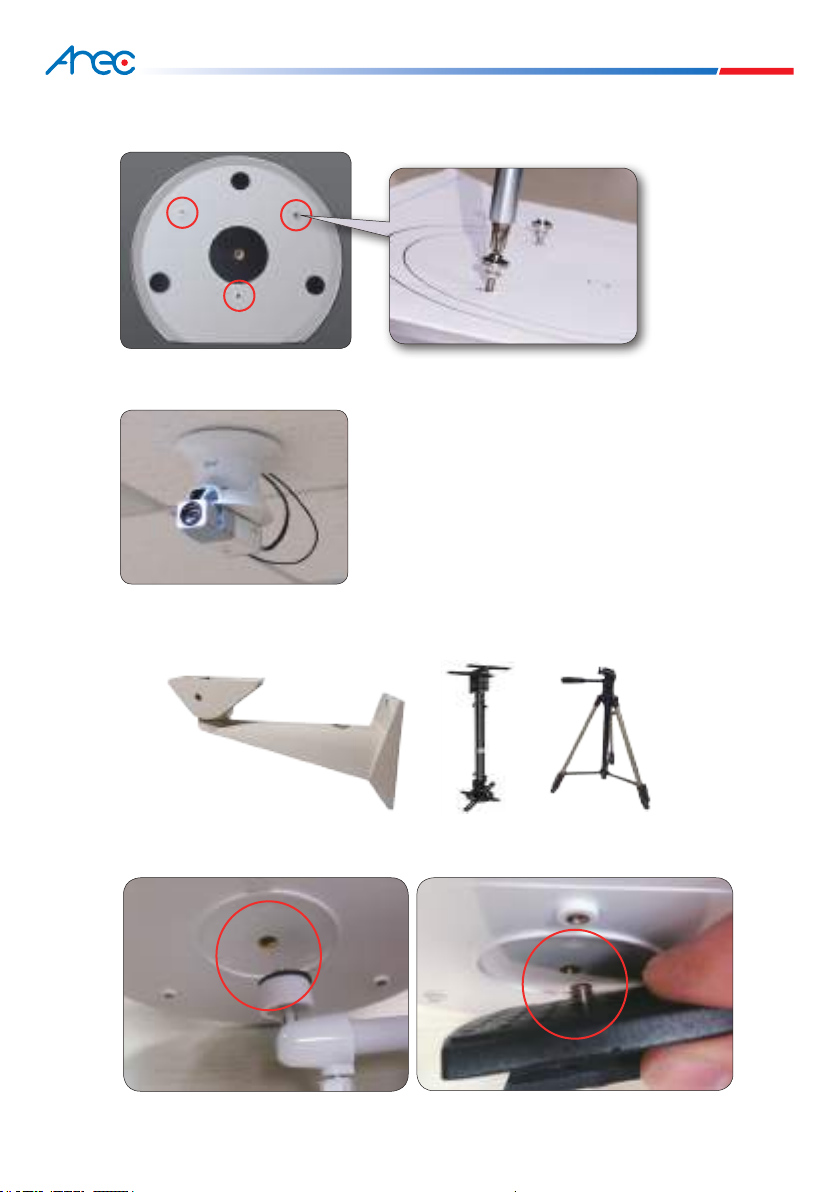
1.Ceiling mounted installation
(1) Remove the ceiling panels at the target
installation location.
5. Light indicators of your wireless microphone
6. How to install your system
AREC wireless microphone Light indicator Status
Upper front Red Muted
Lower front Red
Auto tracking function suspense.
Red light flashes when pressing and holding the
button to switch network status between static
IP & DHCP.
Upper side Red and green
The light turns green then turns off after power
ON
The light turns red when power is low
Lower side Blue
The light flashes blue intermittently if without
paired device
The light flashes blue fast when pairing with
one device
The light flashes blue slowly when paired with
one device successfully
(2) Open the positioning sticker, and afx it to the
desired location at the target ceiling. Drill holes
with a drilling tool.
TP-100 User Manual
7 8
(3) Align the screw holes in your TP-100 to the holes you made earlier, lock it with the included screws and
nuts
(4) Replace the ceiling with TP-100 to its original location, connect both the network and power cables, and
the installation is completed
2.Wall mounted or on a stand
(1) The standard 1/4” 20 UNC and three M3 screw holes at bottom of TP-100 enable it to mount to a wall or
on a stand.。
(2) Fix the hanger or stand to a wall or floor, then mount your TP-100 to the fast removal board or the screw
holes in the hanger.

TP-100 User Manual
9 10
Note 1: Some hangers may feature a screw locking place with limited size. The bottom of your TP-100 may
thus fail to fully snap to it and lead to vibration during panning or tilting and, in turn, poor recording.
Please use hanger with larger screw locking place.
Note 2: Recommended installation position: 4~7 meters away from the object being tracked.
* Note: Fix your AM-500 with the
metal back clamp and
lanyard when wearing it for
better tracking effect.effect.
10m
7m 7m
10m
9m 9m
1. Connect your TP-100 to power source and the
green power indicator lights up.
3. Fix your AM-500 to the target person or object properly. After your AM-500 is detected by your TP-100, its
power indicator flashes, and it follows the movement of the person automatically.
2. Insert the battery in your AM-500, power it ON by
pushing the power button to the ON position, the green
power indicator lights up briefly then turns off.
7. How to enable the auto tracking function?
4m
7m
Otros manuales para TP-100
2
Tabla de contenidos
Otros manuales de GPS de Arec