
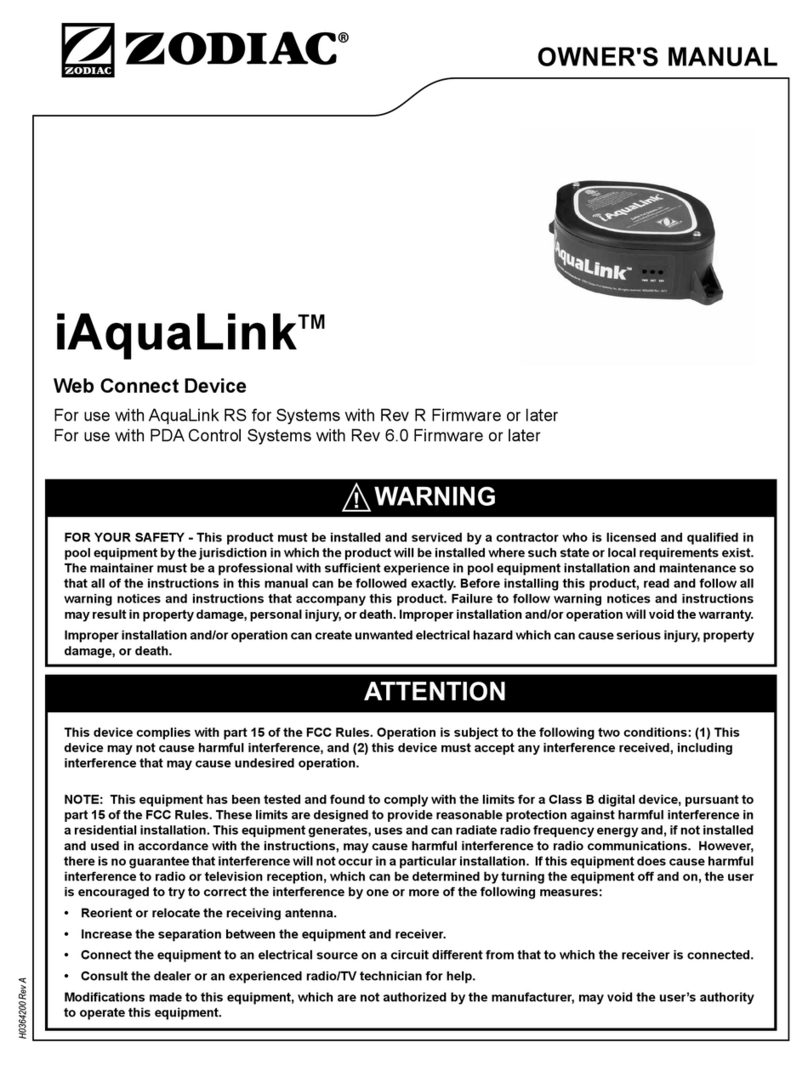
Zodiac iAquaLink Manual de usuario

For use with AquaLink® RS for Systems with Rev R Firmware or later
For use with PDA for Systems with 6.0 Firmware or later
H0364100 Rev A
installation Manual
WaRninG
attEntion


Some of the features described in this Manual DO NOT apply to all AquaLink RS models.
2.1 AquaLink RS and PDA Control Systems ..........6
3.1 Replacement of the CPU Board ........................7
3.2 Replacement of the Power Center PCB and
Bezel Assembly and CPU Board ......................7
4.1 Outdoor Installation ...........................................8
4.2 Indoor Installation ..............................................9
4.3 To Set Up the J-Box for Wireless Connection ...9
4.3.1 To Set Up the WiFi Parameters using a
Computer ....................................................9
4.3.2 To Set Up the WiFi Parameters using the
OneTouch ..................................................10
4.4 To Set Up the J-Box for Wired Connection .....10
4.5 Changing the Address .....................................10
4.6 LED Status Indicator Lights ............................11
4.7 Product Registration .......................................11
4.8 iAquaLink Apps and Web Interface ................. 11
4.8.1 Mobile Smart Device Apps ........................ 11
4.8.2 Web Browser Interface .............................. 11
5.9.1 Title Bar .....................................................12
5.9.2 Middle Info Panel ......................................12
5.9.3 Navigation Bar ...........................................12
5.1 Dialog Boxes ...................................................12
6.1 Menu Screen ...................................................13
6.1.1 To Display the Menu Screen .....................13
6.2 To Set Up Date/Time .......................................13
6.2.1 Date ...........................................................13
6.2.2 Time ..........................................................13
6.3 Schedule .........................................................14
6.3.1 Adding Devices to the Circuit List .............14
6.3.2 ON/OFF Times ..........................................14
6.4 Customize Home ............................................15
6.4.1 Customize General, Aux and OneTouch™
Items .........................................................15
7.1 iAquaLink Troubleshooting Guide ...................16
Page 3
iAquaLink™ Web Connect Device for AquaLink® RS and PDA Control Systems | Installation Manual ENGLISH

All electrical work must be performed by a licensed electrician and conform to all national, state, and local codes.
When installing and using this electrical equipment, basic safety precautions should always be followed, including the
following:
Prolonged immersion in hot water may induce hyperthermia. Hyperthermia occurs when the internal temperature
of the body reaches a level several degrees above the normal body temperature of 98.6°F (37°C). The symptoms
of hyperthermia include dizziness, fainting, drowsiness, lethargy, and an increase in the internal temperature of
the body. The effects of hyperthermia include: 1) unawareness of impending danger; 2) failure to perceive heat;
3) failure to recognize the need to exit spa; 4) physical inability to exit spa; 5) fetal damage in pregnant women; 6)
unconsciousness resulting in a danger of drowning.
To reduce the risk of injury, do not remove the suction fittings of your spa or hot tub. Never operate a spa or hot
tub if the suction fittings are broken or missing. Never replace a suction fitting with one rated less than the flow rate
marked on the equipment assembly.
a) The water in a spa should never exceed 104°F (40°C). Water temperatures between 100°F (38°C) and 104°F
(40°C) are considered safe for a healthy adult. Lower water temperatures are recommended for young children
and when spa use exceeds 10 minutes.
b) Since excessive water temperatures have a high potential for causing fetal damage during the early months of
pregnancy, pregnant or possibly pregnant women should limit spa water temperatures to 100°F (38°C).
c) Before entering a spa or hot tub, the user should measure the water temperature with an accurate
thermometer since the tolerance of water temperature-regulating devices varies.
d) The use of alcohol, drugs, or medication before or during spa or hot tub use may lead to unconsciousness with
the possibility of drowning.
e) Obese persons and persons with a history of heart disease, low or high blood pressure, circulatory system
problems, or diabetes should consult a physician before using a spa.
f) Persons using medication should consult a physician before using a spa or hot tub since some medication
may induce drowsines while other medication may affect heart rate, blood pressure, and circulation.
Install the power center at least five (5) feet (1,52m) from the inside wall of the pool and/
or hot tub using non-metallic plumbing. Canadian installations must be at least three (3) meters from the water.
Children should not use spas or hot tubs without adult supervision.
Do not use spas or hot tubs unless all suction guards are installed to prevent body and hair entrapment.
People using medications and/or having an adverse medical history should consult a physician before using a spa
or hot tub.
Page 4 ENGLISH iAquaLink™ Web Connect Device for AquaLink® RS and PDA Control Systems | Installation Manual

A terminal bar marked "GROUND" is provided within the power center. To reduce the risk of electrical shock which
can cause serious injury or death, connect this terminal bar to the grounding terminal of your electric service or
supply panel with a continuous copper conductor having green insulation and one that is equivalent in size to the
circuit conductors supplying this equipment, but no smaller than no. 12 AWG (3,3mm2). In addition, a second wire
connector should be bonded with a no. 8 AWG (8,4mm2) copper wire to any metal ladders, water pipes, or other
metal within five (5) feet (1,52 m) of the pool/spa. In Canada the bonding wire must be minimum 6 AWG (13,3mm2).
To avoid injury ensure that you use this control system to control only packaged pool/spa heaters which have built-
in operating and high limit controls to limit water temperature for pool/spa applications. This device should not be
relied upon as a safety limit control.
A ground-fault circuit-interrupter must be provided if this device is used to control underwater lighting fixtures. The
conductors on the load side of the ground-fault circuit-interrupter shall not occupy conduit, boxes, or enclosures
containing other conductors unless the additional conductors are also protected by a ground-fault circuit-interrupter.
Refer to local codes for complete details.
People with infectious diseases should not use a spa or hot tub.
To avoid injury, exercise care when entering or exiting the spa or hot tub.
Do not use drugs or alcohol before or during the use of a spa or hot tub to avoid unconsciousness and possible
drowning.
Pregnant or possibly pregnant women should consult a physician before using a spa or hot tub.
Water temperature in excess of 100°F (38°C) may be injurious to your health.
Before entering a spa or hot tub, measure the water temperature with an accurate thermometer.
Do not use a spa or hot tub immediately following strenuous exercise.
Prolonged immersion in a spa or hot tub may be injurious to your health.
Do not permit any electric appliance (such as a light, telephone, radio, or television) within 5 feet (1,52m) of a spa
or hot tub.
The use of alcohol, drugs or medication can greatly increase the risk of fatal hyperthermia in hot tubs and spas.
Water temperature in excess of 100°F (38°C) may be hazardous to your health.
Install to provide drainage of compartment for electrical components.
Page 5
ENGLISH
iAquaLink™ Web Connect Device AquaLink® RS and PDA Control Systems | Installation Manual

Welcome, and thank you for purchasing the iAquaLink
Web Connect Device!
The iAquaLink Web Connect Device can be added to
your existing internet network via WiFi or via network
cable directly to your existing router.
The iAquaLink Web Connect Device is a configurable
system that can be accessed anywhere internet
connection is available. It’s an ideal modern system to
control pool, spa, sprinklers, salt chlorinators and much
more equipment from a remote location.
This document gives in struc tions for installing the
iAquaLink Web Connect Device. The in struc tions must
be fol lowed exactly. Read through the instructions
com plete ly before operating the equipment.
The iAquaLink Web Connect Device can be used in
addition to an existing AquaLink RS control system,
however, the firmware, in the power center must be
updated to revision R or later.
The iAquaLink Web Connect Device can be used in
addition to an existing PDA control system, however,
the firmware, in the power center must be updated to
revision 6.0 or later.
The iAquaLink system is a scalable system that may be
customized in any of the following ways:
1. Activate the equipment manually through the
DEVICES menu.
2. Program the equipment to turn on and off at
speci c times.
3. Use the OneTouchTM buttons to create scene
settings with just "one touch" of a button. For
example, you can program the spa heater to heat to
101 degrees, spa light on, jets on, water features on,
and then name the result Romantic Scene.
iAquaLink Home Screen
iAquaLink
Home
Menu OneTouch Help Back Status
FILTER
PUMP
SPA POOL
HEAT
Pool Temp
86º Air Temp
78º
SPA
HEAT
AUX1 AUX2 AUX3 Other
Devices
On/Off
Thu June 23, 2011 3:03 PM
iAquaLink
J-Box
Router
Computer
Internet Service
Provider
Internet
Power Center
Wireless
or
Wired Connection
Page 6 iAquaLink™ Web Connect Device for AquaLink® RS and PDA Control Systems | Installation Manual
ENGLISH

The iAquaLink Web Connect Device can be used in
addition to an already existing AquaLink RS or PDA
control system.
For an AquaLink RS control system, the firmware in the
power center must be updated to revision R or later.
For a PDA control system, the firmware in the power
center must be updated to revision 6.0 or later.
If you already have an AquaLink system revision R
or later, or a PDA control system revision 6.0 or later,
please skip this section and continue with Section 4
of this manual.
Potentially high voltages in the power center can
create dangerous electrical hazards, possibly
causing death, serious injury or property damage.
Turn off power at the main circuit feeding the power
center to disconnect the power center from the
system.
Before or after replacing the CPU board the memory
must be cleared as follows:
1. Go into the System Setup.
2. Select CLEAR MEMORY and follow the prompts
to clear the memory.
Replace the CPU board as follows:
1. Turn off all power to the power center.
2. Remove the screws that secure the front panel.
Remove the front panel.
3. Unscrew and remove the power center PCB and
bezel assembly from the power center.
See Figure 2.
4. Remove the CPU board from the power center
PCB.
5. For an RS system, install the new CPU board
revision R or later.
6. For a PDA system, install the new CPU board
revision 6.0 or later.
7. Reinstall the power center PCB and bezel assembly
in the power center can using the screws previously
removed.
24VAC J24
CPU Board
J2 Connector,
24 VAC 3-Pin Terminal
Power Center PCB and
Bezel assembly
(Rear View)
Power Center Transformer
24 VAC Power Plug
Power Center Can
Potentially high voltages in the power center can
create dangerous electrical hazards, possibly
causing death, serious injury or property damage.
Turn off power at the main circuit feeding the power
center to disconnect the power center from the
system.
1. Turn off all power to the power center.
2. Unscrew and remove the power center PCB and
bezel assembly from the power center.
3. Unplug the power center transformer 24 VAC
power plug from the 24 VAC 3-pin terminal on the
power center PCB and bezel assembly as shown in
Figure 2.
Page 7
iAquaLink™ Web Connect Device for AquaLink® RS and PDA Control Systems | Installation Manual ENGLISH

4. Disconnect all terminal bars and input/output
control signals from the power center PCB and
bezel assembly and remove it from the power
center can.
5. Make sure the new bezel assembly and the new
CPU board are fully assembled.
6. Re-connect the power center transformer 24 VAC
power plug to the 24 VAC 3-pin terminal on the
new power center PCB and bezel assembly and the
new CPU board.
7. Re-connect all terminal bars and input/output
control signals to the new power center PCB and
bezel assembly.
8. Reinstall the power center PCB and bezel assembly
in the power center can using the screws previously
removed.
The iAquaLink J-box can be installed outdoors, on the
equipment pad, or inside your home with a choice of
wired or wireless connection.
The wireless iAquaLink J-box installation will transmit
through walls and around corners. Steel framing,
aluminum siding, wrought iron, cyclone fences, leaded
glass, and other 2.4 GHz frequency items may inhibit/
prevent communication between the iAquaLink J-Box
and the power center. The transceivers do not require
line of sight to communicate.
Potentially high voltages in the power center can
create dangerous electrical hazards, possibly
causing death, serious injury or property damage.
Turn off power at the main circuit feeding the power
center to disconnect the power center from the
system.
Never run high voltage and low voltage in the same
conduit.
1. Turn off all power to the power center.
iAquaLink
J-box
Minimum
8’ (2,4 m)
Air Blower
6’
(1,8 m)
Ground Level
Router
Computer
Internet Service
Provider
Wireless
or
Wired Connection
Low
Voltage
Area
Red 4-Pin
Terminal Bar
Internet
2. Mount the outdoor iAquaLink J-box at least six (6)
feet (1,8 m) above the ground, at least eight (8) feet
(2,4 m) from any motor or air blowers that may
be in the vicinity, and at least ve (5) feet (1,5 m)
away from other transceiver J-boxes. See Figure 3.
To improve performance of the transceiver,
mount the J-box more than six (6) feet (1,8 m)
above the ground.
3. Open the door to the power center and remove the
dead panel.
Page 8 iAquaLink™ Web Connect Device for AquaLink® RS and PDA Control Systems | Installation Manual
ENGLISH

4. Pull cable through the knockout with the Heyco
tting and into the low voltage compartment.
5. Strip back the insulation jacket of the cable
approximately 6" (15 cm).
6. Strip each wire ¼" (6 mm) and connect to the
red, 4-pin connector on the power center PCB. A
multiplex kit (P/N 6584) may be required if there
are more than two (2) cables running to a red, 4-pin
connector on the PCB.
Potentially high voltages in the power center can
create dangerous electrical hazards, possibly
causing death, serious injury or property damage.
Turn off power at the main circuit feeding the power
center to disconnect the power center from the
system.
Never run high voltage and low voltage in the same
conduit.
1. Turn off all power to the power center.
2. Find a suitable place inside your home to mount the
iAquaLink J-box.
3. Install the iAqualink J-box at least six (6) feet (1,8
m) above the ground and at least ve (5) feet
(1,5 m) away from other transceiver J-boxes.
To improve performance of the transceiver,
mount the J-box more than six (6) feet (1,8 m)
above the ground.
4. Open the door to the power center and remove the
dead panel.
5. Pull cable through the knockout with the Heyco
or equivalent tting and into the low voltage
compartment. See Figure 4.
6. Strip back the insulation jacket of the cable
approximately 6" (15 cm).
7. Strip each wire ¼" (6 mm) and connect to the
red, 4-pin connector on the power center PCB. A
multiplex kit (P/N 6584) may be required if there
are more than two (2) cables running to a red, 4-pin
connector on the power center PCB.
The iAquaLink Web Connect Device is pre-configured
at the factory for WiFi connection. If using wired
connection skip to Section 4.4.
1. Remove the two (2) screws from the cover of the
iAquaLink J-box. Remove the gasket and cover.
See Figure 5.
The iAquaLink J-Box should NOT be connected to
the power center at this time.
2. Using a USB cable, connect the iAquaLink J-Box
to the computer.
3. To proceed with the installation, go to www.
iAquaLink.com/ssid and follow the online
installation instructions.
Internet Service
Provider
Internet
iAquaLink
J-Box
Router
Computer
Wireless
or
Wired Connection
Red 4-Pin
Terminal Bar
Low
Voltage
Area
Page 9
iAquaLink™ Web Connect Device for AquaLink® RS and PDA Control Systems | Installation Manual ENGLISH

For additional assistance, contact our Technical Support
Department at 1-800-822-7933.
1. Make sure the iAquaLink J-Box is connected to the
power center. It takes about ten seconds to nd the
WiFi signal.
2. Select REMOTES on the HELP menu. If the power
center has found the iAquaLink, it will show it as
iAQUALINK.
3. Go to SYSTEM SETUP and Select iAQUALINK
SETUP.
4. Enter the homeowner service set identier (SSID).
Usually, the SSID is located at the bottom of the
home owner's router.
5. Select the type of encryption that the homeowner’s
router is using (NONE,WEP, WPA).
6. Enter the homeowners NET KEY (password). This
also is usually on the bottom of the homeowner’s
router.
The next time you go to the screen where the
password is entered, it will be hidden from the
user (as a security measure).
7. When you have entered the parameters select
STORE SETTINGS. This will update the WiFi
settings to the iAquaLink module.
8. When all three status indicator LEDs of the
iAquaLink are turned ON, then you have a
connection to the homeowner's WiFi network and
the iAquaLink is online. It can take up to a minute
to establish a connection.
1. Remove the two (2) screws that secure the cover
and gasket on the iAquaLink J-box. Remove the
gasket and cover. See Figure 5.
2. Connect one end of the Ethernet (RJ45) cable to
the Ethernet (RJ45) on the J-box PCB and the other
end to the Ethernet (RJ45) on the router box.
3. Slide the switch to the WIRED position.
4. To allow the cable to exit the device, use a small
pointing tool such as a screwdriver to push and
remove the break-away piece from the J-box. Wrap
the cable inside the J-box and route it through the
break-away hole.
5. Reinstall the cover and gasket on the iAquaLink
J-box with the two (2) screws previously removed.
There are two (2) jumpers (ID0 and ID1) that are used
for avoiding any addressing conflicts with the AquaLink
Touch. For most installations you can leave the two
jumpers ID0 and ID1 off.
If an attached AquaLink Touch is not set to address 4
then you do not need to change jumpers ID0 and ID1.
Otherwise, change jumpers ID0 and ID1 to an unused
address.
LED Status
Indicator Lights
iAquaLink PCB
Jumpers
ID1 and ID0
Wired/WiFi
Selector
USB
Connector
Ethernet / LAN
(RJ45)
Cover
Screws (2)
Gasket
Antenna
Hole for cabling
(Break-Away Piece)
Page 10 iAquaLink™ Web Connect Device for AquaLink® RS and PDA Control Systems | Installation Manual
ENGLISH
Otros manuales para iAquaLink
2
Tabla de contenidos
Otros manuales de Controladores de Zodiac

Zodiac
Zodiac Jandy LXi Pro Series Manual de usuario

Zodiac
Zodiac AquaLink RS Touch Manual de lista de piezas

Zodiac
Zodiac AquaLink TRi Manual de usuario

Zodiac
Zodiac TRi Manual de usuario

Zodiac
Zodiac AquaLink Z4 Manual de usuario
Zodiac
Zodiac iAquaLink Manual de usuario

Zodiac
Zodiac pH Perfect Manual de usuario


