
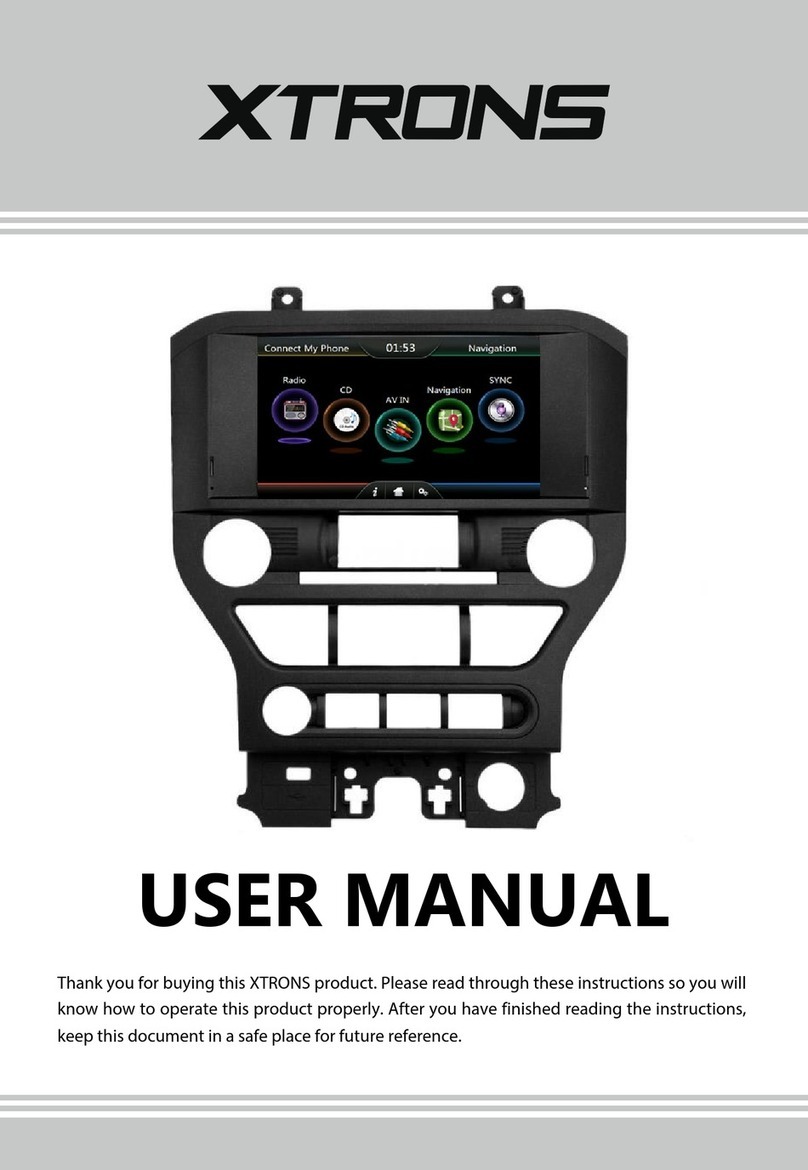
Xtrons TD626ABD Manual de usuario

USER MANUAL
Thank you for buying this XTRONS product. Please read through these instructions so you will
know how to operate this unit properly. After you have finished reading the instructions, keep
this document in a safe place for future reference.

Contents Precaution
Before installing this product
- Use this unit with a 12-volt battery and negative grounding only. Failure to do so
may result in a fire or malfunction.
Important safety information
WARNING
- Do not attempt to install or service this product by yourself. Installation or servicing
of this product by persons without training and experience in electronic equipment
and automotive accessories may be dangerous and could expose you to the risk of
electric shock, injury or other hazards.
- To avoid shorts in the electrical system, be sure to disconnect the (-) battery cable
before installation.
- Do not allow this product to come into contact with liquids. Electrical shock could
result. Also, damage to the product , smoke and overheating could result from
contact with liquids.
- If liquid or foreign matter should get inside this product, park your vehicle in a safe
place, turn the ignition switch off (ACC OFF) immediately and consult your dealer.
Do not use this product in this condition because doing so may result in a fire,
electric shock, or other failure.
- If you notice smoke, a strange noise or odor from this product, or any other
abnormal signs on the screen, turn off the power immediately and consult your
dealer. Using this product in this condition may result in permanent damage to the
system.
12
Precaution ..........................................................................................................
Main Menu .........................................................................................................
Radio .....................................................................................................................
Play DVD (Optional) ........................................................................................
USB/SD .................................................................................................................
iPod (Optional) ................................................................................................
AV Input .............................................................................................................
Bluetooth ..........................................................................................................
Screen Mirroring .............................................................................................
OBD2 ..................................................................................................................
Navigation ........................................................................................................
DVR ......................................................................................................................
Google Play Store ...........................................................................................
Settings ..............................................................................................................
Troubleshooting ............................................................................................
2
5
7
8
9
10
10
11
13
15
15
16
16
17
25

Contents Precaution
Before installing this product
- Use this unit with a 12-volt battery and negative grounding only. Failure to do so
may result in a fire or malfunction.
Important safety information
WARNING
- Do not attempt to install or service this product by yourself. Installation or servicing
of this product by persons without training and experience in electronic equipment
and automotive accessories may be dangerous and could expose you to the risk of
electric shock, injury or other hazards.
- To avoid shorts in the electrical system, be sure to disconnect the (-) battery cable
before installation.
- Do not allow this product to come into contact with liquids. Electrical shock could
result. Also, damage to the product , smoke and overheating could result from
contact with liquids.
- If liquid or foreign matter should get inside this product, park your vehicle in a safe
place, turn the ignition switch off (ACC OFF) immediately and consult your dealer.
Do not use this product in this condition because doing so may result in a fire,
electric shock, or other failure.
- If you notice smoke, a strange noise or odor from this product, or any other
abnormal signs on the screen, turn off the power immediately and consult your
dealer. Using this product in this condition may result in permanent damage to the
system.
12
Precaution ..........................................................................................................
Main Menu .........................................................................................................
Radio .....................................................................................................................
Play DVD (Optional) ........................................................................................
USB/SD .................................................................................................................
iPod (Optional) ................................................................................................
AV Input .............................................................................................................
Bluetooth ..........................................................................................................
Screen Mirroring .............................................................................................
OBD2 ..................................................................................................................
Navigation ........................................................................................................
DVR ......................................................................................................................
Google Play Store ...........................................................................................
Settings ..............................................................................................................
Troubleshooting ............................................................................................
2
5
7
8
9
10
10
11
13
15
15
16
16
17
25

To ensure safe driving
- Do not disassemble or modify this product, as there are high-voltage components
inside which may cause an electric shock. Be sure to consult your dealer for internal
inspection, adjustments or repairs.
- Do not operate this product, any applications, or the rear view camera option (if
purchased) if doing so will divert your attention in any way from the safe operation
of your vehicle. Always observe safe driving rules and follow all existing traffic
regulations. If you experience difficulty in operating this product or reading the
display, park your vehicle in a safe location and apply the parking brake before
making the necessary adjustments.
- Never set the volume of this product so high that you cannot hear outside traffic
and emergency vehicles.
- To promote safety, certain functions are disabled unless the vehicle is stopped
and/or the parking brake is applied.
- Keep this manual handy as a reference for operating procedures and safety
information.
- Do not install this product where it may (i) obstruct the driver’s vision, (ii) impair
the performance of any of the vehicle’s operating systems or safety features,
including air bags or hazard lamp buttons or (iii) impair the driver’s ability to safely
operate the vehicle.
- Please remember to fasten your seat belt at all times while operating your
vehicle. If you are ever in an accident, your injuries can be considerably more
severe if your seat belt is not properly buckled.
- Never use headphones while driving.
Before using this product , be sure to read and fully understand the following
safety information:
- LIGHT GREEN LEAD AT POWER CONNECTOR IS DESIGNED TO DETECT PARKED
STATUS AND MUST BE CONNECTED TO THE POWER SUPPLY SIDE OF THE
PARKING BRAKE SWITCH. IMPROPER CONNECTION OR USE OF THIS LEAD MAY
VIOLATE APPLICABLE LAW AND MAY RESULT IN SERIOUS INJURY OR DAMAGE.
- Do not take any steps to tamper with or disable the parking brake interlock
system which is in place for your protection. Tampering with or disabling the
parking brake interlock system could result in serious injury or death.
- To avoid the risk of damage and injury and the potential violation of applicable
laws, this product is not for use with a video image that is visible to the driver.
- In some countries the viewing of video image on a display inside a vehicle even by
persons other than the driver may be illegal. Where such regulations apply, they be
obeyed.
If you attempt to watch video image while driving, the warning “Viewing of front
seat video source while driving is strictly prohibited.” will appear on the screen. To
watch video image on this display, stop the vehicle in a safe place and apply the
parking brake. Please keep the brake pedal pushed down before releasing the parking
brake.
To avoid battery exhaustion
WARNING
WARNING
Be sure to run the vehicle engine while using this product. Using this product without
running the engine can drain the battery.
34
Do not install this product in a vehicle that does not have an ACC wire or circuitry
available.

To ensure safe driving
- Do not disassemble or modify this product, as there are high-voltage components
inside which may cause an electric shock. Be sure to consult your dealer for internal
inspection, adjustments or repairs.
- Do not operate this product, any applications, or the rear view camera option (if
purchased) if doing so will divert your attention in any way from the safe operation
of your vehicle. Always observe safe driving rules and follow all existing traffic
regulations. If you experience difficulty in operating this product or reading the
display, park your vehicle in a safe location and apply the parking brake before
making the necessary adjustments.
- Never set the volume of this product so high that you cannot hear outside traffic
and emergency vehicles.
- To promote safety, certain functions are disabled unless the vehicle is stopped
and/or the parking brake is applied.
- Keep this manual handy as a reference for operating procedures and safety
information.
- Do not install this product where it may (i) obstruct the driver’s vision, (ii) impair
the performance of any of the vehicle’s operating systems or safety features,
including air bags or hazard lamp buttons or (iii) impair the driver’s ability to safely
operate the vehicle.
- Please remember to fasten your seat belt at all times while operating your
vehicle. If you are ever in an accident, your injuries can be considerably more
severe if your seat belt is not properly buckled.
- Never use headphones while driving.
Before using this product , be sure to read and fully understand the following
safety information:
- LIGHT GREEN LEAD AT POWER CONNECTOR IS DESIGNED TO DETECT PARKED
STATUS AND MUST BE CONNECTED TO THE POWER SUPPLY SIDE OF THE
PARKING BRAKE SWITCH. IMPROPER CONNECTION OR USE OF THIS LEAD MAY
VIOLATE APPLICABLE LAW AND MAY RESULT IN SERIOUS INJURY OR DAMAGE.
- Do not take any steps to tamper with or disable the parking brake interlock
system which is in place for your protection. Tampering with or disabling the
parking brake interlock system could result in serious injury or death.
- To avoid the risk of damage and injury and the potential violation of applicable
laws, this product is not for use with a video image that is visible to the driver.
- In some countries the viewing of video image on a display inside a vehicle even by
persons other than the driver may be illegal. Where such regulations apply, they be
obeyed.
If you attempt to watch video image while driving, the warning “Viewing of front
seat video source while driving is strictly prohibited.” will appear on the screen. To
watch video image on this display, stop the vehicle in a safe place and apply the
parking brake. Please keep the brake pedal pushed down before releasing the parking
brake.
To avoid battery exhaustion
WARNING
WARNING
Be sure to run the vehicle engine while using this product. Using this product without
running the engine can drain the battery.
34
Do not install this product in a vehicle that does not have an ACC wire or circuitry
available.

Main Menu
2
9
13
710 11 12
2345
1
89
Use apps
Tap an app to open it.
Arrange apps
Touch and hold any app on the Home screen, then drag the app around. Drag
an app to the edge of the screen to move it to a different Home screen. Swipe
left or right to see other screens.
56
8
6
—
6
|
|
|
5
1. Return to the Previous Menu
2. Return to the Home Screen
3. Recent Apps
4. Display Date and Time
5. Display Time Clock, Compass or
Speedometer
6. Control and Playback of Currently
Playing Audio
7. Display the Home Screen Apps
8. Navigation
9. Radio
10. Video
11. Audio
12. Display More Apps
7
4
6. Screen Mirroring
7. Google Play Store
8. Car Setting
9. Settings
1. DVD
2. Bluetooth
3. Bluetooth Music
4. AV Input
5. DVR

Main Menu
2
9
13
710 11 12
2345
1
89
Use apps
Tap an app to open it.
Arrange apps
Touch and hold any app on the Home screen, then drag the app around. Drag
an app to the edge of the screen to move it to a different Home screen. Swipe
left or right to see other screens.
56
8
6
—
6
|
|
|
5
1. Return to the Previous Menu
2. Return to the Home Screen
3. Recent Apps
4. Display Date and Time
5. Display Time Clock, Compass or
Speedometer
6. Control and Playback of Currently
Playing Audio
7. Display the Home Screen Apps
8. Navigation
9. Radio
10. Video
11. Audio
12. Display More Apps
7
4
6. Screen Mirroring
7. Google Play Store
8. Car Setting
9. Settings
1. DVD
2. Bluetooth
3. Bluetooth Music
4. AV Input
5. DVR

Play DVD (Optional)
DVD Player
Radio
1. There are two screws on the top face of the unit to protect the disc drive
in transit. The screws need to be removed first. Otherwise it cannot accept
or play discs.
1
___7
8910 11
2
CAUTION
2. For safety reasons, video images cannot be viewed while your vehicle is
in motion. To view video images, stop in a safe place and apply the
parking brake.
7 8
2345
6
12 13 15
14
1. TA (Traffic Announcement)
2. AF (Alternative Frequencies)
3. PTY (Program Type)
4. RDS (Radio Data System)
5. Exit
6. Broadcast frequency slider
7. Preset channel list
Select a frequency you like, then touch and hold one preset frequency to store it.
8. Perform manual tuning backward
9. Volume
10. ST (Mono/Stereo Switch) (Works for FM bands)
11. FM band (FM1, FM2 or FM3)
12. AM band (AM1 or AM2)
13. Perform seek tuning
14. Equalizer adjustment
15. Perform manual tuning forward
3
1
678910
4 5 11 12

Play DVD (Optional)
DVD Player
Radio
1. There are two screws on the top face of the unit to protect the disc drive
in transit. The screws need to be removed first. Otherwise it cannot accept
or play discs.
1
___7
8910 11
2
CAUTION
2. For safety reasons, video images cannot be viewed while your vehicle is
in motion. To view video images, stop in a safe place and apply the
parking brake.
7 8
2345
6
12 13 15
14
1. TA (Traffic Announcement)
2. AF (Alternative Frequencies)
3. PTY (Program Type)
4. RDS (Radio Data System)
5. Exit
6. Broadcast frequency slider
7. Preset channel list
Select a frequency you like, then touch and hold one preset frequency to store it.
8. Perform manual tuning backward
9. Volume
10. ST (Mono/Stereo Switch) (Works for FM bands)
11. FM band (FM1, FM2 or FM3)
12. AM band (AM1 or AM2)
13. Perform seek tuning
14. Equalizer adjustment
15. Perform manual tuning forward
3
1
678910
4 5 11 12

USB/SD
Plug a USB storage device or insert an SD memory card, then tap Audio on the
Home screen to play music, tap Video to play the video files, or tap Images to view
the images and photos.
You can display the video image output by the device connected to this unit.
iPod (Optional)
CAUTION
910
AV Input
1. Exit
2. Volume
3. Equalizer adjustment
4. Screen size (4:3 picture or 16:9 picture)
5. Repeat play
Choose from repeat the current file, repeat the current folder, and repeat all files.
6. Audio channel
7. Previous file
8. Pause/Play
9. Next file
10. Subtitle language
11. Change the playback point by chapter number, title number or playing time
12. File menu
※ Please note this feature is not supported on all models.
※ Please note this feature is not supported on all models.
Control your iPod/iPhone directly from your car dashboard. Enjoy music playback in
superior sound quality.
For safety reasons, video images cannot be viewed while your vehicle is in
motion. To view video images, stop in a safe place and apply the parking brake.
Tabla de contenidos
Otros manuales de Receptor de coche de Xtrons

Xtrons
Xtrons DL300 Manual de usuario

Xtrons
Xtrons HD1003 Manual de usuario

Xtrons
Xtrons D716GY Manual de usuario

Xtrons
Xtrons DL14DAB Manual de usuario

Xtrons
Xtrons HD928THD Manual de usuario
Xtrons
Xtrons PF81MSF Manual de usuario

Xtrons
Xtrons HD107HD Manual de usuario

Xtrons
Xtrons TD619G Manual de usuario

Xtrons
Xtrons D12 Manual de usuario

Xtrons
Xtrons D24V01 Manual de usuario


