
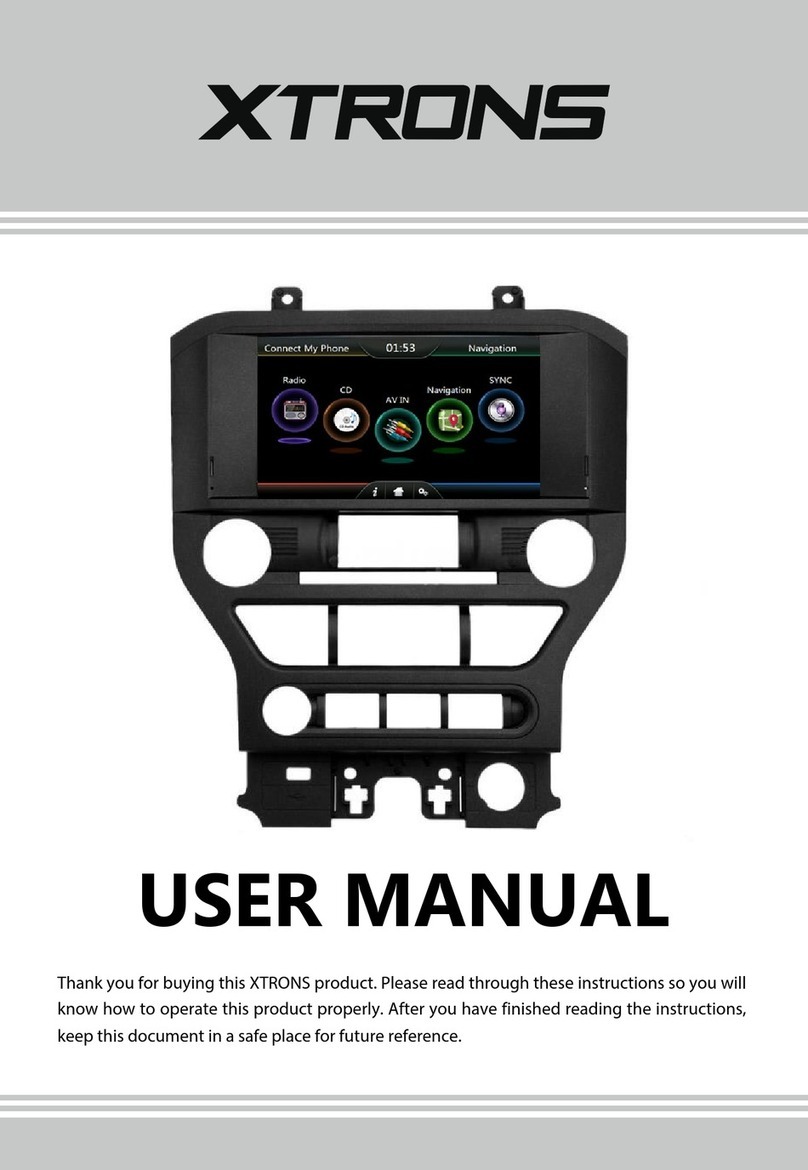
Xtrons HD923 Black Manual de usuario

USER MANUAL
Thank you for buying this XTRONS product. Please read through these instructions so you will
know how to operate this product properly. After you have finished reading the instructions,
keep this document in a safe place for future reference.

NOTICE OF INTENDED USE
Our products are designed to enable viewing of video
ONLY for rear-seat occupants, and are not intended for
viewing by the driver when the vehicle is in motion.
Such use might distract the driver or interfere with the
driver’s safe operation of the vehicle, and thus result in
serious injury or death. Such use might also violate
state or local laws.
Manufacturer disclaims any liability for any bodily
injury or property damage that might result from any
improper or unintended use.
NOTE: Features and specifications listed in this manual are subject to
change without notice.
NOTICES

Contents Precaution
Before installing this product
- Use this unit with a 12-volt battery and negative grounding only. Failure to do so
may result in a fire or malfunction.
Important safety information
WARNING
- Do not attempt to install or service this product by yourself. Installation or servicing
of this product by persons without training and experience in electronic equipment
and automotive accessories may be dangerous and could expose you to the risk of
electric shock, injury or other hazards.
- To avoid shorts in the electrical system, be sure to disconnect the (-) battery cable
before installation.
- Do not allow this product to come into contact with liquids. Electrical shock could
result. Also, damage to the product , smoke and overheating could result from
contact with liquids.
- If liquid or foreign matter should get inside this product, park your vehicle in a safe
place, turn the ignition switch off (ACC OFF) immediately and consult your dealer.
Do not use this product in this condition because doing so may result in a fire,
electric shock, or other failure.
- If you notice smoke, a strange noise or odor from this product, or any other
abnormal signs on the screen, turn off the power immediately and consult your
dealer. Using this product in this condition may result in permanent damage to the
system.
12
Precaution .........................................................................................................
Checking part names and functions .......................................................
Remote control ...............................................................................................
Playing a disc ...................................................................................................
USB/SD ...............................................................................................................
Using AV input ................................................................................................
Listening over the vehicle’s speakers .....................................................
Using the external wireless IR headset ..................................................
Using an HDMI source ..................................................................................
Appendix ...........................................................................................................
2
4
6
10
10
10
10
11
11
12

Contents Precaution
Before installing this product
- Use this unit with a 12-volt battery and negative grounding only. Failure to do so
- To avoid shorts in the electrical system, be sure to disconnect the (-) battery cable
12
Precaution ..........................................................................................................
Main Menu .........................................................................................................
Radio .....................................................................................................................
Play DVD (Optional) ........................................................................................
USB/SD .................................................................................................................
iPod (Optional) ................................................................................................
AV Input .............................................................................................................
Bluetooth ..........................................................................................................
Screen Mirroring .............................................................................................
OBD2 ..................................................................................................................
Navigation ........................................................................................................
DVR ......................................................................................................................
Google Play Store ...........................................................................................
Settings ..............................................................................................................
Troubleshooting ............................................................................................
2
5
7
8
9
10
10
11
13
15
15
16
16
17
25
Certain country and government laws may prohibit or restrict the placement and
use of this product in your vehicle. Please comply with all applicable laws and
regulations regarding the use, installation and operation of this product.
If you want to dispose this product, do not mix it with general household waste.
There is a separate collection system for used electronic products in accordance
with legislation that requires proper treatment, recovery and recycling.
Important safety information
WARNING
- Do not attempt to install or service this product by yourself. Installation or
may result in a fire or malfunction.
before installation.
servicing of this product by persons without training and experience in
electronic equipment and automotive accessories may be dangerous and could
expose you to the risk of electric shock, injury or other hazards.

To ensure safe driving
- Do not disassemble or modify this product, as there are high-voltage components
- LIGHT GREEN LEAD AT POWER CONNECTOR IS DESIGNED TO DETECT PARKED
STATUS AND MUST BE CONNECTED TO THE POWER SUPPLY SIDE OF THE
PARKING BRAKE SWITCH. IMPROPER CONNECTION OR USE OF THIS LEAD MAY
VIOLATE APPLICABLE LAW AND MAY RESULT IN SERIOUS INJURY OR DAMAGE.
- Do not take any steps to tamper with or disable the parking brake interlock
system which is in place for your protection. Tampering with or disabling the
parking brake interlock system could result in serious injury or death.
- To avoid the risk of damage and injury and the potential violation of applicable
laws, this product is not for use with a video image that is visible to the driver.
- In some countries the viewing of video image on a display inside a vehicle even by
persons other than the driver may be illegal. Where such regulations apply, they be
obeyed.
If you attempt to watch video image while driving, the warning “Viewing of front
seat video source while driving is strictly prohibited.” will appear on the screen. To
watch video image on this display, stop the vehicle in a safe place and apply the
parking brake. Please keep the brake pedal pushed down before releasing the parking
brake.
To avoid battery exhaustion
WARNING
WARNING
Be sure to run the vehicle engine while using this product. Using this product without
running the engine can drain the battery.
34
Do not install this product in a vehicle that does not have an ACC wire or circuitry
available.
WARNING
To avoid battery exhaustion
Be sure to run the vehicle engine while using this product. Using this product without
running the engine can drain the battery.
- Do not allow this product to come into contact with liquids. Electrical shock could
- If liquid or foreign matter should get inside this product, park your vehicle in a safe
- If you notice smoke, a strange noise or odor from this product, or any other
result. Also, damage to the product, smoke and overheating could result from
contact with liquids.
place, turn the ignition switch off (ACC OFF) immediately and consult your dealer.
Do not use this product in this condition because doing so may result in a fire,
electric shock, or other failure.
abnormal signs on the screen, turn off the power immediately and consult your
dealer. Using this product in this condition may result in permanent damage to the
system.
inside which may cause an electric shock. Be sure to consult your dealer for internal
inspection, adjustments or repairs.
Do not install this product in a vehicle that does not have an ACC wire or circuitry
available.

- Do not disassemble or modify this product, as there are high-voltage components
inside which may cause an electric shock. Be sure to consult your dealer for internal
inspection, adjustments or repairs.
- Do not operate this product, any applications, or the rear view camera option (if
purchased) if doing so will divert your attention in any way from the safe operation
of your vehicle. Always observe safe driving rules and follow all existing traffic
regulations. If you experience difficulty in operating this product or reading the
display, park your vehicle in a safe location and apply the parking brake before
making the necessary adjustments.
- Never set the volume of this product so high that you cannot hear outside traffic
and emergency vehicles.
- To promote safety, certain functions are disabled unless the vehicle is stopped
and/or the parking brake is applied.
- Keep this manual handy as a reference for operating procedures and safety
information.
- Do not install this product where it may (i) obstruct the driver’s vision, (ii) impair
the performance of any of the vehicle’s operating systems or safety features,
including air bags or hazard lamp buttons or (iii) impair the driver’s ability to safely
operate the vehicle.
- Please remember to fasten your seat belt at all times while operating your
vehicle. If you are ever in an accident, your injuries can be considerably more
severe if your seat belt is not properly buckled.
- Never use headphones while driving.
Before using this product , be sure to read and fully understand the following
safety information:
34
Checking part names and functions
2
3
4
5
6
7
1
1. +
Touch to turn the volume up.
2. -
Touch to turn the volume down.
3.
Touch to skip to the next track/chapter.
4.
Touch to skip to the previous track/chapter.
5. /
Touch to pause, resume playback, or eject a disc.
6. MENU
Touch to display the menu.
7. Power button/Mode button
Touch to turn on or turn off the power.
Touch to switch between the application screen and the AV operation screen.

2345
1
89
Use apps
Tap an app to open it.
Arrange apps
Touch and hold any app on the Home screen, then drag the app around. Drag
an app to the edge of the screen to move it to a different Home screen. Swipe
left or right to see other screens.
56
6
—
7
6. Screen Mirroring
7. Google Play Store
8. Car Setting
9. Settings
1. DVD
2. Bluetooth
3. Bluetooth Music
4. AV Input
5. DVR
8. HDMI port
Connect a device to the product using an optional appropriate HDMI cable or
adapter.
9. USB port
Plug a USB storage device into the USB port.
10. SD card slot
Insert an SD memory card into the SD card slot.
11. AV input jack
Use to receive AV signals from another device.
12. Headset jack
Use to connect an external headset to the product.
13. DC input jack
Use to connect DC 12V power supply.
14. Disc-loading slot
Insert a disc to play.
14
9
10 8
11
13 12

Main Menu
2
9
13
710 11 12
56
8
6
|
|
|
5
1. Return to the Previous Menu
2. Return to the Home Screen
3. Recent Apps
4. Display Date and Time
5. Display Time Clock, Compass or
Speedometer
6. Control and Playback of Currently
Playing Audio
7. Display the Home Screen Apps
8. Navigation
9. Radio
10. Video
11. Audio
12. Display More Apps
4
Remote control
20
21
25
22
23
24
29
26
27
28
30
31
32
33
34
35 1
2
3
4
5
6
7
9
10
8
11
13
14
15
16
12
17
18
19

Play DVD (Optional)
DVD Player
1. There are two screws on the top face of the unit to protect the disc drive
in transit. The screws need to be removed first. Otherwise it cannot accept
or play discs.
2
CAUTION
2. For safety reasons, video images cannot be viewed while your vehicle is
in motion. To view video images, stop in a safe place and apply the
parking brake.
7 8
3
1
678910
4 5 11 12
1. D button
Action button in Game mode.
2. B button
Action button in Game mode.
3. C button
Action button in Game mode.
4. A button
Action button in Game mode.
5. FM
Press to select the FM transmitter function.
6. MUTE
Press to mute. Press again to unmute.
7. HOME
Press to return to the Home screen.
8. Direction buttons
Press to move in a specified direction.
9. PBC
Press to turn on or turn of PBC.
10. VOL+/VOL-
Press to turn the volume up or down.
11. /
Press to skip to the previous track/chapter or skip to the next track/chapter.
12. ZOOM
Press to zoom in during DVD playback.
13. GOTO

Radio
1
___7
8910 11
7 8
2345
6
12 13 15
14
1. TA (Traffic Announcement)
2. AF (Alternative Frequencies)
3. PTY (Program Type)
4. RDS (Radio Data System)
5. Exit
6. Broadcast frequency slider
7. Preset channel list
Select a frequency you like, then touch and hold one preset frequency to store it.
8. Perform manual tuning backward
9. Volume
10. ST (Mono/Stereo Switch) (Works for FM bands)
11. FM band (FM1, FM2 or FM3)
12. AM band (AM1 or AM2)
13. Perform seek tuning
14. Equalizer adjustment
15. Perform manual tuning forward
15. AUDIO
Press to choose Left, Right or Stereo for the audio channel.
16. Up direction button in Game mode
17. Right direction button in Game mode
18. Down direction button in Game mode
19. Left direction button in Game mode
20. RETURN
Press to return to the previous menu.
21. SEARCH
22. SUBTITLE
Press to display the subtitle during DVD playback.
23. Number buttons
Press to choose a track or a chapter by the track number or chapter number during
DVD playback.
24.
Press to stop playback.
25.
Press to pause or resume playback.
14. SLOW
Press to slow down the playback speed.
26. /
Press to perform rewind or perform fast-forward.
27. ANGLE
Press to adjust the viewing angle during DVD playback.
Este manual sirve para los siguientes modelos
1
Tabla de contenidos
Idiomas:
Otros manuales de Receptor de coche de Xtrons

Xtrons
Xtrons D12 Manual de usuario

Xtrons
Xtrons D719G Manual de usuario

Xtrons
Xtrons D716GY Manual de usuario

Xtrons
Xtrons DL14DAB Manual de usuario

Xtrons
Xtrons TD619G Manual de usuario

Xtrons
Xtrons HD107HD Manual de usuario

Xtrons
Xtrons HD1003 Manual de usuario

Xtrons
Xtrons D24V01 Manual de usuario
Xtrons
Xtrons PF81MSF Manual de usuario

Xtrons
Xtrons HD928THD Manual de usuario


