
XBOX 360 Manual de usuario

300038663
™
KINECT, Xbox, Xbox 360, Xbox LIVE, and the Xbox logos are trademarks
of the Microsoft group of companies and are used under license from
Microsoft.
COE_XBOX_360_MNL_CVR_v5.0_UK.indd 1 23/05/11 09:49

2 1 5
COE_XBOX360_Manual_UK 2.indd 2-3 23/05/11 09:53

3
3
TABLE OF CONTENTS
Game Controls .............................................................................................................................................. 4
Connect to Xbox LIVE ................................................................................................................................. 6
How to get Help With KINECT ................................................................................................................... 6
Introduction ................................................................................................................................................... 7
The Game ....................................................................................................................................................... 8
Technical Support ......................................................................................................................................13
Warranty ......................................................................................................................................................14
Playing KINECT safely ..............................................................................................................................15
COE_XBOX360_Manual_UK.indd 3 23/05/11 09:27

4
4
Game Controls
Xbox 360 Controller
Child of Eden™ can be played using either the Xbox 360 controller or Kinect.
View Menu
(from Lumi’s Garden)
Fire Tracer
Activate Euphoria
Lock-on Laser
Switch between
Kinect and
Controller input
Xbox guide
Pause
Fire Tracer
Move targeting
reticle
COE_XBOX360_Manual_UK.indd 4 23/05/11 09:27

5
5
Game Controls (Kinect)
Press the button to switch between Kinect and the controller.
Please note that once you begin playing with the controller, you will be unable to
switch to Kinect unless you sign in again using Kinect.
The standard Kinect controls (Gesture Type A) are shown below. The Gesture Type can
be changed in the Kinect settings from the Main Menu.
Use your right arm to control the Lock-on Laser reticle,
which will automatically lock on when it passes over a
target. Flick your hand forward quickly to release the
Lock-on Laser at the target.
Use your left hand to re the Tracer.
Raise both arms to activate Euphoria (Euphoria is
limited in supply, but usually clears the screen of all
threats).
Move your left hand down to the lower left corner to
pause the game.
View Menu
(from Lumi’s Garden)
Fire Tracer
Activate Euphoria
Lock-on Laser
COE_XBOX360_Manual_UK.indd 5 23/05/11 09:27

6
6
Xbox LIVE
Xbox LIVE® is the online game and entertainment service for Xbox 360®. Just connect your
console to your broadband Internet service and join for free. You can get free game
demos and instant access to HD movies (sold separately)—with KINECT, you can control
HD movies with the wave of a hand. Upgrade to an Xbox LIVE Gold Membership to play
games online with friends around the world and more. Xbox LIVE is your connection to
more games, entertainment, and fun. Go to www.xbox.com/live to learn more.
Connecting
Before you can use Xbox LIVE, connect your Xbox 360 console to a high-speed Internet
connection and sign up to become an Xbox LIVE member.
For more information about connecting, and to determine whether Xbox LIVE is available
in your region, go to www.xbox.com/live/countries.
Family Settings
These easy and exible tools enable parents and caregivers to decide which games
young game players can access based on the content rating. Parents can restrict access
to mature-rated content. Approve who and how your family interacts with others online
with the Xbox LIVE service, and set time limits on how long they can play. For more
information, go to www.xbox.com/familysettings.
Achievements
When playing with a gamer prole, you’ll be able to unlock the game’s achievements.
There are 49 achievements to unlock.
How to Get Help with KINECT
Learn More on Xbox.com
To nd more information about KINECT, including tutorials, go to www.xbox.com/support.
COE_XBOX360_Manual_UK.indd 6 23/05/11 09:28

7
7
INTRODUCTION
September 11th, 2019.
The rst human born in outer space breathes her rst breath on the International Space
Station. Her name is Lumi.
As Lumi grows, she dreams of touching the beauty of Earth, expressing her feelings
through song; sending her messages to the people of Earth. After her death, her body is
preserved and all of her memories and data are recorded and archived.
The latter half of the 21st century ushers in a new era in Space exploration. Humankind
marches ahead into the farthest reaches of space. The collective knowledge of human
history is stored as archives, connected and accessible from anywhere in space. People
now refer to the Internet as Eden.
Everything, from evolution and natural history to the entire span of human history, is
stored in Eden’s data archives. To those who have never known what it’s like to set foot
on Earth, Eden is the fountain from which all knowledge ows.
Time marches on.
In the 23rd century, using Lumi’s preserved data archives, scientists attempt to recreate
her persona within the connes of Eden. This experiment is called “Project Lumi”.
And now, after what seems like an eternity since her passing, Lumi emerges from her
slumber within Eden.
Save Eden. Save Lumi.
COE_XBOX360_Manual_UK.indd 7 23/05/11 09:28

8
8
THE GAME
Press from the Title Screen to view the
opening movie and then advance to Lumi’s
Garden.
Lumi’s Garden is the main hub of the game.
At rst, Lumi’s Garden is dark and
featureless. However, as you progress
through the game and purify the Archives,
you’ll unlock new features, including new
backgrounds and digital organisms.
Try to unlock them all!
Only the Matrix Archive is available at the start of the game, but other Archives are
unlocked as you progress. Use (or use Kinect) to move the cursor over the Matrix
bubble and press to dive into the Matrix Archive.
Press to access the Main Menu.
The Game Screen
Purication Rate
Targeting Reticle
Life Gauge
Euphoria
Score
The «All On» HUD is shown in this screenshot. HUD settings can be changed in the
Options menu.
Main Menu
Use or Kinect to select a menu option
and press to conrm.
A yellow exclamation mark next to each
option indicates that a new feature is
available.
Navigating menus with Kinect is simple.
Extend your hand toward the screen and
move it around until you see the cursor
move. To select a menu option, move the
cursor over it and hold it there until the petal circle lls up.
opening movie and then advance to Lumi’s
Lumi’s Garden is the main hub of the game.
cursor over it and hold it there until the petal circle lls up.
1
2
3
4
5
The Game Screen
Purication Rate
Targeting Reticle
Life Gauge
Euphoria
Score
Purication Rate
Targeting Reticle
Life Gauge
Euphoria
Score
Purication Rate
Targeting Reticle
Life Gauge
Euphoria
Score
3
5
2
1
4
COE_XBOX360_Manual_UK.indd 8 23/05/11 09:28

9
9
Difficulty
Normal and Feel Eden modes are available at the start of the game. In Feel Eden mode,
you will not take damage from enemies, so this is a great way to relax and experience the
joy of EDEN. Hard mode will become available after meeting certain conditions.
Leaderboards
Check out the Leaderboards to see where you rank against the rest of the world!
Scores achieved using the controller and Kinect in both Normal and Hard modes will
be uploaded to the Leaderboards. Scores are displayed for each Archive.
Extras
You can view additional content, such as preview movies, concept art, and game credits.
Visual lters and sound effect lters, once unlocked, can also be congured here,
providing a completely different gameplay experience.
Options
Adjust various game options, including controller, display, and sound options.
Kinect
You can congure Kinect settings such as reticle smoothing and speed, view the Kinect
Guide, or congure the gesture type. There are two gesture types (control methods)
available. Experiment with both to nd the control scheme that works best for you.
Press to return to Lumi’s Garden.
COE_XBOX360_Manual_UK.indd 9 23/05/11 09:28
1 0
1 0
Weapons
Lock-on Laser
To lock onto a target, aim the targeting reticle at it and press and hold . Up to eight
targets can be locked on to at once. The targeting reticle will glow when all eight targets
are locked. Release to re at all locked-on targets.
A Score Bonus is awarded for successfully releasing the shot with eight targets locked
(Octa-Lock).
A Score Multiplier is awarded for releasing an Octa-Lock to the beat of the music (Perfect
Octa-Lock). Achieve consecutive Perfect Octa-Locks to increase the score multiplier up
to a maximum 8x multiplier – an essential skill for achieving a high Clear Ranking.
The Score Multiplier will be only reset if you fail to achieve a Perfect Octa-Lock when 8
targets are locked-on. The multiplier will be maintained when achieving a “Good”
Octa-Lock. Releasing the Lock-on Laser with fewer than 8 targets locked, or using the
Tracer, will not reset the multiplier.
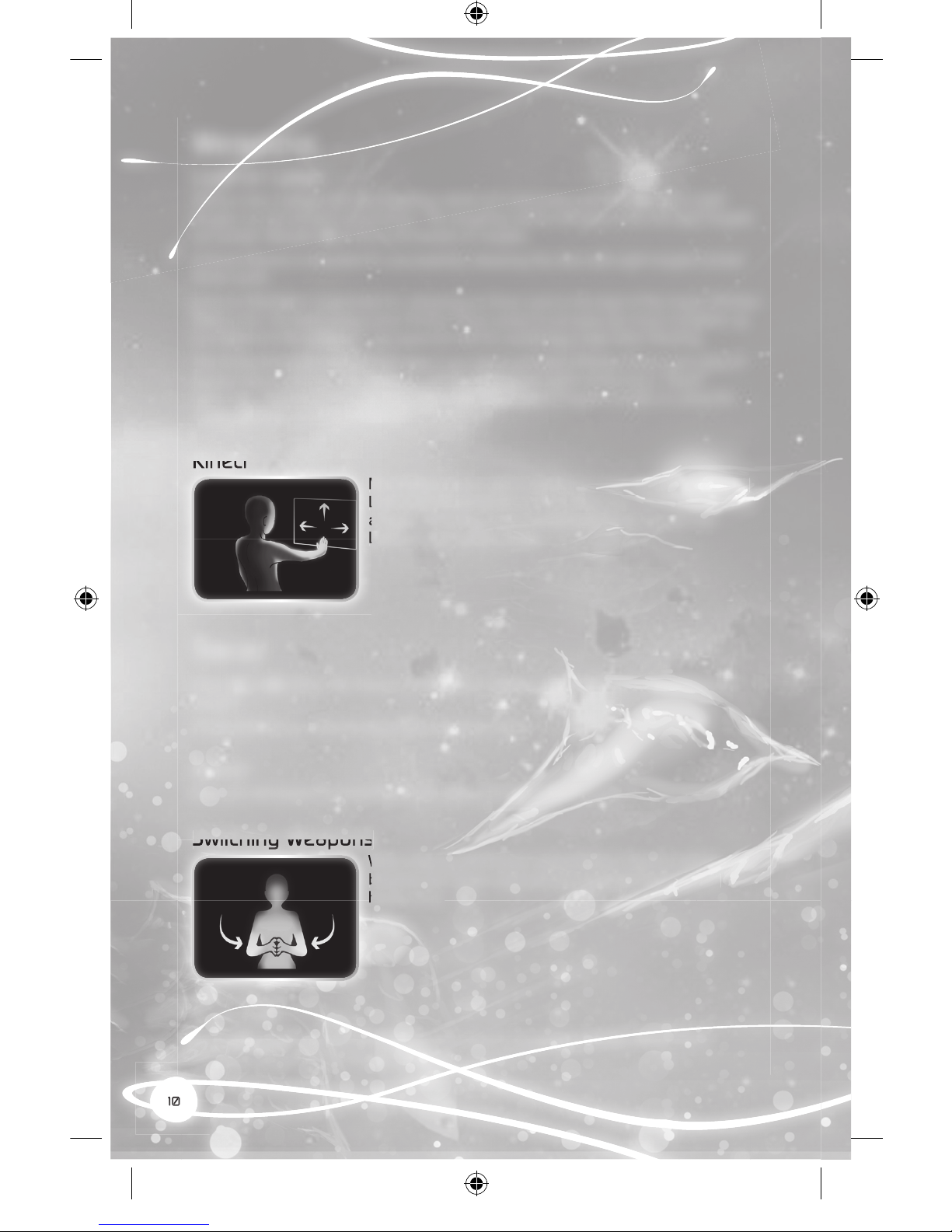
Kinect
Move the Lock-on reticle using your right hand. The Lock-on
Laser will automatically lock on when the reticle passes over
a target. Flick your hand forward quickly to release the
Lock-on Laser at the target.
Tracer
Press or to re. The Tracer is a rapid-re weapon that is effective against purple
targets.
Enemy bullets can only be shot down using the Tracer.
Kinect
Use your left hand to control the Tracer, which is red automatically.
Switching Weapons
When playing with Kinect using Gesture Type B, switch
between the Tracer and Lock-on Laser by clapping your
hands once.
Euphoria
Press to activate Euphoria and release a burst of euphoric energy, which has a
powerful effect on all on-screen enemies.
Kinect
Move the Lock-on reticle using your right hand. The Lock-on
Laser will automatically lock on when the reticle passes over
a target. Flick your hand forward quickly to release the
Lock-on Laser at the target.
Switching Weapons
When playing with Kinect using Gesture Type B, switch
between the Tracer and Lock-on Laser by clapping your
hands once.
hands once.
COE_XBOX360_Manual_UK.indd 10 23/05/11 09:28
Otros manuales para 360
21
Tabla de contenidos
Otros manuales de Controladores de videojuegos de XBOX

XBOX
XBOX 360 Manual de usuario

XBOX
XBOX 360 Manual de usuario

XBOX
XBOX 360 Manual de usuario

XBOX
XBOX ONE Hoja de especificaciones

XBOX
XBOX 360 Manual de usuario

XBOX
XBOX 360 Manual de usuario
XBOX
XBOX 360 Manual de usuario

XBOX
XBOX Steel Knight ZPPU000 Manual de usuario

XBOX
XBOX The Beatles: Rock Band Manual de usuario

XBOX
XBOX 360 Manual de usuario


