6
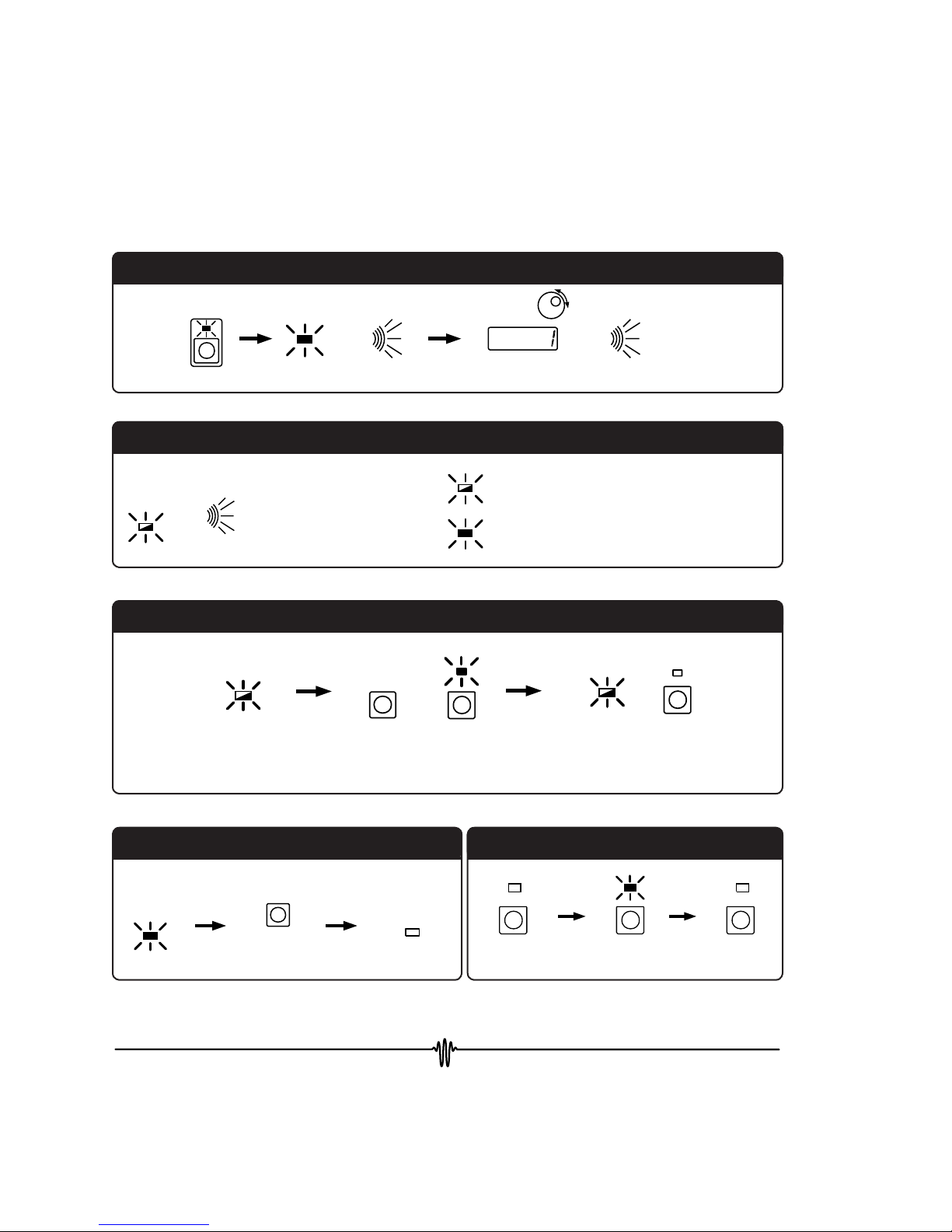
Step 3. Adjust the P term to display AutS or Autd.
AutS: Setpoint Response Optimization
Autd: Disturbance Rejection Optimization
(Wait about two seconds before enabling the
output current.)
Step 4. Begin Autotune Optimization: Enable Output
Current.
The time to complete an Autotune optimization
sequence varies from load to load. While tuning,
the ON LED will flash. When complete, the
LFI-3751 beeps once and the ON LED lights solid.
Three audible beeps indicate if the Autotune
sequence is aborted. The ON LED is not lit. If the
actual sensor temperature exceeds the high or low
temperature limits the optimization will abort.
See Page 23 for more detail on the LFI-3751
Autotune feature.
The Front Panel at a Glance
Quick Autotune PID Operation
Quick Autotune PID Operation, continued
PACT T
LIM I
AUX T
TE V
SET T
TE I
B
C
I
A
D
decrease
increase
AutS or Autd (below 0)
ON PRESS &
RELEASE
ON
Output Current
Disabled
Autotune
Optimization
in Progress,
ON LED flashes
Autotune
Complete
BEEP
Phase 1: The LFI-3751 ramps the thermoelectric
current to drive the load toward the setpoint
temperature.
Phase 2: The LFI-3751 performs three characterization
passes.
Phase 3: The LFI-3751 reverts to normal operation,
saving the optimized P, I, and D settings in
non-volatile memory and settling in at the
setpoint temperature.
Ambient
Phase 1
First
Pass
Setpoint
Phase 2 Phase 3
Second
Pass
Third
Pass
Autotune Process