W Box Technologies 0E-HDMISW5X1 Manual de usuario

4K@60Hz (4:2:0)
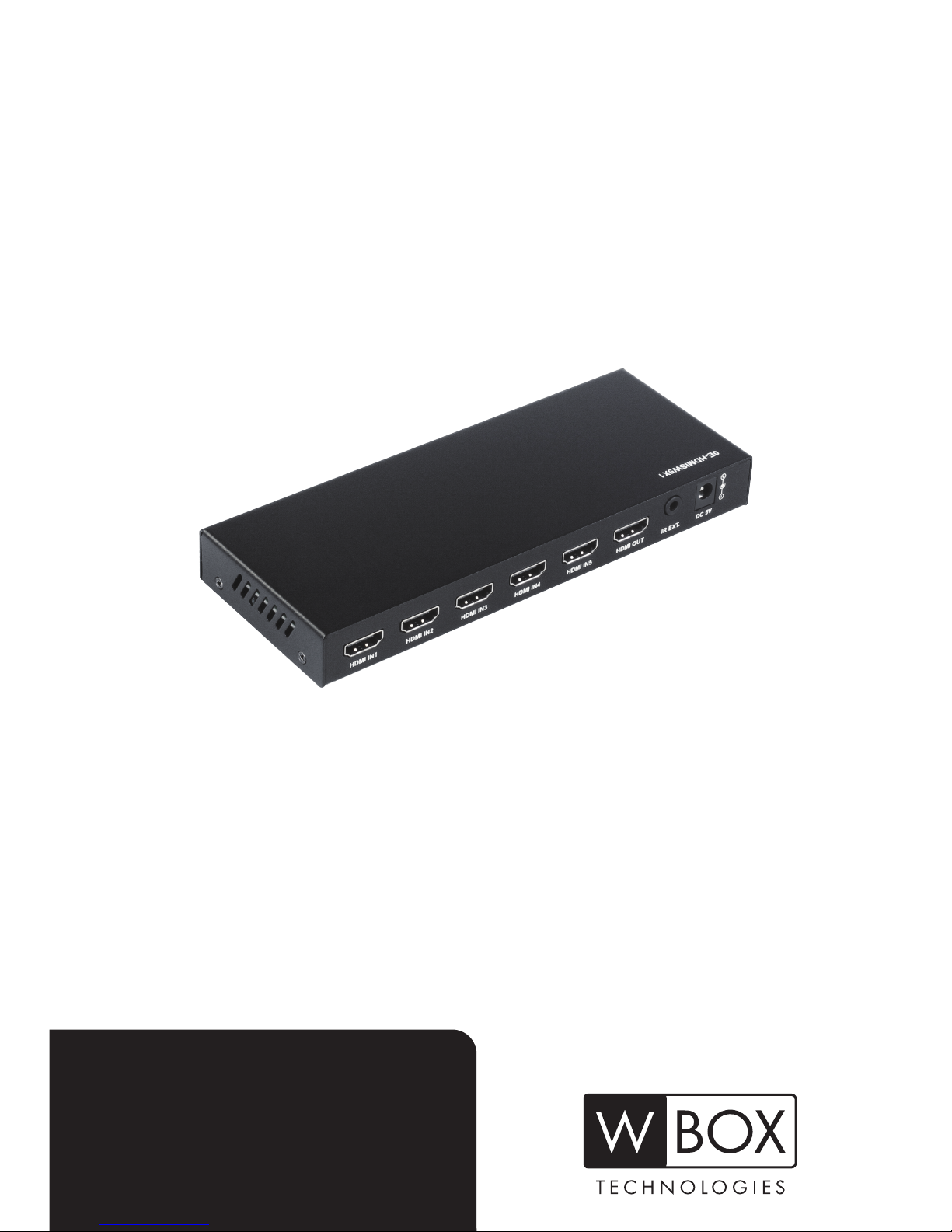
HDMI SWITCHER
0E-HDMISW5X1


1
Content
Introduction ......................................................................................................................2
Features ............................................................................................................................3
Package Contents ............................................................................................................3
Panel..................................................................................................................................4
Front Panel...........................................................................................................4
Rear Panel...........................................................................................................5
IR Remote Handset ..........................................................................................................6
Installation Instructions...................................................................................................7
Auto-switch Function.......................................................................................................8
Troubleshooting...............................................................................................................8
Specification................................................................................................................... 11
Limited Warranty............................................................................................................13
Introduction ....................................................................................................................19
Caractéristiques.............................................................................................................20
Contenu...........................................................................................................................20
Panneau ..........................................................................................................................21
Panneau avant...................................................................................................21
Panneau arrière .................................................................................................22
Télécommande IR...........................................................................................................23
Procédure d’installation.................................................................................................24
Fonction de basculement automatique........................................................................25
Dépannage......................................................................................................................26
Spécifications.................................................................................................................28
Garantie limitée ..............................................................................................................30

2
Introduction
Congratulations and thank you for purchasing W Box Technologies
0E-HDMISW5X1.
0E-HDMISW5X1 is a 5 to 1 HDMI switcher. It is HDCP 2.2
compliant and supports resolutions up to 4K@60Hz 4:2:0 8 bit. It
includes five inputs for direct connection of HDMI source devices,
which gives you a high performance connection between five
sources and a display without signal loss. This switcher also
provides IR remote, auto and manual button control, enabling users
to switch among multiple sources with ease.
Please follow the instructions in this manual to assure proper
installation and to achieve the full performance and satisfaction you
would expect from W Box Technologies.

3
Features
Cost effective 4K 5 to 1 HDMI switcher
Supports resolutions up to 4K@60Hz 4:2:0 8bit
HDCP 2.2 compliant
HDMI signal transmission distance up to 10ft/3m at 4K, and up
to 16ft/5m at 1080P
Able to receive power from the HDMI source devices
Supports IR remote, auto and manual switch control to switch
among multiple sources
Compact size for hidden installation
Note: In order to ensure proper functionality, make sure the resolution of the HDMI
sources is set to 4K@60Hz 4:2:0 or lower when both the connected sources and sink
support 4K@60Hz 4:4:4 8 bit.
Package Contents
Before you start the installation, please check the package contents:
1 x 0E-HDMISW5X1
1 x IR Remote
1 x IR Receiver Cable
2 x Mounting Bracket
1 x User Manual
1 x Datasheet

4
Panel
Front Panel
ID.
Name
Description
1
IR IN Window
Point the remote directly at IR In
window to switch among connected
sources.
Note: IR In window will be disabled
when using the IR extend function on
rear panel.
2
SWITCH
Button
Press to cycle through different sources.
3
POWER LED
On: The device is powered on.
Off: The device is powered off.
4
HDMI IN 1-5
LEDs
On: The source is selected.
Off: The source is not selected.
5
HDMI OUT
LED
On: The device is connected to a sink.
Off: The device is not connected to a
sink.

5
Rear Panel
ID.
Name
Description
1
HDMI IN
1-5
Connect to HDMI sources.
2
HDMI OUT
Connect to an HDMI sink.
3
IR EXT.
Connect to the supplied IR receiver cable.
Note: IR receiver window on front panel
will be disabled when using the IR extend
function.
4
DC 5V
DC 5V power supply input
Note: When the switcher cannot be
powered by HDMI source(s), to connect to
an external 5V DC power supply is
required (power adapter is not included in
the package).

6
IR Remote Handset
Button
IR Code
Description
0x02 0x0a
Switch to next active source input
(Cycle 15)
0x02 0x08
Switch to previous active source input
(Cycle 51)
0x02 0x04
Switch to source 1
0x02 0x05
Switch to source 2
0x02 0x06
Switch to source 3
0x02 0x0c
Switch to source 4
0x02 0x0e
Switch to source 5
Note:
Since the encoding format for IR codes above is NEC (38KHz),
please ensure your own third party device to remote control the
switcher is with the same format NEC (38KHz).
Please ensure the remote is pointed directly at the IR receiver
window/cable.
1
2
3
4
5

7
Installation Instructions
1. Connect the HDMI sources (such as the DVD player, computer,
Apple TV, STB, Xbox, etc.) to the HDMI input ports of the
switcher via quality HDMI cables as number 1 shown below.
2. Connect the HDMI display (such as a TV, projector, LED/LCD
display, etc.) to the HDMI output port of the switcher via an
HDMI cable as number 2 shown below.
3. Connect the included IR receiver cable to the IR EXT port if you
need to extend the remote control distance as number 3 shown
below.
4. Power on the HDMI sources and display.
Note: When the switcher cannot be powered by HDMI
source(s), it’s required to connect to an external power supply.
5. Switch among the HDMI sources by the IR remote or Switch
button on front panel.
Note: When you use the IR extend function for remote control,
the IR receiver window on front panel will be disabled.

8
Auto-switch Function
With auto-switch function, the switcher can switch input to the last
connected source automatically without additional operations.
1. When a new HDMI source is inserted, the switcher will switch
input to it automatically.
2. When the selected HDMI source is removed, the switcher will
switch input to the active source with top priority automatically
(Priority: 1>2>3>4>5).
Troubleshooting
W Box Technologies products are designed to function trouble-free.
Most problems that occur are due to simple issues. If you have
trouble, please check the list of simple fixes below.
Tabla de contenidos
Idiomas:
Otros manuales de Cambiar de W Box Technologies