
VWR 61161-340 Manual de usuario

VWR Collection Manual ver 1, rel 1 02.05.2017
VWR®Timer
INSTRUCTION MANUAL
North American Catalog Numbers: 61161-340
European Catalogue Numbers: 609-0090
Version: 1
Issued: 2nd May 2017

VWR Collection Manual ver 1, rel 1 02.05.2017
Legal Address of Manufacturer
United States Europe
VWR International VWR International bvba
Radnor Corporate Center Researchpark Haasrode 2020
Building One, Suite 200 Geldenaaksebaan 464
100 Matsonford Road, P.O. Box 6660 B-3001 Leuven
Radnor, PA 19087 +32 16 385011
800-932-5000 http://be.vwr.com
http://www.vwr.com
Country of origin - China
Intended use
This item is intended for general laboratory use to monitor time duration.
Product Specifications
Display: LCD, 4-Digit 1”
Resolution: 1 second
Accuracy: ± 0.01%
Power: AAA battery
Size: 3¾ x 5½ X ½ inches
Accessories Supplied: Wall-mount bracket, stand, battery, Traceable® Certificate, instructions.
Getting Started
Before using this timer, open the battery compartment and remove the battery tab.
Operation
Setting the Clock:
1. Insert battery in battery compartment located on the back side of unit
2. To set clock, slide the CLOCK/TIMER switch to CLOCK.
3. Select 12 hour or 24-hour format
4. Slide SET/LOCK switch located on the back of unit to SET. Press HR, MIN, and SEC keys until
desired time is reached. Slide SET/LOCK switch to LOCK position.
Counting up
1. Place the unit in the clock mode by sliding the CLOCK/TIMER switch to CLOCK.
2. Press the START/STOP key once to begin counting up. Press the START/STOP key a second
time to pause the count (time-out). Press the START/STOP key again to resume counting. Any
number of time-outs may be taken. Press CLEAR while the count is paused to reset the unit to
00:00:00.

VWR Collection Manual ver 1, rel 1 02.05.2017
3. The count-up is shown on the lower portion of the display. When 19:59:59 is reached, the timer
will return to 00:00:00 and begin counting up again.
Counting Down
1. Place the unit in the timer mode by sliding the CLOCK/TIMER switch to TIMER. Slide the switch
to T1 to set channel 1 and to T2 to set channel 2. Slide SET/LOCK switch located on the back of
unit to SET.
2. Press HR, MIN, and SEC keys until desired time is reached. Press MEMORY key once.
“MEMORY” will appear on the display. Slide SET/LOCK switch to LOCK. Recall stored time
period, press MEMORY key.
3. Press the START/STOP key once to start timing. Press the START/STOP key a second time to
pause the timing (time-out). Press the START/STOP key again to resume timing. Any number of
time-outs may be taken. Press CLEAR while the timing is paused to reset the unit to 00:00:00.
4. The upper portion of the display will show channel one. The lower portion of the display will show
channel two. To display both channels simultaneously, slide the CLOCK/TIMER switch to the
TIMER 1 & 2 position.
5. When 00:00:00 is reached, the timer will alarm and begin counting up. “TIME’S UP” will flash in
the upper left portion of the display for the appropriate channel. To silence the alarm and stop the
count-up, press the START/STOP key.
Low Battery
Erratic readings, a faint display, or no display are all indicators that the battery is low and needs to be
replaced. To replace the battery, remove the battery cover located on the back of the unit and insert a
new AAA battery. Incorrectly installed batteries may damage electronics. Replace the Battery Cover.
All Operational Difficulties
If this timer does not function properly for any reason, please properly replace the battery with a new
1.5V AAA alkaline battery (see Low Battery section). Low battery power can occasionally cause any
number of “apparent” operational difficulties. Replacing the battery with a new fresh battery will solve
most difficulties.
Equipment disposal
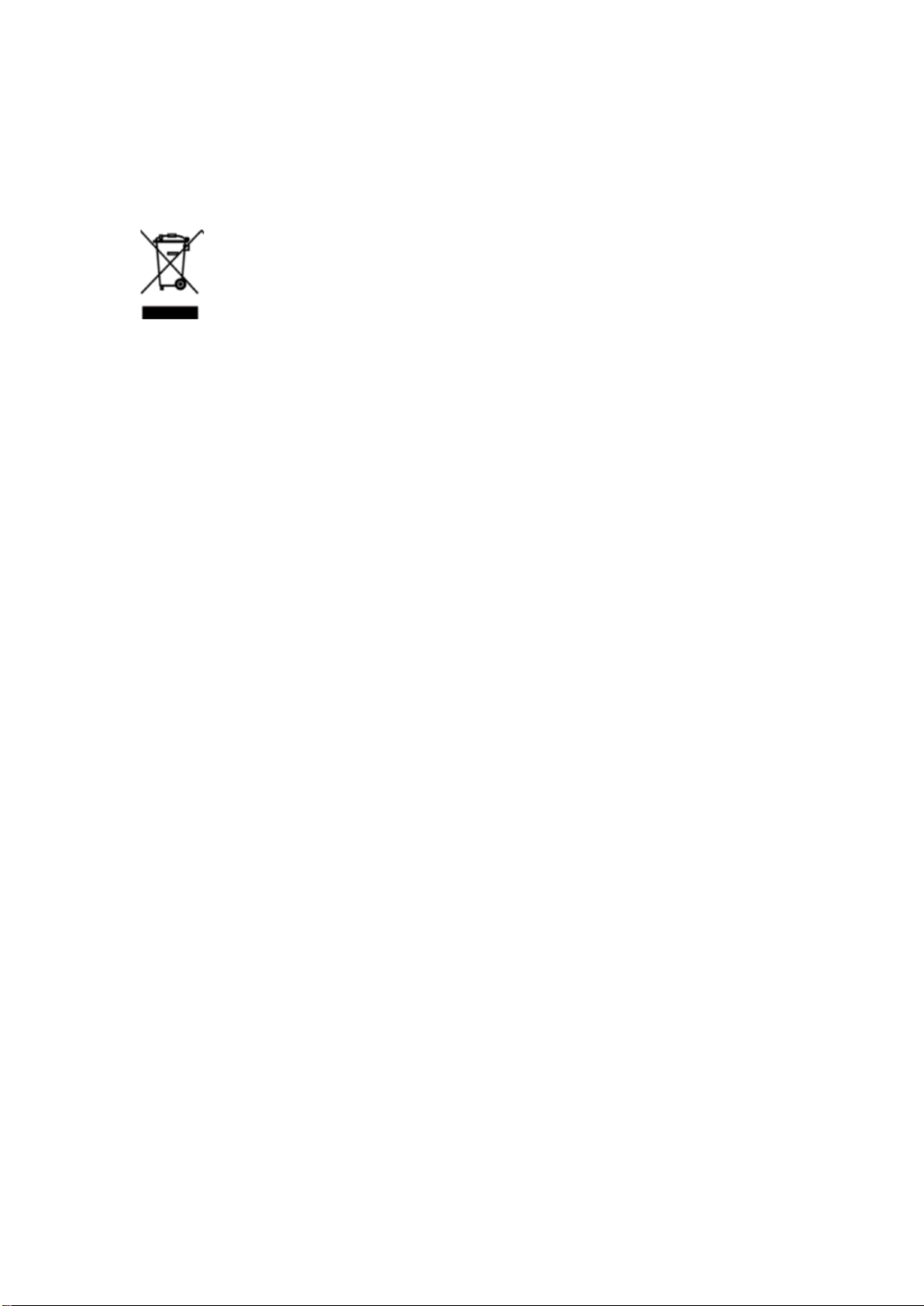
This equipment is marked with the crossed out wheeled bin symbol to indicate that this equipment
must not be disposed of with unsorted waste. Instead it's your responsibility to correctly dispose of
your equipment at lifecycle -end by handling it over to an authorized facility for separate collection
and recycling. It's also your responsibility to decontaminate the equipment in case of biological,
chemical and/or radiological contamination, so as to protect from health hazards the persons involved
in the disposal and recycling of the equipment. For more information about where you can drop off
your waste of equipment, please contact your local dealer from whom you originally purchased this
equipment.

VWR Collection Manual ver 1, rel 1 02.05.2017
By doing so, you will help to conserve natural and environmental resources and you will ensure that
your equipment is recycled in a manner that protects human health.
Compliance with local laws and regulations
The customer is responsible for applying for and obtaining the necessary regulatory approvals or
other authorizations necessary to run or use the product in its local environment. VWR will not be held
liable for any related omission or for not obtaining the required approval or authorization, unless any
refusal is due to a defect of the product.
Technical service
Web Resources
Visit the VWR website at vwr.com for:
• Complete technical service contact information
• Access to the VWR Online Catalogue, and information about accessories and related products
• Additional product information and special offers
Contact us For information or technical assistance contact your local VWR representative or
visit.vwr.com.
Warranty
VWR warrants that this product will be free from defects in material and workmanship for a period of
two (2) years from date of delivery. If a defect is present, VWR will, at its option and cost, repair,
replace, or refund the purchase price of this product to the customer, provided it is returned during the
warranty period. This warranty does not apply if the product has been damaged by accident, abuse,
misuse, or misapplication, or from ordinary wear and tear. If the required maintenance and inspection
services are not performed according to the manuals and any local regulations, such warranty turns
invalid, except to the extent, the defect of the product is not due to such non performance.
Items being returned must be insured by the customer against possible damage or loss. This
warranty shall be limited to the aforementioned remedies. IT IS EXPRESSLY AGREED THAT THIS
WARRANTY WILL BE IN LIEU OF ALL WARRANTIES OF FITNESS AND IN LIEU OF THE
WARRANTY OF MERCHANTABILITY.

VWR Collection Manual ver 1, rel 1 02.05.2017
Detales: Español
País de origen - China
Uso previsto
Este dispositivo es previsto para uso de tipo general en laboratorio para controlar la duración de
eventos.
Especificaciones del producto
Visualización: pantalla LCD 1” de 4 dígitos
Resolución: 1 segundo
Precisión: ± 0.01%
Energía: pila AAA
Tamaño: 3¾ x 5½ x ½ pulgadas (9,5 cm x 13,9 cm x 1,2 cm)
Accesorios
proporcionados: Montaje para pared, soporte, pila, CertificadoTraceable®, instrucciones.
Primeros pasos
Antes de utilizar este cronometro, abra el compartimento de la pila y remueva el lengüeta de la pila.
Funcionamiento
Ajustar el reloj:
1. Inserte la pila en el compartimento de la pila ubicado en la parte trasera del dispositivo.
2. Para ajustar el reloj, deslice el interruptor CLOCK/TIMER hacia CLOCK.
3. Seleccione el formato 12 horas o 24 horas
4. Deslice el interruptor SET/LOCK ubicado en la parte trasera hacia SET. Pulse las teclas HR, MIN
y SEC hasta que el tiempo deseado sea alcanzado. Pulse la tecla SET/LOCK hacia la posición
LOCK.
Cuenta progresiva
1. Ponga el dispositivo en el modo “clock” deslizando el interruptor CLOCK/TIMER hacia la posición
CLOCK.
2. Pulse la tecla START/STOP una vez para empezar la cuenta progresiva. Pulse la tecla
START/STOP una vez más para detener la cuenta progresiva (time-out). Pulse la tecla
START/STOP una vez más para reanudar la cuenta progresiva. Se puede detener la cuenta
progresiva tantas veces como sea deseado. Pulse la tecla CLEAR cuando la cuenta progresiva
esta detenido para reiniciar el dispositivo en la posición 00:00:00.
3. La lectura de la cuenta progresiva se visualiza en la parte inferior de la pantalla. Cuando la
lectura alcanza 19:59:59, el cronometro se auto reiniciará en la posición 00:00:00 y reanudará la
cuenta progresiva desde el inicio.

VWR Collection Manual ver 1, rel 1 02.05.2017
Cuenta regresiva
1. Ponga el dispositivo en el modo “timer” deslizando el interruptor CLOCK/TIMER hacia la posición
TIMER. Deslice el interruptor hacia T1 para ajustar el canal 1 o hacia T2 para ajustar el canal 2.
Deslice el interruptor SET/LOCK ubicado en la parte trasera del dispositivo hacia la posición
SET.
2. Pulse las teclas HR, MIN y SEC hasta que el tiempo deseado sea alcanzado. Pulse la tecla
MEMORY una vez. Se visualizará “MEMORY” en la pantalla. Deslice el interruptor SET/LOCK
hacia la posición LOCK. Consulte de nuevo las lecturas registradas, pulse la tecla MEMORY.
3. Pulse la tecla START/STOP una vez para empezar la medición del tiempo. Pulse la tecla
START/STOP una vez más para detener el cronometro (time-out). Pulse la tecla START/STOP
una vez más para reanudar el cronometro. Se puede detener el cronometro tantas veces como
sea deseado . Pulse CLEAR cuando el cronometro está detenido para reiniciar el dispositivo en
la posición 00:00:00.
4. Se visualizará en la parte superior de la pantalla el canal 1. Se visualizará en la parte inferior
de la pantalla el canal 2. Para visualizar simultáneamente los dos canales, deslice el interruptor
CLOCK/TIMER hacia la posición TIMER 1 & 2
5. Cuando se alcanza la posición 00:00:00, la alarma del cronometro sonará y el cronometro
empezará la cuenta progresiva. “TIME’S UP” destellará en la parte superior izquierda de la
pantalla en el canal adecuado. Para apagar la alarma y dejar la cuenta progresiva, pulse la tecla
START/STOP.
Resolución de problemas
Pila baja
Lecturas erráticas, visualización débil o ausente, todos indican que la pila está baja y tiene que ser
reemplazada. Para reemplazar la pila, retire la tapa del compartimento de la pila en la parte trasera
de la unidad y coloque una nueva pila de tipo AAA alcalina. Pilas colocadas de manera inadecuada
pueden dañar los dispositivos electrónicos. Coloque de nuevo la tapa.
Otras dificultades de funcionamiento
Si el cronometro no funciona adecuadamente, por cualquier motivo, por favor, reemplace la pila con
otra nueva de 1,5V AAA alcalina (referirse a la sección Pila baja). Una situación de pila baja puede a
veces ocasionar algunas dificultades “aparentes” de funcionamiento. Reemplazar la pila baja con
nueva pila llena puede resolver la mayoría de las dificultades.
Servicio técnico
Recursos en Internet
Visite la página de VWR en www.vwr.com para:
• Obtener los contactos del servicio técnico
• Acceder al Catálogo en línea de VWR y obtener información acerca de accesorios y productos
relacionados
• Información adicional sobre productos y ofertas especiales

VWR Collection Manual ver 1, rel 1 02.05.2017
Contacto Para obtener más información o asistencia técnica póngase en contacto con su
representante local de VWR o visite. www.vwr.com
Garantía
VWR garantiza que este producto estará libre de defectos de material y fabricación durante un
periodo de dos (2) años a partir de la fecha de entrega. En el caso de que exista algún defecto, VWR
elegirá, a su elección y corriendo con los gastos, reparar, cambiar o rembolsar el importe de este
producto al cliente, siempre y cuando se devuelva durante el periodo de la garantía. Esta garantía no
se aplica si el producto ha sufrido daños a causa de un accidente, abuso, uso indebido o incorrecto o
del desgaste por el uso normal. Si los servicios de inspección y mantenimiento precisos no se
efectúan de acuerdo con las indicaciones de los manuales o las normativas locales aplicables, la
garantía no será válida, salvo si el defecto del producto no se debe a dicho incumplimiento.
El cliente debe asegurar los productos devueltos contra posibles daños o pérdida. Esta garantía se
limita a los recursos anteriormente mencionados. SE ACUERDA EXPRESAMENTE QUE ESTA
GARANTÍA SUSTITUYE A TODAS LAS GARANTÍAS DE IDONEIDAD Y COMERCIALIDAD.

VWR Collection Manual ver 1, rel 1 02.05.2017
DETAILS - Français
Pays d’origine - Chine
Destination
Cet appareil est destiné à être utilisé dans les laboratoires généraux pour surveiller une durée de
temps.
Description du Produit
Ecran: LCD, 4 chiffres 1”
Résolution: 1 seconde
Précision: ± 0,01 %
Alimentation: pile AAA
Taille: 3¾ x 5½ X ½ pouces
Accessoires fournis: Support mural, support, pile, Certificat Traceable®, instructions.
Commencer
Avant d’utiliser le minuteur, ouvrir le compartiment de la pile et enlever la languette.
Fonctionnement
Régler l’horloge :
1. Insérer la pile dans le compartiment situé au dos de l’appareil
2. Pour régler l’horloge, faire glisser le poussoir HORLOGE/MINUTERIE vers HORLOGE.
3. Choisir le format 12 heures ou 24 heures
4. Faire glisser l’interrupteur REGLER/VERROUILLER situé à l’arrière de l’appareil sur REGLER.
Appuyer sur HR, MIN, et SEC jusqu’à ce que l’heure souhaitée s’affiche. Faire glisser
l’interrupteur sur la position VERROUILLER.
Compte
1. Mettre l’appareil en mode horloge en faisant glisser l’interrupteur HORLOGE/MINUTERIE sur
HORLOGE.
2. Appuyer sur START/STOP une fois pour commencer le compte. Appuyer sur START/STOP une
deuxième fois pour arrêter le compte (temps écoulé). Appuyer à nouveau sur START/STOP pour
reprendre le compte. Il peut y avoir autant de temps écoulés que voulus. Appuyer sur EFFACER
quand le compte est arrêté pour remettre l’appareil sur 00:00:00.
3. Le compte apparaît en bas de l’écran. Lorsque 19:59:59 est attaint, le minuteur revient à 00:00:00
et reprend le compte.
Décompte
1. Mettre l’appareil en mode Minuteur en faisant glisser l’interrupteur HORLOGE/MINUTERIE sur
MINUTEUR. Faire glisser l’interrupteur sur T1 pour avoir la piste 1 et sur T2 pour avoir la piste 2.
Faire glisser l’interrupteur REGLER/VERROUILLER situé à l’arrière de l’appareil sur REGLER.

VWR Collection Manual ver 1, rel 1 02.05.2017
2. Appuyer sur HR, MIN, et SEC jusqu’à ce que l’heure souhaitée s’affiche. Appuyer sur
MEMOIRE une fois. “MEMOIRE” s’affichera sur l’écran. Faire glisser l’interrupteur sur la position
VERROUILLER. Pour faire apparaître la durée stockée, appuyer sur MEMOIRE.
3. Appuyer sur START/STOP une fois pour démarrer la minuterie. Appuyer sur START/STOP une
deuxième fois pour arrêter la minuterie (temps écoulé). Appuyer sur START/STOP à nouveau
pour reprendre la minuterie. Il peut y avoir autant de temps écoulés que voulus. Appuyer sur
EFFACER quand le compte est arrêté pour remettre l’appareil sur 00:00:00.
4. La partie supérieure de l’écran affichera la piste un. La partie inférieure de l ‘écran affichera la
piste deux. Pour afficher les deux pistes en même temps, faire glisser l’interrupteur
HORLOGE/MINUTERIE sur les positions 1 & 2 de la MINUTERIE.
5. Lorsque 00:00:00 est atteint, l’alarme de la minuterie sonnera et commencera le compte.
«TEMPS ECOULE » clignotera sur la partie supérieure gauche de l’écran pour la piste adéquate.
Pour arrêter l’alarme et le compte, appuyer sur START/STOP.
Résoudre les problèmes
Pile faible
De erreurs d’affichage, un affichage faible ou une absence d’affichage sont tous des indicateurs que
la pile est usée et doit être remplacée. Pour remplacer la pile, ôter le couvercle du compartiment pile
à l’arrière de l’appareil et insérer une nouvelle pile AAA. Des piles mal installées peuvent
endommager l’électronique. Remettre le couvercle du compartiment.
Tous problèmes de fonctionnement
Si ce minuteur ne fonctionne pas correctement, quelle qu’en soit la raison, veuillez remplacer la pile
par une nouvelle pile alcaline AAA de 1,5V (cf. partie Pile usée). Une pile usée peut causer un certain
nombre de problèmes de fonctionnement apparents. Remplacer la pile par une nouvelle pile résoudra
la plupart des problèmes.
Service technique
Ressources sur le Web
Visitez le site Web de VWR à l'adresse www.vwr.com pour :
• Coordonnées complètes du service technique.
• Accès au catalogue en ligne de VWR et à des informations sur les accessoires et produits
connexes.
• Informations supplémentaires sur les produits et les offres spéciales.
Contactez-nous Pour plus d'informations ou une assistance technique, contactez votre représentant
VWR local ou visitez le site www.vwr.com
Garantie
VWR garantit ce produit pièces et main-d'œuvre pour une durée de deux (2) ans à compter de la date
de livraison. En cas de vice, VWR pourra, à sa discrétion et à ses frais, réparer, remplacer ou
rembourser au client le prix d'achat du produit, à condition qu'il lui soit retourné au cours de la période
VWR Collection Manual ver 1, rel 1 02.05.2017
de garantie. Cette garantie n'est pas applicable si le dommage provient d'un accident, d'une utilisation
abusive ou incorrecte, d'une mauvaise application ou de l'usure normale du produit. Cette garantie
deviendrait non valide dans le cas où les services de maintenance et de vérification requis ne
seraient pas exécutés conformément aux manuels et réglementations locales, sauf exception si le
défaut du produit n'est pas imputable à cette non exécution.
Il est recommandé au client d'assurer les éléments retournés contre les risques éventuels
d'endommagement ou de perte. Cette garantie se limite aux réparations susmentionnées. IL EST
EXPRESSÉMENT CONVENU QUE LA PRÉSENTE GARANTIE SE SUBSTITUE À TOUTES LES
GARANTIES DE CONFORMITÉ ET DE VALEUR MARCHANDE.
Este manual sirve para los siguientes modelos
1
Tabla de contenidos
Idiomas:
Otros manuales de Minutero de VWR


