INTRODUCTION............................................................................................................. 6
THE BLUETOOTH TECHNOLOGY .................................................................................................................. 6
WHAT IS BTW ............................................................................................................................................ 6
WHAT’S IN THE BOX .................................................................................................................................... 6
WHAT’S NEW .............................................................................................................................................. 7
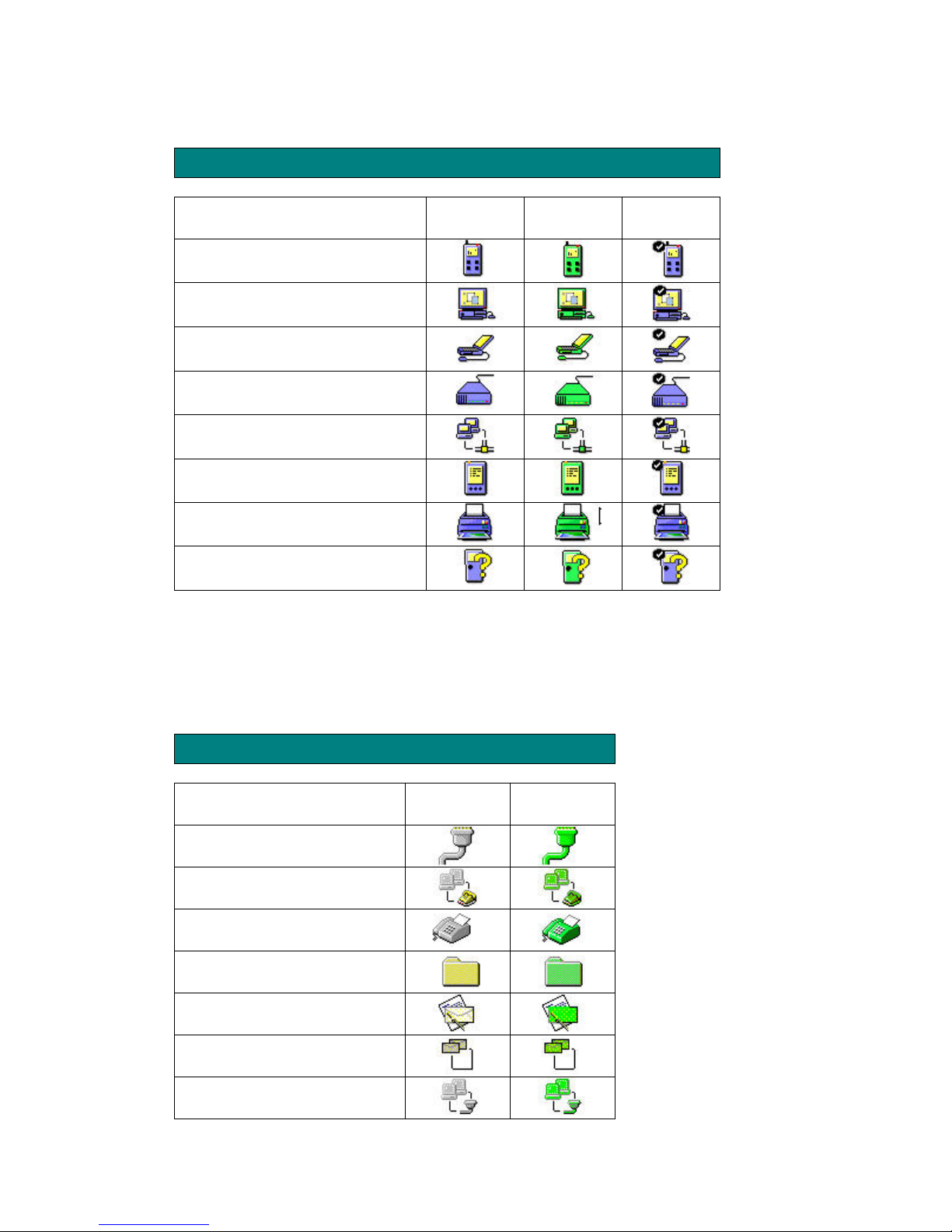
ICONS USED FOR BLUETOOTH DEVICES AND SERVICES ................................................................................ 7
Device icons for Windows XP................................................................................................................. 7
Service icons for Windows XP................................................................................................................ 8
Device icons for Windows 98SE / ME / 2000 ......................................................................................... 9
GETTING STARTED .................................................................................................... 10
MY BLUETOOTH PLACES........................................................................................................................... 10
FINDING BLUETOOTH DEVICES.................................................................................................................. 10
FINDING SERVICES..................................................................................................................................... 10
SETTING UP A NEW CONNECTION ............................................................................................................... 11
Using the Connection Wizard............................................................................................................... 12
DETERMINING A CONNECTION STATUS ...................................................................................................... 13
BLUETOOTH TRAY .................................................................................................................................... 14
CLIENT APPLICATIONS ............................................................................................ 15
ABOUT CLIENT AND SERVER..................................................................................................................... 15
BLUETOOTH SERIAL PORT......................................................................................................................... 15
DIAL-UP NETWORKING ............................................................................................................................. 16
FAX ........................................................................................................................................................... 17
FILE TRANSFER ......................................................................................................................................... 17
Types of File Transfer operations......................................................................................................... 18
INFORMATION EXCHANGE......................................................................................................................... 19
INFORMATION SYNCHRONIZATION ............................................................................................................ 19
NETWORK ACCESS .................................................................................................................................... 20
Windows 2000, Server-side Setup......................................................................................................... 20
Windows XP, Server-side Setup............................................................................................................ 21
Windows 98SE & Windows ME, Server-side Setup.............................................................................. 21
Configuring the server.......................................................................................................................... 21
Configuring the routing software ......................................................................................................... 21
CONFIGURATION PANEL ......................................................................................... 22
ACCESSIBILITY TAB .................................................................................................................................. 22
Adding and deleting devices ................................................................................................................. 22
DISCOVERY TAB........................................................................................................................................ 23
GENERAL TAB ........................................................................................................................................... 25
HARDWARE TAB ....................................................................................................................................... 26
Hardware Tab – Advanced Settings dialog box ................................................................................... 26
INFORMATION EXCHANGE TAB ................................................................................................................. 27
File Transfer......................................................................................................................................... 27
Send Business Card .............................................................................................................................. 27
Receive Business Card.......................................................................................................................... 28
LOCAL SERVICES TAB ............................................................................................................................... 28
Property settings which are common to all of the local services.......................................................... 28
Adding a user-defined Bluetooth Serial Port........................................................................................ 29
Removing a user-defined Bluetooth Serial Port ................................................................................... 29
Changing a local service’s properties.................................................................................................. 30
NOTIFICATIONS TAB.................................................................................................................................. 31
VERSION INFO TAB ................................................................................................................................... 32
4