
Vision VDA100SII Manual de usuario

Page 1/ 21
VDA100SII
IR Outdoor Dome Camera
Version 1.0.0
Released on July.22, 2013

Page 2/ 21
Page 3/ 21
PRECAUTIONS
By selecting this product, you have decided to use a professional device that guarantees highest
quality and reliability. We would like to thank you very much for your confidence and kindly ask you to
read the following instructions carefully before installation and operation in order to take full
advantage of all quality features regarding this product.
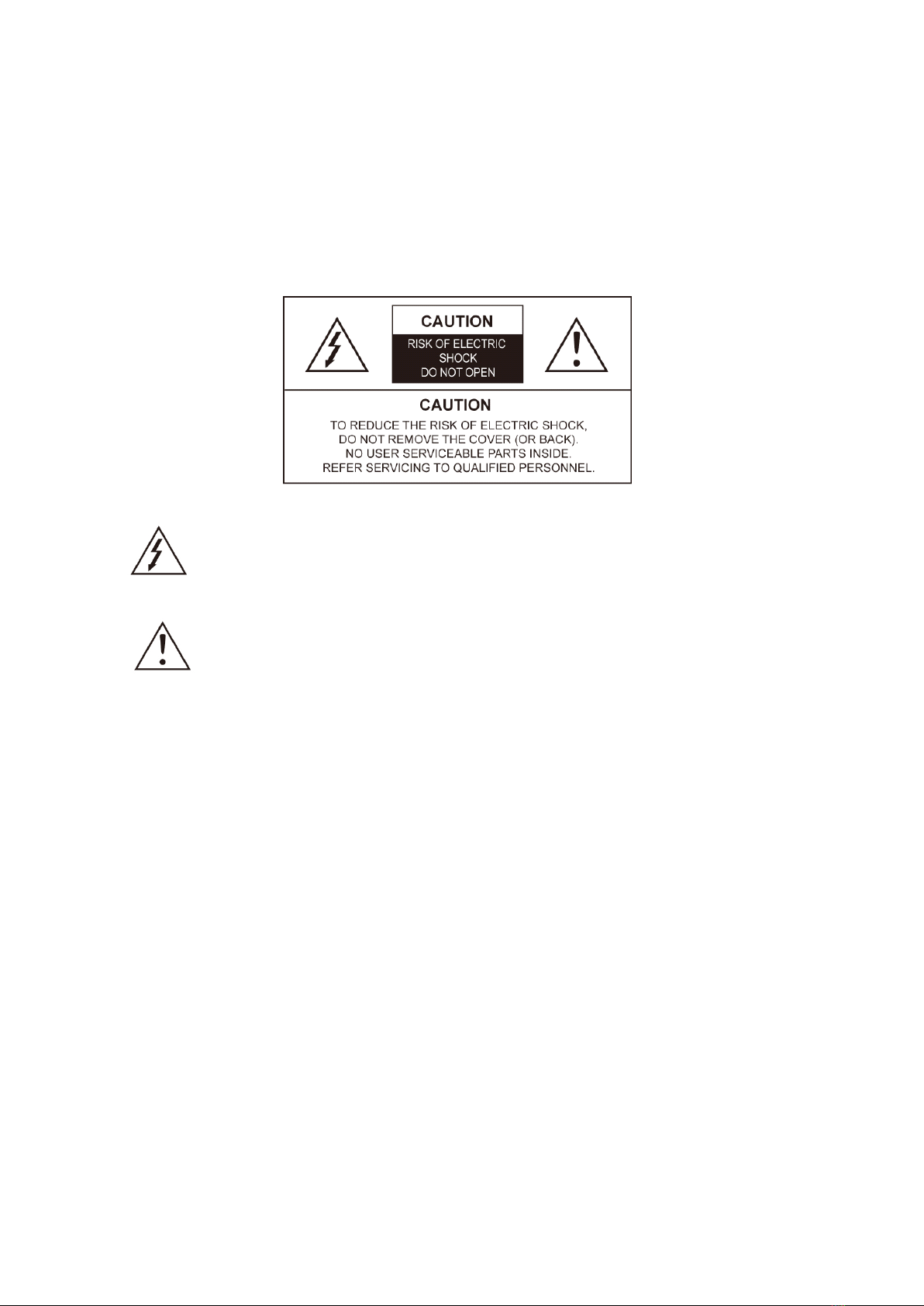
The lighting flash with an arrowhead symbol, within an equilateral triangle is intended
to alert the user to the presence of non-insulated dangerous voltage within the
product’s enclosure that may be of sufficient magnitude to constitute a risk of electric
shock to persons.
The exclamation point within an equilateral triangle is intended to alert the user to the
presence of important operating and maintenance (servicing) instructions in the
literature accompanying the appliance.
INFORMATION
This equipment has been tested and found to comply with limits for a Class A digital device, pursuant
to part 15 of the FCC Rules. These limits are designed to provide reasonable protection against
harmful interference when the equipment is operated in a commercial environment. This equipment
generates, uses, and can radiate radio frequency energy and, if not installed and used in accordance
with the instruction manual, may cause harmful interference to radio communications. Operation of
this equipment in a residential area is likely to cause harmful interference in which case the user will
be required to correct the interference at its own expense.
WARNING
Changes or modifications not expressly approved by the manufacturer could void the user’s authority
to operate the equipment.
CAUTION –To prevent electric shock and risk of the fire hazards
-Do NOT use power source other than that specified.
-Do NOT expose this appliance to rain or moisture.
Trademarks
All names used in this manual for hardware and software are probably registered trademarks of
respective companies.
This installation should be made by a qualified service person and should conform to all local
codes.

Page 4/ 21
Table of content
1. Precautions ------------------------------------------------------------------------------- 4
2. Limitation of liability -------------------------------------------------------------------- 4
3. Disclaimer of warranty----------------------------------------------------------------- 4
4. Package ----------------------------------------------------------------------------------- 5
5. Installation------------------------------------------------------------------------------ 6~7
5.1. How to mount to Ceiling
5.2. Waterproof processing of cable end connection
5.3. 3-Axis Adjustment
5.4. Lens external adjustment, EXT-Video
5.5. OSD Manual for functions control
6. Functions and operation ---------------------------------------------------------- 9~17
7. Troubleshooting guide ---------------------------------------------------------------18
8. Dimension (mm) ---------------------------------------------------------------------- 18
9. How to use Coaxial Remote Controller(Option) ------------------------------- 19
10. Specification--------------------------------------------------------------------------- 19

Page 5/ 21
1. Precautions
Please read the manual carefully before the installation in order to set up the camera correctly
and to obtain the best picture quality.
Please keep the manual in good condition for your future reference and service application.
Installation and services should be only carried out by an authorized personnel according to local
safety regulations.
If any liquid or solid matter gets into the housing, immediately disconnect the camera from power
supply and have it checked by your authorized dealer before reusing.
Avoid installing the camera at extremely hot or cold places.
If you are not a certified person, never try to dismantle the camera. To avoid electric shock, never
remove the screws or covers. There are no parts inside that need maintenance by the user. All
maintenance should be carried out by qualified personnel.
Avoid installing the camera at a place of high humidity.
Avoid installing the camera at the place exposed to gas or oil.
Keep the top glass of the lens always clean in order to obtain the best picture quality all the time.
Be careful not to be stained by fingerprint.
Don't face the camera directly toward sunlight or sunlight reflecting area. CCD may go defective
at this condition.
Please give a special attention to keep the unit from dangerous drop or external shock during the
process of transportation or handling.
Never try to touch the camera in wet hand. It may cause an electric shock.
Do not expose the camera to radioactivity. It causes a serious damage on the CCD.
2. Limitation of liability
This publication is provided “AS IS” without warranty of any kind, either express or implied, including
but not limited to, the implied warranties of merchantability, fitness for any particular purpose, or non-
infringement of the third party's right. This publication could include technical inaccuracies or
typographical errors. Changes are added to the information herein, at any time, for the improvements
of this publication and/or the corresponding product(s).
3. Disclaimer of warranty
In no event shall seller be liable to any party or any person, except for replacement or reasonable
maintenance of the product, for the cases, including but not limited to below:
(1) Any damage and loss, including without limitation, direct or indirect, special, consequential or
exemplary, arising out of or relating to the product;
(2) Personal injury or any damage caused by inappropriate use or negligent operation of the user;
(3) Unauthorized disassemble, repair or modification of the product by the user;

Page 6/ 21
(4) Inconvenience or any loss arising when images are not displayed, due to any reason or cause
including any failure or problem of the product;
(5) Any problem, consequential inconvenience, or loss or damage, arising out of the system
combined by the devices of third party.
(6) Any claim or action for damages, brought by any person or organization being photogenic subject,
due to violation of privacy with the result of that surveillance-camera's picture, including saved
data, for some reason, becomes public or is used for the purpose other than surveillance.
4. Package
Hardware Installation Guide
Camera
Extra Video output 1EA
Torx Wrench 1EA
Sticker 1EA
Plastic anchor 3EA
Tapping Screws 3EA

Page 7/ 21
5. Installation
5-1. How to mount to ceiling
①Paste a Drilling Template on the ceiling or wall and drill screw points which will be done for installation.
②Fix a Surface Mounting Base by using Tapping Screws with Ø4 provided.
③Point a Camera 3D Gimbal to a desired direction and assemble a dome cover to the
Surface Mounting Base with Torx Screws by using Torx Wrench provided.

Page 8/ 21
5-2. Waterproof processing of cable end connection
Make sure to use a butyl tape. (Do not use a sealing material on those parts)
①It is useful to connect the cable ends from camera to the extension cable for waterproof.
②Connect and tape the power cables (Power-Power/Ground-Ground).
③Bind the power cables together with the tape.
When DC-Jack is used, tape the DC-DC joint.
④Connect and tape the RS485 cables (RS485+-TRX+ /RS485- -TRX-)
⑤Tape the BNC-BNC joint.

Page 9/ 21
5-3. 3-Axis Adjustment
☞NOTE
Angle adjustment from each of 3 different axis can be positioned to its maximum angle of view so that
the camera gets the full central picture at any location.
5-4. Lens external adjustment, EXT-Video
·Focus Knob
LEFT Control : ∞
RIGHT Control : Near
· Zoom Knob
LEFT Control : Tele
RIGHT Control : Wide
- How to use EXT-video
Connect Extra video output connector to camera tester or local monitor as shown in the above.
5-5. OSD Manual for functions control
How to use tactile switch on the OSD control
Push –to enter the menu or to save settings.
Push up or down –to select functions
Push left or right –to adjust levels.
Tool-free 3-Axis mounting mechanism
Perfect Tri-axis!
· Panning axis up to 360˚ degree
· Tilting axis up to 180˚ degree
· Rotation axis up to 360˚ degree
No need to use a tool for adjustment!
All adjustments are done quick and easy by hand!

Page 10 / 21
6. Functions and operation
6-1. On Screen Display (OSD) Menu Configuration
6-2. Setting up the menu
1. Press the Tact SW to enter <MAIN MENU>.
2. Move the arrow to a specific menu by pushing the Tact SW up or down.
3. Adjust the selected feature by pushing the Tact SW left or right.
4. When completed, move the arrow indicator to ‘EXIT’ and press the Tact SW to finish all settings.
Tabla de contenidos
Otros manuales de Cámara de seguridad de Vision

Vision
Vision VN6XSFHD Manual de usuario

Vision
Vision VDA100SFHD Manual de usuario

Vision
Vision VN101PN Manual de usuario

Vision
Vision VNV23C54AR Manual de usuario

Vision
Vision VN6XSFHD Manual de usuario

Vision
Vision VPD270 Manual de usuario

Vision
Vision VD102SFHD Manual de usuario

Vision
Vision VPD200PM2Ti Manual

Vision
Vision VN7X Manual

Vision
Vision VD70PA-180 Manual de usuario


