
Unitech RS804 Manual de usuario

Unitech RS804
Indy-embeddedapp User Manual
Ver. 1.1.1

Revision History
Date Version Remark
2020/08/06 0.9.0 First version for indy-embeddedapp ver. 0.9.0-0
2020/08/10 0.9.1 The description of the timer at P.17 is changed.
2020/09/02 1.0.0 Matching the Indy-embeddedapp ver.1.0.0-0
2020/09/14 1.0.1 Hint the steps of disable LLRP/WebAPI service.
2020/12/25 1.1.0 Introduce Smart Tuner in Configuration.
Matching the indy-embeddedapp v1.3.0-0.
2020/01/13 1.1.1 Matching the indy-embeddedapp v1.3.2-0

Table of Contents
1. Introduction...................................................................................................................................1
1.1. Environment .....................................................................................................................1
1.1.1. Hardware ..............................................................................................................1
1.1.2. Software................................................................................................................2
1.2. Installation ........................................................................................................................5
1.3. Uninstallation....................................................................................................................6
1.4. Preparation.......................................................................................................................6
1.5. Execution..........................................................................................................................7
1.6. Control...............................................................................................................................8
2. Menu..............................................................................................................................................9
2.1. Information........................................................................................................................9
2.1.1. Version ..................................................................................................................9
2.1.2. Radio-identity .....................................................................................................10
2.2. Options............................................................................................................................10
3. Configuration.............................................................................................................................. 11
3.1. General ...........................................................................................................................12
3.1.1. Profile ..................................................................................................................14
3.1.2. Region.................................................................................................................15
3.1.3. Channel...............................................................................................................16
3.1.4. LBT ......................................................................................................................16
3.1.5. Enable-antennas ...............................................................................................16
a

3.1.6. Detect-antennas ................................................................................................17
3.1.7. Power-level.........................................................................................................17
3.1.8. Dwell-time...........................................................................................................17
3.1.9. Inventory-cycles.................................................................................................18
3.1.10. FPS .....................................................................................................................18
3.2. Inventory .........................................................................................................................19
3.2.1. Tag-population ...................................................................................................20
3.2.2. Session ...............................................................................................................20
3.2.3. Target ..................................................................................................................20
3.2.4. Algorithm.............................................................................................................21
3.2.5. Q-value................................................................................................................21
3.2.6. Selected..............................................................................................................21
3.2.7. Toggle-Target .....................................................................................................21
3.2.8. Tag-dead-time....................................................................................................22
3.2.9. Anti-stall ..............................................................................................................22
3.3. SmartTune......................................................................................................................22
3.3.1. Apply....................................................................................................................24
3.3.2. Cancel .................................................................................................................24
3.3.3. Detail ...................................................................................................................24
3.3.4. Error.....................................................................................................................25
3.4. Load-default ...................................................................................................................27
4. Inventory .....................................................................................................................................28
4.1. Start .................................................................................................................................30
4.1.1. Stop .....................................................................................................................31
4.1.2. Error.....................................................................................................................32
4.2. Export..............................................................................................................................35
b

4.3. Clear ................................................................................................................................36
4.4. Tag-operation .................................................................................................................37
5. Tag-operation .............................................................................................................................39
5.1. Access.............................................................................................................................39
5.1.1. Antenna-ID .........................................................................................................41
5.1.2. EPC .....................................................................................................................41
5.1.3. Password............................................................................................................41
5.1.4. Bank ....................................................................................................................41
5.1.5. Offset...................................................................................................................42
5.1.6. Length .................................................................................................................42
5.1.7. Data .....................................................................................................................43
5.1.8. Operations..........................................................................................................43
5.2. Lock .................................................................................................................................46
5.2.1. Antenna-ID .........................................................................................................48
5.2.2. EPC .....................................................................................................................48
5.2.3. Password............................................................................................................48
5.2.4. Field.....................................................................................................................48
5.2.5. Privilege ..............................................................................................................48
5.2.6. Operation............................................................................................................49
5.3. Kill ....................................................................................................................................50
5.3.1. Antenna-ID .........................................................................................................51
5.3.2. EPC .....................................................................................................................51
5.3.3. Password............................................................................................................51
5.3.4. Kill-password......................................................................................................51
5.3.5. Operation............................................................................................................51
5.4. Errors...............................................................................................................................52
c

d
5.4.1. Memory ...............................................................................................................52
5.4.2. Security ...............................................................................................................53
5.5. Back.................................................................................................................................54
6. About ...........................................................................................................................................55
7. Quit ..............................................................................................................................................56
8. Scenarios....................................................................................................................................58
8.1. Get an inventory ............................................................................................................58
8.2. Access a tag in the inventory ......................................................................................62
1.Introduction
Indy-embeddedapp is an application that provides a text-based user interface (TUI) for
Unitech’s UHF RFID reader, RS804. In Indy-embeddedapp, you are available to configure
some essential functions of the RFID module, for instance, get an inventory of tags, do
several tag operations, and enjoy a little history of Unitech.
1.1. Environment
This section is going to assist you in preparing an environment for Indy-embeddedapp.
1.1.1. Hardware
1.1.1.1. RS804
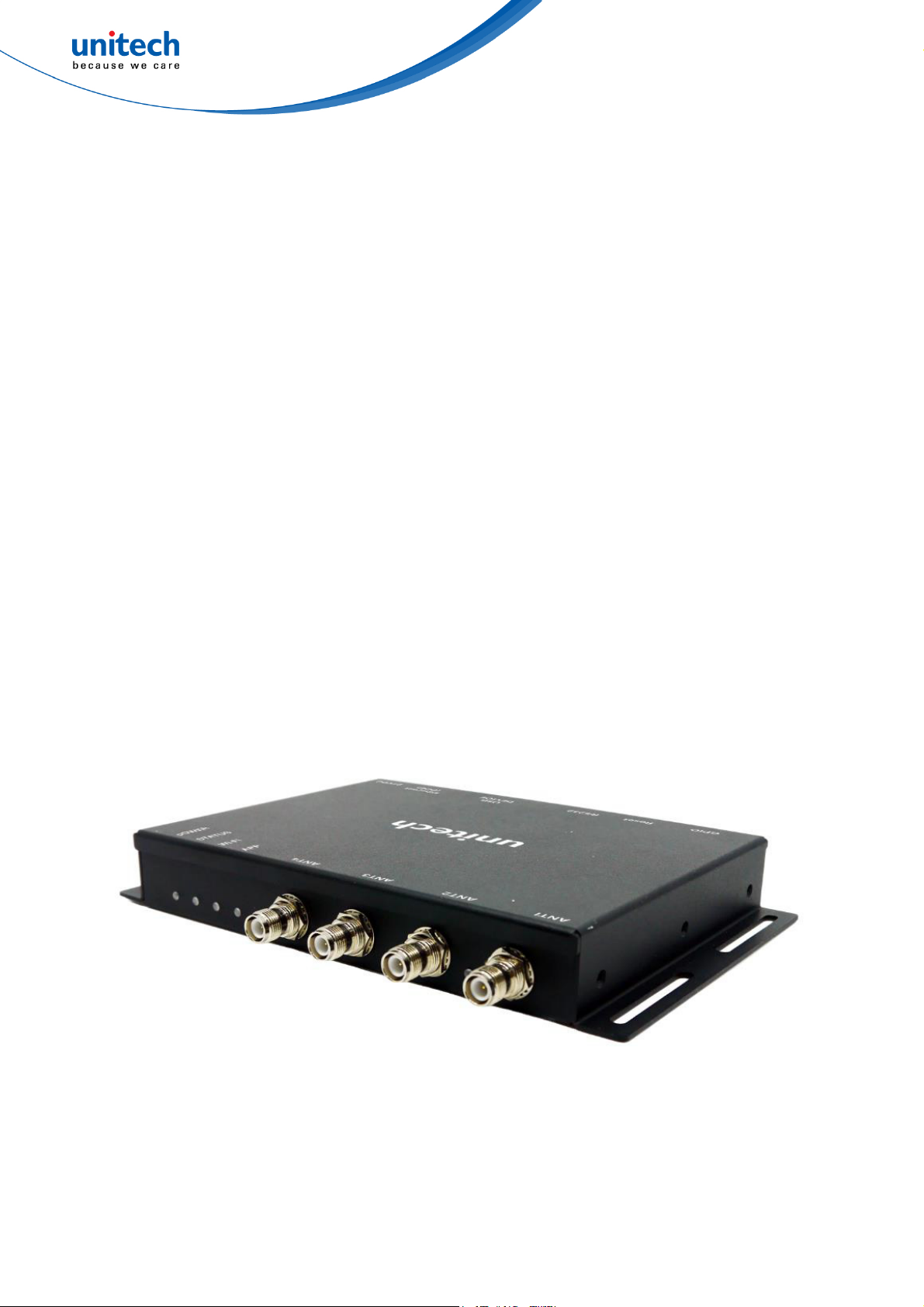
First, you need an RS804 RFID reader that has already connected to an Ethernet, if you
haven’t got one, please contact Unitech, we have a great team to support you.
Fig. 1. RS804, UHF RFID reader
1

1.1.1.2. Computer
Second, you need a personal computer (PC) to emulate a terminal of RS804 through the
secure shell (SSH). It is fine to use no matter Windows, Linux, or macOS, all of them are
highly supporting the SSH client.
1.1.2. Software
Like the previous mention in section 1.1.1.2, you need a terminal emulator to make things
work, in particular, a terminal emulator that allows you to have this application in the UTF-8
coding, or the display might be glitchy.
Both Linux and macOS has their built-in terminal that supports SSH client. It is easy to
connect to the SSH server and emulate a terminal of RS804 by applying the SSH command
below.
>> ssh root@<the IP address of RS804>
For example, Fig. 2 indicates the SSH command in Ubuntu 16.04.
Fig. 2. An example of the SSH command
As for Windows, we recommend you to use TeraTerm, which inherently supports the SSH
and the UTF-8 coding, to emulate a terminal of RS804 by following steps.
a. Enter the IP address of RS804 in the “Host” column, as shown in Fig. 3, then click
“OK.” Here we use 192.168.118.46, for instance.
2

Fig. 3. An example of “Host” in TeraTerm
b. Enter the user name of RS804, i.e., “root”, in the “User name” column, as shown in
Fig. 4, then click “OK.”
Fig. 4. “User name” in TeraTerm
c. The terminal is now ready for use, as shown in Fig. 5. You can also change the font
and its size in “SetupFontFont.”
3

4
Fig. 5. Ter m i n al i n TeraTer m
If you are using Putty, please make sure you set the “Remote character Set” to UTF-8 and
check the “Enable VT100 line drawing even in UTF-8 mode” box in
“ConfigurationWindowTranslation.”
You could also turn on the OpenSSH feature of Win10, and then apply the SSH command in
PowerShell, though.
Otros manuales para RS804
1
Tabla de contenidos
Otros manuales de Sistema RFID de Unitech

Unitech
Unitech RP902 Manual de usuario

Unitech
Unitech PA760 Manual de usuario

Unitech
Unitech RH767 Manual de usuario

Unitech
Unitech RS804 Manual de usuario

Unitech
Unitech HT730 UHF Manual de usuario

Unitech
Unitech RS200 ( PC Based ) Manual de usuario

Unitech
Unitech RS804-34EBS4G Manual de usuario

Unitech
Unitech RP901 Manual de usuario


