
Ultrak KC4200MP Manual de usuario
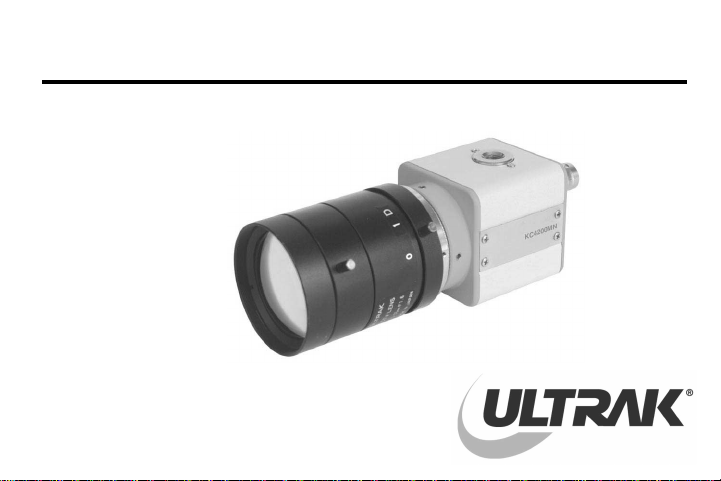
KCMU000367
01/14/02
KC4200MX
ULTRA MINIATURE
1/3" MONOCHROME
CAMERA
USER MANUAL
KCMU000367
01/14/02
KC4200MN/KC4200MP

ISSUE 1 2 KCMU000367
01/14/02
CAUTION
RISK OF ELECTRIC SHOCK
DO NOT OPEN
CAUTION: TO REDUCE THE RISK OF ELECTRIC SHOCK, DO NOT REMOVE
COVER (OR BACK). NO USER-SERVICEABLE PARTS INSIDE.
REFER SERVICING TO QUALIFIED SERVICE PERSONNEL.
WARNING: TO PREVENT THE RISK OF
FIRE OR ELECTRIC SHOCK HAZARD,
DO NOT EXPOSE THIS CAMERA TO
RAIN OR MOISTURE.
The lightning flash with arrowhead symbol, within
an equilateral triangle, is intended to alert the
user to the presence of uninsulated "dangerous
voltage" within the product's enclosure that may
be of sufficient magnitude to constitute a risk of
electric shock to persons. Information for USA: This device
complies with Part 15 of the FCC rules.
Changes or modifications not approved by
ULTRAK could void the user’s authority to
operate the equipment.
The exclamation point within an equilateral
triangle is intended to alert the user to the
presence of important operating and maintenance
(servicing) instruction in the literature
accompanying the product.
Due to design modification, data given in
the user manual are subject to possible
change without prior notice.

ISSUE 1 3 KCMU000367
01/14/02
Thank you for purchasing the ULTRAK Ultra Miniature black-and-white CCD camera. Before using
this camera, please read the manual carefully to obtain the best results and keep the manual for
future reference.
TABLE OF CONTENTS
PRECAUTIONS................................................................................................................................. 4
FEATURES ....................................................................................................................................... 5
FEATURES AND FUNCTIONS – CAMERA SIDE ........................................................................... 6
FEATURES AND FUNCTIONS – CAMERA BACK .......................................................................... 8
SETUP SWITCH ............................................................................................................................. 10
LENS INSTALLATION AND ADJUSTMENT .................................................................................. 13
Mounting A Lens...................................................................................................................... 14
Backfocus Adjustment............................................................................................................. 15
Lenses That Can Be Used ...................................................................................................... 16
SPECIFICATIONS........................................................................................................................... 17
SUPPLIED ACCESSORIES............................................................................................................19

ISSUE 1 4 KCMU000367
01/14/02
PRECAUTIONS
Handling
•Do not disassemble the camera and never touch parts inside the camera.
•When attaching or removing the lens, handle with care so that moisture and dust do not enter
the camera.
Installation and storage
•Do not point the camera at the sun. This could damage the camera whether it is operating or
not.
•Be sure the ambient temperature is less than 40°C for long-term continuous operation.
•Avoid installing in humid or dusty places.
•Avoid installing in places where there are strong magnetic fields or electrical signals.
•Avoid installing in places where the camera would be subject to strong vibrations.
•Never expose the camera to rain or water.
Cleaning
•Turn the power off and wipe off the dirt with a dry soft cloth. If the camera is extremely dirty,
use furniture cleaning tissue.
•Do not use alcohols, petroleum distillates, liquid cleaners or sprays.

ISSUE 1 5 KCMU000367
01/14/02
FEATURES
High Sensitivity
•1/3” 270,000 pixels CCD with on-chip micro lenses and low noise signal processing circuit
provide high sensitivity down to 0.25 lux (F1.2).
High Quality Image
•Horizontal resolution of 380 TV lines.
•High quality image is obtained by low noise signal processing with multi-layer PCB.
Backlight Compensation
•When strong light enters the scene background, such as from a spotlight or window, the
backlight compensation function automatically adjusts the video level to preserve visibility in
important sections of the image.
CCD Iris Function
•The electronic shutter function allows shutter speeds up to 1/100,000 sec. CCD iris function
automatically sets the brightness of the picture by changing the shutter speed of the camera
according to the incident light when using a manual iris lens.

ISSUE 26KCMU000367
01/18/02
FEATURES AND FUNCTIONS - CAMERA SIDE
KC4200MN
1. Lens mount 2. Backfocus screw
4. C-mount adapter 5. Tripod mounting base
3. Lens
mount
cap

ISSUE 1 7 KCMU000367
01/14/02
FEATURES AND FUNCTIONS – CAMERA SIDE, CONTINUED
1. Lens mount
Mount for installing the lens. C-mount lens can be used when C-mount adapter is attached, and
CS-mount lens can be used when it is removed.
2. Backfocus screw
A screw is provided to fix the lens mount.
3. Lens mount cap
Cap the lens mount when the lens is not mounted.
4. C-mount adapter
Used to mount a C-mount lens. Turn counterclockwise to remove the C-mount adapter to mount
a CS-mount lens.
5. Tripod mounting base
Mounting base for installing the camera.

ISSUE 1 8 KCMU000367
01/14/02
FEATURES AND FUNCTIONS - CAMERA BACK
PWR
GAMMAESC
BLC F.LAGC
ON
OFF
12VDC
VIDEO LENS
5. Lens
Connector
3. Power
Indicator
1. Video
output
connector
2. Set-up
switch
4. Power
Input
Terminal

ISSUE 1 9 KCMU000367
01/14/02
FEATURES AND FUNCTIONS - CAMERA BACK, CONTINUED
1.Video output connector
BNC connector that outputs a composite video signal.
2. Set-up switch
Switch for camera setup according to the operating circumstances.
3. Power indicator
Indicator lights when the camera is powered.
4. Power input terminal
Connect to a 12V dc power source.
5. Lens connector
When using an auto-iris lens, connect the lens cable to this connector.
IMPORTANT: Do not connect the power source
until all other connections are completed.

ISSUE 1 10 KCMU000367
01/14/02
SETUP SWITCH
1. AGC (Automatic Gain Control)
When AGC is ON, the camera’s sensitivity is automatically
increased when the level of ambient light drops.
AGC function automatically controls signal gain in the range of
32dB (max).
AGC FLBLC
ESC GAMMA
ON
OFF
2. ESC (Electronic Shutter Control)
When using the manual lens, the brightness of the picture
image will be fixed by setting ESC to ON, as the shutter speed
is automatically varied in the range of 1/60 to 1/100,000 sec.
according to the incident light. Set the ESC switch to OFF
when using the VIDEO type auto iris lenses.
AGC FLBLC
ESC GAMMA
ON
OFF
NOTE: Outdoor illumination levels may exceed
150,000 lux, which is outside the range that can
be controlled by the electronic shutter. For proper
operation of electronic shutter, use an auto iris
lens if illumination levels exceed 10,000 lux.
Este manual sirve para los siguientes modelos
1
Tabla de contenidos
Otros manuales de Cámara digital de Ultrak


