
Tzone TZ-BT06 Manual de usuario

TZ-BT06 User Manual V1.1
1 Product overview
TZ-BT06 is Bluetooth Low Energy temperature&humidity data logger with the latest
Bluetooth 5.0 technology. It can collect temperature&humidity of the surrounding
environment. Such data can be recorded as history data. BT06 can store up to 32000
pieces of the temperature&humidity data.when the long range mode is enabled, the
transmission distance is up to 300 meters, and the LCD screen can view the
temperature&humidity data in real time. Mobile phone with Bluetooth 4.0 or above
can download and install App.It can store and monitor temperature&humidity of the
environment comprehensively. Its characteristics are small-sized, low-weighted,
easily portable and highly accurate for wide use in cold chain logistics, archives, labs,
museums, etc.

2 Product application
1. Refrigerated storage and transportation;
2. Archives;
3. Experimental (test) rooms;
4. Workshop;
5. Museums;
6. Pharmaceutical environment;
7. Fresh transport.
3 Product features
1. High accuracy and stability;
2. Bluetooth 5.0;
3. Long distance wireless transfer;
4. Built-in highly sensitive temperature&humidity sensor;
5. Real-time broadcast temperature&humidity,can view the temperature&humidity
in real time on the LCD;
6. It can store 32000 pieces of temperature&humidity data(when the storage space is
full, the first 256 pieces of data will be overwritten);
7. Enable long range mode, the transmission distance is up to 300 meters
8. Can be set the scope of temperature&humidity alarm;
9. History report can be sent to specified email;
10. By pairing Bluetooth printer to print the data report;
11. Can by OTA update version.
4 Product specification
Item
Specification
Protocol standard
Bluetooth 5.0
Send interval
1S, adjustable
Built in battery
620mAh /3V(replaceable)
Output power
4dBm, adjustable
Transmission distance
8dbm:(the biggest)
300 meters(long range mode,only Bluetooth 5.0 or
above is supported)
150 meters(Non-long range mode)

4dbm:(the default)
200 meters(long range mode,only Bluetooth 5.0 or
above is supported)
120 meters(Non-long range mode)
Storage
Can be save 32000 temperature&humidity data
Operating temperature range
-20℃~ +60℃
Temperature detection accuracy
±0.3℃(-20~40℃),±0.5℃(other)
Temperature resolution
0.1℃
Operating Humidity range
0~90%RH
Humidity detection accuracy
±3%RH(10~90%),±5%(other)
Humidity resolution
0.1%RH
Record Interval
10min(10s~180h)
Alarm Range
Temperature alarm: 2℃~8℃,adjustable
Humidity alarm: 40%~60%, adjustable
battery life
1 year
Protection grade
IP65
Net weight
40g
Outline size
86mm*48mm*12mm
5 Caution
1. Being close to a metal object will interfere with the signal, causing the signal to
be weaken;
2. Note the distance between TZ-BT06 and the receiver to guarantee the accuracy of
receiving
3. Keep away from water and corrosive objects.
6 Switch Instructions
Device status
Operation
Instructions
Turn on
Under unopened state,
long press button for 3
seconds
Turn on the device,
start send the real-time data,,then start record
the data.(the recording is enabled by default.
If the recording is disabled through the APP,
also needs to be enabled through the APP)
Turn Off
Open state, long press the
button for 3 seconds
Turn off the device

7 LCD display description
Note: every 2 seconds will switch once screen display, Temperature interface->
<- Humidity interface.
Device status
Operation
Instructions
Switching
broadcast Mode
Under unopened state and
broadcast in long range
mode,short press
the“Start”button
The broadcast switch from long range mode
to standard mode, support Bluetooth 5.0 or
below to receive broadcast data for 15
seconds, then back to long range mode again
Turn off
Open state, short press the
“Stop”button
The broadcast is switch to 0.5 second interval
to speed up the connection for 20 seconds,
then back to the preset broadcast interval
NO.
Instructions
NO.
Instructions
1
√ OK
× Alarm
6
Bluetooth
2
▶Start recording
■Stop recording
7
Bluetooth communicating
3
Alarm zones:
↑H1(high temperature
&humidity alarm)
↓L1(Low temperature
&humidity alarm)
8
Temperature&Humidity
4
Password protected
9
℃Temperature unit
% Humidity unit
5
Remaining battery level

8 Battery status displays description
9 APP
‘Temp Logger’ is a free mobile applications which provided by our company to the
users, can connect the BT06 through the Bluetooth of the mobile devices and do the
settings,data transmission, recording, synchronization, send to email. Apply the
Bluetooth BLE way, so you can use phone for temperature&humidity monitoring.
Client can download App by scan the QR code below:
Android download: Scan the following QR code;
9.1 Device Registration
9.1.1 Open the APP, enter the device ID directly to register on the homepage, or scan
the QR code to get the device ID, or do not enter any ID and directly click search to
find the device .
Battery
Capacity
Full
Good
Medium
Lower
(Please replace battery)

9.2.2 Enter the device connection page and click Connect. After a successful
connection, the device ID will be displayed on the "Devices" page, indicating that the
device has been registered successfully .
9.2 Device View
Click the icon in the upper left corner of the home screen to expand the main menu.
You can select the menu function and click “device” to enter the multidevice interface.
The functions of the device interface are as follow:

9.2.1 To view device information
The name, ID, MAC, temperature/humidity data, model, and status of all the current
devices can be viewed, or you can view the specific device information by ID, name,
and MAC.

Status description of the device in different symbols:
Temperature
icon display
Status
Humidity icon
display
Status
Temperature
normal
Humidity normal
Upper
temperature
alarm
Upper
humidity alarm
Lower
temperature
alarm
Lower
humidity alarm
Upper and lower
temperature
alarm
Upper and lower
humidity alarm
9.2.2 Delete the device:
Long press to delete the device:
9.2.3 Device alarm:
When the device exceeds the preset upper or lower limit, the alarm information will
be displayed, and the alarm bell will ring. Clicking "CLOSE " to turn off the alarm
information and alarm bell.

9.3 Device connection
Click a single device quickly to enter the connection interface. It will display the
temperature/humidity, voltage, RSSI, alarm status and logger status of the device.
Click "CONNECT," and jump to update after the connection is successful, indicating
that the device has been successfully connected and read the current data content.
After the connection is successful, it will prompt you whether to view the report, or
the access key and flight mode of the device will be displayed. Four buttons will be
displayed at the bottom of the interface:

Note: The device will not update the data in the connection process. By default, the
device will be disconnected after 1 minute and the four buttons at the bottom will
become gray and cannot be clicked again.
9.3.1 Device access key
Click "Access Key" to encrypt the device, and set the level-1 and level-2 access keys.
9.3.1 Firmware upgrade
The firmware upgrade function is disabled by default. If this function is enabled in
system Settings, click Firmware Upgrade to upgrade the current version to the latest
version. If the current version is the latest version, it cannot be upgraded.
Note: Please do not exit the APP interface during the upgrade process, otherwise the
device may be damaged.
9.3.2 Detail and email function
Click "Detail" to view all information reports of the device. Click "EXPORT" to
generate PDF and CSV reports, and send the reports to the designated mailbox by
email,Click "Print" to automatically search the name of Bluetooth printer. Click the
name to automatically pair and print the data report.
A:Details summary
Tabla de contenidos
Otros manuales de Registrador de datos de Tzone

Tzone
Tzone TZ-BT05B Manual de usuario

Tzone
Tzone TZ-BT05 Manual de usuario

Tzone
Tzone TZ-BT04 Manual de usuario

Tzone
Tzone TZ-BT05 Manual de usuario

Tzone
Tzone TZ-BT03 Manual de usuario

Tzone
Tzone TZ-BT04B Manual de usuario
Tzone
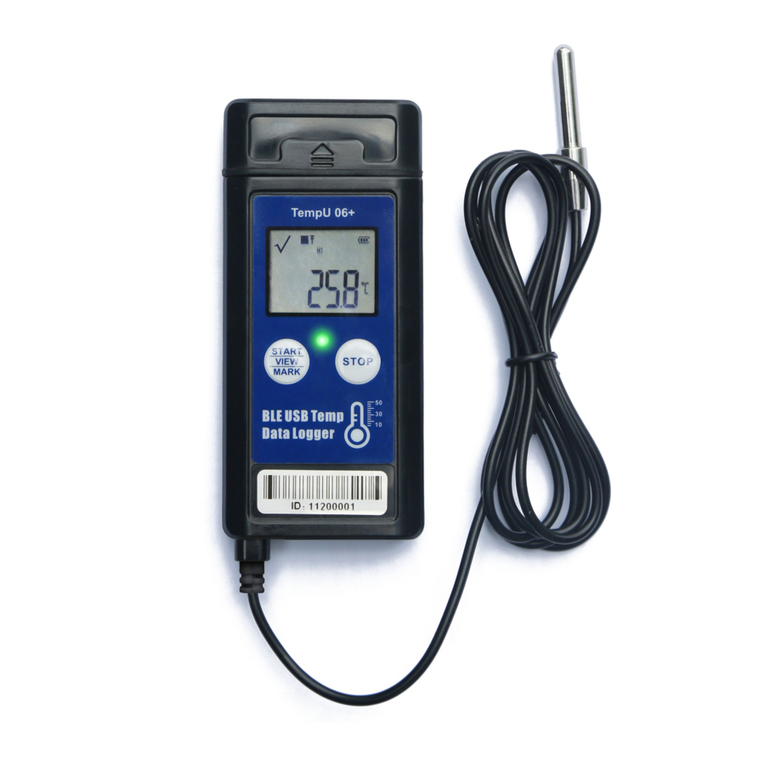
Tzone TempU06+ Manual de usuario

Tzone
Tzone TZ-BT05 Manual de usuario

Tzone
Tzone TT18 Manual de usuario


