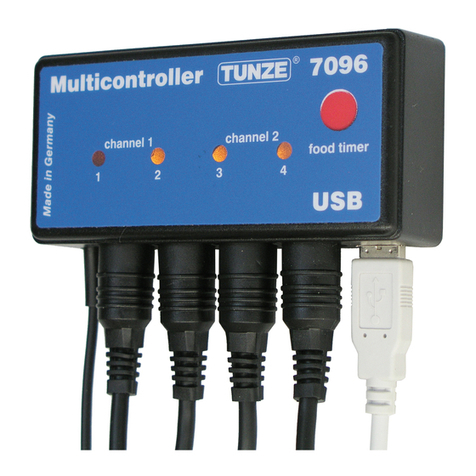
Tunze 7095 Manual de usuario

1
x7095.8888
12/2006
Multicontroller
7095
Gebrauchsanleitung
Instructions for Use
Mode d’emploi

2
TUNZE®Aquarientechnik GmbH
Seeshaupter Straße 68
D - 82377 Penzberg
Germany
Tel: +49 8856 2022
Fax: +49 8856 2021
www.tunze.com
Email: in[email protected]m
Inhalt
Allgemeines
Platzwahl
Befestigung
Strömung im Aquarium
Kurzbeschreibung der Tastatur
Inbetriebnahme mit Turbelle® Driver
„pulse“ - Wellenschlagsimulation
„interval 1“ - Ebbe- und Flut- Simulation
„interval 2“- Ebbe- und Flut- Simulation
„sequential“ - Pumpenfolgeschaltung
„sequential“ - Zufallsströmung
„night mode“ - Nachtabsenkung
„moon light“ - Mondphasen-Simulation
Befestigung der Fotozelle
„food timer“ - Futterpausenschaltung
Zubehör: Pumpenadapter 7094.40
Zubehör: Y-Adapter 7092.34
Garantie
Störungen
Seite
4
6
8
10
14
18
20
26
32
38
46
50
52
56
58
60
62
64
66
®

3
Page
5
7
9
11
15
19
21
27
33
39
47
51
53
57
59
61
63
65
68
Page
5
7
9
11
15
19
21
27
33
39
47
51
53
57
58
61
63
65
70
Contents
General aspects
Choice of location
Attachment
Flow conditions in the aquarium
Short description of the buttons
Initial operation with Turbelle® driver
„pulse“ - wave simulation
„interval 1“ - simulation
of low and high tide
„interval 2“ - simulation
of low and high tide
„sequential“ - sequential pump circuit
„sequential“ - chance ow
„night mode“
„moon light“ - simulation
of moon phases
Mounting the photo-electric cell
„food timer“ - feeding operation
Accessory: Pump adapter 7094.40
Accessory: Y adapter 7092.34
Guarantee
Failures
Sommaire
Généralités
Placement
Fixation
Le brassage en aquarium
Description rapide des commandes
Mise en service avec Driver Turbelle®
« pulse » - simulation de houle
« interval 1 » - simulation de marées
« interval 2 » - simulation de marées
« sequential » - démarrage
successif des pompes
« sequential » - brassage aléatoire
« night mode » - accalmie nocturne
« moon light » - simulation lunaire
Fixation de la cellule photo
« food timer » - pause nourrissage
Accessoire : Pumpenadapter 7094.40
Accessoire : Y-Adapter 7092.34
Garantie
Que faire si ... ?

4
Allgemeines
Der TUNZE® Multicontroller 7095 (1) ist ein digitales
Steuergerät für alle Turbelle® Pumpen mit Driver
7240.26 und 7240.27 und Sicherheitskleinspannung.
ErsimuliertdieverschiedenenStrömungsverhältnisse
des Meeres im Aquarium und ist daher geeignet
für Turbelle® 7200/2, 7300/2, 7400/2, 6000, 6100,
6200. Mittels Pumpenadapter 7094.40 (2) können
auch Turbelle® classic 2002, 4002 damit gesteuert
werden. Der Multicontroller 7095 kann ein bis acht
Turbelle® steuern und enthält ein LED-Mondlicht (3)
mit 29-tägiger Mondphase. Auch mit einer Wavebox
6212 und den hier genannten Pumpen lässt sich
der Multicontroller betreiben. Das übersichtliche
Bedienfeld mit wasserfester Folientastatur und
Einstellknöpfen gewährleistet eine präzise und
praxisgerechte Bedienung. Die Leistungen der
gesteuerten Pumpen sind mit einem LED-Display von
30% bis 100% zu erkennen. Alle Pumpenanschlüsse
benden sich an der unteren Seite des Geräts.
Zeitangaben für „pulse“ und „interval“, z.B. für Ebbe
und Flut sind ungefähre Werte und können eine
Abweichung in Größenordung von 10% aufweisen.
Hinweis: Die Bezeichnung „LED“ bedeutet
Leuchtdiode.

5
General aspects
TUNZE® Multicontroller 7095 (1) is a digital control
unit to be used for all Turbelle® pumps with driver
7240.26 and 7240.27 operating on safety extra-
low voltage. It simulates various ow conditions
of the ocean in an aquarium, and thus is suitable
for Turbelle® 7200/2, 7300/2, 7400/2, 6000, 6100
and 6200. If tted with pump adapter 7094.40 (2),
Turbelle® classic 2002, 4002 can also be controlled.
Multicontroller 7095 can control from one to eight
Turbelle® and has been tted with an LED moonlight
(3) with a 29-day moon phase. The Multicontroller
can also be operated with a Wavebox 6212 and
the pumps mentioned above. The clearly arranged
operating panel tted with a waterproof membrane
keyboard and adjustment buttons ensures a precise
and practical operation. The power of the controlled
pumps is shown on an LED display from 30 % to
100 %. All pump connections are located on the
bottom side of the unit.
La base de temps choisie pour „puls“ et „interval“,
par exemple pour les fonctions de marées, est
approximative et possède une tolérance de 10%.
Note: The abbreviation „LED“ stands for „light-
emitting diode“.
Généralités
Le Multicontroller TUNZE® 7095 (1) est un
appareil de régulation numérique pour toutes les
pompes Turbelle® avec Driver 7240.26 / 7240.27
et tension de sécurité. Il simule en aquarium les
différentes conditions de brassage du milieu marin
et est adapté au fonctionnement de Turbelle®
7200/2, 7300/2, 7400/2, 6000, 6100 et 6200. A
l’aide de Pumpenadapter 7094.40 (2), il peut aussi
commander les Turbelle® classic 2002 / 4002. Le
Multicontroller 7095 reçoit jusqu’à huit pompes et
possède une simulation de phase lunaire (3) sur
29 jours. De même, il est possible d’y raccorder
l’ensemble Wavebox 6212 en plus des pompes
nommées. Sa surface d’utilisation digitale résistant
à l’eau avec boutons tournants permet une
utilisation pratique et précise. La puissance des
différentes pompes est visualisée de 30% à 100%
sur un Display LED, toutes les sorties de pompes
sont situées en partie inférieure de l’appareil.
Time values for “pulse” and “interval” for high and
low tide, for example, are approximate values and
may deviate by an order of magnitude of 10 per
cent
Remarque : l’appellation LED signie diode
électroluminescente.

6
Platzwahl
Der Multicontroller 7095 enthält alle Teile für zwei
verschiedene Wandmontagen.
(1) Geeignete Wand muss trocken und vor
Spritzwasser und Feuchtigkeit geschützt sein. Auf
keinem Fall über dem Aquarium befestigen!
(2) Kabellänge der Geräte beachten, denn
Verbindungskabel können nicht verlängert werden.
Weitere TUNZE® Controller können kompakt neben
dem Multicontroller plaziert werden.
(3) Kabelanschlüsse so verlegen, dass kein Wasser
entlang laufen kann und in den Multicontroller
gelangt!
Angeschlossene Fotozelle im Lichtkegel der
Aquarienbeleuchtung plazieren (siehe Kapitel:
„night mode“).

7
Choice of location
The Multicontroller 7095 comes with all parts for two
different wall mounting options.
(1) The suitable wall has to be dry and protected
against splash water and moisture. By no means
attach above the aquarium !
(2) Observe the length of the unit cables because
connecting cables cannot be expended. Other
TUNZE® controllers can be placed right next to the
multicontroller.
(3) Lay the cables in such a way that no water can
run along and get into the multicontroller.
Place any connected photo-electric cells in the light
beam of the aquarium illumination (cf. chapter titled
„night mode“).
Placement
Le Multicontroller 7095 contient toutes les pièces
pour deux montages muraux différents.
(1) L’emplacement prévu doit être sec et sans
risques d’éclaboussures. Jamais au-dessus de
l’aquarium !
(2) Veuillez considérer la longueur des câbles,
ceux-ci ne peuvent être prolongés.
D’autres contrôleurs TUNZE® peuvent être placés
de manière compacte à la suite du Multicontroller.
(3) Positionnez les câbles de telle manière, à ce
que l’eau ne puisse en suivre le chemin et pénétrer
dans l’appareil !
Positionnez la cellule photo raccordée dans le cône
de lumière de l’appareillage d’éclairage (voir « night
mode »).

8
Befestigung
(A) mit Schraubhalter z.B. an Holz-oder
Steinwände
(1) Rückseite des Multicontrollers im oberen Bereich
mit Alkohol fettfrei reinigen.
(2) beiliegenden Halter mit Doppelklebeband
befestigen, dazu besonders auf Position achten!
(3) Wandhalter mit beiden Schrauben befestigen,
dabei auf geeigneten Platz achten!
(4) Multicontroller in Halter einrasten.
(B) mit Hakenbändern z.B. für glatte
Kunststoffächen.
(5) Bänder auf Gehäuse kleben, hierzu Schutzfolie
abziehen und andrücken.
Vor dem Ankleben darauf achten, dass der
Untergrund sauber, fettfrei und glatt ist.
Danach die zweite Schutzfolie abziehen und
Multicontroller an gewünschter Stelle positionieren
und andrücken.

9
Attachment
(A) using screw holder on wooden or stone walls,
for example.
(1) Use alcohol to clean the rear side of the
Multicontroller in the upper area.
(2) Use twin-sided adhesive tape to attach the holder
enclosed. Observe the position in particular !
(3) Use the two screws to attach the wall holder.
Observe suitable position in the process.
(4) Permit the Multicontroller to snap into the
holder.
(B) using hook and loop strips for smooth plastic
surfaces, for example.
(5) Stick the strips on to the housing. Remove the
protective foil and press down.
Prior to pressing down, make sure that the location
is clean, free from grease and smooth.
Subsequently, remove the second protective foil,
position the Multicontroller in the requested location,
and press down.
Fixation
(A) par support à visser, par ex. sur mur bois ou
béton
(1) nettoyez à l’alcool la zone supérieure de l’arrière
du Multicontroller
(2) collez le support fourni à l’aide de l’adhésif
double face, bien observer la position !
(3) à l’aide des deux vis, xez le support mural à
l’emplacement indiqué
(4) enclipsez le Multicontroller
(B)par bandes Velcro, par ex. pour surfaces
plastiques lisses
(5) appliquez les deux bandes Velcro sur l’appareil
en décollant au préalable les protections. La surface
de collage doit être sèche et plane. Déposez
ensuite les deux protections suivantes, positionnez
le Multicontroller à l’endroit voulu puis pressez-le
sur la surface.

10
Strömung im Aquarium
Die Zusammensetzung von Turbelle® electronic oder
Turbelle® stream Pumpen und Multicontroller 7095
ermöglicht folgende Strömungsbilder im Aquarium:
Wellenschlagsimulation
(1) Einfacher Wellenschlag
Durch Einstellung der beiden Pumpenleistungen
max. und min. sowie der Pulszeit, können große und
kleine Wassergeschwindigkeiten wie bei natürlichem
Wellenschlag unter einem Meter Wassersäule
erzeugt werden.
(2) Pumpenfolgeschaltung
Die Pumpen (bis zu vier) werden nacheinander
gestartet. Dies ermöglicht eine anschwellende
Strömung. Die Zeit bis zum nächsten Puls ist
einstellbar.
(3) Zufallsströmung
Sie wird aus gleichzeitiger Wellenschlagsimulation
und Pumpenfolgeschaltung generiert. Bei manchen
speziellen Riffzonen (Brandung) kann diese
Kombination eine interessante Wasserbewegung
darstellen.
Tabla de contenidos
Otros manuales de Controladores de Tunze

Tunze
Tunze SmartController 7000.001 Manual de usuario

Tunze
Tunze Turbelle Wavecontroller 7092 Manual de usuario
Tunze
Tunze Multicontroller 7093 Manual de usuario

Tunze
Tunze Osmolator 3 Manual de usuario

Tunze
Tunze 7074/2 Manual de usuario

Tunze
Tunze SmartController 7000 Manual de usuario

Tunze
Tunze 7096 Manual de usuario

Tunze
Tunze RO Water Controller 8555 Manual de usuario

Tunze
Tunze 7094 Manual de usuario

Tunze
Tunze 7097 Manual de usuario