
TRUCKRUN CC01-X Manual de usuario

Wuxi Truckrun-e Motor CO.,Ltd
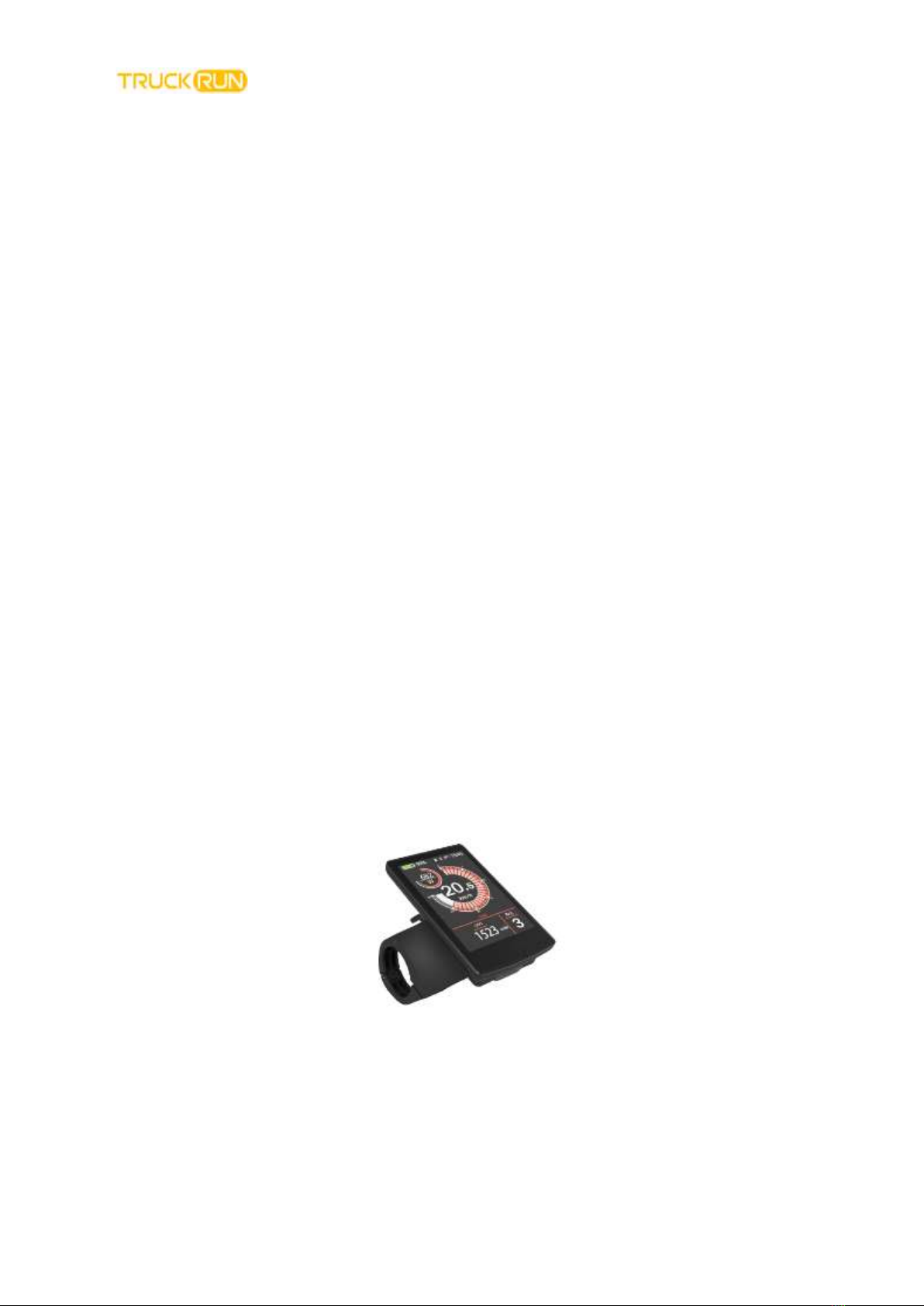
最终解释权属于无锡川克智能电机有限公司 The right of final interpretation belongs to Wuxi Truckrun
Intelligent Motor Co., LTD
1
CC01-X Intelligent Color LCD Meter
User Manual
Gold quality + perfect experience
Thank you for using Truck Run products

Wuxi Truckrun-e Motor CO.,Ltd
最终解释权属于无锡川克智能电机有限公司 The right of final interpretation belongs to Wuxi Truckrun
Intelligent Motor Co., LTD
2
Contents
1.Product name and model description......................................................................3
2.Appearance and Dimensions ..................................................................................3
3.Functional Overview ...............................................................................................4
4.Normal operation ....................................................................................................5
5.UI ............................................................................................................................4
6.General parameter settings.....................................................................................8
7.Quality Commitment and Warranty Coverage.......................................................17
Attachment1:Error code definition .........................................................................18
Wuxi Truckrun-e Motor CO.,Ltd
最终解释权属于无锡川克智能电机有限公司 The right of final interpretation belongs to Wuxi Truckrun
Intelligent Motor Co., LTD
3
1.Product name and model description
Name:Electric bike intelligent LCD instrument
Model:CC01-X
●24/36V/48V Power supply
●Meter rated working current:10mA
●Maximum working current:200mA
●Shutdown leakage current:<1uA
●Operating temperature:-20~60℃
●Storage temperature:-30~70℃
2.Appearance and Dimensions
Display Appearance and Dimensions(Unit:mm)

Wuxi Truckrun-e Motor CO.,Ltd
最终解释权属于无锡川克智能电机有限公司 The right of final interpretation belongs to Wuxi Truckrun
Intelligent Motor Co., LTD
4
3.Functional Overview
CC01-X type provides a variety of functions to meet your riding needs,which including:
●Intelligent battery display
●Motor power indication
●Boost gear adjustment and indication
●Speed display(Including Real-time speed, maximum speed, average speed)
●Mileage display(Including Single mileage and total mileage)
●Powerful push control and display
●Ride time display
●Backlight Control and Display
●Error code display
●Cadence display(Optional)
●USB connection instructions(Optional)
●Remaining mileage display(Optional)
●Multiple parameter settings(Such as:Wheel diameter, speed limit, battery power
setting, power-on password setting etc.)
●Default parameter restore function

Wuxi Truckrun-e Motor CO.,Ltd
最终解释权属于无锡川克智能电机有限公司 The right of final interpretation belongs to Wuxi Truckrun
Intelligent Motor Co., LTD
5
4.Normal operation
◆Turn On/Turn off
Press the power button to turn on the e-bike system and provide power to the
controller. Press and hold the power button for 2 seconds, the e-bike system will be
turned off. Electric self-propelled systems no longer use battery power.
When the electric bicycle system is turned off, the leakage current is less than 1uA.
■If the electric vehicle is not used for more than 10 minutes, the meter will automatically
shut down.
5.UI
After the meter is turned on, the meter displays real-time speed and total mileage
(km) by default.Short press the "i" button to display the information in Switch between
real-time speed (km/h), average speed (km/h), maximum speed (km/h), single mileage
(km), and total mileage (km).
显示界面切换
◆Push forward

Wuxi Truckrun-e Motor CO.,Ltd
最终解释权属于无锡川克智能电机有限公司 The right of final interpretation belongs to Wuxi Truckrun
Intelligent Motor Co., LTD
6
Press and hold the "—" button, and after 2 seconds, the electric vehicle will enter the state of
electric boosting. The move bike is traveling at a constant speed of 6 kilometers per hour.
Simultaneous screen display “ ” Release the "—" button, the electric vehicle will immediately stop
the power output and return to the state before boosting.
Push forward interface
■Push forward function can only be used when the user pushes the electric vehicle, do
not use it while riding.
◆Headlight control
Short press the ”button,Turn on the headlights, and the backlight brightness
automatically decreases.Use the same way short press“ ”button,can turn off the
light.
大灯照明显示界面
◆Push forward the Gear selection

Wuxi Truckrun-e Motor CO.,Ltd
最终解释权属于无锡川克智能电机有限公司 The right of final interpretation belongs to Wuxi Truckrun
Intelligent Motor Co., LTD
7
Short press the "+" or "-" button to switch the assist gear of the electric bicycle and
change the output power of the motor. The default output power range of the meter is
0-5 gears. highest power. After reaching the 5th gear, short press the "+" button again,
the interface still displays 5, and 5 flashes to indicate that the current is the highest gear.
After the power-assisted downshift reaches the 0th gear, short press the "-" button
again, the interface still displays 0, and 0 flashes to indicate that the current is the
lowest gear, and the default gear of the instrument is 1st gear.
Gear switch interface
◆Power display
Five-segment display of battery power, when the battery voltage is high, the
five-segment LCD lights up.When the percentage is 0,the battery needs to be
Charged immediately.
Power display interface
◆Motor power indication
The output power of the motor can be known through the meter. The display method is
shown in the figure below.

Wuxi Truckrun-e Motor CO.,Ltd
最终解释权属于无锡川克智能电机有限公司 The right of final interpretation belongs to Wuxi Truckrun
Intelligent Motor Co., LTD
8
Motor powermenu
◆USB connection instructions(Optional)
When the monitor is plugged into a USB external device, the meter will display the
interface as shown below.
USB connection interface
◆Error code display
When the electric control system of the electric vehicle fails, the instrument will
automatically display the error code. For the definition of the detailed error code, please
refer to Appendix 1.

Wuxi Truckrun-e Motor CO.,Ltd
最终解释权属于无锡川克智能电机有限公司 The right of final interpretation belongs to Wuxi Truckrun
Intelligent Motor Co., LTD
9
Error code display menu
■When the error code is displayed, please remove the fault in time. After the
fault occurs, the electric vehicle will not be able to drive normally.
6.General parameter settings
Press and hold the power button to turn it on. In the power-on state, when the vehicle is
stationary, press and hold the "+" and "-" buttons at the same time for more than 2
seconds, the instrument will enter the normal setting state.
General parameter setting item selection interface
▉All settings are operated with the bike parked。
◆
Wheel diameter setting:Wheel Indicates the wheel diameter setting.Press
the "+" or "-" button to increase or decrease until the desired value is
displayed.Default is 26 inches.Press“i”button Confirm and save changed
settings.

Wuxi Truckrun-e Motor CO.,Ltd
最终解释权属于无锡川克智能电机有限公司 The right of final interpretation belongs to Wuxi Truckrun
Intelligent Motor Co., LTD
10
Wheel diameter setting interface
◆
Speed limit setting
Speed Limit Represents speed limit settings。Represents speed limit settings.
Represents speed limit settings.The speed limit range is 15-40 km/h, the default is
25 km/h.
Press the +/- keys to increment and decrement the value to change the setting. Press
the "i" key to save the modified settings.
Speed limit setting interface
Tabla de contenidos
Manuales populares de Instrumento de medición de otras marcas


Endress+Hauser
Endress+Hauser Proline Promag 50 Especificaciones técnicas

Siemens
Siemens SITRANS F Coriolis FCT030 Manual de lista de piezas

KLINGER
KLINGER CMF V Series Manual de usuario

EXFO
EXFO FTB-2 Manual de operación y mantenimiento

Keysight
Keysight M8290A Manual de usuario

ADTEK
ADTEK MW-5 Manual de usuario