Stand: 12.01.2021 Seite 7 / 13
Thermokon Sensortechnik GmbH, Platanenweg 1, 35756 Mittenaar, Germany tel: +49 2778 6960-0 fax: -400 www.thermokon.com email@thermokon.com
STC-DO8_Typ3_EasySens_Datasheet_en.docx © 2021
»CONFIGURATION
The STC-DO8 has 6 capacitive buttons which re-calibrate themselves automatically after a reset. In order to guarantee a smooth function of the
buttons, they must not be touched during calibration. Calibration is finished as soon as the green LED (power) shines continuously.
The STC-DO8 has a configuration menu via which any properties can be set. The menu is partitioned into 3 levels, whereas for operation each
level is exactly assigned to 2 keys.
Notice:
For menu items in which 1 value shall be changed (e.g. basic set point), the left button has the function "left/-" and the right button "right/+".
For menu items in which 2 values shall be changed (e.g. time including hours and minutes), the left button has the function "Value A +" and the
right button "Value B +".
For menu items in which more than 2 values shall be changed, the left button has the function "Selected value +" and the right button "Select
value".
»CONFIGURATION OF SWITCHING OUTPUTS
The parameters of the follow-up time have a different meaning depending on the configuration of the output:
Function Universal / Pilot Contact:
If a SR-MDS ... learned-in to an output reports “movement” and if the illumination value is lower than the threshold, the output is switched-on and
automatically switched-off again after expiration of the follow-up time.
Function 1-Button Operation:
If a learned-in button is pushed, the output is switched-on and automatically switched-off again after expiration of the after-run time. If the after-run
time is deactivated, the output is switched-off again, as soon as the button is released. If the after-run time is set to “Duration ON”, the output is
switched-on as soon as a learned-in button is pushed and is switched-off again if this or any other learned-in button is pushed, again.
If a SR-MDS ... learned-in to an output reports “movement” and if the illumination value is lower than the threshold, the output is switched-on and
automatically switched-off again after expiration of the follow-up time.
In this menu point the behavior of the corresponding
output can be adjusted.
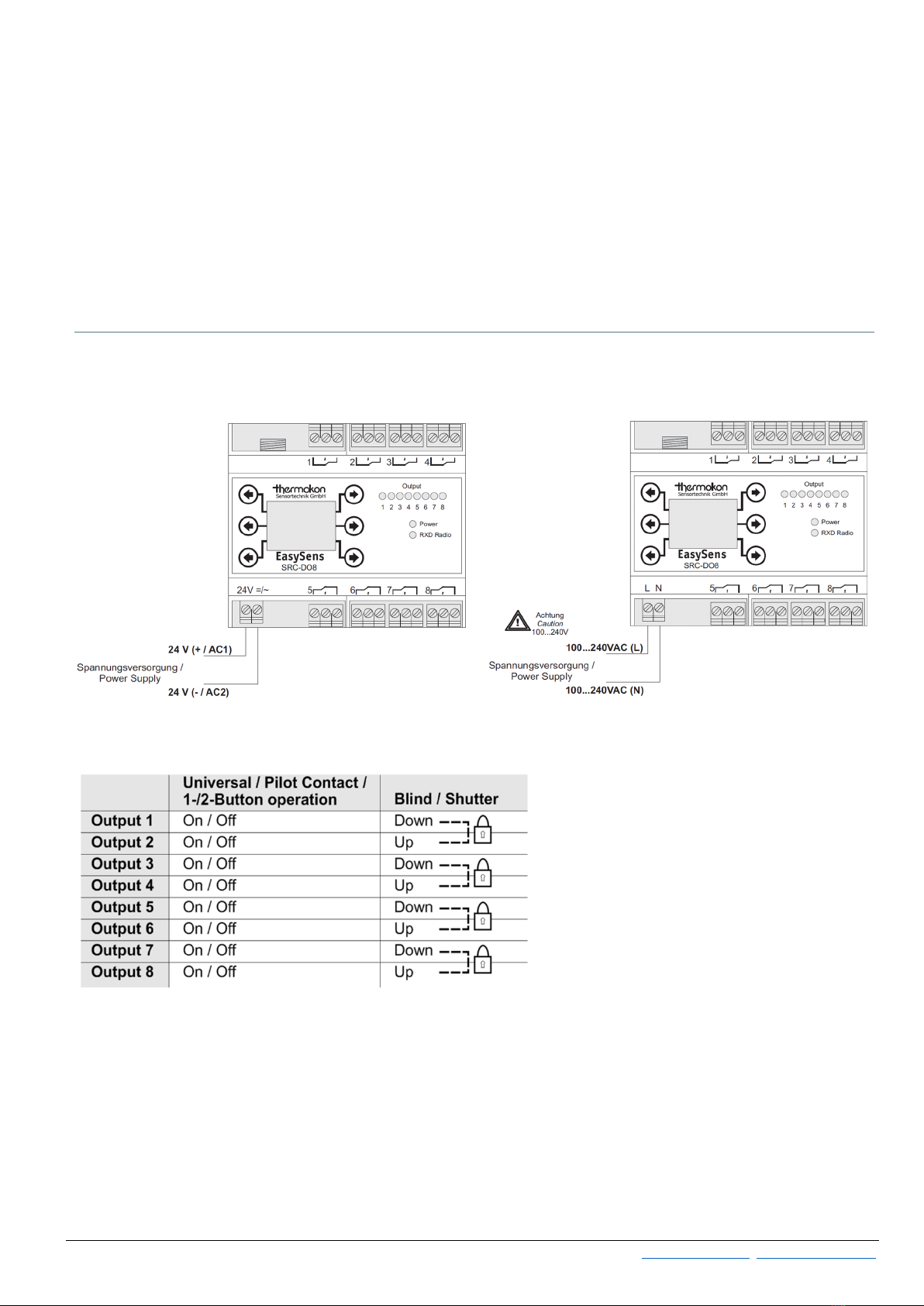
Possible selections: Universal / Pilot Contact,
1-Button operation, 2-Button operation, Blind,
Shutter
Factory setting: Universal
In this menu point a switching threshold for the
brightness supplied by the SR-MDS sensors can be
adjusted.
If the measured Lux-value is less than the set
threshold and occupancy has detected by the
sensor, the output switches on (follow-up
time).Factory setting: Universal
If the measured Lux-value is greater than the set
threshold, the output remains off.
Adjustable range: disabled, 1 ... 512 Lux
Resolution: 1 Lux
Factory setting: Disabled
Follow-up Time / Switch-off delay
Adjustment of the follow-up time. Depending on the
configuration of the output, the after-run time is
used for different functions.
Possible selections: Disabled, 5 seconds, 15
seconds, 30 seconds, 1 minute, 2 minutes, 5
minutes, 15 minutes, 30 minutes, 60 minutes, 120
minutes, Always ON
Factory setting: 5 minutes