
TeleEye CX784 Manual de usuario

CX Series
Video Recording Server
CX784 / CX788 / CX7816
Quick Start Guide
Version 1.05.00

Contents
1.Introduction.......................................................................................................................................1
1.1.Packages Contents..................................................................................................................1
1.2.Hardware Features..................................................................................................................2
1.3.Functional Features................................................................................................................4
1.4.Hard Disk Installation.............................................................................................................4
2.Local peration (CCTV / VGA Monitor).........................................................................................6
2.1.Icons Description ( SD)........................................................................................................6
2.2.Menu verview ( SD)..........................................................................................................6
2.3.View Live Video ( SD).........................................................................................................7
2.4.Recording ( SD)....................................................................................................................8
2.5.Playback ( SD)......................................................................................................................8
2.6.Footage Extraction ( SD)......................................................................................................9
3.Remote peration (Network)..........................................................................................................10
3.1.Network Configuration (Network).......................................................................................10
3.2.Icons Description (Network)................................................................................................11
3.3.Menu verview (Network)..................................................................................................13
3.4.Setup TCP/IP (Network)......................................................................................................14
3.5.View Live Video (Network).................................................................................................15
3.6.Recording (Network)............................................................................................................16
3.7.Playback (Network)..............................................................................................................16
3.8.Footage Extraction (Network)..............................................................................................16
4.Reference.........................................................................................................................................16
Notice:
Signal Communications Limited reserves the right to make improvements to the product described in this manual at
any time and without notice.
This manual is copyrighted. All rights are reserved. This manual should not be copied, reproduced or translated in
whole or part without prior consent from Signal Communications Limited.
TeleEye is a trademark of Signal Communications Limited and is registered in China, European Communities, Hong
Kong, US and other countries.
All other trademarks are the property of their respective owners.
Copyright (c) 2010 Signal Communications Limited (A member of TeleEye Group). All rights reserved. Release
Version 1.05.00
Limits of Liability and Disclaimer of Warranty
Content

Signal Communications Limited has taken care in preparation of this manual, but makes no expressed or implied
warranty of any kind and assume no responsibility for errors or omissions. No liability is assumed for incidental or
consequential damages in connection with or arising out of the use of the information or accessories contained herein.
Features and specifications are subject to change without prior notice.
Content

Quick Start Guide PAGE 1
1.Introduction
TeleEye CX Series is a range of simple to use yet feature rich 4-, 8- and 16-channel video
recording servers suitable for small to medium sized surveillance applications. When using with
TeleEye Multi-site Software, videos from up to 16 sites can be monitored and recorded.
1.1. Packages Contents
After removing the package, make sure you have the following items:
Package contents Description
TeleEye CX Video
Recording Server
Quick Start Guide
Warranty Card
Registration Code
Sheet
HDD
Recommendation
List
Package contents Description
Software CD
Power Adaptor
Alarm/Switch Port
Connector (9 Pins) &
Cover
HDD Screws
Straight-through
Ethernet Cable
Remote Control and
AAA Batteries
Packages Contents

Quick Start Guide PAGE 2
1. . Hardware Features
1. .1. Front View
1. Notification LEDs 2. Main control buttons
* only for CX788 and CX7816
# only for CX7816
3. Menu control / Local playback control / PTZ control buttons
Buttons Menu Mode Playback Mode PTZ Mode
Cursor Up Pause Tilt Up
Cursor Down Stop Tilt Down
Cursor Left Rewind Pan Left
Cursor Right Forward Pan Right
Enter Play
Hardware Features
Power Recording Event
Recording
Sequential screen mode
FULL/QUAD/3x3*/H
EX# screen mode
Menu / back
2
13

Quick Start Guide PAGE 3
1. . . Back View
1. Alarm / switch Port
2. VGA output
3. Audio In/ ut Port, PA
4. NC (Not available for use)
5. Video Input Connectors
6. Power on / off
7. Power input (12V DC)
8. RS 485 In/ ut Port
9. USB Port
10. Ethernet Socket (10/100 Base-T)
11. Video utput Connector
1. .3. Remote Control
Remote control buttons
1. Show PTZ option menu
2. Number pad (for camera selection / data entry)
3. Next(+) / previous(-) page
4. Menu control / PTZ control
5. Back (for menu)
6. Screen mode
FULL QUAD 3x3 HEX
7. Local playback control buttons
Play / Pause Stop Rewind Forward
8. Start / stop recording
9. Backup (Footage extraction)
10. Event Status Menu
11. Menu
Hardware Features
11 2 3 4 5
10
9876 11
1 2 3 4 5
10
9876 11
1 2 3 4 5
10
9876 11
7
2
11
10
8
5
9
3
4
1
6

Quick Start Guide PAGE 4
1.3. Functional Features
sureLINK, support both static and dynamic IP
Sophisticated event management
Flexible connections: LAN, ADSL, mobile network, etc.
Triplex operation: simultaneous video monitoring, recording & playback
Video motion detection
Motion driven recording
Auto alarm dial back*
Connection authentication
Compatibility with popular telemetry protocols
Web-based video monitoring
Programmable video recording
Data retention
* WX-M16 / CMS software required
1.4. Hard Disk Installation
1. Take out the screws. 2. Pull up the cover.
Hard Disk Installation

Quick Start Guide PAGE 5
3. Put the hard disk into the CX video recording server and connect it to the cables.
3.1 For CX784 and CX788
3.2 For CX7816
Hard Disk Installation

Quick Start Guide PAGE 6
.Local Operation (CCTV / VGA Monitor)
.1. Icons Description (OSD)
When you observe video from CCTV monitor or VGA monitor, icons may be shown on the video.
Each of the icons has special meaning. Please find their meanings from the table summary in next
page.
Icon Representation
Alarm event
Motion event
Video loss event
Disk usage alert
Recording
HDD available event
Schedule recording
Audio channel 1
Audio channel 2
Icon Representation
Playback
Pause in playback
Forward in playback
Backward in playback
Fast forward in playback
Fast backward in playback
Step forward in playback
Step backward in playback
. . Menu Overview (OSD)
OSD enu Overview
➔Exit
➔Playback
1. View Log
2. Search Date
3. Search Time
4. Cameras
5. Search
➔Footage Extraction
1. Backup To DVD
2. Backup to USB Flash
➔Recording
1. Recording
2. Disk Mode
3. Quality
4. Image Size
5. Audio Channel
6. Audio Quality
7. Schedule Recording
8. Recover Recording
➔Live Audio Channel
➔Event Status
1. Event Status
2. Event Log
3. Connection Log
4. Setting Log
5. peration Log
➔Scan / Format
1. Scan Hard Disk
2. Format Hard Disk
3. Format USB Flash
➔Switch Control
➔Lock Keys
1. Lock Keys
2. Auto Key Lock
➔Setup
1. Video
•Camera Setting
•Local Monitoring
•VGA Setting
•SD Color
•Video Format
•Sensitivity Boost
2. Audio
•Audio CH 1 Installed
Menu verview ( SD)
Quick Start Guide PAGE 7
•Audio CH 2 Installed
•PA Installed
3. Switches
•Switch 1 setting
4. Date / Time
•Time Sync Enabled
•Time Zone
•PRI Time Server
•SEC Time Server
•DNS Setting
•Update Date / Time
5. Connection
•TCP / IP
•3G USB Modem
•Throughput
•IP Filtering
•USB C M
6. Event Handler
•Alarm
•Motion
•Video Loss
•Disk Usage
•HDD Available
7. Server
•Server Name
•Registration Checking
•Build-in Web Server
•External Keyboard
•Password Protection Level
•Upgrade
•Maintenance Log Backup
8. Password
9. Setting Import / Export
•Import From USB
•Export To USB
10. Restore Factory Setting
➔Language
➔Shut Down
.3. View Live Video (OSD)
1. Turn on your CX video recording server and cameras
2. Turn on your monitor
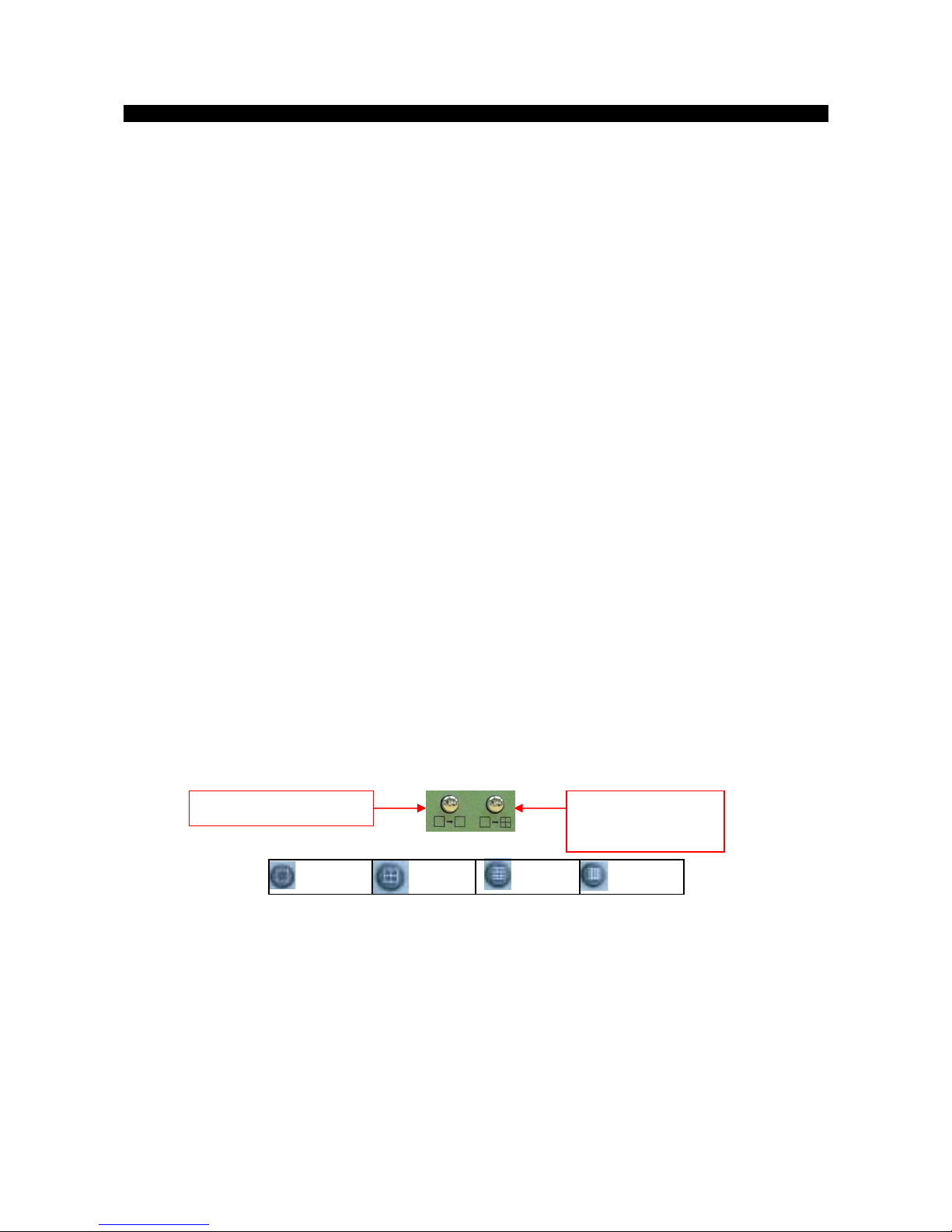
3. Select screen mode and cameras by using main control panel buttons on CX video recording
server or number pads and screen mode buttons on remote controller
4. Enable the sequential mode by holding the sequential screen mode button for 3 seconds and
stop it by pressing camera button
FULL QUAD 3x3*HEX#
* only for CX788 and CX7816 # only for CX7816
View Live Video ( SD)
Sequential screen mode FULL/QUAD/3x3*/H
EX# screen mode
Este manual sirve para los siguientes modelos
2
Tabla de contenidos
Otros manuales de Servidor de TeleEye


