
Telecom MABT-2PTT Manual de usuario

MABT-2PTT
BLUETOOTH EARPHONE MICROPHONE

Waste electrical and electronic equipment (WEEE):
This device complies with Direcve 2012/19 / EU on waste electrical
and electronic equipment (WEEE). This symbol means that accor-
ding to local laws and regulaons, the equipment, accessories and
/ or its baery will not be disposed of with household waste. When
this device reaches the end of its useful life, deliver it to a selecve
collecon point designated by local authories. Proper recycling will
protect health and the environment.
This device complies with EU Direcve 2011/65 / about
restricons on the use of certain hazardous substances in
electrical and electronic equipment.
Hearing loss prevenon.
To avoid possible hearing damage, do not listen at high volume levels
for prolonged periods.
This device is free to use and can be used in any state
member of the European Union

Please read the content carefully before using
Thank you very much for purchasing our MABT-2PTT Bluetooth PTT headset.
In this user manual, we introduce how to use MABT-2PTT product, you can know
more about our product according to this user guide.
You will love our MABT-2PTT aer you read through and get to use it.
• Please read “Cauons and notes” before using the product for safe and correct
use.
• All the following points contain important safety instrucons and must be
strictly followed.
Cauons
• Do not immerse in water to avoid damaging the product as well as shortening its
lifeme.
• Do not drop or apply shock to the product. Such act may cause irreparable damage to
the product.
• Do not expose the product to open ame or under the direct sunlight for a prolonged
period of the me. Such environment may cause malfuncon or re.
• Please do not change the seng or talk on the cell phone while driving. It may cause
an accident. Please note: in no event our product shall be liable for any special, indirect,
punive, incidental, exemplary or consequenal damages, or any damages whatsoever
resulng from the usage of this product.
• Conversaon on the cell phone when driving is extremely dangerous. Please go out of
the road for doing the telephone call.
• If anything unusual such as smoke, heat or bad smell is detected, please disconnect
immediately the power and stop the usage. Connuing the use may cause electric shock
or re.
• Do not lick, bite or put the product into the mouth. Such act may result in serious
injuries/accidents. Take utmost cauon around children.
• Do not change the device when it gets wet. With water exposure, it may cause re,
electricaon or failure.
• Temperature range of use: -15°C-50°C
• Please use only qualied accessories which have been authencated by us, in order to
guarantee the product correct funconing.
Notes about baery charge
• For baery charge, use USB terminal or USB adaptor at normal temperature.
• Use regulaon USB terminal only. Otherwise it may cause smoke generaon
or re.
• When charging the baery, if any strange odor or high heat should broken out,
please immediately pull the plug from the body. It may cause smoke generaon
or re.
• Do not leave the product in a state of charge long aer the charging is comple-
ted. Such condion may cause smoking/ignion.
• Charge baery at least once every six months even if the product is not use for
an extended period of me. Over discharge may require baery replacement.

Product descripon
Especicaciones
Operang frequency ISM 2.4 GHz Band
Modulaon GFSK, π/4-DQPSK, 8DPSK
Type of equipment Class III
Max. transmission power (P.I.R.E.) 0.03 dBm
Bluetooth version V 4.1. Class 2
Bluetooth prole HSP, HFP, A2DP, SPP
Coverage 10 m.
Charging me 3 h. approx.
Working me 12 h. approx.
Standby me 100 h. approx
Microphone type Dual with DSP and echo cancelling
Working temperature -15°C ~ 45°C
Storage temperature -25°C ~ 45°C
Baery Li-Polymer 190 mAh, 3.7 V
Baery charge Alimentador USB 230 Vca/5 Vcc

LED indicatpr
LED Status
LED O Power O
Blue lights short ashing every 3 second Standby
Blue lights long ashing every 3 seconds Connected
Fixed Blue light Call audio acved
Blue lights and Red lights ashing alternately Pairing state
Red lights ashing 2 mes every 60 seconds Low baery
Red light ashing Charging baery
Fixed red light Charging complete
Main features
1. Phone calls
1) Bluetooth Hands-free. Dual hands free with mixed dual audio
supported.
2) Support voice dial.
3) Support the last number redial.
4) Call answer, reject and hang up funcons supported.
5) Hands-free Volume Control.
2. POC Intercom (PTT Over Cellphone)
1) Support brand PoC soware such as: Zello, Aze, Eschat,
Kodiak, etc.
2) Using DSP noise reducon technology to ensure clear sound
quality in noisy environments.
Note: some PoC app may need special rmware upgrade.
3. PTT Funcon (Push-to-talk)
1) Connect with Bluetooth adapter/dongle.
2) Dual PTT funcon, can control two radio phone separately.
3) Primary PTT and secondary PTT switchable.
4) Dual PTT and mix talk when connect to two radio phone at
the same me.
5) Mix listen and talk with two phones or two radios, or one
phone and one radio.
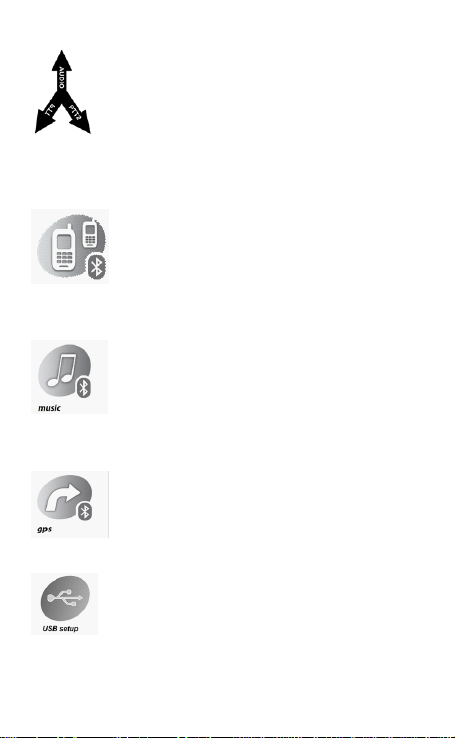
4. Dual Audio Merge Listen and Separate Talk Funcon
1) Can listen the merged audio from both connected devices or
talk group at the same me.
2) Can listen and speak to walkie-talkie radio even during acve
call
3) Can listen to GPS message even during acve call
4) High security and privacy level. Only the user can hear the
conversaon from both far ends, the audio from two other far
ends are completely blocked, and can not listen to each other to
prevent informaon leakage to unwanted person.
5. Dual Link Connect Funcon
1) Two mobile phones
2) One mobile phone and one radio phone with Bluetooth
adapter/dongle device
3) One cell phone and one GPS navigator with Bluetooth HFP/
HSP prole
4) One radio device with BT Adapter/Dongle and one GPS
navigator with Bluetooth HFP/HSP prole
6. Stereo Music playing
1) Listen the music form the mobile phone or other music
sources with A2DP.
2) Support music play, pause, playback and forward control
with AVRCP
3) Independent volume control
4) So music volume restore funcon
5) Can remember the user favorite volume
7. GPS Navigaon
1) Support connecng with the GPS Navigaon
2) Listen to GPS and phone call at same me
3) Independent volume control
Note: Point 3 mix listen funcon need the GPS use HFP/HSP
prole to broadcast voice prompt
8. Firmware update
1) Firmware can be upgraded
2) No need for any other hardware, just a USB cable
3) Easy-to-use PC user guide interface with 12 languages

9. Supports Wireless Control
1) One buon remote control supported
2) Remote controller also supports rmware update
Operaon
Power ON
In power OFF state, press Power ON/OFF buon and hold it for about 3 seconds, unl
hear a note. Release the buon. Blue indicator will ash to indicate power on.
Power OFF
In power ON state, press Power ON/OFF and hold it for about 8 seconds, unl hear a long
tone. All LED indicators will be o to indicate power OFF.
Baery charge
In order to recharge the baery inside the MABT-2PTT headset connect the proper USB
cable to the wall charger or to a PC USB port.
Pairing with mobile phone, BT adapter/dongle or GPS
• Place the MABT-2PTT headset and the mobile phone (BT adapter/dongle or GPS) in a
visible area within 1 meter range.
• Make sure the MABT-2PTT headset is in power o state.
• Press and hold Power Buon for about 8 seconds. When the Blue LED and the Red LED
alternately ash, release the buon: the MABT-2PTT headset enters in pairing state.
• By following the mobile phone, BT Adapter/Dongle or GPS navigator instrucons, turn
on the Bluetooth® funcon, search and pair the headset devices.
• From the found devices in your mobile phone, select the device named: “Telecom/
MABT-”PTT” and try to pair it by entering, if required on mobile phone, the pin code
<0000>. Once paired successful, LED indicator will change from Blue/Red alternately
to Blue ashing, indicang that the MABT-2PTT headset has been connected with your
mobile phone.
• Now it is possible to use the MABT-2PTT to answer calls or to enjoy the music from
mobile phone.
• To pair a second cell phone, BT Adapter/Dangle or GPS device just repeat all steps
above.
Super Priority Pairing
The MABT-2PTT headset can handle devices by assigning them the “super priority”
property for overriding all other devices. The super priority device will transmit PTT
commands by SPP prole.
NOTE: Only one device can be dened as super priority device; the latest super priority
paired device will replace the previous one. Only a mobile phone, BT Adapter/Dongle or a
GPS navigator (i.e. the HFP/HSP links) can be assigned as super priority.
To assign the super priority property to a mobile phone or adaptor/dangle, follow the
normal pairing procedure (steps 1 to 4) and press the Primary PTT buon before to turn
on Bluetooth® on the device to pair.

• Place the MABT-2PTT headset and the mobile phone (BT adapter/dongle or GPS) in a
visible area within 1 meter range.
• Make sure the MABT-2PTT headset is in power o state.
• Press and hold Power Buon for about 8 seconds, when the Blue LED and the Red LED
altemately ash, release the buon; the MABT-2PTT headset enters in pairing state.
• If you want to assign to the phone, BT Adapter/Dongle, Radio Phone or GPS the super
priority property, just short press the PTT (Primary PTT buon) once at this me, then
the LED indicator ash paern will be changed to red two mes and blue two mes quick
ashing. Super priority pairing is ready.
• By following the mobile phone or GPS navigator instrucons, turn on the Bluetooth®
funcon, and search the headset devices.
• From the found devices in your mobile phone, select the device named: “Telecom/
MABT-2PTT.” and try to pair it by entering, if required on mobile phone, the pin code
<0000>. Once paired successful, LED indicator will change from Blue/Red altemately to
Blue ashing and a “di” tone indicates that the MABT-2PTT headset has been connected
with your mobile phone.
Stop Pairing Procedure
To stop an iniated pairing procedure there are three possibilies:
• Wait unl the pairing procedure automacally meouts
• Switch o the MABT-2PTT headset by long pressing the Power ON/OFF buon.
• USB charge to reset the headset
NOTE: If the connecon with a previously paired device doesn’t take eect, it can
be due to several reasons, including a breakdown of the Bluetooth® funcon on
the device to be connected. To solve this issue, there are several acons to apply:
• Switch o and on the MABT-2PTT headset
• Switch o and on the Bluetooth® on the device to be connected
• Repeat the pairing procedure
• Clear all pairing list on the device to be connected and repeat the pairing procedure
Clear All Pairing Devices
In power on and without any acve phone call, press and hold both PTT (Primary
PTT buon) and —(MINUS buon) together for 6 seconds. When RED LED ash 2
mes release buons and, aer all paring devices have been cleared, the MABT-
2PTT headset will automacally power o.
Volume Up or Down
In any audio acve state, press and hold + (PLUS buon) to increase the volume
of corresponding audio source; press and hold —(MINUS buon) to decrease
the volume of corresponding audio source. Release the buon when the volume
reaches the desired level.
When the max or min volume level is reached, a limit tone note will be played.
The volume of each audio source (two phones, two music, intercom) can be
individually tuned, i.e. 5 dierent volume parameters can be used.
Volume Levels Automac Save
All favorite volume levels for each audio source are saved by the MABT-2PTT head-
set at power o, so at next power on, the MABT-2PTT headset can automacally
set the last user favorite volume level, without any operaon required for the user.

Automac Noise Dependent Volume Control
During phone calls, radio talk, intercom calls or GPS audio messages, if the wind
noise or environment noise is very high and the current volume is not at maximum
level, the MABT-2PTT headset will automacally increase the volume level accor-
ding to the noise level, and when the noise disappeared for a while, the volume
automacally restores back to the original level.
Phone calls
Manually answer incoming call
When there is an incoming phone call, short press Power ON/OFF buon during
only cell phone devices connected state or short press Power ON/OFF buon
during one phone device and one BT Adapter/Dongle device connected state to
manual answer the call.
Automacally answer incoming call
The MABT-2PTT headset has the automacally answer funcon: at the 3rd inco-
ming call ring tone (about 8 seconds) and no reject operaons have been done,
the MABT-2PTT headset will answer the phone call automacally.
Reject incoming call
Once hear the ring tone, double press Power ON/OFF buon, then the call will
be rejected.
Hang up call
In call acve state, double press Power ON/OFF buon, the call will be hang up.
Place a call on hold
In call acve state, a short press Power ON/OFF Buon to toggle shi the acve call to
hold and un-hold state.
Last number redial
While the MABT-2PTT headset is connected with the mobile phone and system is idle,
quick double press Volume - buon then the Mobile phone will dial the last out call
number.
If the MABT-2PTT headset is in music mode, st pause such mode by short pressing the
Power ON/OFF buon in cell phone connected only state, or pause/stop the music in
user mobile phone rst in the both cell phone and BT radio dongle connected state. lf
there are two mobile phones connected at same me with the MABT-2PTT headset, the
number of the last outgoing call is dialed on the same call the last outgoing call has been
done. If no calls have yet been done, the last number with rst connected mobile phone
is dialed.
Voice dial
While the MABT-2PTT headset is connected with the mobile phone and system is
idle (music), quick double press +(PLUS buon) then the mobile will prompt you to
speak out your desired voice command.

If the MABT-2PTT headset is in music mode, rst pause such mode by short pres-
sing the Power ON/OFF buon in cell phone connected only state, or pause/stop
the music in user mobile phone rst in the both cell phone and BT radio dongle
connected state. lf the voice dial funcon has been erroneously acvated, double
press - (MINUS buon ) again to cancel it.
If there are two mobile phones connected at same me with the MABT-2PTT
headset, the voice dial command is iniated on either the rst connected mobile
phone or the last phone on which an outgoing call was made.
NOTE: Please make sure your mobile phone supports Voice Dial before acvate
Voice Dial funcon. Be careful each mobile phone has a proper voice command to
eecvely start a new call. Read carefully your mobile phone user manual in order
to use the voice call funcon.
Dual PTT funcon
This funcon need to use with Bluetooth Adapter/Dongle or corresponding group
talk walkie-talkie app in the the smart phone such as ZELLO, Aze, Bper, Kodiak,
etc.
1) In only one BT Adapter/Dongle or smart phone with group talk app connected
state, both PTT(Primary PTT buon) and PTT2 (Secondary PTT buon) will control
the same PTT funcon of the only connected device.
2) In two BT Adapter/Dongle or smart phone with group talk app connected to
MABT-2PTT state, like one link connected to a radio BT dongle, another connected
to smart phone with group talk app, the rst connected adapter/dongle will occu-
py the PTT (Primary PTT buon), the later connected adapter/dongle will leave to
use PTT2 (Secondary PTT buon).
3) In two devices with PTT funcons connected to MABT-2PTT sate, double press
the Power ON/OFF buon to shi the PTT (Primary PTT buon) and PTT2 (Secon-
dary PTT buon) control
Stereo music playing
The MP3 play back funcon only available when not connected to BT radio Adapter/
Dongle state.
Music player start
In phone mode, without any acve call, short press power ON/OFF buon to start the
music player.
Music play/pause control
In music playing mode, short press once the Power ON/OFF buon to toggle the music
play/pause state.
Music skip forward
In music playing mode, short press once the (PLUS buon) to skip the music forward.
Tabla de contenidos
Otros manuales de Micrófono de Telecom


