
SureID SureID Manual de usuario
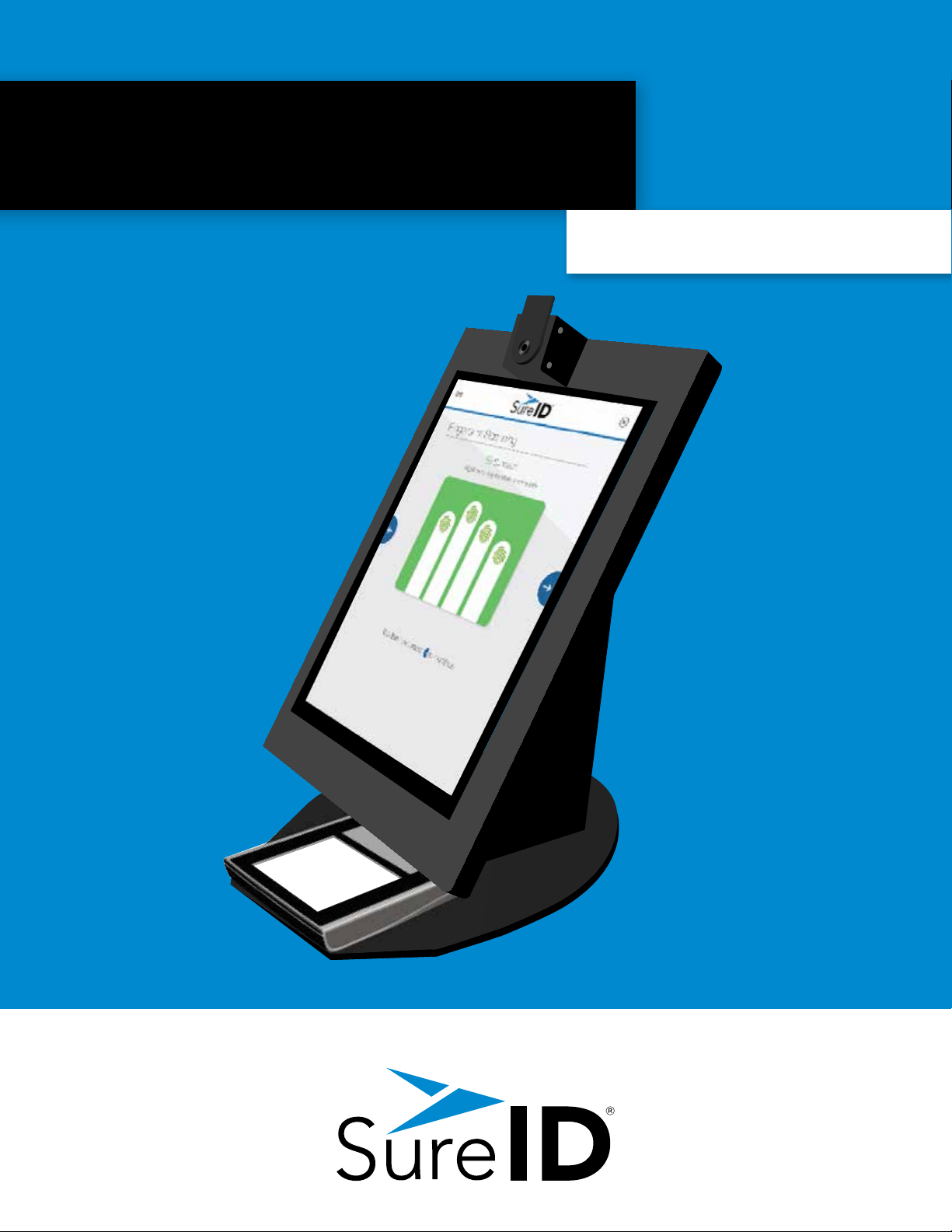
The SureID®
Registration Station
Handbook

Handbook Overview
Overview 3
What is the SureID Registration Station?
What Will I Do?
Cleaning 4
Screen and Fingerprint Reader Surfaces
Helping Registrants 4
Starting a Registration
Continuing a Registration
Verifying Documents
Taking Good Fingerprints
Getting a Good Picture
Troubleshooting 6
Mount Issues
Hardware and Software Issues
Reboot Procedures
Contacting Support
Return Merchandise Authorization (RMA) Returns
Marketing Materials
Frequently Asked Questions 7
Quick Reference 8

50-00047-1.1-041717 | Learning Experience Team
SureID Registraon Staon Handbook | 3
Proprietary and Business Sensive Informaon. ©2017 SureID, Inc. All rights reserved.
What is the
SureID®Registration Station (SRS)?
SureID, the leading provider of proven high-assurance
identity solutions for individuals and companies, is
building a nationwide network of SureID Registration
Stations (SRSs). Through this network, individuals can
register or apply for any of our identity programs. The
system is supported by online registration and uses a
built-in camera and scanner to capture photographs,
identity documents, and fingerprints.
All SureID programs certify that a person is exactly
who they claim to be, fostering safer and more secure
interactions.
What will I do?
People visit an SRS to complete their registration or application. They are provided
instructions, but some of them may need help. Also, the station itself requires cleaning. In
this handbook, we review how you can help people with the SRS, basic troubleshooting,
and cleaning procedures.
OVERVIEW
Camera
Fingerprint
Scanner
Touch
Screen
On/O
Switch

50-00047-1.1-041717 | Learning Experience Team
SureID Registraon Staon Handbook | 4
Proprietary and Business Sensive Informaon. ©2017 SureID, Inc. All rights reserved.
CLEANING THE SRS
Screen, Fingerprint Scanner, and
Outside Surfaces
Use only 70% or less isopropyl alcohol – wipes or lint-free cloth.
Wipe gently to remove marks and smudges.
Wipe o excess isopropyl alcohol with a dry cloth. Use a duster
can to remove any lint remaining.
Clean the fingerprint scanner after every use to ensure high
quality prints.
HELPING REGISTRANTS
Starting a New Registration
A registrant has to register online. If someone comes in
without a registration code, have the person tap I don’t have a
registration code, then enter an aliate code if they have one.
The SRS will generate a QR code to scan on their mobile
phone and a URL that points to the same location. The person
should register online, then return to the SRS to complete a
registration.
Continuing a Registration
Registrants receive a registration and QR code in email after
registering. They can either scan the QR code or type in the
registration code to continue a registration.

50-00047-1.1-041717 | Learning Experience Team
SureID Registraon Staon Handbook | 5
Proprietary and Business Sensive Informaon. ©2017 SureID, Inc. All rights reserved.
Verifying Documents
For the SureID Certified program, the SRS will walk
registrants through capturing identity documents and
provides an on-screen list of acceptable documents.
To protect their personal information, direct registrant to
follow instructions and enter information themselves.
Taking Good Fingerprints
For all programs, registrants provide fingerprints
to prove their identity. Provide the following tips if
registrant cannot capture good images:
- Ensure that their hands are clean and dry.
- Lay their fingers and thumbs flat on the scanner.
- Try changing the pressure they are applying with their fingers
on the scanner if needed to capture the print.
If images are still not good:
- Check to see that the fingerprint pad is free of dust or debris.
Clean the fingerprint pad if necessary.
- Ask registrant to press the entire first joint of the finger lightly
on the pad.
- Ask them to massage their fingers to stimulate blood flow.
Getting a Good Picture
The SRS’s camera is adjustable, so position camera to
an angle that will work for most registrants and adjust
the chair to compensate for variation.
A good photo will include:
- Visible facial features
- Both head and shoulders centered in the image
- Open eyes directed toward the camera
A good photo should not include:
- Headwear (unless religious in nature)
- Dark glasses (unless visually impaired)
- Background distractions
- Smiles
Bad
Good

50-00047-1.1-041717 | Learning Experience Team
SureID Registraon Staon Handbook | 6
Proprietary and Business Sensive Informaon. ©2017 SureID, Inc. All rights reserved.
TROUBLESHOOTING
Mount Issues
If your SRS is mounted on a wall and the wall
mount becomes loose, remove the SRS from
the wall mount immediately and store it in a
secure location. Contact SureID support.
Hardware or Software Issues
Reboot the system if:
- The SRS has a blank screen and will not respond
(Check to make sure the device is plugged in and
receiving power first)
- The screen malfunctions or doesn’t respond
to touch
- The camera or fingerprint reader won’t work
Reboot Procedures
To reboot the system, take the
following steps:
1. Turn the SRS o by pressing the on/o switch
for 15 seconds.
2. Wait 20 seconds for full power down.
3. Turn the SRS on by pressing the on/o switch
until the screen turns on. The screen should
display registration options.
If this does not work, try a full system
reboot:
1. Turn the SRS o by pressing the on/o switch
for 15 seconds.
2. Unplug the secure connectivity unit power supply
from the outlet.
3. Wait 20 seconds for full power down.
4. Plug the power supply back in and wait 2 minutes
for the system to boot up.
5. Turn the SRS on by pressing the on/o switch
until the screen turns on. The screen should
display registration options.
Contacting Support
If the SRS does not respond to troubleshooting,
contact support.
Please contact support if:
- The SRS is physically damaged
- The SRS will not respond after a full system reboot
- The screen is broken
SureID Support
1.844.787.3431
1.844.SUREID1
support@sureid.com

50-00047-1.1-041717 | Learning Experience Team
SureID Registraon Staon Handbook | 7
Proprietary and Business Sensive Informaon. ©2017 SureID, Inc. All rights reserved.
FAQS
How do I depress the on/o switch?
The SRS has a protected on/o switch on the side accessible
through a 1/4” access port to prevent accidental power loss.
Use any non-sharp/non-pointed object that will fit through
the port to reach the power switch.
What if the registrant can’t capture a good photo?
Try adjusting the chair up and down to capture a good photo. If this does not work, adjust the camera angle.
If they still can’t get a good photo, have them contact SureID support.
How can the registrant receive more information
about SureID?
The registrant can visit http://www.sureid.com.
What if the registrant can’t capture their fingerprints?
Help them with the recommendations earlier in this handbook or have them contact SureID support.

50-00047-1.1-041717 | Learning Experience Team
SureID Registraon Staon Handbook | 8
Proprietary and Business Sensive Informaon. ©2017 SureID, Inc. All rights reserved.
NOTE: DO NOT turn o the SRS or the connectivity unit at any time. It should stay plugged in at all
times, including after hours, so SureID can make software updates and pull applicant data.
Maintenance
Supplies
Keep the following on hand to maintain the SRS and assist customers in using it:
• 70% or less isopropyl alcohol (wipes or bottle)
• Lint-free cloth
• Duster can
• Hand sanitizer
• Oil-free lotion and/or fingertip moistener to
help with the fingerprinting process
Cleaning the SRS
To clean the SRS, use the following:
• 70% or less isopropyl alcohol wipes or alcohol on a lint-free cloth
• Do not use any other cleaner
• Wipe gently to remove marks and smudges
• Wipe o excess isopropyl alcohol with a dry, lint-free cloth
• Use a duster can to remove any lint remaining
• Ask customers to use hand sanitizer and let it dry before using the SRS
• Clean the fingerprint scanner after each use
Quick Reference

50-00047-1.1-041717 | Learning Experience Team
SureID Registraon Staon Handbook | 9
Proprietary and Business Sensive Informaon. ©2017 SureID, Inc. All rights reserved.
Registrant Responsibilities
SureID Certified
Registrants will do the following on their own:
• Tap the SureID Certified button.
• Review personal information
• Capture:
◦ID image
◦Fingerprints
◦Photo
• Submit the registration
Fingerprint Services
Registrants will do the following:
• Tap Accurate Biometrics button
• Review personal information
With your assistance, they will:
• Prove they have a technician with them
• Allow you to assist in capturing prints
• Verify their email and submit the application
CERTIFIED™
Tabla de contenidos


