sparkfun JetBot AI Kit V2.0 Manual de usuario

Assembly Guide for SparkFun JetBot AI Kit V2.0
Introduction
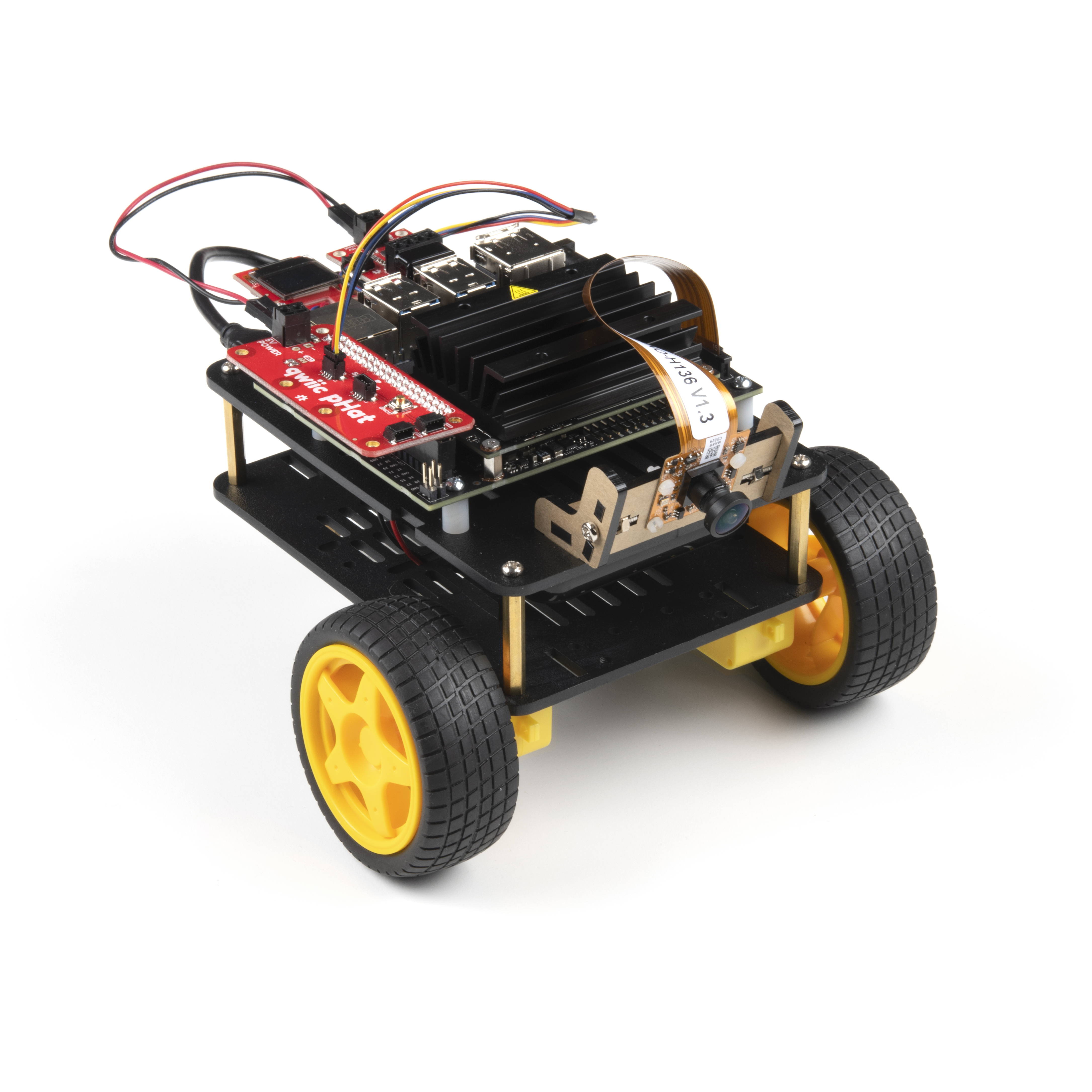
SparkFun’s version of the JetBot merges the industry leading machine learning capabilities of the NVIDIA Jetson
Nano with the vast SparkFun ecosystem of sensors and accessories. Packaged as a ready-to-assemble robotics
platform, the SparkFun JetBot AI Kit v2.0 requires no additional components or 3D printing to get started - just
assemble the robot, boot up the Jetson Nano, connect to WiFi and start using the JetBot immediately. This
combination of advanced technologies in a ready-to-assemble package makes the SparkFun JetBot Kit a
standout, delivering one of the strongest robotics platforms on the market. This guide serves as hardware
assembly instructions for the JetBot AI Kit v2.0. The SparkFun JetBot comes with a pre-flashed micro SD card
image that includes the Nvidia JetBot base image with additional installations of the SparkFun Qwiic Python
library, Edimax WiFi driver, AWS RoboMaker ready with AWS IoT Greengrass, and of course the JetBot ROS.
Users only need to plug in the SD card and set up the WiFi connection to get started.
Note: We recommend that you read all of the directions first, before building your JetBot. However, we
empathize if you are just here for the pictures & a general feel for the SparkFun JetBot. We are also those
people who on occasion void warranties & recycle unopened instructions manuals but please note, SparkFun
can only provide support for the instructions laid out in the following pages.

Attention: The SD card in this kit comes pre-flashed to work with our hardware and has the all the modules
installed (including the sample machine learning models needed for the collision avoidance and object
following examples). The only software procedures needed to get your JetBot running are steps 2-4 from the
Nvidia instructions (i.e. setup the WiFi connection and then connect to the JetBot using a browser). Please
DO NOT format or flash a new image on the SD card; otherwise, you will need to flash our image back onto
the card.
If you accidentally make this mistake, don't worry. You can find instructions for re-flashing our image back
onto the SD card in the Software Setup section of this guide
The Jetson Nano Developer Kit offers extensibility through an industry standard GPIO header and associated
programming capabilities like the Jetson GPIO Python library. Building off this capability, the SparkFun kit includes
the SparkFun Qwiic pHAT for Raspberry Pi, enabling immediate access to the extensive SparkFun Qwiic
ecosystem from within the Jetson Nano environment, which makes it easy to integrate more than 30 sensors (no
soldering and daisy-chainable).
The SparkFun Qwiic Connect System is an ecosystem of I C sensors, actuators, shields and cables that make
prototyping faster and less prone to error. All Qwiic-enabled boards use a common 1mm pitch, 4-pin JST
connector. This reduces the amount of required PCB space, and polarized connections mean you can’t hook it up
wrong.
Materials

Part Qty
2

JetBot Chassis Kit 1
Hobby Gearmotor (pair) included as part of JetBot Chassis Kit 1
Camera mount included as part of JetBot Chassis Kit 1
Wheels & Tires - included as part of JetBot Chassis Kit 2
Lithium Ion Battery Pack - 10Ah (3A/1A USB Ports) 1
Edimax 2-in-1 WiFi and Bluetooth 4.0 Adapter 1
Jetson Dev Kit v3 *only included in specified Kits* 1
SparkFun JetBot image (Pre Flashed) 1
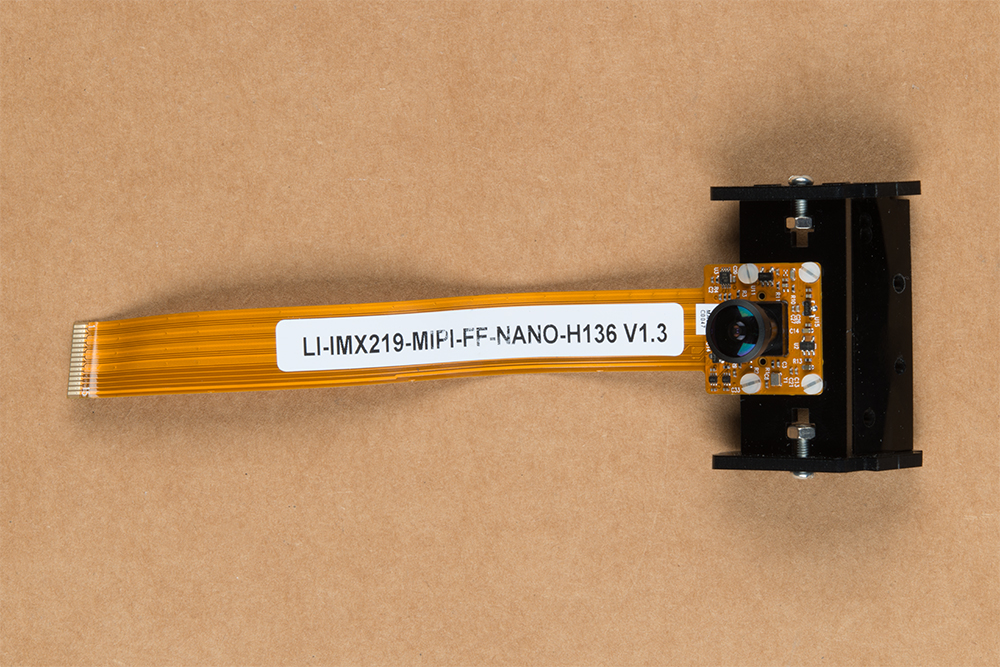
Leopard Imaging 136 FOV Camera 1
SparkFun Micro OLED Breakout (Qwiic) 1
SparkFun Qwiic Motor Driver 1
SparkFun Qwiic pHAT v2.0 for Raspberry Pi 1
Qwiic Cable - 100mm 1
Qwiic Cable - 200mm 1
Jumper Wires Premium 6" M/M (2-pack black & red) 1
USB Micro-B Cable - 6" 1
Dual Lock Velcro 1

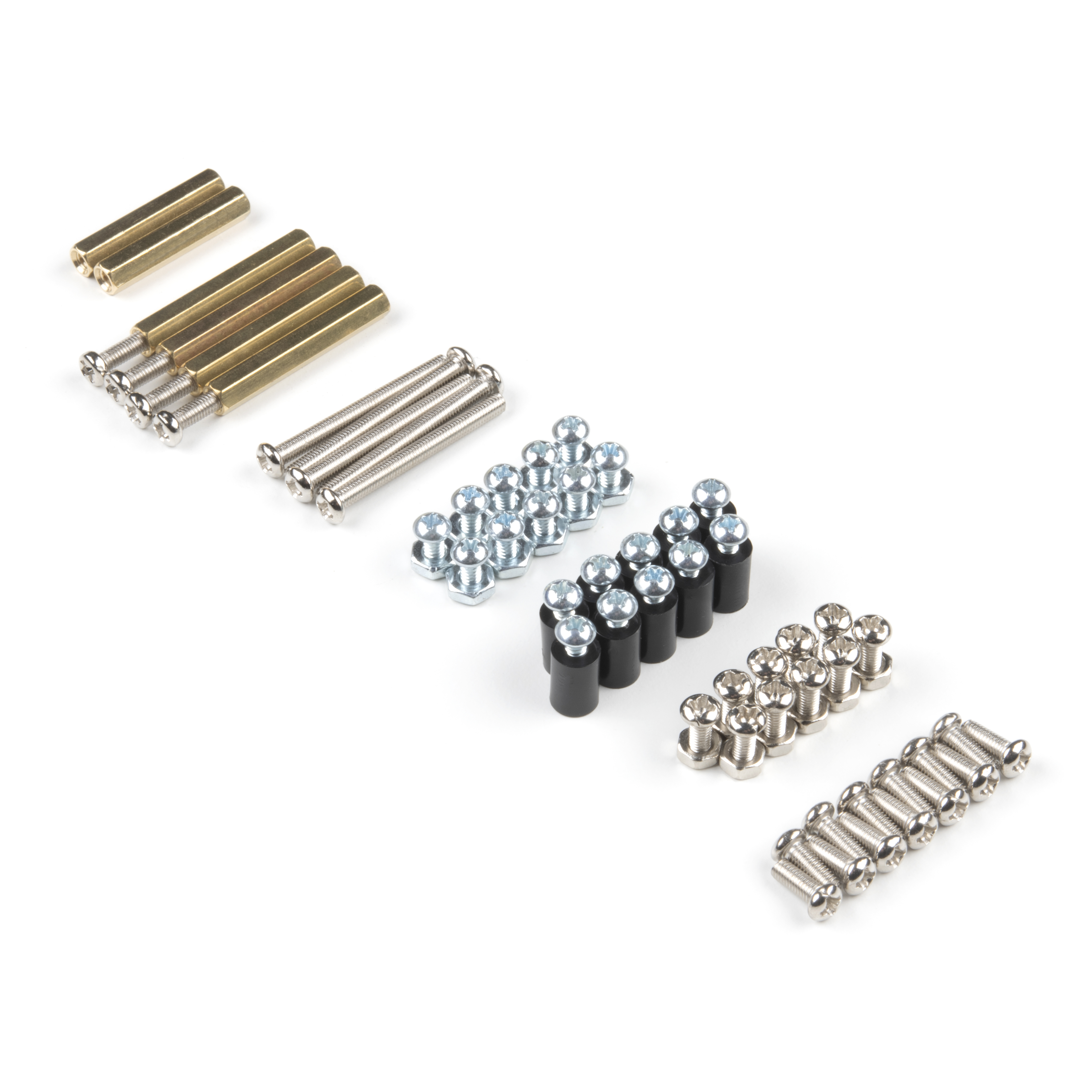
Part Qty
Standoff - Nylon (4-40; 3/8in.) 10
1/4" Phillips Screw with 4-40 Thread 20
Machine Screw Nut - 4-40 10
M2 Nylon hex nut 4
M2 Nylon screw slotted drive 4
JetBot Chassis Hardware *included as part of JetBot Chassis Kit 1
Recommended Tools
We did not include any tools in this kit because if you are like us you are looking for an excuse to use the tools you
have more than needing new tools to work on your projects. That said, the following tools will be required to
assemble your SparkFun JetBot.
Small phillips & small flat head head screwdriver will be needed for chassis assembly & to tighten the screw
terminal connections for each motor. We reccomend the Pocket Screwdriver Set; TOL-12268.
Pair of scissors will be needed to cut the adhesive Dual Lock Velcro strap to desired size; recommended,
but not essential..
Optional- adjustable wrench or pliers to hold small components (nuts & standoffs) in place while tightening
screws; your finger grip is usually enough to hold these in place while tightening screws & helps to ensure
nothing is over tightened.
A Note About Directions
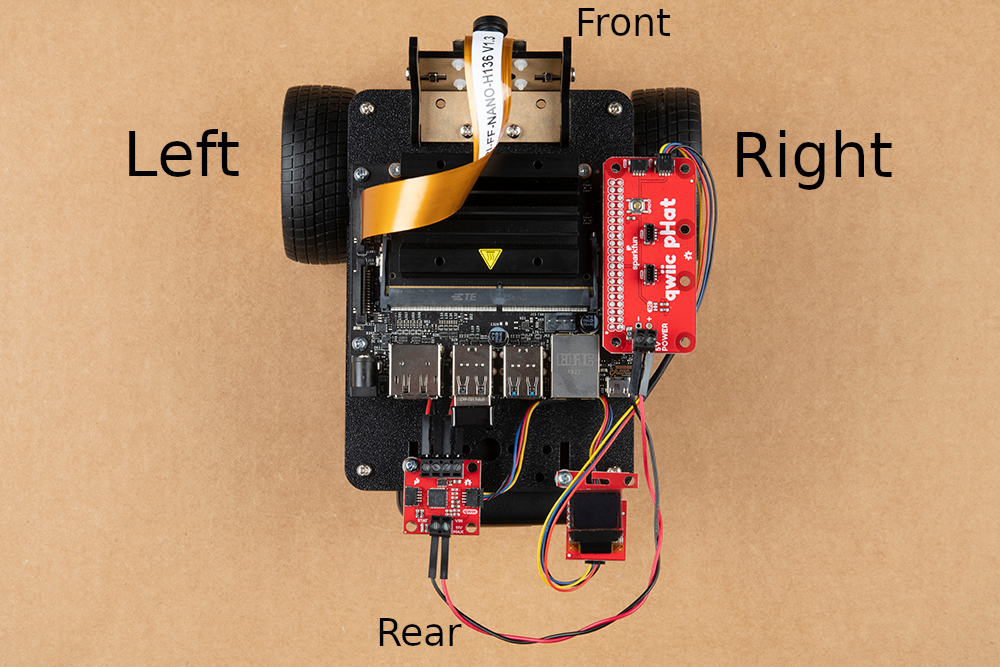
When we talk about the "Front," or "Forward" of the JetBot, we are referring to direction the camera is pointed
when the JetBot is fully assembled. "Left" and "Right" will be from the perspective of the SparkFun JetBot (i.e.
what the JetBot camera sees).
1. Robotics Chassis Kit Initial Assembly
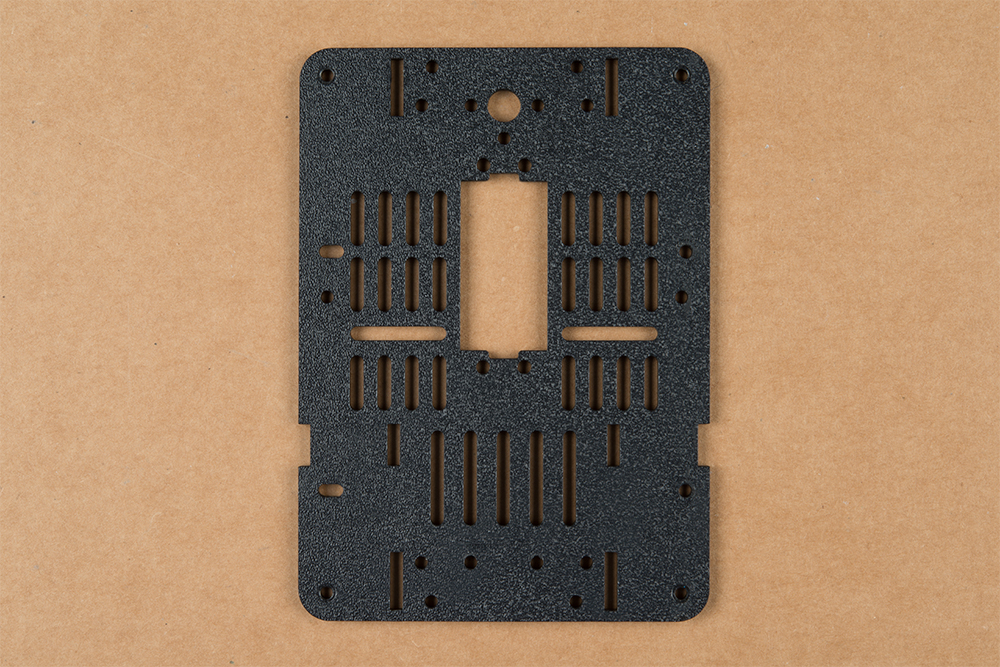
Begin with one of the two bare base plates included with the JetBot Chassis Kit. It does not matter which one, they
are identical.

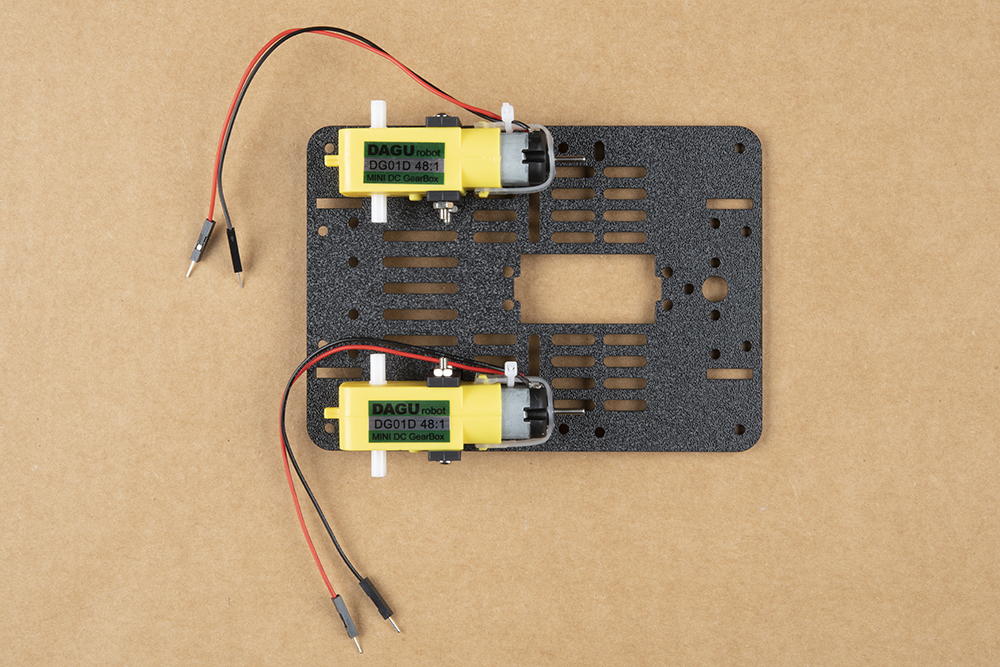
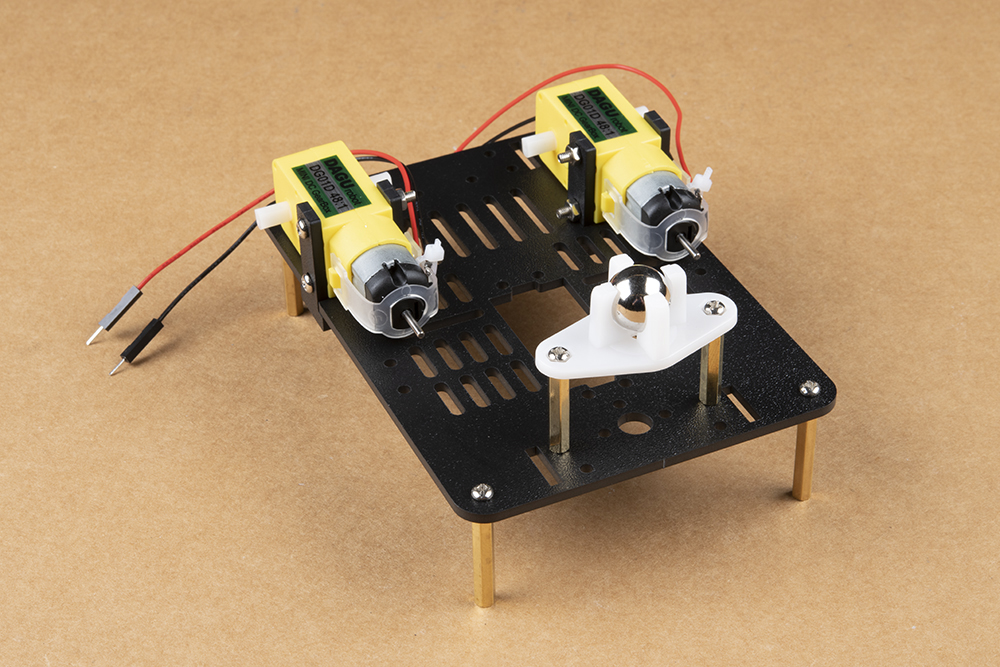
Push two of the included motor mounts through the designated holes in the base plate as shown below. Two more
motor mounts will be attached on the outside of the base plate after the motor is installed.
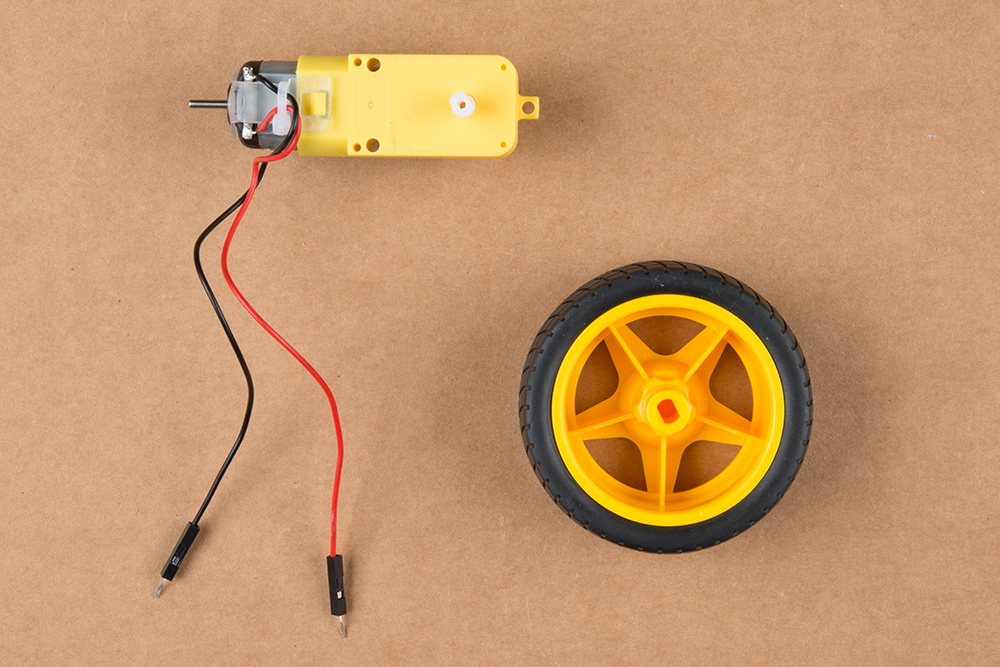
Your JetBot Chassis Kit includes a pair of hobby motors & wheel assemblies.
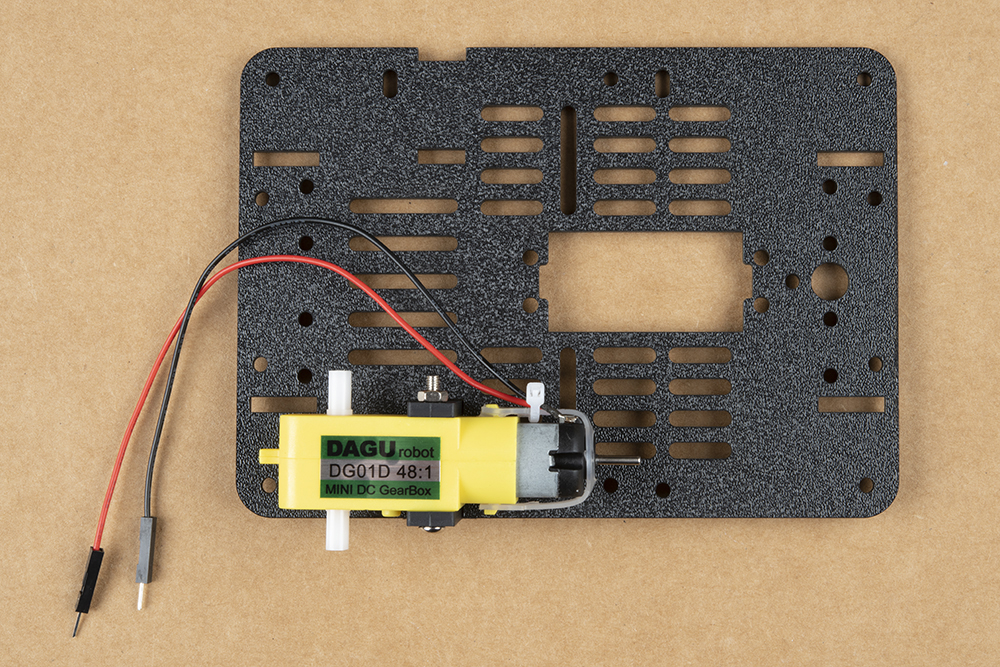
Attach the pair of motors using the long threaded machine screws & nuts included with the JetBot Chassis Kit. The
motor will be sandwiched between an internal & external motor mount. Tighten the screws until they are snug.

We prefer the shown orientation below that leaves the extra length of the machine screws & nuts on the inside
edge of the JetBot.
Repeat this process on the other side of the chassis so both motors are symmetric on the base plate.
Note: Install the motors so the "DAGU robot" sticker is facing out. This will ensure that your JetBot drives
forward when following the pictured hookup of the Qwiic Motor driver later in the tutorial.
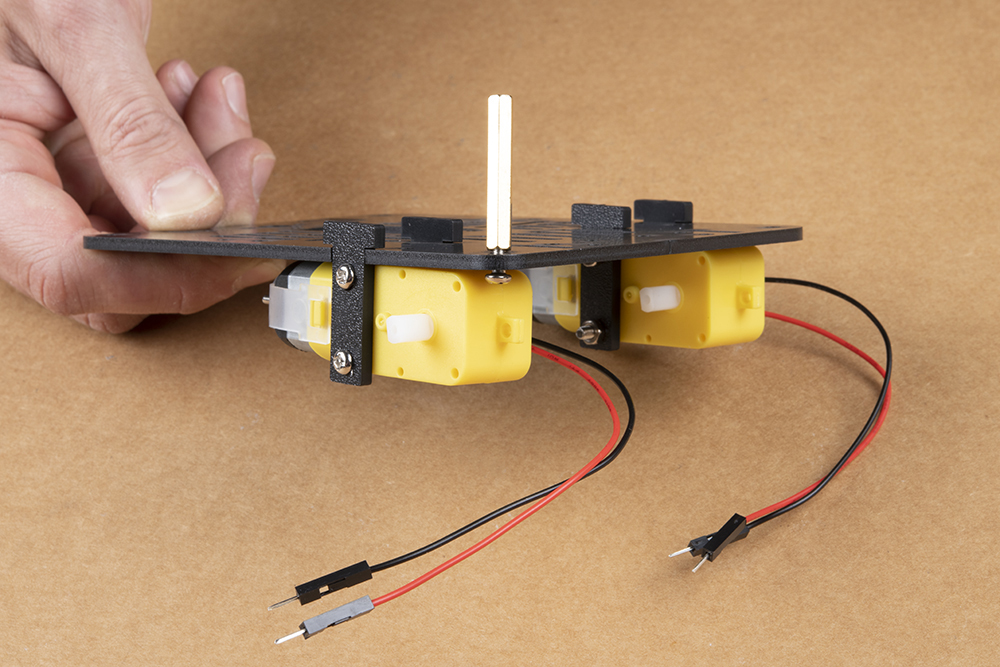
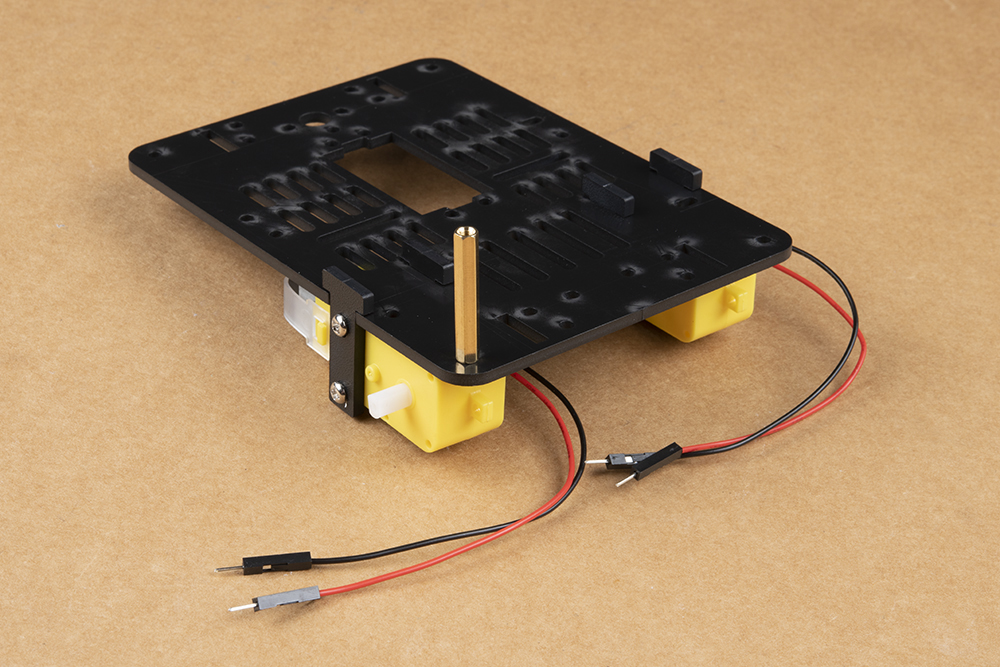
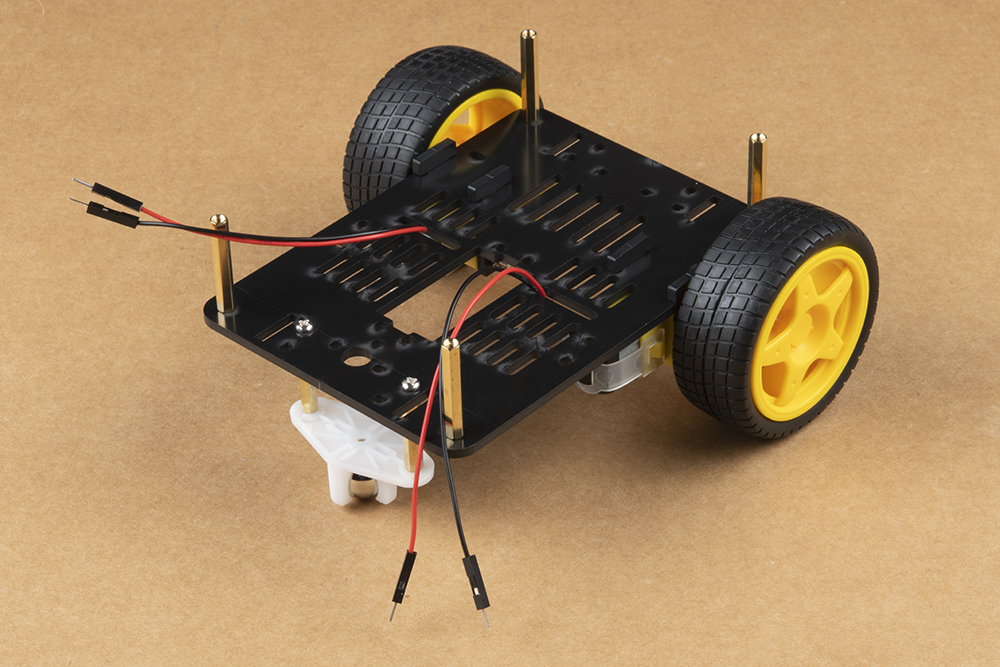
Once both motors are attached, flip the base plate over as pictured & attach the four longer brass standoffs at
each corner of the base plate using the threaded screws included with the JetBot Chassis Kit. These four standoffs
are packaged together. Thread one of the machine screws from the JetBot Chassis kit through the base plate &
tighten into the brass standoff.
Repeat for each corner.

After all standoffs are installed, thread the motor terminal leads through the baseplate as shown. Refer to the
photograph of the caster ball assembly to make sure you are using the correctly sized brass standoffs.
Having trouble seeing detail in the image? Click on it for a larger view.
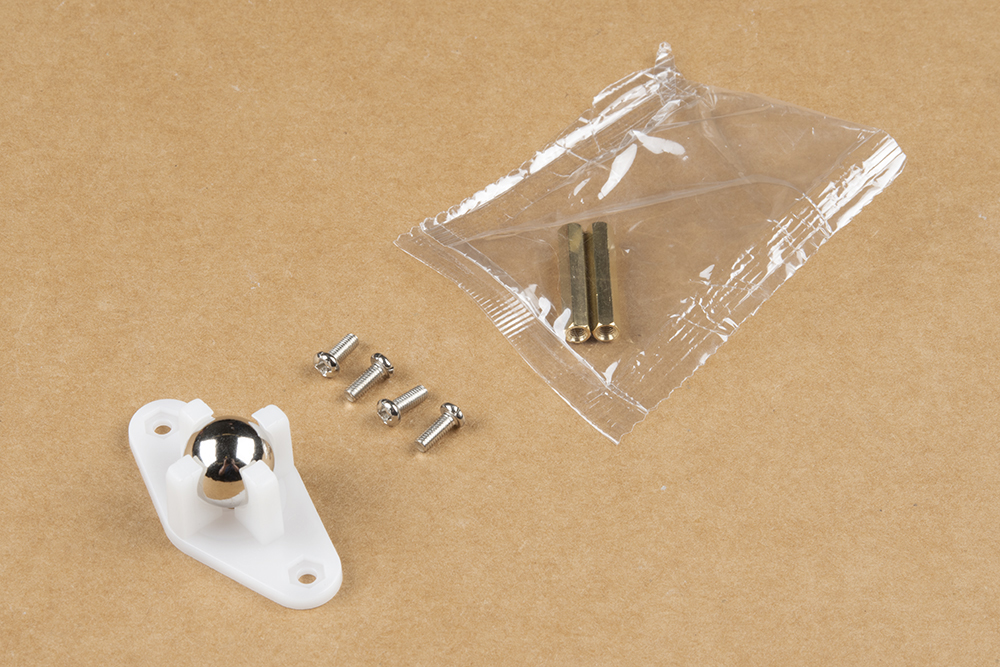
Next, gather the parts needed to assemble the caster ball assembly.
Notice that the brass standoffs used for the caster assembly are slightly shorter than those used for the chassis.
The first time you build the SparkFun JetBot, each of these sets of standoffs are packaged together, but it is easy
to confuse these once everything has been opened.

Flip the chassis over and install the shorter brass standoffs as shown in the photo below.
Note: The motor leads are not threaded here only for photo clarity. Keep yours threaded as instructed
previously
Use the two remaining screws to attach the caster ball casing to the brass standoffs.
Press the wheels onto the hobby motor axles for a snug friction fit & flip it again Charley! Behold, a very stable
three point stance foundation for you to build from.

2. Camera Assembly & Installation
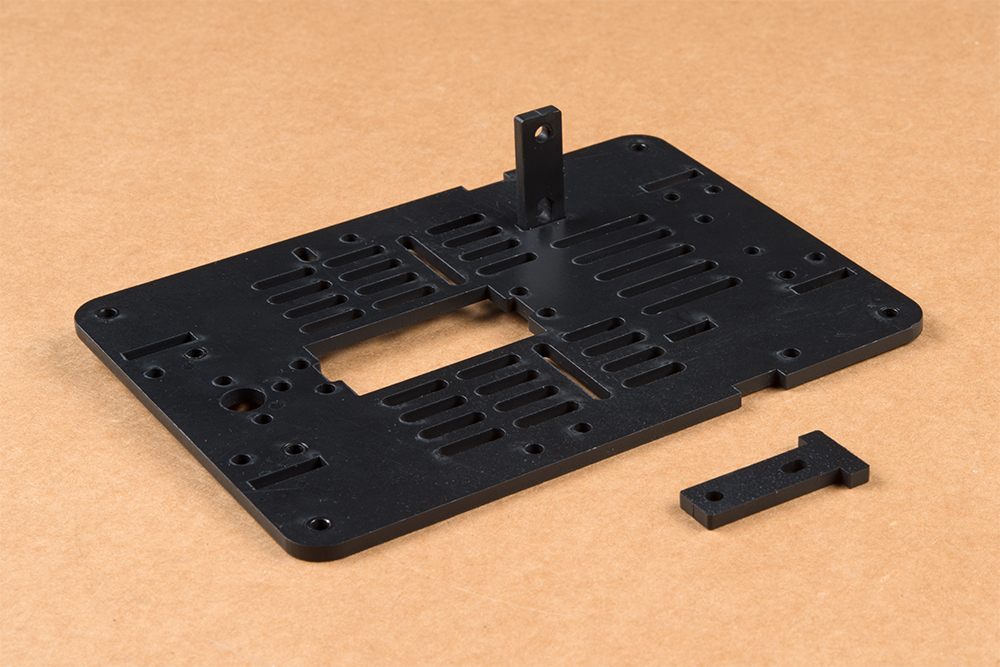
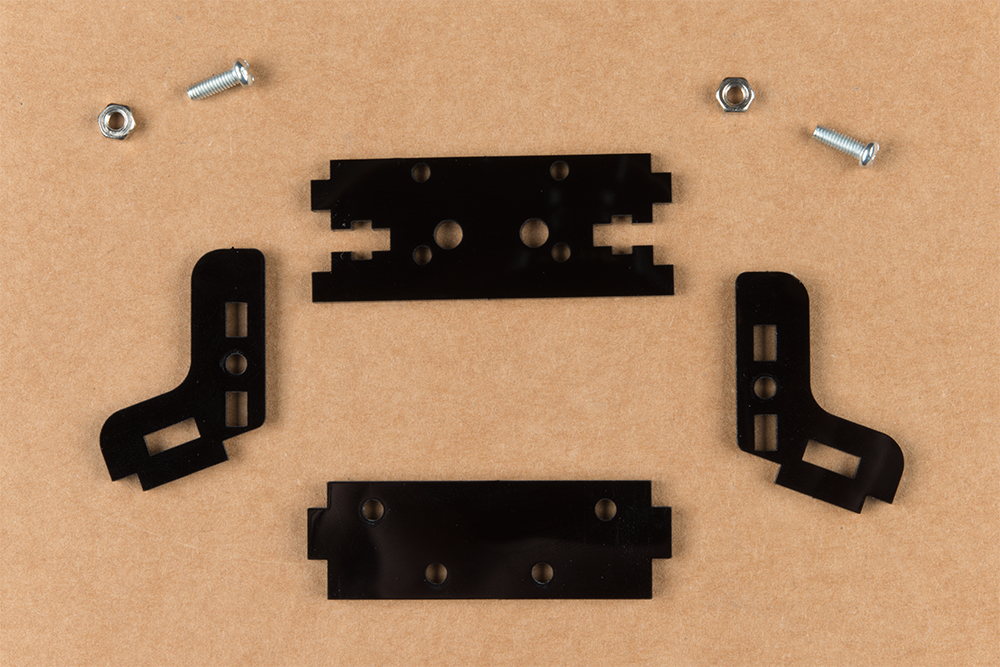
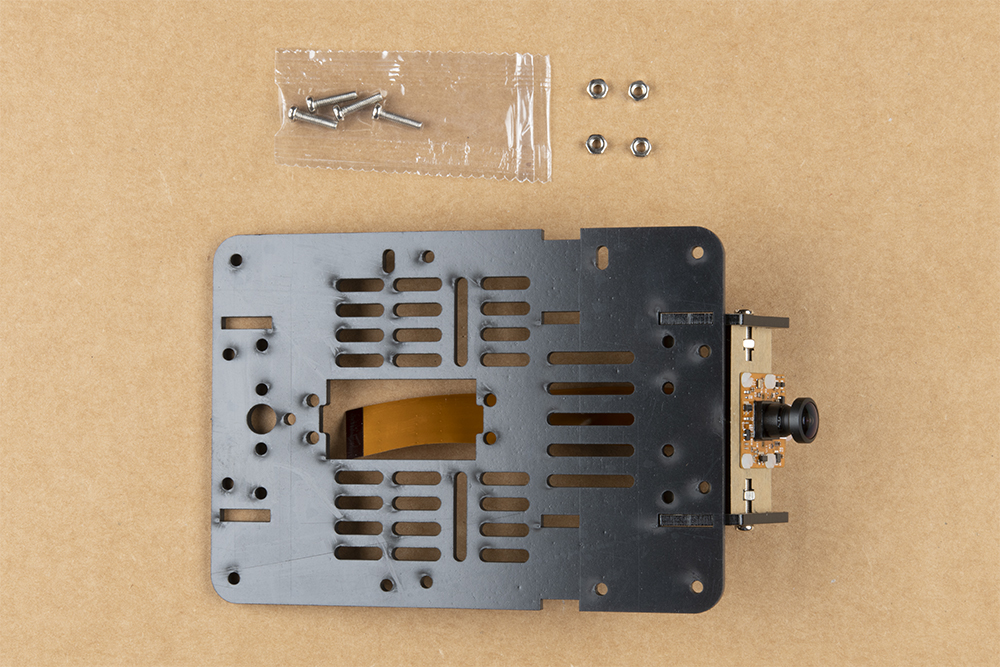
Next, locate the camera mount assembly in the JetBot Chassis Kit. The unassembled view of the parts is laid out
in the proper orientation for assembly.
Note: This orientation is necessary to ensure the camera mount fits on the top plate of the chassis.
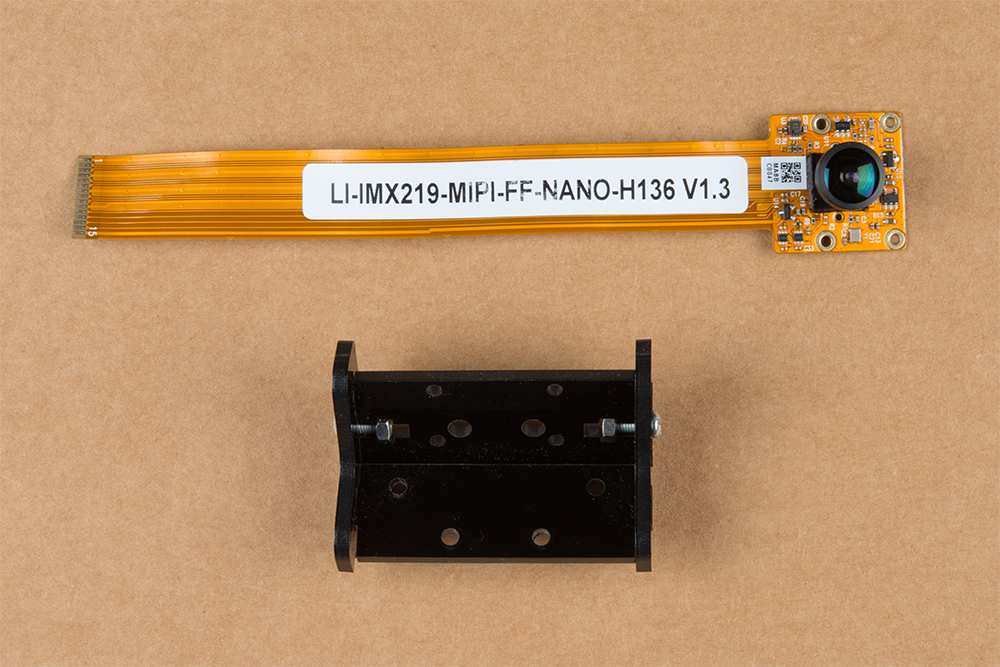
Unpackage the Leopard Imaging camera and assemble the camera mount as shown in the following photograph.
Having trouble seeing the image? Click on it for a larger view.
Please reference the note about the "Front" of the JetBot in the end of the Introduction to ensure that you mount
the camera on the correct side of the camera mount. Align the four holes in the camera mounting plate with those
on the camera. Place all four nylon flathead screws through the camera & camera mounting plate prior to fully
tightening the nylon nuts. This will ensure equal alignment across all four screws. While holding the nuts in place
with a finger, tighten the screws in a rotating criss cross pattern; similar to how you tighten lug nuts on a car rim.

Note: Make sure to orient the camera so the ribbon cable is extending over the "top" of the camera mount as
shown below.
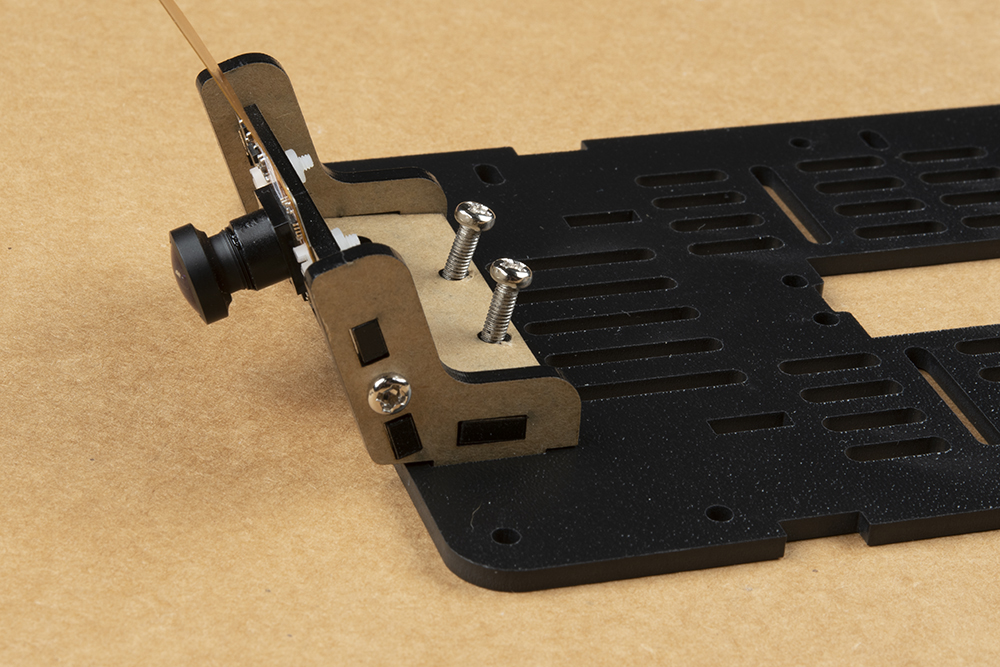
Attach the camera mount & camera to the JetBot Chassis Kit top plate (the unused base plate) using the slightly
longer sets of screws and nuts included in the chassis kit (pictured below). Align the plastic tabs on the camera
mount to the rectangular cutouts on the front of the chassis top plate. This will result in a sung press fit.
Use the screws to align the holes in the camera assembly with the corresponding holes in the chassis top plate.
Use your small Phillips head screwdriver to thread the screws through the mounting plates. The chassis kit I got
was pretty sung and required me to screw them through.
Tabla de contenidos
Otros manuales de Robótica de sparkfun


Manuales populares de Robótica de otras marcas

STEMCenter USA
STEMCenter USA Pi-Bot v2.00 Manual de usuario

SunFounder
SunFounder PiDog Manual de usuario

Universal Robots
Universal Robots UR5 Manual de usuario

Universal Robots
Universal Robots E Series Manual de usuario

YASKAWA
YASKAWA MOTOMAN-MPL80 II Manual de usuario

EFORT
EFORT ECR5 Manual de instrucciones