sparkfun RTK GPS-19029 Manual de usuario

SparkFun RTK Facet Hookup Guide
Introduction
The RTK Facet from SparkFun is our most advanced GNSS receiver to date. It's your one stop shop for high
precision geolocation and surveying needs. For basic users, it’s incredibly easy to get up and running and for
advanced users, the RTK Facet is a flexible and powerful tool.
With just a few minutes of setup, the RTK Facet is one of the fastest ways to take centimeter grade
measurements.
SparkFun RTK Facet
GPS-19029
Y
O
U
R
A
C
C
O
U
N
T
L
O
G
I
N
R
E
G
I
S
T
E
R

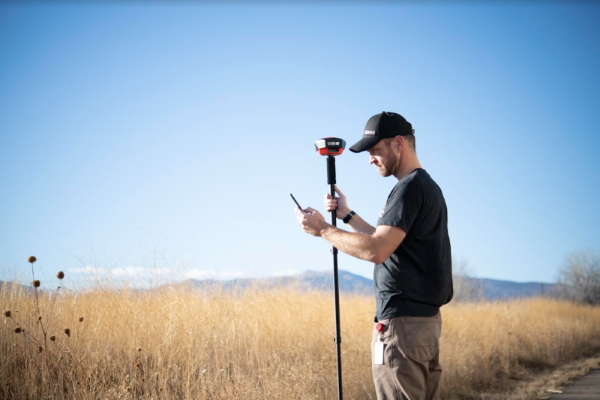
Surveying with a monopod and SW Maps
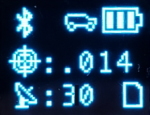
An RTK Fix with 14mm accuracy in SW Maps
By connecting your phone to the RTK Facet over Bluetooth, your phone can act as the radio link to provide
correction data as well as receive the NMEA output from the device. It’s how $10,000 surveying devices have
been operating for the past decade - we just made it easier, smaller, and a lot more economical.
Required Materials

The RTK Facet has all you need built into one small unit. In addition, the RTK Facet Kit includes everything you
might need as well. The only thing you need to add is your own tablet or cell phone (Android and IOS supported).
Depending on your setup you may want to use your phone for RTCM correction data. If a source is not available
online, you will need a 2nd RTK Facet setup in base mode and a radio link connecting the Base to the Rover. We'll
go into details but we designed RTK Facet to work with these 100mW 915MHz telemetry radios out of the box.
To charge the RTK Facet you will need a USB C cable and a power supply. These are included with the kit but any
USB C port should charge the Facet at a maximum rate of 1A per hour.
Suggested Reading
Serial Telemetry Radio Kit - 915MHz, 100mW
WRL-15007
USB 2.0 Type-C Cable - 1 Meter
CAB-16905
Reversible USB A to C Cable - 0.8m
CAB-15425
USB Wall Charger - 5V, 2A
TOL-16893
USB-C Wall Adapter - 5.1V, 3A (Black)
TOL-16272

GNSS RTK is an incredible feat of engineering that has been made easy to use by powerful GNSS receivers such
as the ZED-F9P by u-blox (the receiver inside RTK Facet). The process of setting up an RTK system will be
covered in this tutorial but if you want to know more about RTK here are some good tutorials to brush up on:
Hardware Overview
What is GPS RTK?
Learn about the latest generation of GPS and GNSS
receivers to get 14mm positional accuracy!
Getting Started with U-Center for u-blox
Learn the tips and tricks to use the u-blox software tool
to configure your GPS receiver.
GPS-RTK2 Hookup Guide
Get precision down to the diameter of a dime with the
new ZED-F9P from u-blox.
Setting up a Rover Base RTK System
Getting GNSS RTCM correction data from a base to a
rover is easy with a serial telemetry radio! We'll show
you how to get your high precision RTK GNSS system
setup and running.
How to Build a DIY GNSS Reference Station
Learn how to affix a GNSS antenna, use PPP to get its
ECEF coordinates and then broadcast your own RTCM
data over the internet and cellular using NTRIP to
increase rover reception to 10km!

The RTK Facet is a fully enclosed, preprogrammed device. There are very few things to worry about or configure
but we will cover the basics.
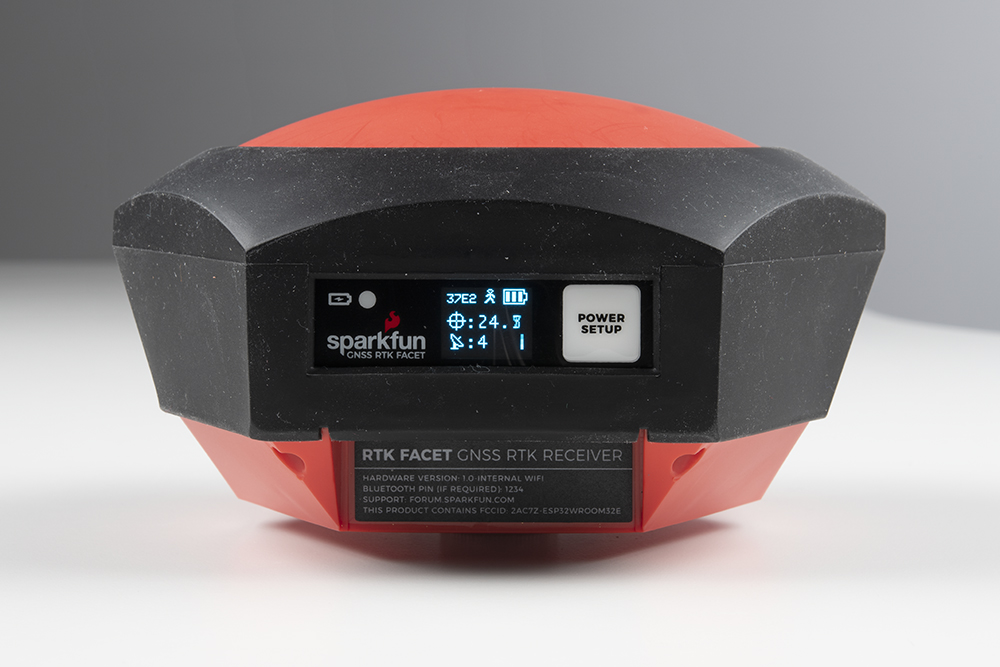
Power/Setup Button
The RTK Facet has one button used for both Power and Setup for in-field configuration changes. Pressing and
holding the Power button will cause it to power on or off. Short pressing the button will cause the RTK Facet to
change modes.
This device can be used in four modes:
GNSS Positioning (~30cm accuracy) - also known as 'Rover'
GNSS Positioning with RTK (1.4cm accuracy) - also known as 'Rover with RTK Fix'
GNSS Base Station
GNSS Base Station NTRIP Server
At Power On the device will enter Rover or Base mode; whichever state the device was in at the last power down.
When the POWER/SETUP button is pressed momentarily, a menu is presented to change the RTK Facet to Rover
or Base mode. The display will indicate the change with a small car or flag icon.
In Rover mode the RTK Facet will receive L1 and L2 GNSS signals from the four constellations (GPS, GLONASS,
Galileo, and BeiDou) and calculate the position based on these signals. Similar to a standard grade GPS receiver,
the RTK Facet will output industry standard NMEA sentences at 4Hz and broadcast them over any paired
Bluetooth device. The end user will need to parse the NMEA sentences using commonly available mobile apps,
GIS products, or embedded devices (there are many open source libraries). Unlike standard grade GPS receivers
that have 2500m accuracy, the accuracy in this mode is approximately 300mm horizontal positional accuracy with
a good grade L1/L2 antenna.
When the device is in Rover mode and RTCM correction data is sent over Bluetooth or into the radio port, the
device will automatically enter Positioning with RTK mode. In this mode RTK Facet will receive L1/L2 signals
from the antenna and correction data from a base station. The receiver will quickly (within a second) obtain RTK
float, then fix. The NMEA sentences will have increased accuracy of 14mm horizontal and 10mm vertical accuracy.
The RTCM correction data is most easily obtained over the internet using a free app on your phone (see SW Maps
or Lefebure NTRIP) and sent over Bluetooth to the RTK Facet but RTCM can also be delivered over an external
cellular or radio link to a 2nd RTK Facet setup as a base station.
In Base mode the device will enter Base Station mode. This is used when the device is mounted to a fixed position
(like a tripod or roof). The RTK Facet will initiate a survey. After 60 to 120 seconds the survey will complete and the
RTK Facet will begin transmitting RTCM correction data out the radio port. A base is often used in conjunction with
a second RTK Facet (or RTK Surveyor) unit set to 'Rover' to obtain the 14mm accuracy. Said differently, the Base
sits still and sends correction data to the Rover so that the Rover can output a really accurate position. You’ll
create an RTK system without any other setup.

Power
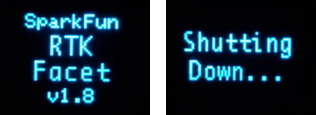
RTK Facet startup display with firmware version number
The Power button turns on and off the unit. Press and hold the power button until the display illuminates. Press
and hold the power button at any time to turn the unit off.
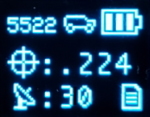
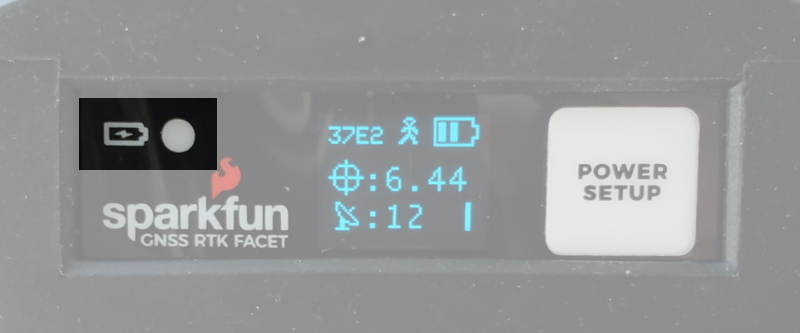
RTK Facet showing the battery level
The RTK Facet has a large, built-in 6000mAh lithium polymer battery that will enable over 25 hours of field use
between charging. If more time is needed a common USB power bank can be attached boosting the field time to
any amount needed.
Charge LED
The Charge LED is located on the front face. It will illuminate any time there is an external power source and will
turn off when the internal battery is charged. With the unit fully powered down, charging takes approximately 6
hours from a 1A wall supply or 12 hours from a standard USB port. The RTK Facet can run while being charged
but it increases the charge time. Using an external USB battery bank to run the device for extended periods or
running the device on a permanent wall power source is supported.
Connectors

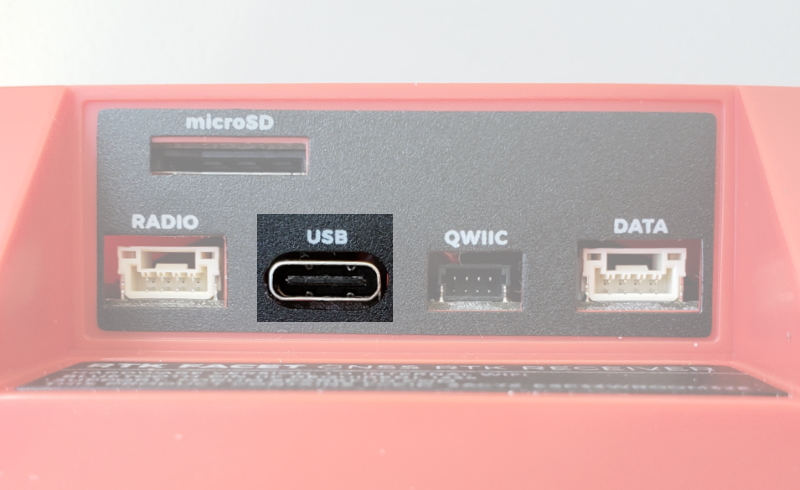
The SparkFun RTK Facet connectors shown with the dust cover removed
There are a variety of connectors protected by a dust flap.
USB:
This USB C connector is used for three purposes:
Charging the device
Configuring the RTK Facet, and reprogramming the ESP32
Directly configuring and inspecting the ZED-F9P GNSS receiver
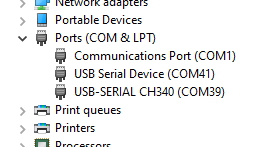
There is a USB hub built into the RTK Facet. When you attach the device to your computer it will enumerate as
two COM ports.
In the image above, the USB Serial Device is the ZED-F9P and the USB-SERIAL CH340 is the ESP32.
Don't See 'USB-Serial CH340'? If you've never connected a CH340 device to your computer before, you
may need to install drivers for the USB-to-serial converter. Check out our section on "How to Install CH340
Drivers" for help with the installation.
Don't See 'USB Serial Device'? The first time a u-blox module is connected to a computer you may need to
adjust the COM driver. Check out our section on "How to Install u-blox Drivers" for help with the installation.
Configuring the RTK Facet can be done over the USB-Serial CH340 COM port via serial text menu. Various debug
messages are printed to this port at 115200bps and a serial menu can be opened to configure advanced settings.
Configuring the ZED-F9P can be configured over the USB Serial Device port using u-center. It’s not necessary in
normal operation but is handy for tailoring the receiver to specific applications. As an added perk, the ZED-F9P
can be detected automatically by some mobile phones and tablets. If desired, the receiver can be directly
connected to a compatible phone or tablet removing the need for a Bluetooth connection.
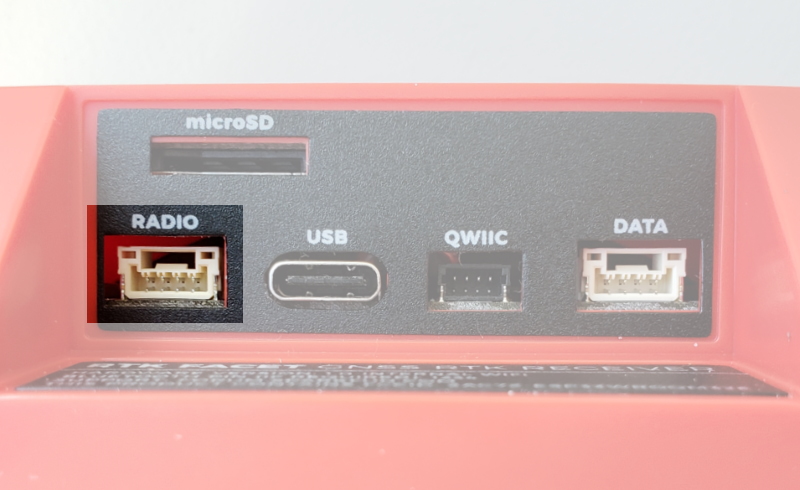
Radio:

This port is used when an external cellular or radio link is needed. This port is not used if you transfer RTCM from
your phone to the RTK Facet over Bluetooth.
This 4-pin JST connector can be used to allow RTCM correction data to flow into the device when it is acting as a
rover or out of the device when it is acting as a base. The connector is a 4-pin locking 1.25mm JST SMD
connector (part#: SM04B-GHS-TB, mating connector part#: GHR-04V-S). The RTK Facet comes with a cable to
interface to this connector but additional cables can be purchased. You will most likely connect this port to one of
our Serial Telemetry Radios if you don’t have access to a correction source on the internet. The pinout is 3.5-5.5V /
TX / RX / GND from left to right as pictured. 3.5V to 5.5V is provided by this connector to power a radio with a
voltage that depends on the power source. If USB is connected to the RTK Facet then voltage on this port will be
5V (+/-10%). If running off of the internal battery then voltage on this port will vary with the battery voltage (3.5V to
4.2V depending on the state of charge). This port is capable of sourcing up to 600mA and is protected by a PTC
(resettable fuse). This port should not be connected to a power source.
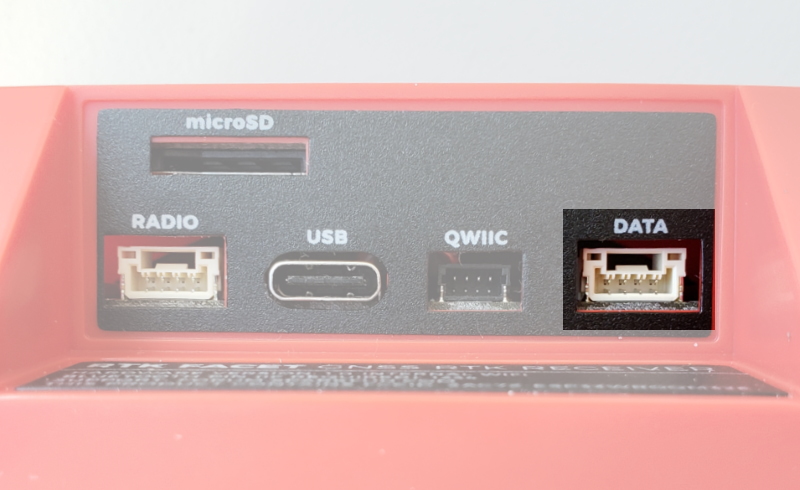
Data:
This port is used when an external system is connected such as a rover, car, timing equipment, camera triggers,
etc. This port is not used if you transfer NMEA positional data to your phone from the RTK Facet over Bluetooth.
This 4-pin JST connector is used to output and input a variety of data to the RTK Facet. The connector is a 4-pin
locking 1.25mm JST SMD connector (part#: SM04B-GHS-TB, mating connector part#: GHR-04V-S). The RTK
Facet comes with a cable to interface to this connector but additional cables can be purchased.
Internally the Data connector is connected to a digital mux allowing one of four software selectable setups:
NMEA - The TX pin outputs any enabled messages (NMEA, UBX, and RTCM) at a default of 460,800bps
(configurable 9600 to 921600bps). The RX pin can receive RTCM for RTK and can also receive UBX
configuration commands if desired.
PPS/Trigger - The TX pin outputs the pulse-per-second signal that is accurate to 30ns RMS. The RX pin is
connected to the EXTINT pin on the ZED-F9P allowing for events to be measured with incredibly accurate
nano-second resolution. Useful for things like audio triangulation. See the Timemark section of the ZED-F9P
integration for more information.

I2C - The TX pin operates as SCL, RX pin as SDA on the I2C bus. This allows additional sensors to be
connected to the I2C bus.
GPIO - The TX pin operates as a DAC capable GPIO on the ESP32. The RX pin operates as a ADC
capable input on the ESP32. This is useful for custom applications.
Most applications do not need to utilize this port and will send the NMEA position data over Bluetooth. This port
can be useful for sending position data to an embedded microcontroller or single board computer. The pinout is
3.3V / TX / RX / GND. 3.3V from left to right as pictured, which is provided by this connector to power a remote
device if needed. While the port is capable of sourcing up to 600mA, we do not recommend more than 300mA.
This port should not be connected to a power source.
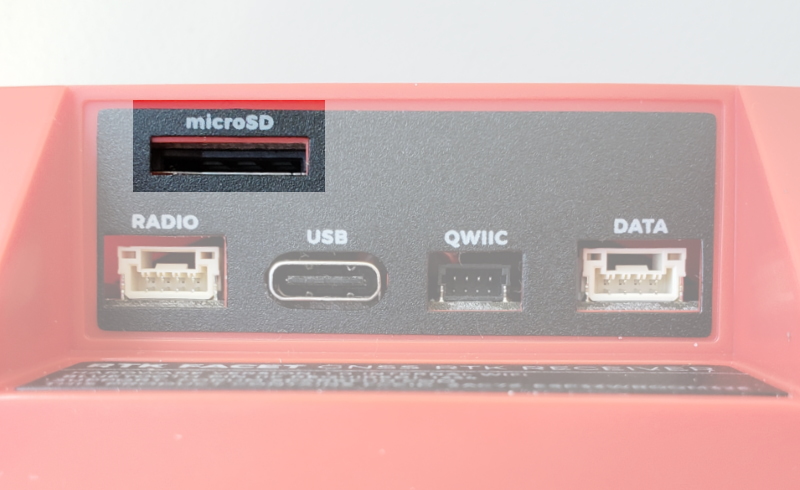
microSD:
This slot accepts standard microSD cards up to 32GB formatted for FAT16 or FAT32. Logging any of 67 messages
at up to 4Hz is supported for all constellations.
The following 67 messages are supported for logging:
• NMEA-GSA • NMEA-GST • NMEA-GSV
• NMEA-RMC • NMEA-VLW • NMEA-VTG
• NMEA-ZDA • NAV-CLOCK • NAV-DOP
• NAV-EOE • NAV-GEOFENCE • NAV-HPPOSECEF
• NAV-HPPOSLLH • NAV-ODO • NAV-ORB
• NAV-POSECEF • NAV-POSLLH • NAV-PVT
• NAV-RELPOSNED • NAV-SAT • NAV-SIG
• NAV-STATUS • NAV-SVIN • NAV-TIMEBDS
• NAV-TIMEGAL • NAV-TIMEGLO • NAV-TIMEGPS
• NAV-TIMELS • NAV-TIMEUTC • NAV-VELECEF
• NAV-VELNED • RXM-MEASX • RXM-RAWX
• RXM-RLM • RXM-RTCM • RXM-SFRBX
• MON-COMMS • MON-HW2 • MON-HW3
• MON-HW • MON-IO • MON-MSGPP
• MON-RF • MON-RXBUF • MON-RXR
• MON-TXBUF • TIM-TM2 • TIM-TP
• TIM-VRFY • RTCM3x-1005 • RTCM3x-1074
• RTCM3x-1077 • RTCM3x-1084 • RTCM3x-1087
• RTCM3x-1094 • RTCM3x-1097 • RTCM3x-1124
• RTCM3x-1127 • RTCM3x-1230 • RTCM3x-4072-0
• RTCM3x-4072-1
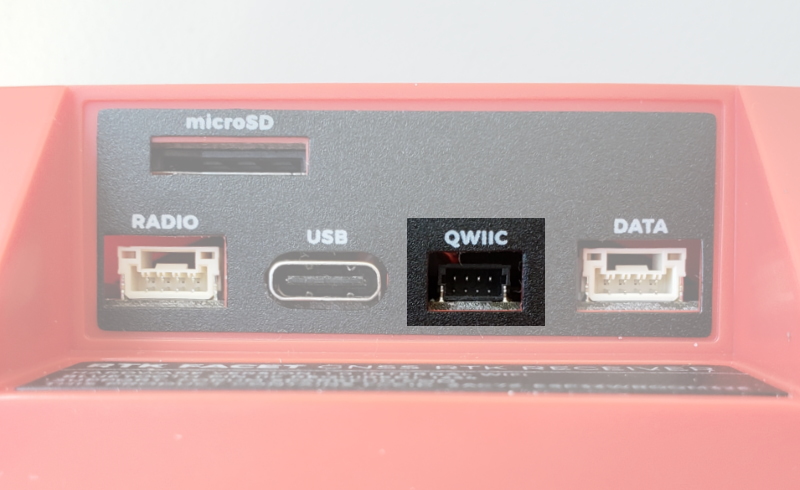
Qwiic:

This 4-pin Qwiic connector exposes the I2C bus of the ESP32 WROOM module. Currently, there is no firmware
support for adding I C devices to the RTK Facet but support may be added in the future.
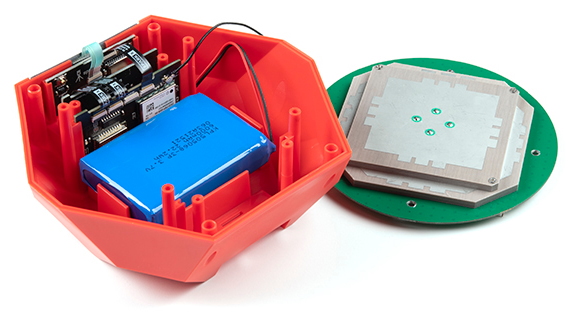
Antenna:
It's built in! Housed under the dome of the RTK Facet is a surveyor grade L1/L2 antenna. It is the same element
found within our GNSS Multi-Band L1/L2 Surveying Antenna. Its datasheet is available here.
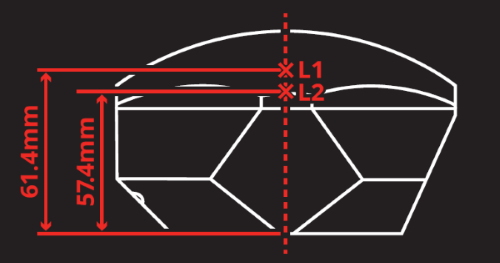
SparkFun RTK Facet Antenna Reference Points
The built in antenna has an ARP of 61.4mm from the base to the measuring point of the L1 antenna and an ARP
of 57.4mm to the measuring point of the L2 antenna.
Power
RTK Facet Display showing three battery bars
2
Tabla de contenidos
Otros manuales de Receptor de sparkfun