sparkfun NEO-M9N Documento técnico

SparkFun GPS NEO-M9N Hookup Guide
Introduction
The SparkFun GPS NEO-M9N is the next iteration of u-blox's GPS offerings! We've developed two flavors of the
board: one with a small chip antenna and another with a u.FL connector so that you can select an antenna of your
choosing.
SparkFun GPS Breakout - NEO-M9N, Chip Antenna
(Qwiic)
GPS-15733

Required Materials
To follow along with this tutorial, you will need the following materials. You may not need everything though
depending on what you have. Add it to your cart, read through the guide, and adjust the cart as necessary.
SparkFun GPS Breakout - NEO-M9N, U.FL (Qwiic)
GPS-15712
Product Showcase: SparkFun GPS Breakout NEO-MProduct Showcase: SparkFun GPS Breakout NEO-M……

Additional GPS Antenna Options
Below are some other GPS Antenna options. Some of the options below have an SMA connector, so make sure to
get the u.FL to SMA cable if you decide to use those. Link for that is below in the GPS accessories. If you want to
try different chip antennas, then try the GNSS Antenna Evalutation Board listed below and make sure to get the
u.FL to u.FL connector in the accessories.
SparkFun RedBoard Qwiic
DEV-15123
Qwiic Cable - 100mm
PRT-14427
USB micro-B Cable - 6 Foot
CAB-10215
GPS/GNSS Magnetic Mount Antenna - 3m
(SMA)
GPS-14986
GPS/GNSS Embedded Antenna - 1m (SMA)
GPS-14987
SparkFun GNSS Chip Antenna Evaluation
Board
GPS Embedded Antenna SMA
GPS-00177


Heads up! If you are using the RedBoard without a Qwiic connector, we recommend getting the Qwiic
Shield for Arduino.
Suggested Reading
If you aren't familiar with the Qwiic system, we recommend reading here for an overview.
Qwiic Connect System
We would also recommend taking a look at the following tutorials if you aren't familiar with them.
Qwiic Cable - 200mm
PRT-14428
Qwiic Cable - 50mm
PRT-14426
SparkFun Qwiic Shield for Arduino
DEV-14352

Hardware Overview
Power
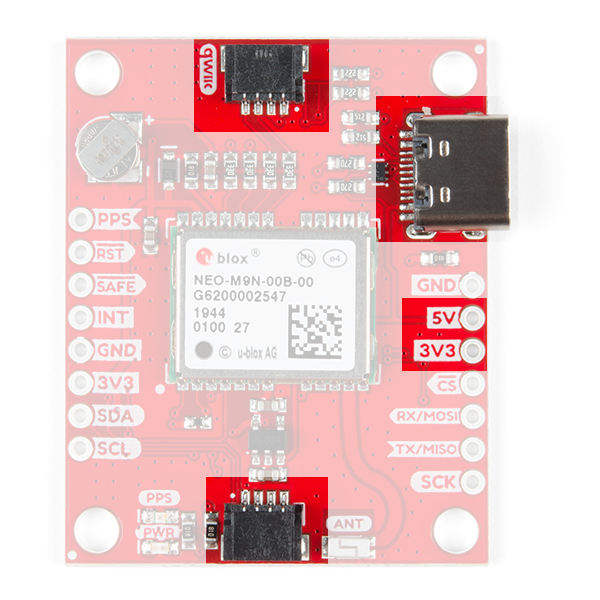
Power for this board is 3.3V and we have provided multiple power options. This first and most obvious is the USB-
C connector. Secondly, are the Qwiic Connectors on the top and bottom of the board. Thirdly, there is a 5V pin
on the PTH header along the side of the board that is regulated down to 3.3V. Make sure that power your provide
to this pin does not exceed 6 volts. Finally, just below the 5V pin is a 3.3V pin that should only be provided a clean
3.3V power signal.
GPS Basics
The Global Positioning System (GPS) is an
engineering marvel that we all have access to for a
relatively low cost and no subscription fee. With the
correct hardware and minimal effort, you can determine
your position and time almost anywhere on the globe.
Serial Peripheral Interface (SPI)
SPI is commonly used to connect microcontrollers to
peripherals such as sensors, shift registers, and SD
cards.
I2C
An introduction to I2C, one of the main embedded
communications protocols in use today.
How to Work with Jumper Pads and PCB Traces
Handling PCB jumper pads and traces is an essential
skill. Learn how to cut a PCB trace, add a solder
jumper between pads to reroute connections, and
repair a trace with the green wire method if a trace is
damaged.
Getting Started with U-Center for u-blox
Learn the tips and tricks to use the u-blox software tool
to configure your GPS receiver.
Three Quick Tips About Using U.FL
Quick tips regarding how to connect, protect, and
disconnect U.FL connectors.

Battery
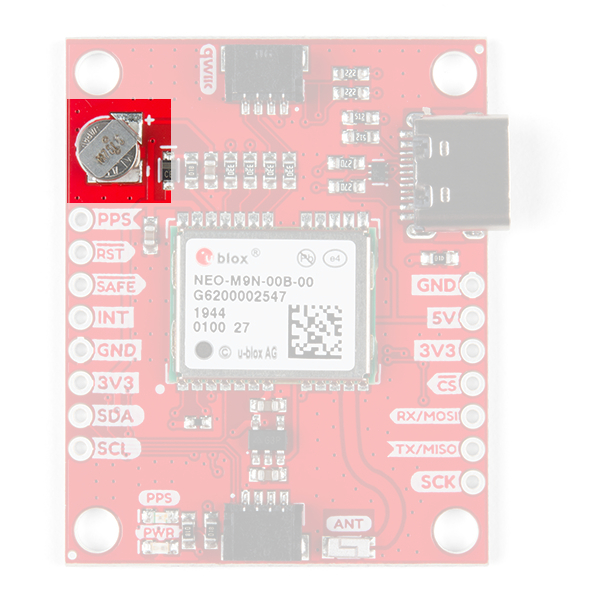
The small metal disk in the upper left corner is a small lithium battery. This battery does not provide power to the
IC like the 3.3V system does, but to relevant systems inside the IC that allow for a quick reconnection to satellites.
The time to first fix will about ~29 seconds, but after it has a lock, that battery will allow for a two second time to
first fix. This is known as a hot start and lasts for four hours after the board is powered down. The battery provides
over a years worth of power to the backup system and charges slowly when the board is powered. To charge it to
full, leave your module plugged in for 48 hours.
LEDs
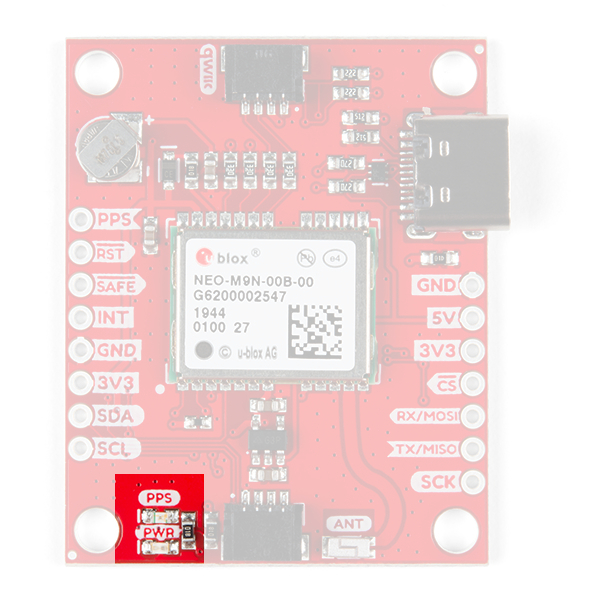
There's is a red power LED just to the left of the bottom Qwiic connector and near the board's edge to indicate that
the board is powered. There is another LED just above the power LED labeled PPS that is connected to the Pulse
Per Second line. When connected to a satellite, this line generates a pulse that is synchronized with a GPS or
UTC time grid. By default, you'll see one pulse a second.

Jumpers
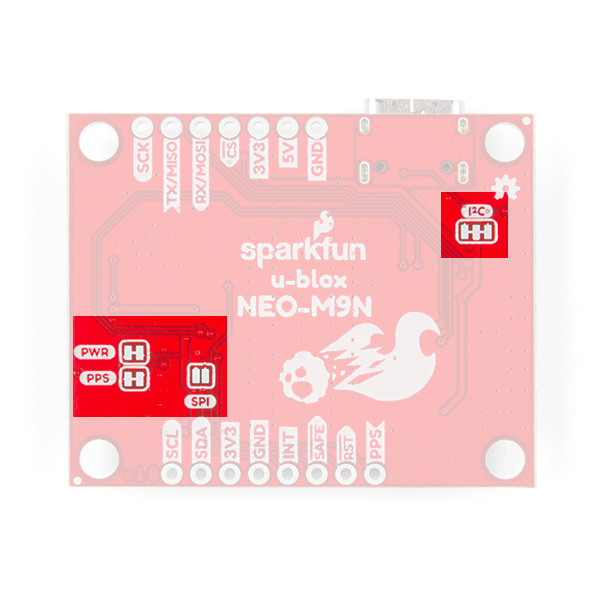
There are four jumpers on the underside of the product, each labeled with its function. At the upper right of the
picture is a three way jumper labeled I²C that connects two pull-up resistors to the I C data lines. If you have
many devices on your I C data lines, then you may consider cutting these. On the left side of the board is a jumper
labeled PWR . If you cut this trace it will disconnect the Power LED. Just below is the PPS jumper that when cut
disconnects the PPS LED. Finally, there's a jumper labeled SPI which enables the SPI data bus thus disabling the
UART functions on those lines. For more information, check out our tutorial on working with jumper pads and PCB
traces.
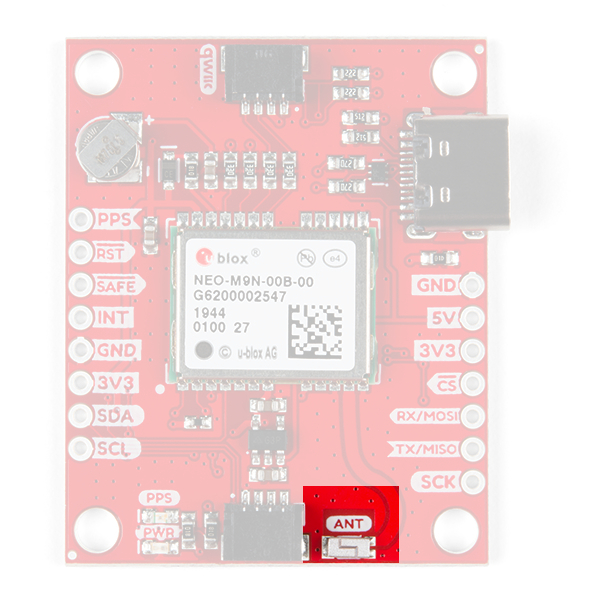
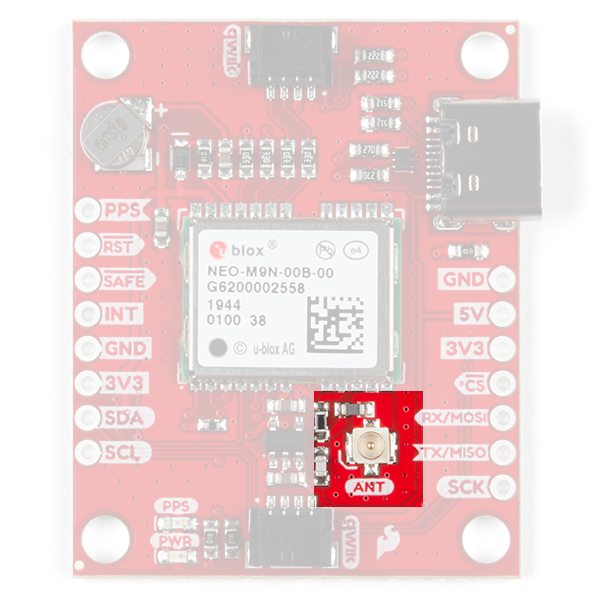
Chip Antenna or U.FL Connector
The SparkFun GPS NEO-M9N with Chip Antenna has a GNSS antenna near its left Qwiic connector while its
cousin has a U.FL connector in which you can connect a patch antenna.
2
2

Chip Antenna U.FL
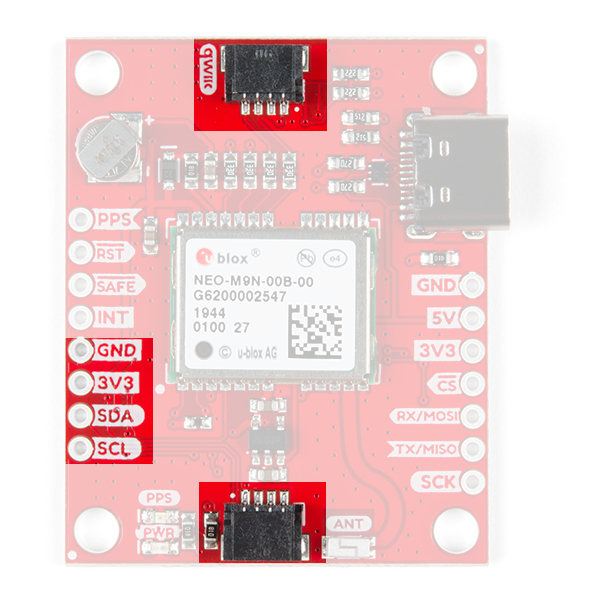
Qwiic and I C
There are two pins labeled SDA and SCL which indicates the I C data lines. Similarly, you can use either of the
Qwiic connectors to provide power and utilize I C. The Qwiic ecosystem is made for fast prototyping by removing
the need for soldering. All you need to do is plug a Qwiic cable into the Qwiic connector and voila!
The only I C address for this and all u-Blox GPS products is 0x42, though each can have their address
changed through software.
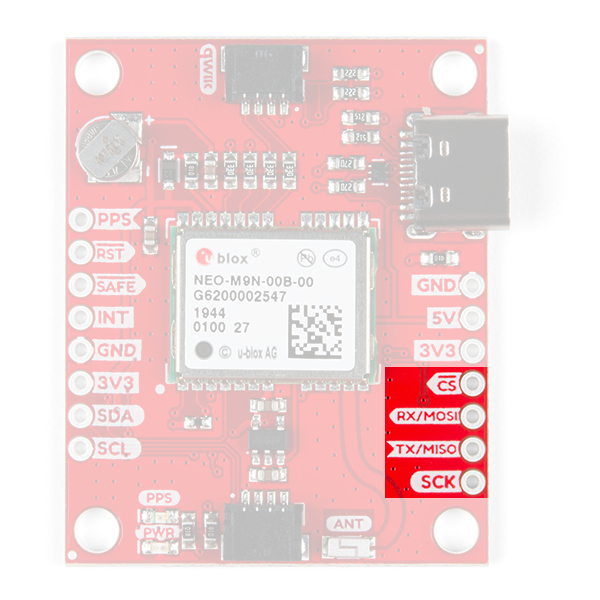
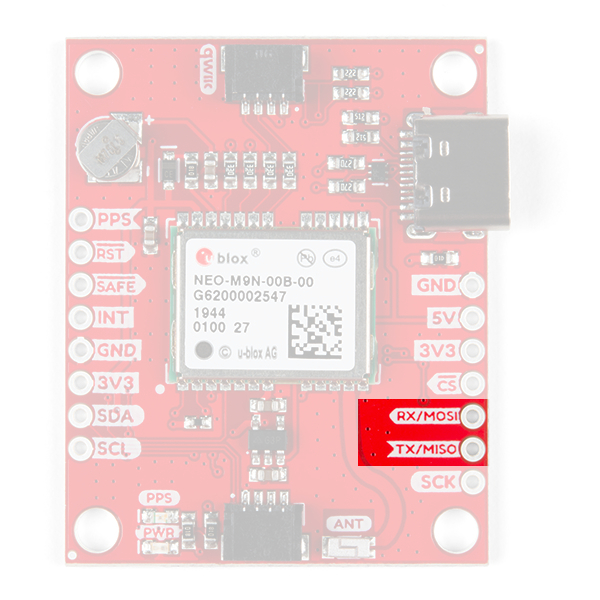
SPI
There are four pins on the right most header that are labeled with their corresponding SPI functionality. As
mentioned in the jumpers section, you'll need to close the SPI jumper on the underside to enable SPI.
2
2
2
2
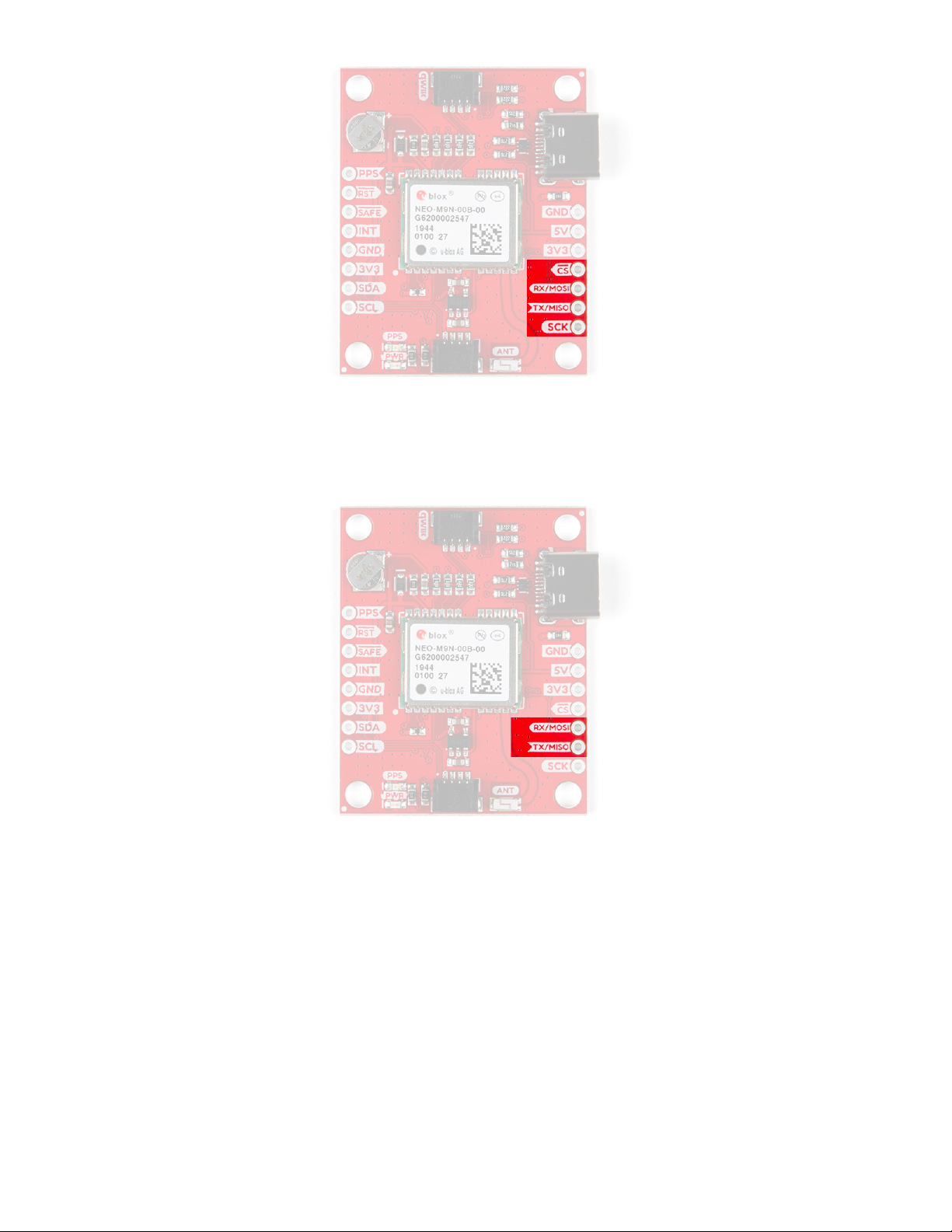
UART
There are two pins on the right most header labeled for their UART functionality.
Broken Out Pins
There are four other pins broken out: Pulse per second ( PPS ), Reset ( RST ), Safeboot ( SAFE ), and finally the
interrupt pin ( INT ). The first pin PPS , outputs pulse trains synchronized with the GPS or UTC time grid. The signal
defaults to once per second but is configurable over a wide range. Read the u-blox Receiver Protocol
Specification in the Resources and Going Further tab for more information. The reset pin resets the chip. The
next pin, SAFE is used to start up the IC in safe boot mode, this could be useful if you somehow manage to corrupt
the module's Flash memory. The final pin INT can be used to wake the chip from power save mode.
Tabla de contenidos
Otros manuales de GPS de sparkfun