Now that you have added the gator:soil extension to the Editor, lets start with some example code. Plug the
micro:bit into your computer using an USB micro-B cable after you have assembled your hardware with the
instructions from the previous section. The micro:bit should appear on your computer as a removable storage
device.
The micro:bit showing up as a USB drive on a Windows computer. Click to enlarge.
To upload new code, this is where you will be copying the downloaded .hex file to later.
Block Function
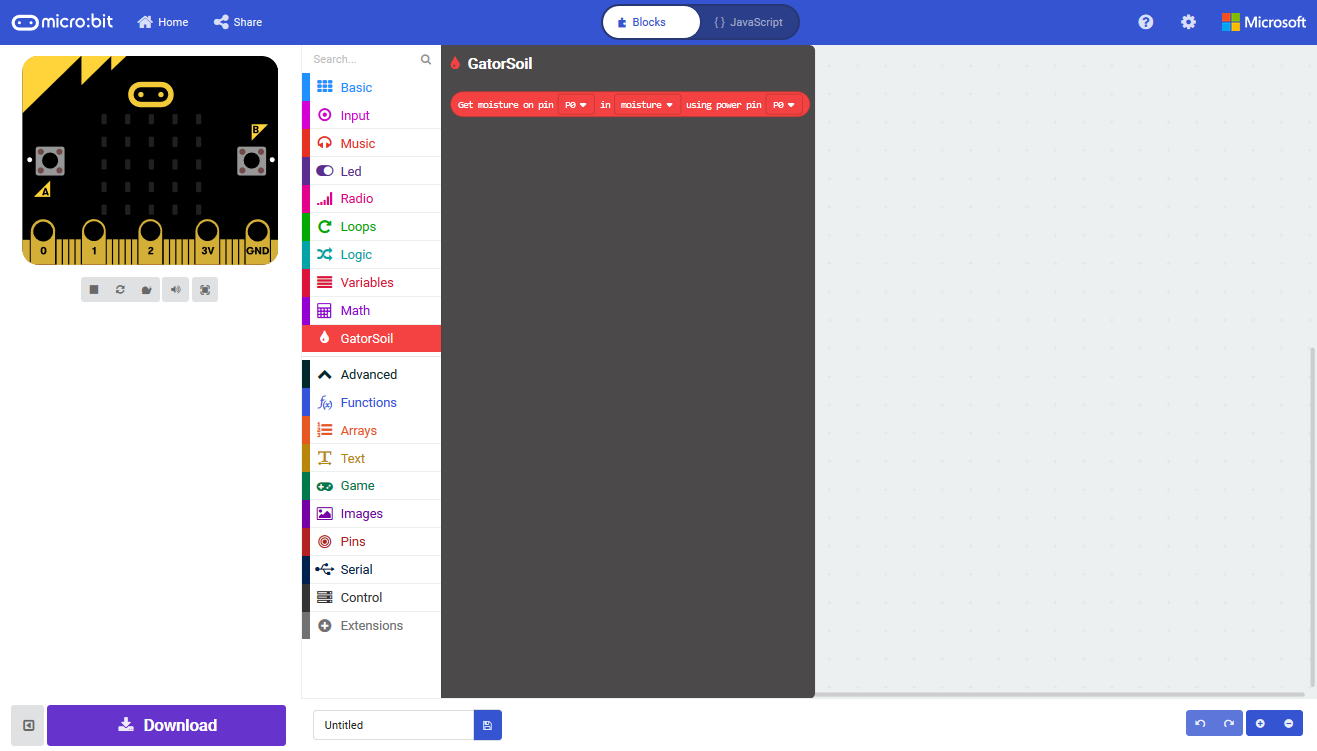
Get moisture on pin _____ in _____ using power pin _____
This is a value block as indicated by the block's shape. There are three drop down menus with selectable options
for how the sensor is wired and the output value of the block. Below is a description of the available menu options
(from left to right):
1. ADC or SIG Read Pin- This pin is used to read the SIG output of the sensor. The pin options are as follows:
P0 to P20
P5 to P9 & P11 to P20 : Digital pins that can't be used as indicated with (write only) .
Pins P0 to P4 and P10 : Analog pins that can be used, but the only pins that are available on
the gator:bit (v2) are P0 , P1 , and P2 .
2. Measurement Value
This designates the output value that is read. There are two options:
moisture - A value ranging between 0 and 1.
adcvalue - A 10-bit integer value from micro:bit ADC ranging between 0 and 1023.
3. Power Control Pin
This pin is used to control when the sensor input power ( PWR ). The pin options are as follows:
P0 to P20
Only pins P0 - P2 , P5 , P8 , P11 , P13 - P16 , and P19 - P20 are available on the gator:bit
(v2).
Note: Each measurement is taken with the shortest instance possible so that the power pin doesn't need to
be toggled on and off. However, control logic or time delays should be added to reduce the frequency of
these measurements. Without such controls, the sensor will be constantly polled in the forever loop,
reducing the life span of the probes.
System Calibration
To get any sort of useful data out of your Soil Moisture Sensor, it is advised that you calibrate it to whatever soil
you plan to monitor. Different types of soil can affect the sensor, and you may get different readings from one
composition to the next. Before you start storing moisture data or triggering events based on that value, you
should see what values you are actually getting from your sensor.