
Soundwear Ulite 2000 Manual de usuario
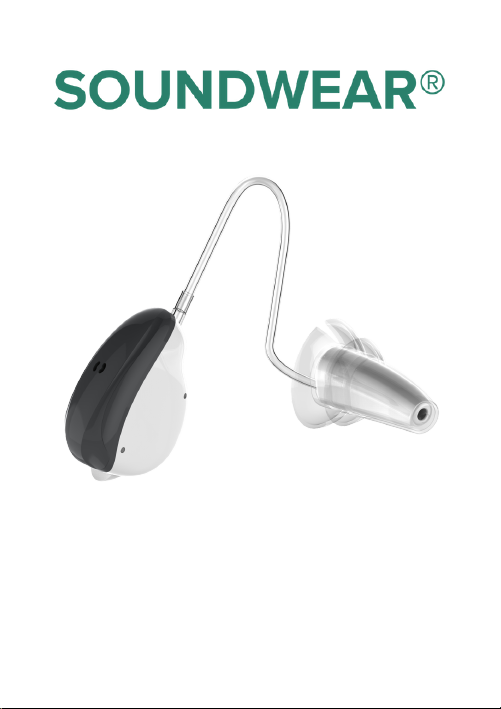
User Manual
For Ulite 2000

THANK YOU
FOR YOUR
PURCHASE

Contents
Introduction .................................................................................................... 1
Components ................................................................................................... 2
Preparation ..................................................................................................... 3
Low Battery Warning ................................................................................... 4
Replacing the Battery .................................................................................. 4
Operating ........................................................................................................ 5
Attaching Hearing Amplifier Parts ............................................................... 5
How to Wear Your Hearing Instrument ....................................................... 6
Memory Switch ........................................................................................... 7
Maintenance ................................................................................................... 8
Cleaning ...................................................................................................... 8
Troubleshooting ........................................................................................... 9

Introduction
Congratulations! Welcome to a new life created by Ulite 2000.
Please read this manual carefully before use. Ulite 2000 is
Bluetooth compatible product which can be connected to the
SOUNDWEAR® App for optimized settings.
Intended use
PSAPs (Personal Sound Amplifier Product) help to reduce situational
listening stress in many communication environments. Hearing better
means a better life in significant measure. (Consultation with a hearing
professional is recommended if you have concerns about your hearing)
Scope
This user manual only applies to Ulite 2000 hearing instrument.
Precautions
For patients with middle ear infection, hearing instrument should not be
used. Consult a medical or hearing health professional if you have
concerns about your hearing. Please consult your hearing healthcare
professional first when you have any questions about your hearing or
your hearing instrument.
THE MANUFACTURER RESERVES THE RIGHT TO MODIFY THE
TECHNICAL SPECIFICATIONS OF THE PRODUCT WITHOUT ANY
PRIOR NOTICE.
1

Components
Sound Tube
Dome
Amplifier/Receiver
Battery Door
Microphone
2

Preparation
What’s In the Box?
1 x Ulite 2000
1 x User Manual
1 x Cleaning wire & brush
Battery Care
The Ulite 2000 uses a 312A zinc air battery as its power source. The
performance of the hearing instrument greatly depends on the quality of
the battery used.
3
It is important to use high-quality batteries. With reliable high-
quality batteries, you can avoid periodic hearing instrument
failures.
It is also important that the batteries are well packed before use.
Each battery is therefore provided with an adhesive label which
ensures the battery is sealed and fresh till use.
Never leave an exhausted battery in the hearing instrument.
Exhausted battery may leak and it will cause serious damage to
the instrument.

NOTE: Batteries are dangerous if swallowed! Keep batteries away from
children and pets. In case a battery has been swallowed, seek
immediate medical attention.
Low Battery Warning
When you hear one short beep, it means that the battery is running out.
Intermittent warning exists until you replace the battery. The sound
quality may be influenced after the first warning, this is normal and can
be remedied by inserting a fresh battery in the hearing instrument.
Always remove the battery if your instrument is not in use for long
periods of time.
Replacing the Battery
Caution: Do not force the battery door closed. Please check that the
battery is inserted correctly in the battery door before closing.
It will usually take a few seconds before the new battery works. This is
because the battery is not activated until air gets inside.
4
1. Open the battery door and remove the old battery.
2. Remove the adhesive label from the new battery.
3. Insert the new battery and ensure that the plus (+) sign is facing up
in the opened battery door.
4. Close the battery door.

Operating
Turn on your hearing instrument by closing the battery door
completely.
Turn off your hearing instrument by opening the battery door
slightly.
5
Attaching Hearing Amplifier Parts
1. Gently push the dome over the grooves of the end of the sound tube.
2. Once the dome and tube are properly aligned at the tip, make sure
the hole in the dome tip is aligned with the sound hole at the tip of the
earpiece.
Before insertion, it is helpful to practice good ear hygiene and not have
any impacted wax in the ear canal. It is also recommended that the
hearing devices are turned on with the battery door closed. Follow the
procedure for inserting your instrument.

How to Wear Your Hearing Instrument
1. Hold the tubing with your thumb and index finger close to the earpiece
and gently insert it into the ear.
2. Place the part of the hearing device that contains the battery, over the
top of the ear.
3. Gently insert the earpiece further in the ear canal until it feels snug
and comfortable.
You may hear the instrument ‘squeal’ or “whistle” while inserting. That is
a natural indication that the battery is good and device working. Once it
is properly inserted, the whistling should stop.
6

Your hearing amplifier is programmed with 4 different listening
programs. When the hearing instrument is turned on, it will
automatically be in program 1.
The additional settings which are pre-programmed for your specific
needs are accessed by the SOUNDWEAR® App. The sequence is 1, 2,
3, and 4. The Ulite 2000 is equipped with the adaptive directional (dual)
microphones function. Adaptive directional microphones can provide
improved speech recognition in noise.
Program 1: All Around (Single Microphone)
Program 2: Restaurant (Dual Microphone)
Program 3: Traffic (Single Microphone)
Program 4: Outdoor (Dual Microphone)
Your hearing amplifier will alert and help you identify which program
you are using. When you select program 1 you will hear one beep,
program 2 will emit two beeps, etc.
Note: The programs are preset by the manufacturer.
Memory Switch
7
Tabla de contenidos
Manuales populares de Audífono de otras marcas


Advanced Bionics
Advanced Bionics Slim HP Standard Manual de usuario

Widex
Widex DREAM440 THE DREAM SERIES Manual de usuario

Phonak
Phonak myPilot Manual de usuario

NIKEN
NIKEN NK-401 Manual de usuario

ON Semiconductor
ON Semiconductor Ezairo 7111 Pre Suite Manual de usuario

Sonetik
Sonetik GOHEAR Manual de usuario