SMART SE240 Manual de usuario

Installation and User’s Guide
SMART Hub SE240

Product Registration
If you register your SMART product, we’ll notify you of new features and
software upgrades.
Register online at www.smarttech.com/registration.
Keep the following information available, in case you need to contact
Technical Support:
Serial Number: _______________________________________
Date of Purchase: _____________________________________
Trademark Notice
SMART Board, Sympodium, Actalyst, Notebook, Bridgit, LinQ, the SMART logo and smarttech are trademarks or registered trademarks of
SMART Technologies ULC in the U.S. and/or other countries. Microsoft and Windows are either registered trademarks or trademarks of
Microsoft Corporation in the U.S. and/or other countries. All other third-party product and company names may be the trademarks of
their respective owners.
Copyright Notice
© 2008 SMART Technologies ULC. All rights reserved. No part of this publication may be reproduced, transmitted, transcribed, stored in a
retrieval system or translated into any language in any form by any means without the prior written consent of SMART Technologies ULC.
Information in this manual is subject to change without notice and does not represent a commitment on the part of SMART.
Patent No. US5448263; US6141000; US6326954; US6337681; US6540366; US6741267; US6747636; US6803906; US6919880;
US6947032; US6954197; US6972401; US7151533; US7184030; US7236162; US7283126; US7289113; CA2058219; CA2453873;
EP1297488; ES2279823; CN1310126; DE60124549; and ZL0181236.0. Other patents pending.
07/2008

Important Information i
Important Information
WARNING Failure to follow the installation instructions shipped with the SMART Hub SE240
could result in personal injury and damage to the product.
WARNING Ensure that any cables extending across the floor to the SMART Hub SE240 are
properly bundled and marked to avoid a trip hazard.
WARNING Make sure an electrical socket is near the SMART Hub SE240 and remains easily
accessible during use.
WARNING To reduce the risk of fire or electric shock, do not expose the SMART Hub SE240 to
rain or moisture.
WARNING Do not open or disassemble the SMART Hub SE240. Opening the casing voids
your warranty.
WARNING The external power supply (when required) needs to meet the Limited Power
Source (LPS) requirements of CSA/UL/IEC/EN 60950-1.
CAUTION Avoid setting up and using the SMART Hub SE240 in an area with excessive levels
of dust, humidity and smoke.

ii Important Information

Table of Contents iii
Table of Contents
Important Information i
About the SMART Hub SE240 1
SMART Hub SE240 Features......................................................................................................... 1
SMART Hub SE240 Firmware Features......................................................................................... 2
Standard Accessories ..................................................................................................................... 2
Installing the SMART Hub SE240 5
Environmental Requirements.......................................................................................................... 5
Before Installing the SMART Hub SE240 ....................................................................................... 5
Installing the SMART Hub SE240................................................................................................... 6
Configuring the SMART Hub SE240 15
Orienting Your SMART Product ....................................................................................................15
Configuring Multiple SMART Hub SE240 Units............................................................................ 17
Securing Configuration Settings.................................................................................................... 20
Connecting Computers to the SMART Hub SE240 ...................................................................... 22
Connecting Video Sources to the SMART Hub SE240................................................................. 24
Configuring the Display Settings................................................................................................... 25
Configuring Networking and Conferencing Settings ..................................................................... 29
Configuring Room Control Settings...............................................................................................35
Configuring Language and General System Settings................................................................... 40
Using the SMART Hub SE240 45
Basic Tools.................................................................................................................................... 45
Starting a SMART Hub SE240 Session........................................................................................ 49
Whiteboarding............................................................................................................................... 50
Collaborating................................................................................................................................. 59
Connecting to Computers and Video Sources.............................................................................. 68
Using Your SMART Product with Computer and Video Source Inputs......................................... 71
Ending a SMART Hub SE240 Session......................................................................................... 74
Maintaining the SMART Hub SE240 75
Updating the SMART Hub SE240 Firmware................................................................................. 75
Maintaining the SMART Hub SE240 Hardware ............................................................................ 80
Troubleshooting the SMART Hub SE240 81
Connecting the SMART Hub SE240............................................................................................. 81
Resetting the SMART Hub SE240................................................................................................ 81
General SMART Hub SE240 Troubleshooting.............................................................................. 82
Regulatory Compliance 85
Waste Electrical and Electronic Equipment Regulations .............................................................. 85
Restriction of Certain Hazardous Substances (RoHS) Directives................................................. 85

iv Table of Contents
Customer Support 87
Online Support.............................................................................................................................. 87
Training ......................................................................................................................................... 87
Contacting SMART Technical Support.......................................................................................... 87
General Inquiries........................................................................................................................... 87
Warranty........................................................................................................................................ 88
Registration................................................................................................................................... 88
Index 89

About the SMART Hub SE240 1
About the SMART Hub SE240
The SMART Hub SE240 is a device you connect to SMART Board™ interactive whiteboards,
SMART Boards for Flat-Panel Displays, Actalyst™ interactive overlays and Sympodium™
interactive pen displays. It lets you to do the following with your SMART products without
connecting to a computer:
• whiteboarding
• collaborating with others using Bridgit™ conferencing software
• viewing and working with computer or video source input on your SMART products’ displays
This chapter introduces you to the SMART Hub SE240 and presents its features.
•SMART Hub SE240 Features (this page)
•SMART Hub SE240 Firmware Features (page 2)
•Standard Accessories (page 2)
–Power Supply (page 2)
–Cables and Adapters (page 3)
SMART Hub SE240 Features
The SMART Hub SE240’s compact size allows you to integrate it into your boardroom or
classroom easily. You can mount the SMART Hub SE240 in four ways:
• 19" (48.3 cm) rack mounting
• wall mounting
• table top or shelf mounting
• under-shelf mounting
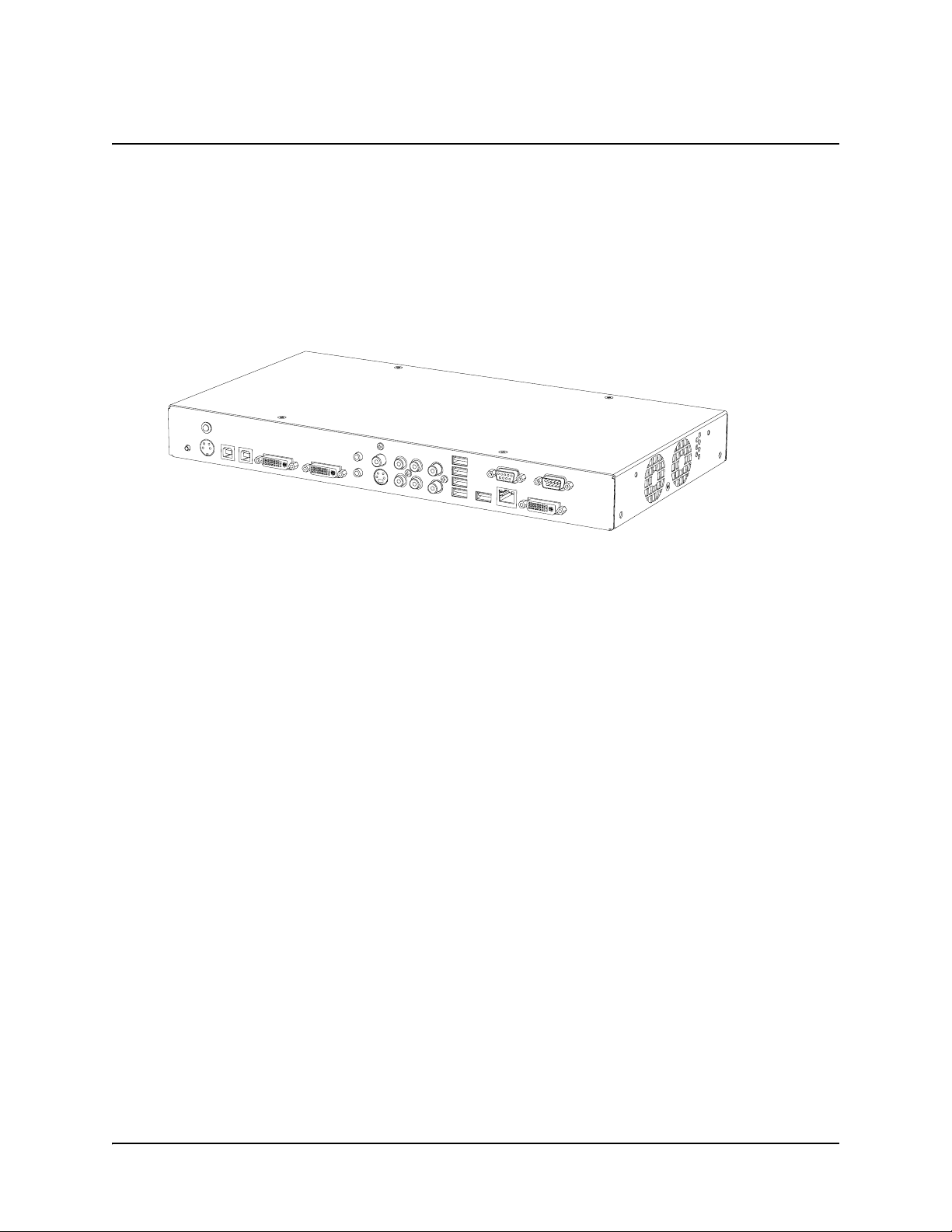
The SMART Hub SE240 includes connectors for:
• SMART products
• speakers
• up to two computers
• up to two video sources
• other peripheral devices (including USB storage devices)

2About the SMART Hub SE240
The SMART Hub SE240 supports the following input and output formats:
The SMART Hub SE240 includes 256 MB DDR RAM, and its two fans cool the appliance while
producing less than 30 dB noise at 16.4' (5 m).
SMART Hub SE240 Firmware Features
The SMART Hub SE240 firmware includes the following features:
• Whiteboard for writing digital ink notes and drawings and saving them for later use
• Capability to collaborate with others through Bridgit software
NOTE: Bridgit software is not included with the SMART Hub SE240.
• LinQ™ software for connecting to remote computers through a network
• digital ink features for computer and video source inputs
Standard Accessories
SMART Technologies provides the following accessories with the SMART Hub SE240. If you need
to purchase replacements, contact your authorized SMART reseller.
Power Supply
SMART Technologies provides a 12V, 5.0A power supply with the SMART Hub SE240.
NOTE: The cable you need to connect the power supply to a power outlet is also included with the
SMART Hub SE240 and depends on your region.
Computer Input Video Source Input Output
•VGA
• SVGA
•XGA
•XWGA
• SXGA
•MAC
• NTSC/PAL/SECAM SDTV
(480i, 576i)
• EDTV (480p, 576p)
•XGA
•WXGA
• SXGA

About the SMART Hub SE240 3
Cables and Adapters
SMART Technologies provides the following cables with the SMART Hub SE240:
• 6' (1.8 m) DVI male to VGA male cable
• 6' (1.8 m) DVI male to DVI male cable
• DVI male to VGA female adapter to connect the SMART Hub SE240 to a projector or display
using a VGA cable
If your SMART product has a serial connector rather than a USB connector, your SE240S model
will ship with a USB to serial adapter so that you can connect the SMART Hub SE240 to your
SMART product.
NOTE: You can purchase additional cables from your authorized SMART reseller.

4About the SMART Hub SE240
Otros manuales para SE240
1
Tabla de contenidos
Otros manuales de Cambiar de SMART

SMART
SMART VE220 Guía de configuración

SMART
SMART VE220 Manual de usuario

SMART
SMART Titanium MS 5/6 ES Manual de usuario

SMART
SMART SMART PE260 Manual de usuario

SMART
SMART MS58ECO Manual de usuario

SMART
SMART SE240 Manual de usuario

SMART
SMART DPA 21 Manual de usuario

SMART
SMART SMART PE260 Manual de usuario

SMART
SMART VE220 Manual de usuario