PAGE 06PAGE 05
VI. System Operation Instruction
Panel function key introduction
“ ” Volume increase/Up selection key, press directly to increase volume;
“ ” Volume reduction/Down selection key, press directly to reduction volume;
“SET” Press “SET”,then through UP and Down key set receiver channel ,
frequency, press “SET”key to save after setting finish;
“ ” Scan frequency key to search the frequency automatically;
“ ” Press the “SYNC” key to match the receiver and transmitter frequency;
“ ”,lock the receiver screen;
Search frequency automatically
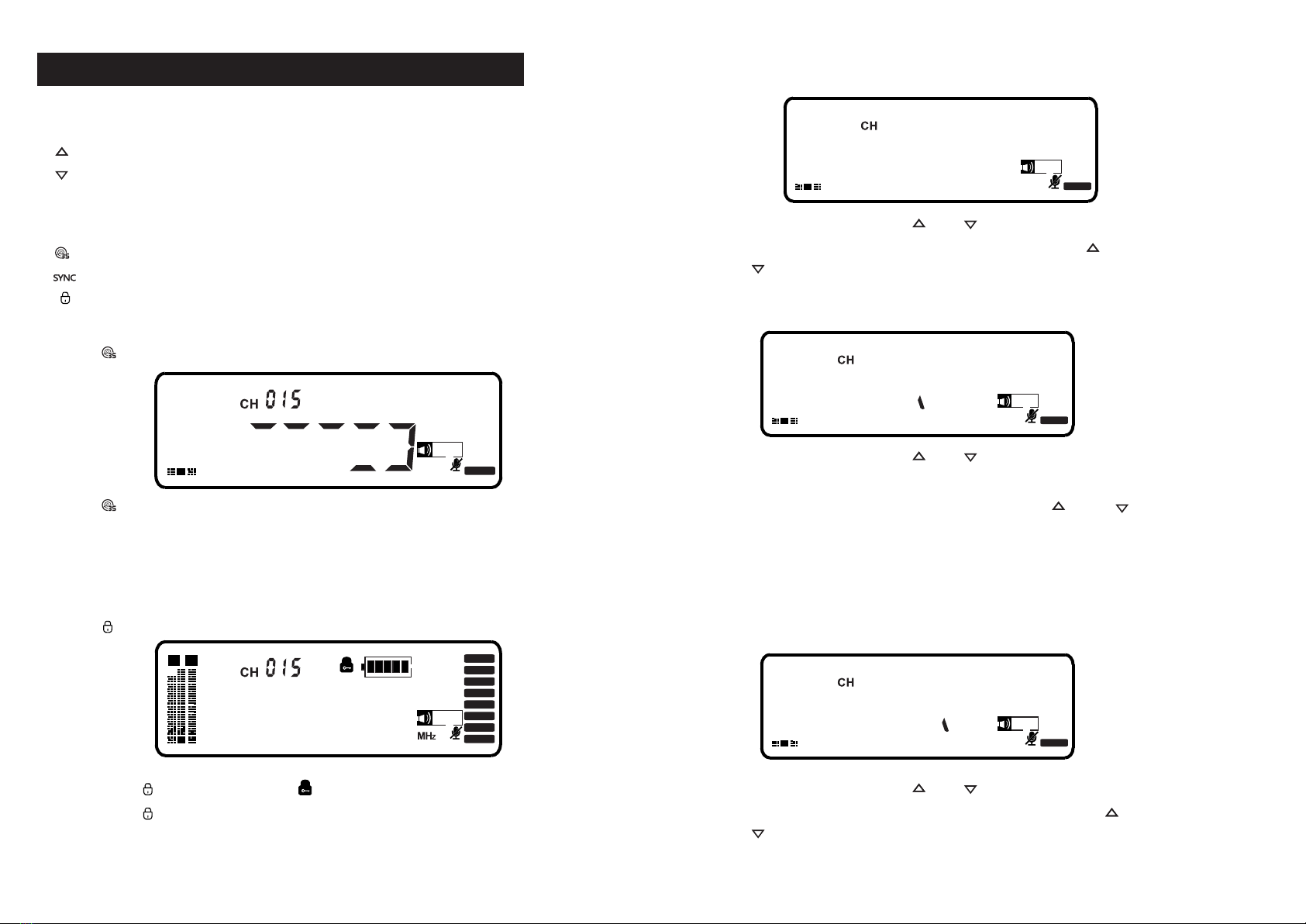
Press “ ” ,the receiver screen display as below:
AF
RF
5
10
15
20
25
30
35
40
+50
Press “ ” key, the system will automatically sweep the frequency, thereceiver
screenwillscrolling the digital. After display “IR”,froofreading the handheld mic
frequency, when the screen digital become white color, the operation succeed.
Lock key
Press “ ” ,the receiver screen display as below:
10
AF
25
40
55
70
85
100%
A B
RF
5
10
15
20
25
30
35
40
+50
925000
.
Long press “ ”3 seconds ,enter “ ” status,the panel will be locked.
Long press “ ”3 seconds to unlock.
Set channel manually
The receiver will display as below:
AF
RF
5
10
15
20
25
30
35
40
+50
CHAN
02
Press ”SET”,then press “ ” or “ ” to select “CHAN”as above,
press ”SET” to enter the channel setting, through “ “ and
“ “ key set receiver channel ,press “SET”key to save.
Set receiver signal intensity manually
The receiver will display as below:
AF
RF
5
10
15
20
25
30
35
40
+50
S0
02
Press ”SET”,then press “ ” or “ ” to select “SQ”as above,
press ”SET” to enter the signal intensity setting, there are
3 signals can be select “-95/-90/85”,through “ “ and “ “
key to select ,press “SET”key to save.
Noted:1.The smaller the sensitivity, the shorter the wireless receiving distance
and the stronger the anti-interference.
2.The greater the sensitivity, the longer the wireless receiving distance
and it is easy to receive other signals.
Set receiver signal intensity manually
The receiver will display as below:
Set receiver signal intensity manually
The receiver will display as below:
AF
RF
5
10
15
20
25
30
35
40
+50
FRE0
02
Set receiver signal intensity manually
The receiver will display as below:
Press ”SET”,then press “ ” or “ ” to select “FREQ”as above,
press ”SET” to enter the Frequency setting, through “ “ and
“ “ key set receiver channel ,press “SET”key to save.