SilverNet SIL ECHO BS Manual de usuario

ECHO MANUAL v1.111 Page 1 of 47
SIL ECHO BS/ST
User Manual
Version 1.0 (27/06/2017)

ECHO MANUAL v1.111 Page 2 of 47
Radio frequency Interference Requirements
The operation of this device in the 5.15 GHz to 5.25 GHz frequency range is
restricted to indoor use. FCC regulations require this product to be used indoors
while operating at 5.15 GHz to 5.25 GHz to reduce the potential for harmful
interference. However, the operation of this device in the 5.25 GHz to 5.35 GHz
frequency range is allowed for both indoor and outdoor use. High power radars
are allocated as primary users of the 5.25 GHz to 5.35 GHz and 5.65 GHz to 5.85
GHz bands. These radar stations can cause interference with and/or damage to
this device.
FCC Warning
This equipment has been tested and found to comply with the limits for a Class B
digital device, pursuant to Part 15 of the FCC Rules. These limits are designed to
provide reasonable protection against harmful interference in a residential
installation. This equipment generates, uses, and can radiate radio frequency
energy and, if not installed and used in accordance with the instructions, may
cause harmful interference to radio communications. No guarantee exists that
interference will not occur in a particular installation. If this equipment does cause
harmful interference to radio or television reception (determined by turning the
equipment off and on), the user is encouraged to try to correct the interference
by one or more of the following measures:
•Reorient or relocate the radio/TV receiving antenna.
•Increase the separation between the equipment and the radio/TV receiver.
•Connect the equipment into an outlet on a circuit different from that to
which the radio/TV receiver is connected.
•Consult the dealer or an experienced radio/TV technician for help.
Modifications made to the product, unless expressly approved by SilverNet
Limited, could void the user’s authority to operate the equipment.
RF Exposure Requirements
To ensure compliance with FCC RF exposure requirements, the antenna used for
this device must be installed to provide a separation distance of at least 20 cm
from all persons and must not be co-located or operating in conjunction with any
other antenna or radio transmitter. Installers and end-users must follow the
installation instructions provided in this user guide.

ECHO MANUAL v1.111 Page 3 of 47
CE Statement
The ECHO range is intended to be used by suitably trained individuals or
organisations that are familiar with the requirements of the R&TTE directive. In
particular the client must ensure that appropriate antennas and transmit power
levels are selected to ensure that all power limits are met. Hereby, SilverNet
Limited declares that this device is in compliance with the essential requirements
and other relevant provisions of the R&TTE Directive 1999/5/EC. However, the
use of the following warning symbol
Means that this equipment is subject to restrictions of use in certain countries and
selection of the correct country of operation (country code) will ensure that the
device operates only on the frequencies permissible within that country. It is also
the operator’s responsibility to ensure that appropriate licenses have been sought
when operating on licensed frequencies, for example UK Band C, 5725-5850 MHz
Copyright Information
Copyright ©2017 all rights reserved. No part of this publication may be
reproduced, adapted, stored in a retrieval system, translated into any language,
or transmitted in any form or by any means without the written permission of the
supplier.

ECHO MANUAL v1.111 Page 4 of 47
Contents
Radio frequency Interference Requirements ...................................................................................2
FCC Warning....................................................................................................................................2
RF Exposure Requirements ..........................................................................................................2
CE Statement..................................................................................................................................3
Copyright Information...................................................................................................................3
1. Installing the radio ............................................................................................................................6
1.1 Instructions before installing................................................................................................6
1.2 Installation...........................................................................................................................7
1.3 Powering up the Radio......................................................................................................10
1.4 Accessing the radio...........................................................................................................11
2. Software Configuration...................................................................................................................12
2.1 Main Page.............................................................................................................................12
2.1.1 Status-WIRELESS.........................................................................................................13
2.1.2 Status-NETWORK.....................................................................................................15
2.1.3 Status-SYSTEM.........................................................................................................16
2.1.4 Monitor-Throughput...................................................................................................17
2.1.5 Monitor-Interfaces......................................................................................................17
2.1.6 Monitor-ARP List........................................................................................................18
2.1.7 Monitor-STA Stats......................................................................................................18
2.1.8 Monitor-AP Stats........................................................................................................20
2.2 Radio Page...........................................................................................................................22
2.2.1 Basic Wireless Settings .............................................................................................22
2.2.2 Advanced Wireless Settings ......................................................................................25
2.2.3 WMM Settings ...........................................................................................................26
2.3 WIRELESS Page..................................................................................................................27
2.3.1 AP/AP WDS Mode.....................................................................................................27
2.3.2 Station/Station WDS Mode........................................................................................29

ECHO MANUAL v1.111 Page 5 of 47
2.4 NETWORK........................................................................................................................30
2.4.1 Bridge Mode ...............................................................................................................30
2.4.2 WISP/SOHO Router Mode .........................................................................................33
2.5 SERVICES........................................................................................................................36
2.5.1 Web Server ..............................................................................................................36
2.5.2 NTP Client................................................................................................................37
2.5.3 Dynamic DNS...........................................................................................................37
2.5.4 Wireless Client Rate Limit ........................................................................................37
2.5.5 MAC Control.............................................................................................................39
2.6 SYSTEM ...........................................................................................................................40
2.6.1 Device..............................................................................................................................40
2.6.2 Ping Watchdog.........................................................................................................41
2.6.3 System Accounts......................................................................................................41
2.6.4 Configuration Management......................................................................................42
2.6.5 Firmware upgrade ....................................................................................................43
2.7 Tools..................................................................................................................................44
2.7.1 Ping..........................................................................................................................44
2.7.2 Traceroute................................................................................................................44
2.7.3 Site survey................................................................................................................45
2.7.4 Speed Test ...............................................................................................................45
Contact Us ............................................................................................................................................46
Online Resources..........................................................................................................................46

ECHO MANUAL v1.111 Page 6 of 47
1. Installing the radio
1.1 Instructions before installing
You will need clear Line-Of-Sight for the units to work correctly. Locate a suitable mounting location with
a pole between 30 and 60mm. Do not install anywhere that is illegal and please ensure you obey the
local regulatory rules.
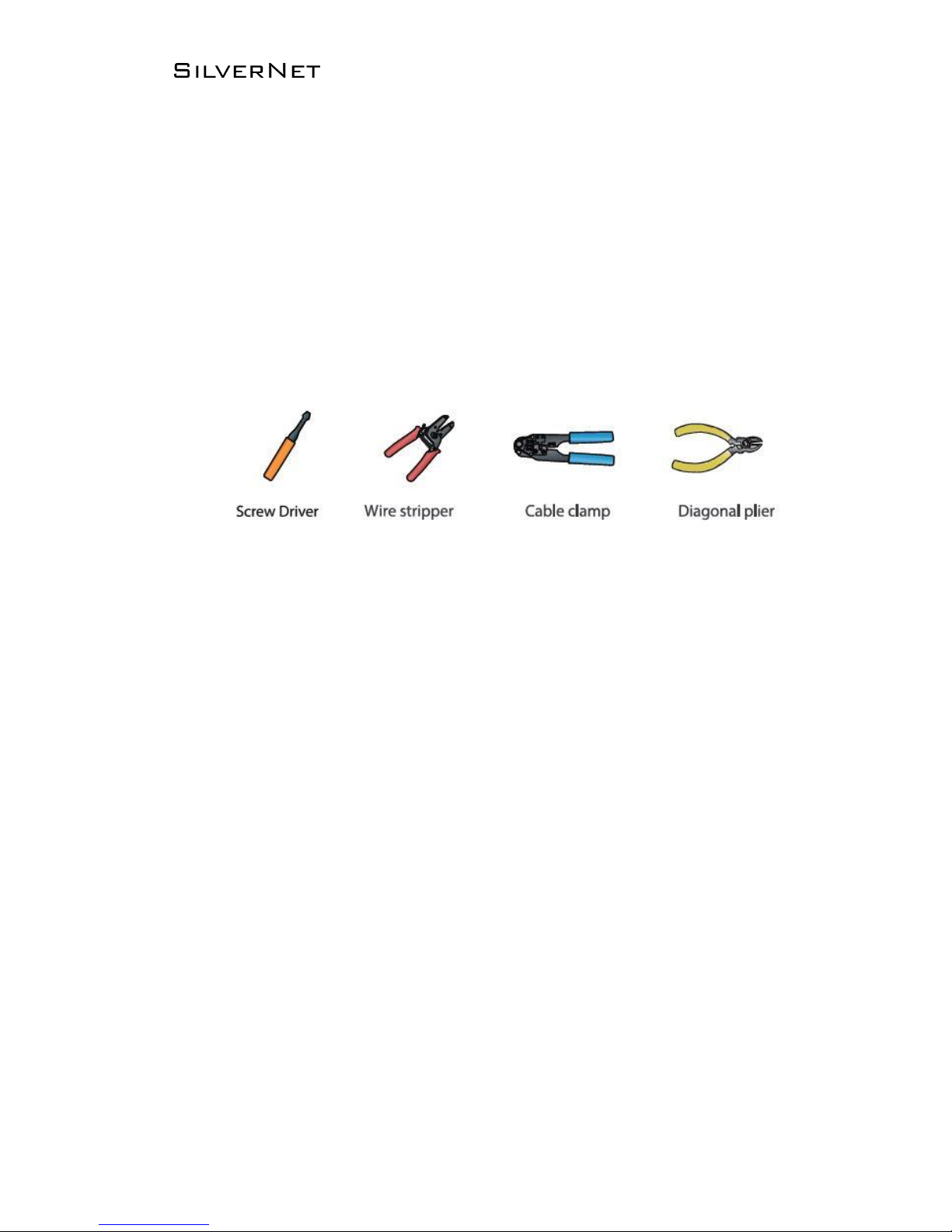
You may need the following tools,

ECHO MANUAL v1.111 Page 7 of 47
1.2 Installation
1. Attach the Ball Joint Mount to the radio by rotating the lock nut clockwise by hand. Do not
tighten the nut.
2. Open the Metal strap and feed it through the two slots of the Ball Joint Mount, then wrap the
Metal Strap around the pole.
3. Pull out the port cover and connect an Ethernet cable to the port, then slide the cover back.
4. Loosen the lock nut on the Ball Joint Mount and aim in the direction of the other end of the
wireless link. Lock the nut.

ECHO MANUAL v1.111 Page 8 of 47
5. Make sure the air bubble stays in the middle of the level after installation

ECHO MANUAL v1.111 Page 9 of 47
1. Press the buckle down and move the cover (highlighted) in the direction shown above.
2. Connect your Ethernet cable to the Ethernet port.
3. Replace the cover (highlighted) with the cable passing through the hole.
4. Mount the radio to a pole with the provided clip
If you are using our 5GHz radios these should be connected with a Cat 5 or Cat 6 outdoor shielded
grade Ethernet cable.

ECHO MANUAL v1.111 Page 10 of 47
1.3 Powering up the Radio
Connect the other end of the Ethernet cable to the PoE port of the provided PoE adapter. Then
connect the LAN port of the PoE adapter to a PC or switch using a separate Ethernet cable. Finally,
plug the PoE adapter into a standard electrical wall socket.
If you use a PoE adapter which is not provided by SilverNet, we cannot provide warranty cover if
the radio is damaged.
Este manual sirve para los siguientes modelos
1
Tabla de contenidos
Otros manuales de Sistema de micrófono de SilverNet
Manuales populares de Sistema de micrófono de otras marcas

Sennheiser
Sennheiser Evolution Wireless Digital EW-DX EM 2 Manual de usuario

Alpha Technologies
Alpha Technologies RBMS Manual de usuario

SWIT Electronics Co.,LTD.
SWIT Electronics Co.,LTD. CW-S150 Manual de usuario

Shure
Shure UA844 Manual de usuario

Panasonic
Panasonic SHFX70 - DVD HOME THEATER WIRELESS SYSTEM Manual de usuario

Pyle
Pyle PDWM5000 Manual de usuario