Silvercrest SZW 1000 A2 Hoja de instrucciones


English .......................................................................... 2
Suomi .......................................................................... 28
Svenska ...................................................................... 53
Dansk .......................................................................... 79
V 1.33

Cassette Digitizer SilverCrest SKD 1000 A2
2 English
Important Safety Instructions
Before you use this device for the first time, please read the following notes in this
manual and heed all warnings, even if you are familiar with handling electronic
devices. Keep this manual safe for future reference. If you sell the device or pass it
on, it is essential that you also hand over this manual.
This icon denotes important information for safe operation of the
product and for the user’s safety.
This icon denotes further information on the topic.
Risks associated with excessive volume levels
Listening at a high volume can damage your hearing.
In accordance with safety regulations the maximum permitted noise level is 100
dB(A). The device fully complies with these legal requirements.
Do not use the earphones at high volume levels, otherwise you will damage your
hearing and possibly disturb other people. Although the device is designed to
enable you to perceive external noise, never adjust the volume to such a high level
that you are not capable of hearing what is happening around you.
Under dangerous circumstances (for example when driving a vehicle or when
working with machines) the sound may distract your attention or prevent you from
being aware of what is happening around you. You should not use the device in
these situations.
Operating Environment
The device is not designed for use in environments with high temperatures or
humidity (e.g. bathrooms), and must be kept free of dust. Operating temperature
and operating humidity: 5°C to 35°, max. 85 % RH.

Cassette Digitizer SilverCrest SKD 1000 A2
English 3
Always make sure that:
there is free circulation of air (do not place the device on shelves, on a carpet,
on a bed, or anywhere that obstructs the ventilation, and ensure at least 10 cm
clearance on all sides);
no direct heat sources (e.g. radiators) can affect the device;
no direct sunlight or bright artificial light reaches the device;
contact with sprayed and dripping water and abrasive liquids must be avoided
and the device should never be operated near water. It must especially never
be immersed (do not place any items containing liquids such as beverages,
vases, etc. onto or next to the device);
the device is never placed in the immediate vicinity of magnetic fields (e.g.
loudspeakers);
no foreign bodies enter the device;
the device is not subject to any great temperature changes as this may cause
moisture through condensation and short-circuits;
the device is not subjected to excessive shocks and vibrations.
Candles and any other open flames must be kept away from this
product at any times in order to avoid the risk of fire.

Cassette Digitizer SilverCrest SKD 1000 A2
4 English
Batteries
Insert the batteries with the correct polarity. Refer to the polarity markings beside
the battery compartment. Do not try to recharge the batteries and do not throw
batteries into the fire. Do not mix battery types (old and new or carbon and alkaline,
etc.). Remove the batteries when the device is not to be used for a long time.
Improper use may cause explosions and danger to life.
Children
Electrical appliances do not belong in the hands of children! Do not allow children
to use electrical devices when not under supervision. Children may not understand
that they can be dangerous. Small parts can represent choking hazards. Keep the
packaging away from children too as there is danger of suffocation.
Batteries / rechargeable batteries can represent choking hazards. Keep batteries
out of reach of children. If a battery is swallowed, seek medical help immediately.
Intended Use
This is a consumer electronics device. It is designed for playing and digitizing audio
cassettes. It may only be used for private use, not industrial or commercial
purposes. Furthermore, the device may not be used in tropical climates. Only
cables and external devices that comply with safety standards and the
electromagnetic compatibility and shielding quality of this device may be used.
Failure to comply with this requirement can result in interference (e.g. mains hum
when using an optional mains adapter).
This device fulfils all conformity-relevant norms and standards. Any modifications to
the device may result in these directives no longer being met. Only use the
accessories recommended by the manufacturer. If you are not using the device
within the Republic of Germany, you must observe the regulations and laws in the
country of use.

Cassette Digitizer SilverCrest SKD 1000 A2
English 5
Repair and Maintenance
Repairs are required when this device has been damaged in any way, for example
when the device housing is damaged, when liquids or objects have entered the
device or when the product has been exposed to rain or moisture. Repairs are also
necessary when the product does not perform normally or if it has been dropped. If
smoke, unusual noises or smells are noticed, switch off the device immediately. In
these cases the device should no longer be used and should be inspected by
authorized service personnel. Please contact qualified personnel when servicing is
needed. Never open the housing of the device. Only use a clean, dry cloth for
cleaning. Never use any corrosive liquids. Do not attempt to open the housing of
the device, otherwise you will void your warranty.
Conformity Notice
This device complies with the basic and other relevant requirements of
the EMC Directive 2004/108/EC. Further information on the conformity
of this device can be found at www.silvercrest.cc. The declaration of
conformity can also be found at the end of this user manual.

Cassette Digitizer SilverCrest SKD 1000 A2
6 English
Disposal of Old Devices
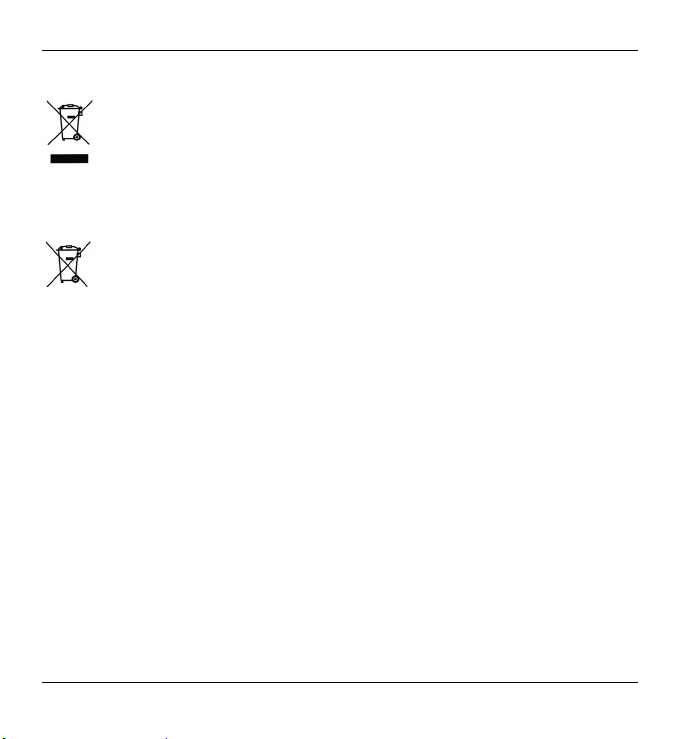
If the product is labelled with a struck-out waste bin, it is subject to
European Directive 2002/96/EC. All electrical and electronic devices
must be disposed of separately from household waste at official
disposal centres. With proper disposal of old devices you avoid damage
to the environment and your personal health. For further information
about proper disposal, contact your local government, disposal bodies
or the shop where you bought the device.
Disposal of Batteries
Old batteries do not belong in the domestic waste! They must be
handed in to a collection point for waste batteries.

Cassette Digitizer SilverCrest SKD 1000 A2
English 7
Table of Contents
Important Safety Instructions ................................................................................... 2
Risks associated with excessive volume levels.................................................... 2
Operating Environment......................................................................................... 2
Batteries ............................................................................................................... 4
Children ................................................................................................................ 4
Intended Use ........................................................................................................ 4
Repair and Maintenance ...................................................................................... 5
Conformity Notice ................................................................................................. 5
Disposal of Old Devices ....................................................................................... 6
Disposal of Batteries ......................................................................................... 6
Table of Contents..................................................................................................... 7
Introduction .............................................................................................................. 9
Package Contents.................................................................................................... 9
Getting Started ....................................................................................................... 10
Connectors and Controls.................................................................................... 10
Left Panel........................................................................................................ 10
Right Panel ..................................................................................................... 10
Top.................................................................................................................. 10
Front................................................................................................................ 11
Interior view of the cassette compartment ...................................................... 11
Installing the Conversion Software ..................................................................... 12
System Requirements..................................................................................... 12
Installing AudioLava........................................................................................ 12
Preparing the Cassette Digitizer......................................................................... 12

Cassette Digitizer SilverCrest SKD 1000 A2
8 English
Inserting the Batteries ..................................................................................... 12
Playing Cassettes .................................................................................................. 14
Connecting the earphones ................................................................................. 14
Playing audio cassettes...................................................................................... 14
Inserting an audio cassette ............................................................................. 14
Playing the cassette........................................................................................ 15
Removing the audio cassette.......................................................................... 15
Copying Audio Cassettes to a PC.......................................................................... 16
Connecting the device to your PC ...................................................................... 16
Copying the cassette content to the PC ............................................................. 17
Editing the digitized content................................................................................ 20
Appendix ................................................................................................................ 24
Technical Specifications ..................................................................................... 24
Troubleshooting.................................................................................................. 25
The cassette digitizer can’t be switched on .................................................... 25
No sound......................................................................................................... 25
Problems when copying cassette content to a computer................................ 25
Cleaning ............................................................................................................. 26
Warranty Information .......................................................................................... 27
Otros manuales para SZW 1000 A2
4
Tabla de contenidos
Idiomas:
Otros manuales de Reproductor de casetes de Silvercrest

Silvercrest
Silvercrest SKD 1000 A3 Manual de usuario

Silvercrest
Silvercrest SKD 1000 A3 Hoja de instrucciones

Silvercrest
Silvercrest SZW 1000 A2 Manual de usuario

Silvercrest
Silvercrest SKD 1000 A1 Manual de usuario

Silvercrest
Silvercrest SKD 1000 A3 Manual de usuario

Silvercrest
Silvercrest SKD 1000 A3 Hoja de instrucciones