
Silex technology SX-AP-4800AN Manual de usuario

Access Point
SX-AP-4800AN
User's Guide
WA100970XB


Index
1. Introduction ..........................................................................1
1-1. Introduction ......................................................................................... 1
Disclaimers................................................................................................. 1
Trademarks ................................................................................................ 1
1-2. Safety Instructions ............................................................................. 2
1-3. User Registration and Customer Services ................................. 5
User registration....................................................................................... 5
Product Information............................................................................... 5
Customer Support Center .................................................................... 5
2. About SX-AP-4800AN........................................................7
2-1. Features ................................................................................................. 7
2-2. Parts and Functions........................................................................... 8
2-3. Hardware Specication..................................................................10
2-4. Software Specication....................................................................12
2-5. Power Supply.....................................................................................13
2-6. Wireless Interference Information..............................................14
Notes..........................................................................................................14
DFS..............................................................................................................16
2-7. OpenSSL License ..............................................................................17

3. Setup.................................................................... 21
3-1. Setup Using Conguration Mode ..............................................21
Starting in Conguration Mode .......................................................21
Setup..........................................................................................................23
Connecting to Network.......................................................................26
3-2. Setup via a Network .......................................................................27
Connecting to Network.......................................................................27
Changing Network Settings on the PC..........................................29
Setup..........................................................................................................31
3-3. Setup Using an External Registrar..............................................40
Setup Using Windows Network Setup Feature...........................40
Setup Wirelessly from the PC ............................................................43
4.
Connecting Your Wireless Device.............................. 45
4-1. Connecting Your PC.........................................................................45
4-2. Connecting Your Wireless Device...............................................47
Making a Connection Using Smart Wireless Setup Switch.....47
Making a Connection Using a PIN Code .......................................50
5.
Other Features............................................................ 51
5-1.
Device Server Feature ................................................................................51
Downloading & Installing SX Virtual Link .....................................52
Sharing USB Devices over the Network.........................................56
Uninstalling SX Virtual Link................................................................59

5-2. Log
Output....................................................................................................61
Getting Started.......................................................................................61
Log Output Settings.............................................................................62
Retrieving Log.........................................................................................64
Notice When Using the Log Output ...............................................68
5-3.
Conguration Import/Export ..................................................................69
Exporting/Importing Using the Web Page...................................70
Exporting/Importing Using the FTP Client ..................................76
5-4.
Product Search Utility.................................................................................81
Downloading & Installing the Product Search Utility...............81
Using Product Search Utility..............................................................85
Uninstalling the Product Search Utility .........................................87
5-5. DHCP Server Feature.......................................................................89
5-6. Checking System Status at Web Page.......................................91
5-7. Maintenance Feature......................................................................92
Restarting .................................................................................................92
Factory Default Conguration ..........................................................94
Firmware Update ...................................................................................96
A.
Appendix..................................................................... 97
A-1. List of All Settings ............................................................................97


1. Introduction
1
Thank you for purchasing the Access Point SX-AP-4800AN (called "SX-AP-4800AN" below).
Disclaimers
1. Introduction
- The unauthorized transfer or copying of the content of this manual, in whole or in part,
without prior written consent is expressly prohibited by law.
- The content of this manual is subject to change without notice.
- This manual was prepared to accurately match the content of each OS, but the actual
information shown on the computer monitor may dier from the content of this manual
due to future OS version upgrades, modications, and other changes.
- Although every eort was made to prepare this manual with the utmost accuracy, Silex
Technology will not be held liable for any damages as a result of errors, setting examples,
or other content.
Trademarks
- Microsoft and Windows are registered trademarks of Microsoft Corporation in the United
States and/or other countries.
- Ethernet is a trademark of Xerox Corporation.
- Other company names and product names contained in this manual are trademarks or
registered trademarks of their respective companies.
1-1. Introduction
This manual provides information on how to congure and use SX-AP-4800AN.
Please read the Safety Instructions carefully before you begin.

2
SX-AP-4800AN User's Guide
1-2. Safety Instructions
This page provides the safety instructions for safe use of SX-AP-4800AN.
To ensure safe and proper use, please read the following information carefully before using
SX-AP-4800AN. The safety instructions include important information on safe handling of
SX-AP-4800AN and on general safety issues.
< Indication of the warning >
Danger "Danger" indicates the existence of a hazard that
could result in bodily injury if the safety instruction is
not observed.
Warning "Warning" indicates the existence of a hazard
that could result in material damage if the safety
instruction is not observed.
This symbol indicates the warning and notice.
( Example: "Danger of the electric shock" )
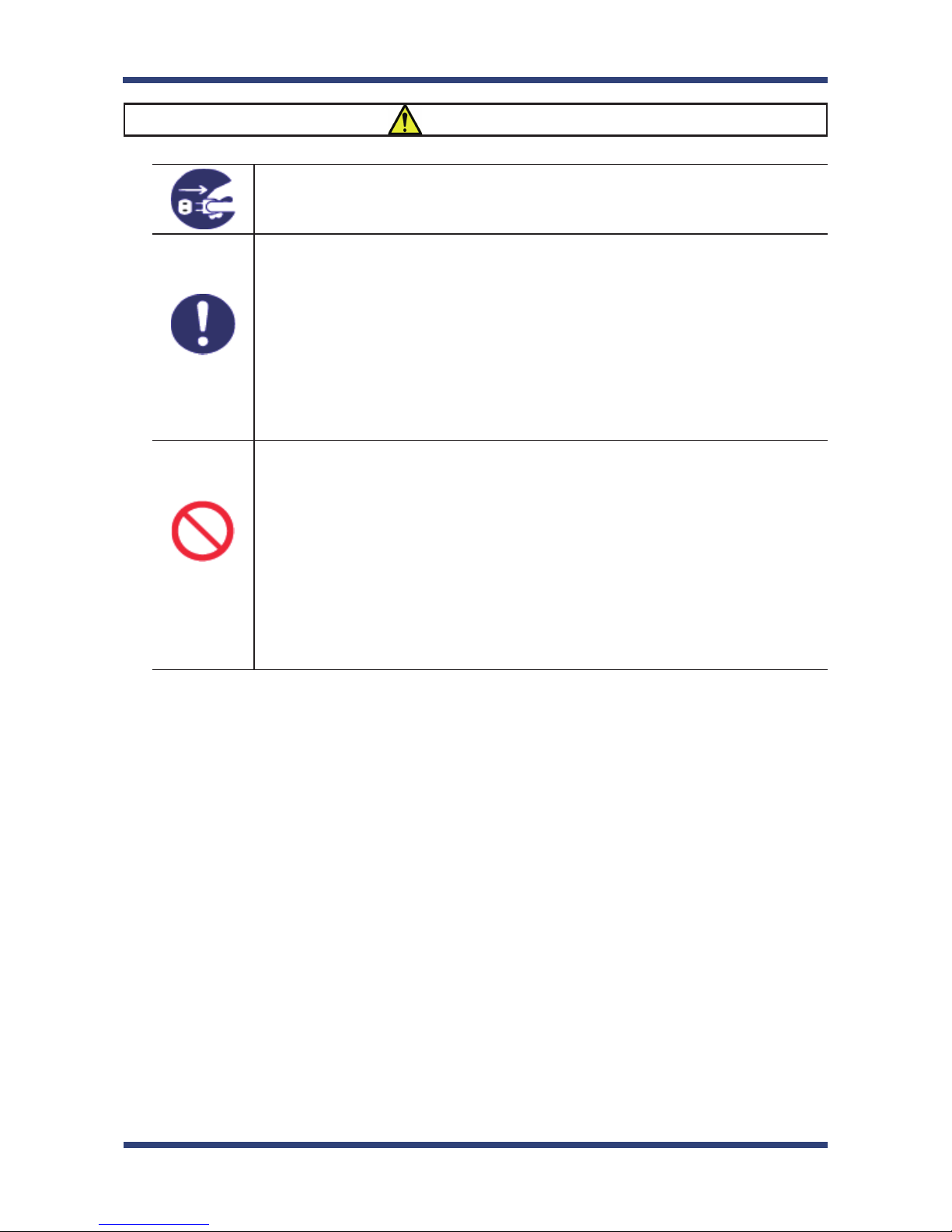
This symbol indicates the prohibited actions.
( Example: "Disassembly is prohibited" )
This symbol indicates the necessary actions.
( Example: "Remove the AC plug from an outlet" )
< Indication of the symbol >

1. Introduction
3
Danger
* Do not allow physical impact: When damaged, turn o your network device, unplug
the AC plug of SX-AP-4800AN from power outlet (unplug the network cable from
Ethernet HUB when receiving power over the Ethernet) and contact your point of
purchase. Failure to take this action could cause re or an electrical shock.
* In the following cases, turn off your network device, unplug the AC plug of SX-
AP-4800AN from power outlet (unplug the network cable from Ethernet HUB when
receiving power over the Ethernet) and contact your point of purchase. Failure to take
this action could cause re or an electrical shock.
* When SX-AP-4800AN emits a strange smell, heat, smoke or sound.
* When foreign objects (liquid, metal, etc) gets into SX-AP-4800AN.
* Keep the cord and cables away from children. They may be injured or receive a shock.
* If your network device has a ground wire, it must be used to prevent electrocution and
power surges.
* Do not disassemble or modify SX-AP-4800AN. Contact your point of purchase about
repairing SX-AP-4800AN.
* Do not disassemble or alter the AC adapter bundled with SX-AP-4800AN.
4
SX-AP-4800AN User's Guide
Warning
* When unplugging SX-AP-4800AN, do not pull on the cord. The cord may break
resulting in re and/or electric shock. Pull only on the plug.
* When moving SX-AP-4800AN, turn off your network device and SX-AP-4800AN by
unplugging the power cables from the outlet (if you are receiving power over the
Ethernet (PoE), unplug the network cable from the HUB).
* Always use the AC adapter bundled with SX-AP-4800AN. Other AC adapters may cause
SX-AP-4800AN to malfunction.
* Verify all cables are connected properly and safely before using SX-AP-4800AN.
* When SX-AP-4800AN will not be used for an extended time, disconnect and unplug the
power cable.
* Do not use or store SX-AP-4800AN under the following conditions to avoid potential
damage to SX-AP-4800AN.
- Hard vibrations
- Tilted or unstable places
- Exposure to the direct rays of the sun
- Humid or dusty places
- Wet place (kitchen or bathroom)
- Heated places (near stove or heater)
- Wide temperature change
- Strong electromagnetic eld (near magnet, radio or wireless device)
Otros manuales para SX-AP-4800AN
2
Tabla de contenidos
Otros manuales de Punto de acceso inalámbrico de Silex technology

Silex technology
Silex technology AP-415AN Manual de usuario

Silex technology
Silex technology AP-500AC Manual de usuario

Silex technology
Silex technology SX-AP-4800AN Manual

Silex technology
Silex technology SX-AP-4800AN Manual de usuario

Silex technology
Silex technology AP-100AH Manual de usuario

Silex technology
Silex technology AP-800AX Manual de usuario

Silex technology
Silex technology SX-AP-4800AN2 Manual de usuario

Silex technology
Silex technology SX-BR-4600WAN2 Manual de usuario


