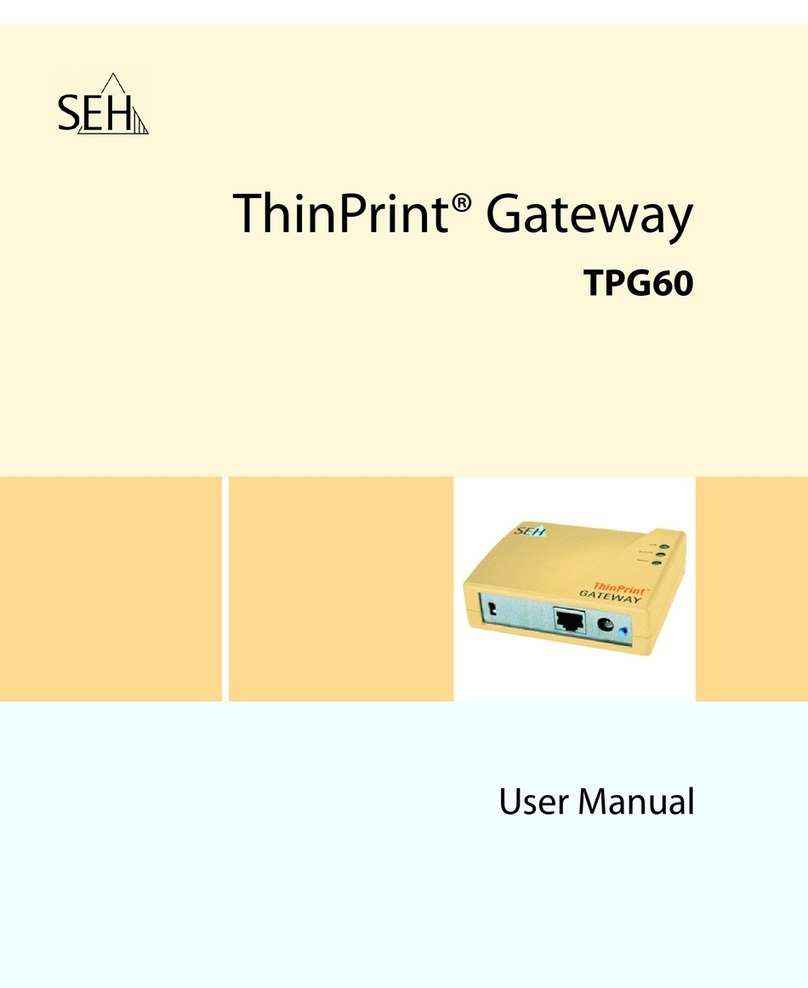
SEH TPG-25 Manual de usuario

ThinPrint® Gateway
TPG-25 / TPG-65
User Manual

Manufacturer:
SEH Computertechnik GmbH
Suedring 11
33647 Bielefeld
Germany
Phone: +49 (0)521 94226-29
Fax: +49 (0)521 94226-99
Support: +49 (0)521 94226-44
Email: [email protected]
Web: http://www.seh.de
Document:
Type: User Manual
Title: TPG-25 / TPG-65
Version: 1.0
Online Links to Important Websites:
Support Contacts & Information:
Sales Contacts & Information:
Downloads:
http://www.seh-technology.com/support
http://www.seh-technology.com/sales
http://www.seh-technology.com/services/
downloads/tpg.html
InterCon is a registered trademark of SEH Computertechnik GmbH.
SEH Computertechnik GmbH has endeavored to ensure that the information in this documentation is correct. If you detect any
inaccuracies please inform us at the address indicated above. SEH Computertechnik GmbH will not accept any liability for any error or
omission. The information in this manual is subject to change without notification.
All rights are reserved. Copying, other reproduction, or translation without the prior written consent from SEH Computertechnik GmbH
is prohibited.
© 2012 SEH Computertechnik GmbH
All trademarks, registered trademarks, logos and product names are property of their respective owners.

TPG User Manual 3
Table of Contents
1 General Information. . . . . . . . . . . . . . . . . . . . . . . . . . . . . . . . . . . . . . 5
1.1 ThinPrint® Gateway . . . . . . . . . . . . . . . . . . . . . . . . . . . . . . . . . . . . . . . . . . . . . . . . 6
1.2 Documentation. . . . . . . . . . . . . . . . . . . . . . . . . . . . . . . . . . . . . . . . . . . . . . . . . . . . 8
1.3 Support and Service . . . . . . . . . . . . . . . . . . . . . . . . . . . . . . . . . . . . . . . . . . . . . . 10
1.4 Your Safety . . . . . . . . . . . . . . . . . . . . . . . . . . . . . . . . . . . . . . . . . . . . . . . . . . . . . . . 11
1.5 First Steps . . . . . . . . . . . . . . . . . . . . . . . . . . . . . . . . . . . . . . . . . . . . . . . . . . . . . . . . 12
1.6 Saving the IP Address in the TPG . . . . . . . . . . . . . . . . . . . . . . . . . . . . . . . . . . 13
2 Administration Methods . . . . . . . . . . . . . . . . . . . . . . . . . . . . . . . . 17
2.1 Administration via the TPG Control Center. . . . . . . . . . . . . . . . . . . . . . . . . 18
2.2 Administration via the InterCon-NetTool . . . . . . . . . . . . . . . . . . . . . . . . . . 20
2.3 Administration via Email . . . . . . . . . . . . . . . . . . . . . . . . . . . . . . . . . . . . . . . . . . 22
2.4 Administration via the Status/Reset Button of the Device . . . . . . . . . . 24
3 Network and Device Settings . . . . . . . . . . . . . . . . . . . . . . . . . . . . 25
3.1 How to Configure IPv4 Parameters . . . . . . . . . . . . . . . . . . . . . . . . . . . . . . . . 26
3.2 How to Configure IPv6 Parameters . . . . . . . . . . . . . . . . . . . . . . . . . . . . . . . . 28
3.3 How to Configure the DNS . . . . . . . . . . . . . . . . . . . . . . . . . . . . . . . . . . . . . . . . 30
3.4 How to Configure SNMP . . . . . . . . . . . . . . . . . . . . . . . . . . . . . . . . . . . . . . . . . . 31
3.5 How to Configure POP3 and SMTP . . . . . . . . . . . . . . . . . . . . . . . . . . . . . . . . 32
3.6 How to Configure Bonjour . . . . . . . . . . . . . . . . . . . . . . . . . . . . . . . . . . . . . . . . 35
3.7 How to Configure the Device Time . . . . . . . . . . . . . . . . . . . . . . . . . . . . . . . . 36
3.8 How to Determine a Description . . . . . . . . . . . . . . . . . . . . . . . . . . . . . . . . . . 37
3.9 How to Use the Notification Service . . . . . . . . . . . . . . . . . . . . . . . . . . . . . . . 38
4 ThinPrint Settings. . . . . . . . . . . . . . . . . . . . . . . . . . . . . . . . . . . . . . . 40
4.1 How to Define the ThinPrint Port . . . . . . . . . . . . . . . . . . . . . . . . . . . . . . . . . . 41
4.2 How to Define the Bandwidth . . . . . . . . . . . . . . . . . . . . . . . . . . . . . . . . . . . . . 41
4.3 How to Embed Printers . . . . . . . . . . . . . . . . . . . . . . . . . . . . . . . . . . . . . . . . . . . 42
4.4 How to Define Timeouts . . . . . . . . . . . . . . . . . . . . . . . . . . . . . . . . . . . . . . . . . . 44
4.5 How to Get Status Information on the Printer Connections . . . . . . . . . 45
4.6 How to get Printer Messages . . . . . . . . . . . . . . . . . . . . . . . . . . . . . . . . . . . . . . 47
4.7 How to Use the ThinPrint Connection Service. . . . . . . . . . . . . . . . . . . . . . 48
4.8 How Does the TPG Receive Encrypted Data? . . . . . . . . . . . . . . . . . . . . . . . 50

TPG User Manual 4
5 Security . . . . . . . . . . . . . . . . . . . . . . . . . . . . . . . . . . . . . . . . . . . . . . . . 51
5.1 How to Control the Access to the TPG Control Center . . . . . . . . . . . . . . 52
5.2 How to Control the Access to the TPG (TCP Port Access Control). . . . 53
5.3 How to Use Certificates Correctly . . . . . . . . . . . . . . . . . . . . . . . . . . . . . . . . . . 55
5.4 How to Use Authentication Methods . . . . . . . . . . . . . . . . . . . . . . . . . . . . . . 62
6 Maintenance. . . . . . . . . . . . . . . . . . . . . . . . . . . . . . . . . . . . . . . . . . . . 69
6.1 How to Secure the TPG Parameters (Backup). . . . . . . . . . . . . . . . . . . . . . . 70
6.2 How to Use a Connected USB Device . . . . . . . . . . . . . . . . . . . . . . . . . . . . . . 71
6.3 How to Reset Parameters to their Default Values (Reset). . . . . . . . . . . . 74
6.4 How to Perform an Update. . . . . . . . . . . . . . . . . . . . . . . . . . . . . . . . . . . . . . . . 77
6.5 How to Restart the TPG? . . . . . . . . . . . . . . . . . . . . . . . . . . . . . . . . . . . . . . . . . . 78
6.6 How to Print a Status or Service Page . . . . . . . . . . . . . . . . . . . . . . . . . . . . . . 79
6.7 How to Display the Job History . . . . . . . . . . . . . . . . . . . . . . . . . . . . . . . . . . . . 81
7 Appendix. . . . . . . . . . . . . . . . . . . . . . . . . . . . . . . . . . . . . . . . . . . . . . . 83
7.1 Glossary . . . . . . . . . . . . . . . . . . . . . . . . . . . . . . . . . . . . . . . . . . . . . . . . . . . . . . . . . . 84
7.2 Parameter List . . . . . . . . . . . . . . . . . . . . . . . . . . . . . . . . . . . . . . . . . . . . . . . . . . . . 87
7.3 Troubleshooting. . . . . . . . . . . . . . . . . . . . . . . . . . . . . . . . . . . . . . . . . . . . . . . . .102
7.4 List of Figures. . . . . . . . . . . . . . . . . . . . . . . . . . . . . . . . . . . . . . . . . . . . . . . . . . . .104
7.5 Index . . . . . . . . . . . . . . . . . . . . . . . . . . . . . . . . . . . . . . . . . . . . . . . . . . . . . . . . . . . .105

General Information
TPG User Manual 5
1 General Information
What information do
you need?
• ’ThinPrint® Gateway’ Ö6
• ’Documentation’ Ö8
• ’Support and Service’ Ö10
• ’Your Safety’ Ö11
• ’First Steps’ Ö12
• ’Saving the IP Address in the TPG’ Ö13
This chapter contains information concerning the
device and the documentation as well as notes about
your safety.
You will learn how to benefit from your ThinPrint®
Gateway and how to operate the device properly.

General Information
TPG User Manual 6
1.1 ThinPrint® Gateway
What is ThinPrint®? ThinPrint® is a software-based technology providing print job
compression and bandwidth control for network printing. The data
traffic between the application server or the print server and the
local printer is reduced considerably and networks are relieved.
The ThinPrint technology enables the transmission of compressed
and bandwidth-optimized print jobs within a network. Print jobs are
compressed using the server component of the .print technology,
the so-called
ThinPrint
Engine. The server sends the compressed
print data to a device with the implemented
ThinPrint
Client. This
client then decompresses the print data, transferring it to any
printer.
Purpose The TPG (ThinPrint®Gateway) contains a fully embedded ThinPrint
client.This ThinPrint .print client allows you to receive and
decompress print data.
The ThinPrint ® gateways TPG-25 and TPG-65 have been specifically
designed for environments in which the ThinPrint technology for
print job compression and bandwidth control are used.
Up to two network printers can be quickly and easily embedded into
the network using the TPG-25. Up to six devices can be embedded
using the TPG-65. Users send compressed print jobs to the
ThinPrint® gateway, which decompresses these print jobs and sends
them to the appropriate printers.

General Information
TPG User Manual 7
Features The TPG supports the following features (amongst others):
• The feature AutoConnect allows you to automatically create the
required printer objects for the relevant client on the server.
AutoConnect will automatically connect all selected printers on
the server with a
ThinPrint
port; provided that templates exist.
• The ThinPrint Connection Service allows you to print to
ThinPrint
clients, that are found behind a firewall, for example.
This allows the connection via masked networks as well as the
assignment of the relevant print job to the respective end
device.
• By means of the ThinPrint SSL/TLS encryption, the print data is
protected during the transmission and will be decrypted by the
ThinPrint
clients or gateways before printing.
System
Requirements
The TPG has been designed for the use in TCP/IP-based networks. A
ThinPrint server must be integrated within this network. The
network printers involved must support RAW or socket printing
(printing via TCP/IP ports), IPP printing or LPD printing. If you want
to use the ThinPrint Connection Service, you need a license.

General Information
TPG User Manual 8
1.2 Documentation
Structure of the
Documentation
The TPG documentation consists of the following documents:
Document Features This documentation has been designed as an electronic document
for screen use. Many programs (e.g. Adobe® Reader®) offer a
bookmark navigation feature that allows you to view the entire
document structure.
This document contains hyperlinks to the associated information
units. If you want to print this documentation, we recommend using
the printer setting 'Duplex' or 'Booklet'.
Terminology Used in
this Document
The explanation of technical terms used in this document is
summarized in a glossary. The glossary provides a quick overview of
technical matters and background information; see: Ö84.
User Documentation
Detailed description of the TPG configuration and
administration.
Quick Installation Guide
Information about security, hardware installation, and the
initial operation procedure.
Online Help (TPG Control Center)
The Online Help contains detailed information about how
to use the 'TPG Control Center'.
Online Help (InterCon-NetTool)
The Online Help contains detailed information about how
to use the software tool 'InterCon-NetTool'.
PDF
Printed
PDF
HTML
HTML

General Information
TPG User Manual 9
Symbols and
Conventions
A variety of symbols are used within this document. Their meaning is
listed in the following table:
Table 1: Conventions within the documentation
Symbol / Convention Description
Warning
A warning contains important information that
must be heeded. Non-observance may lead
to malfunctions.
Note
A notice contains information that should be
heeded.
Proceed as follows:
1. Mark ...
The ‘hand’ symbol marks the beginning of
instructions. Individual instructions are set in
italics.
ªConfirmation The arrow confirms the consequence of an
action.
;Requirements Hooks mark requirements that must be met
before you can begin the action.
Option A square marks procedures and options that
you can choose.
• Eye-catchers mark lists.
This sign indicates the summary of a chapter.
Ö The arrow marks a reference to a page within
this document. In the PDF file, you can jump
to this page by clicking the symbol.
Bold Established terms (of buttons or menu items,
for example) are set in bold.
Courier Command lines are set in Courier font.
'Proper names' Proper names are put in inverted commas

General Information
TPG User Manual 10
1.3 Support and Service
Support If questions remain, please contact our hotline. SEH
Computertechnik GmbH offers extensive support.
Current Services The following services can be found on the SEH Computertechnik
GmbH homepage: http://www.seh-technology.com
• current firmware
• current tools
• current documentation
• current product information
• product data sheet
• and much more
Monday through Thursday
Friday
from 8:00 a.m. to 4:45 p.m. and
from 8:00 a.m. to 3:15 p.m. (CET)
℡+49 (0)521 94226-44
Otros manuales para TPG-25
2
Este manual sirve para los siguientes modelos
1
Tabla de contenidos
Otros manuales de Puerta de SEH
Manuales populares de Puerta de otras marcas

LST
LST M500RFE-AS Manual de usuario

Kinnex
Kinnex Media Gateway Manual de usuario

2N Telekomunikace
2N Telekomunikace 2N StarGate Manual de usuario

Mitsubishi Heavy Industries
Mitsubishi Heavy Industries Superlink SC-WBGW256 Manual de usuario

ZyXEL Communications
ZyXEL Communications ZYWALL2 ET 2WE Manual de usuario

Telsey
Telsey CPVA 500 - SIP Manual de usuario