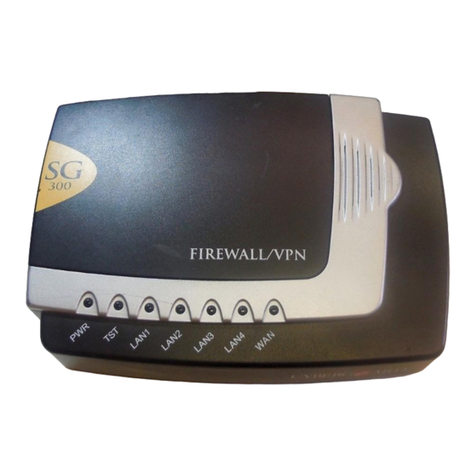
Secure Computing SG300 Manual de usuario

Secure Computing SG
User Manual
Secure Computing
4810 Harwood Road
San Jose, CA 95124-5206
Web: www.securecomputing.com
Revision 3.1.3
March 1st, 2006

Contents
1. Introduction...............................................................................................1
SG Gateway Appliances (SG3xx, SG5xx Series)..................................................1
SG Rack Mount Appliances (SG7xx Series) .........................................................4
SG PCI Appliances (SG6xx Series).......................................................................7
Document Conventions .......................................................................................10
2. Getting Started........................................................................................11
SG Gateway Appliance Quick Setup...................................................................12
SG Rack Mount Appliance Quick Setup..............................................................23
SG PCI Appliance Quick Setup...........................................................................33
The SG Management Console............................................................................40
3. Network Setup.........................................................................................41
Configuring Connections .....................................................................................41
Multifunction vs. Fixed-function Ports..................................................................42
Direct Connection................................................................................................44
ADSL ...................................................................................................................47
Cable Modem ......................................................................................................52
Dialout and ISDN.................................................................................................53
Dialin....................................................................................................................54
Failover, Load Balancing and High Availability....................................................59
Internet Failover...................................................................................................61
Internet Load Balancing.......................................................................................65
High Availability ...................................................................................................68
DMZ Network.......................................................................................................71
Guest Network.....................................................................................................72
Wireless...............................................................................................................75
Bridging................................................................................................................86
VLANs..................................................................................................................90
Port Based VLANs...............................................................................................92
GRE Tunnels.......................................................................................................96
Routes ...............................................................................................................100
System...............................................................................................................108
DNS...................................................................................................................109

DHCP Server.....................................................................................................111
Web Cache........................................................................................................115
QoS Traffic Shaping ..........................................................................................123
IPv6....................................................................................................................125
SIP.....................................................................................................................125
4. Firewall..................................................................................................127
Incoming Access................................................................................................127
Web Server........................................................................................................129
Customizing the Firewall....................................................................................131
Definitions..........................................................................................................132
Packet Filtering..................................................................................................135
Network Address Translation (NAT)..................................................................139
Connection Tracking..........................................................................................151
Intrusion Detection.............................................................................................152
Basic Intrusion Detection and Blocking (IDB)....................................................153
Advanced Intrusion Detection and Prevention (Snort and IPS).........................156
Access Control and Content Filtering ................................................................159
Antivirus.............................................................................................................171
5. Virtual Private Networking...................................................................182
PPTP and L2TP.................................................................................................183
PPTP VPN Server .............................................................................................183
L2TP VPN Server ..............................................................................................191
PPTP and L2TP VPN Client ..............................................................................198
IPSec.................................................................................................................200
Set Up the Branch Office...................................................................................201
Configuring the Headquarters............................................................................213
Tunnel List.........................................................................................................216
NAT Traversal Support......................................................................................219
Dynamic DNS Support.......................................................................................219
Certificate Management.....................................................................................219
IPSec Failover ...................................................................................................224
IPSec Troubleshooting ......................................................................................234
Port Tunnels ......................................................................................................237

6. USB........................................................................................................240
USB Mass Storage Devices ..............................................................................240
USB Printers......................................................................................................247
Printer Troubleshooting .....................................................................................253
USB Network Devices and Modems..................................................................254
7. System...................................................................................................255
Date and Time...................................................................................................255
Backup/Restore Configuration...........................................................................256
Users .................................................................................................................259
Management......................................................................................................263
Diagnostics........................................................................................................266
Advanced...........................................................................................................266
Reboot and Reset..............................................................................................269
Flash upgrade....................................................................................................271
Configuration Files.............................................................................................273
Support..............................................................................................................274
Appendix A – Terminology...........................................................................275
Appendix B – System Log............................................................................281
Access Logging .................................................................................................281
Creating Custom Log Rules...............................................................................283
Rate Limiting......................................................................................................286
Administrative Access Logging..........................................................................287
Boot Log Messages...........................................................................................287
Appendix C – Firmware Upgrade Practices and Precautions ...................288
Appendix D – Recovering From a Failed Upgrade.....................................290

Introduction 1
1. Introduction
This manual describes the features and capabilities of your SG unit, and provides you
with instructions on how to best take advantage of them.
This includes setting up network connections (in the chapter entitled Network
Connections), tailoring the firewall to your network (Firewall), and establishing a virtual
private network (Virtual Private Networking). It also guides you through setting up the SG
unit on your existing or new network using the web management console (Getting
Started).
This chapter provides a high level overview to familiarize you with your SG unit’s features
and capabilities.
SG Gateway Appliances (SG3xx, SG5xx Series)
Note
The SG gateway appliance range includes models SG300, SG530, SG550, SG560,
SG565, SG570, SG575 and SG580.
The SG gateway appliance range provides Internet security and
privacy of communications for small and medium enterprises, and
branch offices. It simply and securely connects your office to the
Internet, and with its robust stateful firewall, shields your computers
from external threats.
With the SG unit’s masquerading firewall, hosts on your LAN (local area network) can
see and access resources on the Internet, but all outsiders see is the SG unit’s external
address.
You may tailor your SG unit to disallow access from your LAN to specific Internet sites or
categories of content, give priority to specific types of network traffic, and allow controlled
access to your LAN from the outside world. You may also choose to enable intrusion
detection and prevention services on your SG unit, to further bolster the security of your
local network.

Introduction 2
The SG565, SG560, SG570, SG575 and SG580 may also connect to a DMZ
(demilitarized zone) network. A DMZ is a separate local network typically used to host
servers accessible to the outside world. It is separated both physically and by the
firewall, in order to shield your LAN from external traffic.
The SG unit allows you to establish a virtual private network (VPN). A VPN enables
remote workers or branch offices to connect securely to your LAN over the public
Internet. The SG unit can also connect to external VPNs as a client. The SG550,
SG560, SG565, SG570, SG575 and SG580 utilize onboard cryptographic acceleration to
ensure excellent VPN throughput.
The SG unit may be configured with multiple Internet connections. These auxiliary
connections may be kept on stand-by should the primary connection become
unavailable, or maintained concurrently with the primary connection for spreading
network load.
The SG565, SG570, SG575 and SG580 incorporate a powerful web proxy cache to
improve web page response time and reduce link loads. It is designed to integrate
seamlessly with upstream proxy caches provided by ISPs.
Front panel LEDs
The front and rear panels contain LEDs indicating status. An example of the front panel
LEDs are illustrated in the following figure and detailed in the following table.
Note
Not all the LEDs described below are present on all SG unit models. Labels vary from
model to model.
Label Activity Description
Power On Power is supplied to the SG unit
Flashing The SG unit is operating correctly
Heart Beat
On If this LED is on and not flashing, an operating
error has occurred.
LAN Activity
Flashing Network traffic on the LAN network interface

Introduction 3
WAN Activity
Flashing Network traffic on the Internet network interface
WLAN Flashing Network traffic on the Wireless network interface
DMZ Activity Flashing Network traffic on the DMZ network interface
Serial
Activity
Flashing For either of the SG unit COM ports, these LEDs
indicate receive and transmit data
HA On The SG unit has switched to a backup device
Online On An Internet connection has been established
VPN On Virtual private networking is enabled
Online On An Internet connection has been established
Note
If Heart Beat does not begin flashing shortly after power is supplied, refer to Appendix D,
Recovering From a Failed Upgrade.
Rear panel
The rear panel contains Ethernet and serial ports, the Reset/Erase button and power
inlet. If network status LEDs are present, the lower or left LED indicates the link
condition, where a cable is connected correctly to another device and the upper or right
LED indicates network activity.
Specifications
Internet link
•10/100baseT Ethernet
•Serial (for dial-up/ISDN)
•Front panel serial status LEDs (for TX/RX)
•Online status LEDs (for Internet/VPN)
•Rear panel Ethernet link and activity status LEDs
Local network link

Introduction 4
•10/100BaseT LAN port (SG530, SG550)
•10/100BaseT 4 port LAN switch (SG300)
•10/100BaseT DMZ port (SG570, SG575)
•10/100BaseT 4 port VLAN-capable switch (SG560, SG565, SG580)
•Rear panel Ethernet link and activity status LEDs
Enviromental
•External power adaptor (voltage/current depends on individual model)
•Front panel operating status LEDs: Power, Heart Beat
•Operating temperature between 0°C and 40°C
•Storage temperature between -20°C and 70°C
•Humidity between 0 to 95% (non-condensing)
SG Rack Mount Appliances (SG7xx Series)
Note
The SG rack mount appliance range includes models SG710 and SG710+.
The SG7xx series is the flagship of Secure Computing’s SG
family. It features multi-megabit throughput, rack-optimized
form factor, two fast Ethernet ports and two 4 port fast Ethernet
switches as standard, and the option for two additional gigabit
ports (SG710+).
In addition to providing all of the features described in SG Gateway Appliances earlier in
this chapter, it equips central sites to securely connect hundreds of mobile employees
and branch offices.
Front panel LEDs
The front panel contains LEDs indicating status. An example of the front panel LEDs are
illustrated in the following figure and detailed in the following table.

Introduction 5
Label Activity Description
Power On Power is supplied to the SG unit
Flashing The SG unit is operating correctlyH/B (Heart
Beat) On If this LED is on and not flashing, an operating
error has occurred.
Failover On The SG unit has switched to the backup Internet
connection
High Avail On The SG unit has switched to a backup device
Online On An Internet connection has been established
Note
If H/B does not begin flashing 20 – 30 seconds after power is supplied, refer to Appendix
E, Recovering From a Failed Upgrade.
Front panel
The front panel contains two 10/100 Ethernet four port switches (Aand B), two 10/100
Ethernet ports (Cand D) and analog/ISDN modem (Serial) as well as operating status
LEDs and the configuration reset button (Erase).
On the front panel Ethernet ports, the right hand LED indicates the link condition, where a
cable is connected correctly to another device. The left hand LED indicates network
activity.
Rear panel
The rear panel contains a power switch and a power inlet for an IEC power cable.
Additionally, the SG710+ has two gigabit Ethernet ports (Eand F).

Introduction 6
Specifications
Internet link
•Two 10/100baseT Ethernet ports (C, D)
•Two GbE ports (E, F – SG710+ only)
•Serial port
•Online status LEDs (Online, Failover)
•Ethernet link and activity status LEDs
LAN/DMZ link
•Two 10/100BaseT 4 port LAN switches
•Ethernet link and activity status LEDs
Enviromental
•Front panel operating status LEDs: Power, H/B
•Operating temperature between 0°C and 40°C
•Storage temperature between -20°C and 70°C
•Humidity between 0 to 95% (non-condensing)
Otros manuales para SG300
1
Este manual sirve para los siguientes modelos
7
Tabla de contenidos
Otros manuales de Puerta de Secure Computing
Manuales populares de Puerta de otras marcas

LST
LST M500RFE-AS Manual de usuario

Kinnex
Kinnex Media Gateway Manual de usuario

2N Telekomunikace
2N Telekomunikace 2N StarGate Manual de usuario

Mitsubishi Heavy Industries
Mitsubishi Heavy Industries Superlink SC-WBGW256 Manual de usuario

ZyXEL Communications
ZyXEL Communications ZYWALL2 ET 2WE Manual de usuario

Telsey
Telsey CPVA 500 - SIP Manual de usuario